Coding has changed quite a bit. A few years back, building any kind of software meant months of studying syntax and chasing down bugs.
Now you can describe what you want in plain English and actually have something working by the end of the day.
To help you get started with AI coding, we prepared a guide to the best tools for people who don’t know how to code. Choose what fits your use case and budget.
This page covers the broader AI coding tools category, including beginner-friendly app builders and coding assistants. If you already want autonomous developer agents that can plan, edit, run commands, and open PRs, use the focused best AI coding agents guide.
If you want a structured workflow for using these tools in real projects, start with Coursiv’s AI Tools for Developers course. For context on why Coursiv supports the open-source infrastructure behind many AI coding workflows, read the announcement that Coursiv sponsors the Python Software Foundation.
App Builders vs. Coding Assistants: Which Type Fits Your Situation
App builders let you describe what you want in everyday language and produce a complete working application. You type “Build me a project tracker with team logins and a dashboard,” and the tool generates the frontend, backend, database, and deployment. Lovable, Replit, and Bolt.new work this way.
Coding assistants help you write, edit, and debug code inside a code editor or terminal. They range from passive helpers that suggest the next line (GitHub Copilot) to autonomous agents that plan and execute multi-step projects on their own (Codex, Claude Code). Cursor and Windsurf sit between these extremes as AI-first editors where you describe changes in natural language.
Your goal determines your category. Want a working app without diving into technical terms? Start with an app builder. Want to automate workflows or tackle something more complex? A coding assistant paired with basic prompting skills will take you further.
How to Select the Best AI Coding Tools for Your Specific Needs
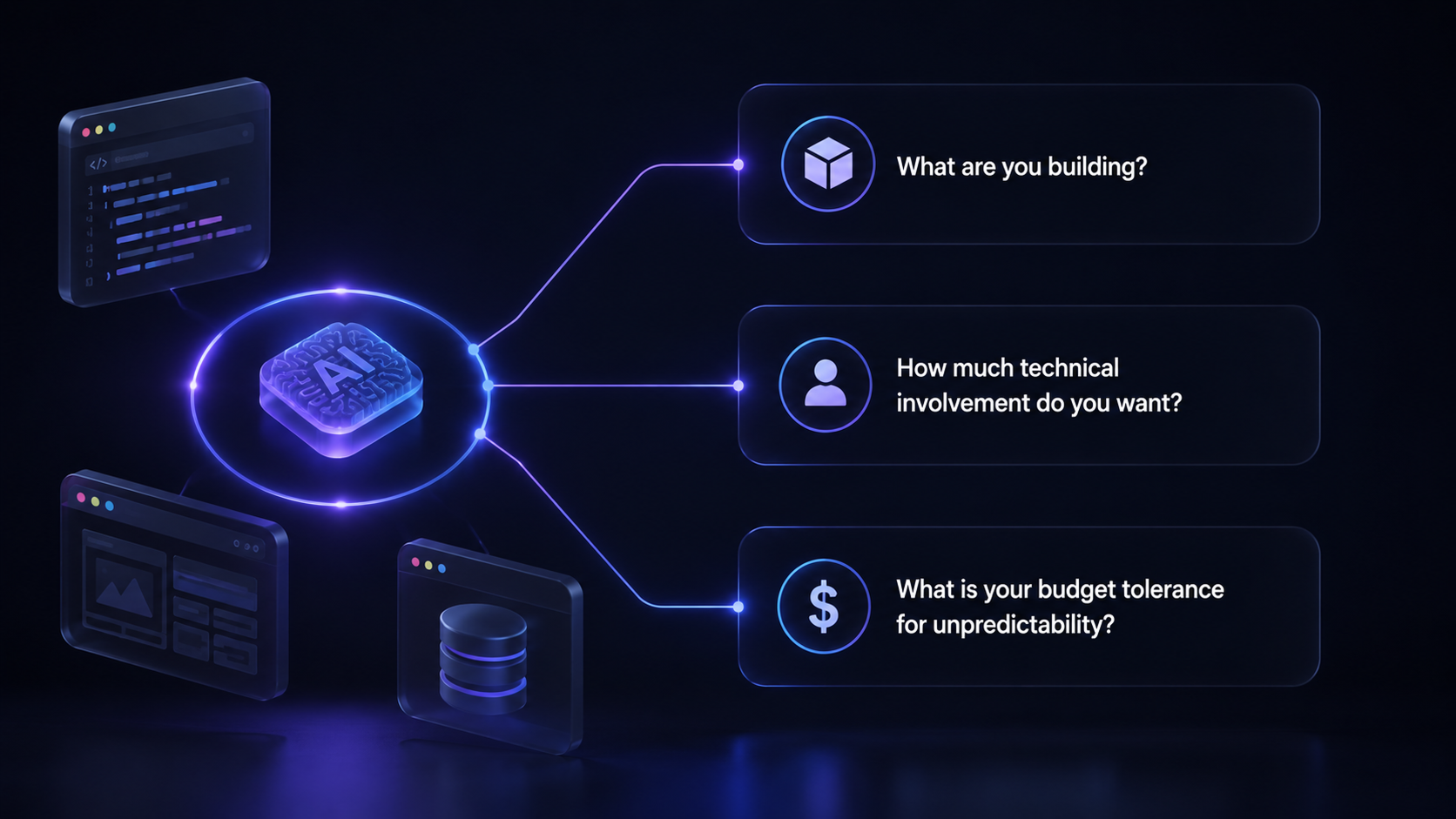
Before comparing features, answer three questions:
What are you building? A simple website or internal tool points toward Lovable or Bolt. A complex automation or data workflow calls for Claude Code or Codex. (Curious whether AI will replace programmers and engineers? These tools address that directly.)
How much technical involvement do you want? App builders take care of everything for you — front-end, back-end, database, hosting, all of it.
What is your budget tolerance for unpredictability? Some tools charge flat monthly fees. Others use token or credit systems where heavy users regularly report monthly bills 2x to 4x above the base subscription.
Brief Review and Comparison of the Top AI Coding Tools
| Tool | Type | Best for | Learning curve | Starting price |
|---|---|---|---|---|
| Lovable | App builder | Non-coders building full-stack apps from a description | Low | Free/$25 mo |
| Replit | App builder | Autonomous app creation in one browser tab | Low-moderate | Free/$20 mo |
| Bolt.new | App builder | Fast browser-based prototypes across multiple frameworks | Low | Free/$25 mo |
| Claude Code | Coding agent | Complex projects without coding skills | Moderate-high | $20 mo (Claude) |
| Codex | Coding agent | Even better results for complex projects for non-coders, but it requires some technical learning | High | $20 mo (ChatGPT) |
| Cursor | AI code editor | Codebase-wide edits and project organization (requires some technical learning) | Moderate-high | Free/$20 mo |
| Windsurf | AI code editor | Complex projects at beginner-friendly pricing (basic coding needed) | Moderate | Free/$15 mo |
| GitHub Copilot | Code assistant | Passive code suggestions and plain language chat (basic coding needed) | Moderate | Free/$10 mo |
Best AI App Builders for Non-coders
These three platforms handle the heaviest lifting. You describe, they build.
Lovable: Build Full-stack Web Apps by Describing Them
You type a description, and Lovable generates a complete application: frontend, backend, database, and user authentication. A visual editor lets you click any element to adjust it without writing prompts. One Trustpilot reviewer captured the experience: “I’m not technical at all. A little help from ChatGPT and I’ve been able to build an entire usable and profitable software.”
A marketer who recently built a few internal tools shared that they use a custom GPT called “PromptGPT” to prepare strong prompts for building in Lovable.
Lovable also offers features that may be useful but that you may not have considered.
Where it falls short: Complex apps still need developer help for roughly 30 to 40% of the work. The AI sometimes creates new bugs while fixing existing ones, and credit consumption varies.
Pricing: Free tier with 5 daily credits (up to 30/month). Pro at $25/month (100+150 credits). Business at $50/month adds SSO and team workspaces.
Coursiv’s Lovable guide is built for people with real jobs and limited time. Lessons average 6 minutes. The pathway is sequenced so each lesson builds on the last. Less cognitive load, but the real skill at the end.
By the end, you’ll have a live, professional website – whether it’s a portfolio, a landing page, or an MVP for a side project.
Replit: From Idea to Working App in One Browser Tab
Replit has the most autonomous AI agent in this category. The Agent plans the project, writes the code, opens a browser to test the result, fixes bugs it finds, and deploys the finished app.
Everything lives in one place: code editor, database, authentication, hosting, and AI.
Where it falls short: Heavy Agent users report the $25 monthly allowance lasting about a week, pushing actual spending to $50 to $150. The Agent sometimes ignores instructions or gets stuck in loops.
Pricing: Free starter tier. Core at $20/month. Pro at $100/month with credit rollover.
Bolt.new: Fast Prototyping with a Generous Free Tier
Bolt.new runs entirely in your browser. The free tier offers 1 million tokens per month, enough for a basic prototype. One-click deployment publishes your app instantly.
Bolt supports more JavaScript frameworks than Lovable (React, Next.js, Astro, etc.) and mobile app support via Expo.
Where it falls short: Token burn is the dominant complaint. Large projects consume more tokens per interaction because the AI reprocesses the entire codebase each time. Users report spending over $1,000 on complex projects.
Bolt’s enterprise security posture is less mature than competitors ー no publicly documented SOC 2 certification.
Pricing: Free with 1M tokens/month. Pro at $25/month with 10M tokens. Teams at $30/member/month.
Best AI Coding Assistants
These five tools require more interaction with code but offer greater power and flexibility.
Claude Code: Strongest Reasoning for Complex, Multi-step Projects
Claude Code stands out for an unexpected reason: non-developers are succeeding with it.
At Anthropic’s hackathon, three of five winners had no development background. First place went to a personal injury attorney who built a tool that speeds up California’s building permit process for code compliance and review.
The tool’s 200,000-token context window (up to 1M in beta) lets it hold an entire large codebase in memory during a session.
Claude Code works conversationally, asking clarifying questions and explaining decisions rather than silently executing.
Users report using it for taxes, file organization, data analysis, and document processing. Not just coding.
You can start with Claude Cowork (same agent architecture but wrapped in a visual interface inside the Claude Desktop app) for similar tasks, though Claude Code is more powerful.
Note: The terminal interface has a learning curve. Once past that hurdle, the conversational style makes it surprisingly approachable.
Pricing: Claude Pro at $20/month. Claude Max at $100 to $200/month for heavier use.
Codex: OpenAI’s Autonomous Coding Agent
Codex works differently from everything else here. You assign it a task (“Fix the login bug” or “Add Stripe payments”), and it runs autonomously in a cloud sandbox for 1 to 30 minutes. You can run several agents at once, each working on a separate piece of the project in parallel.
Its deep GitHub integration means it can open pull requests on its own and handle code review without you having to step in.
Fair warning: Codex really does expect you to be at least somewhat comfortable with the command line, GitHub, and a code editor. The ChatGPT interface makes it a bit less intimidating, but you’re still spending most of your time inside code repos.
Pricing: Included with ChatGPT Plus ($20/month) or ChatGPT Pro ($200/month) – no extra charge on top.
Cursor: The AI-first Code Editor Gaining Ground Fast
Built on VS Code, Cursor understands your entire project. Its Agent mode reads the full codebase, proposes edits, and executes them across dozens of files.
Cursor is great for organizing your projects, which you build with Codex or Claude Code.
One marketer recently shared with me that their entire AI startup team uses Cursor as a shared knowledge base – from code to meeting transcripts: “It’s honestly mind-blowing. I can pull together expert posts, release updates, client feedback, and case studies in minutes because everything lives in one place, structured and easy to work with”.
Note: The interface can overwhelm newcomers with multiple modes. Has some learning curve.
Pricing: Free with limited requests. Pro at $20/month. Teams at $40/user/month with SSO.
Windsurf: Streamlined Experience That Beginners Prefer
Windsurf (formerly Codeium, now owned by Cognition) is an AI code editor for people with at least basic coding knowledge.
Windsurf tries to make “serious coding tools” feel more like a normal app: easy to look at, able to remember your whole project for you, and able to put things online with a single click.
Windsurf is chosen over other coding tools by people who want an AI that can handle bigger, more complex projects at a good value (a generous free tier and $15 Pro pricing).
Pricing: Free with 25 prompt credits/month. Pro at $15/month. Teams at $30 user/month.
GitHub Copilot: The Industry Standard (but Is It Right for You?)
GitHub Copilot is a plugin for your code editor that suggests code as you type. It also assumes you’re working in a code editor and have basic programming knowledge.
You can also chat with it in natural language: “Create a form that collects name, email, and saves to a CSV,” and it proposes code.
Newer “agent” and code review modes can scan a pull request, spot likely bugs, and suggest fixes, but they are explicitly not guaranteed to be correct ー someone still has to review the changes.
Copilot is the most accessible coding assistant at $10/month. Simple setup, passive operation, no complex modes to manage.
Pricing: Free with 2,000 completions/month. Pro at $10/month. Business at $19/user/month with IP indemnification (Microsoft defends you in court over copyright claims on generated code, unique among these tools).
Best AI Coding Tools for Enterprises
Your IT and legal teams will ask three questions before approving any AI coding tool: where does our code go, who controls access, and what happens if generated code triggers a copyright claim. Not every tool in this guide has strong answers to all three.
GitHub Copilot runs on GitHub’s ISO 27001–certified, SOC‑audited platform, with Copilot Business/Enterprise covered by a SOC 2 Type I report today and GitHub stating it will include Copilot Business/Enterprise in its next SOC 2 Type II report, plus IP indemnification for eligible enterprise customers.
Windsurf currently shows one of the strongest published compliance postures among AI code editors, with SOC 2 Type II certification, FedRAMP High–accredited deployment options, EU data residency, and support for self‑hosted / hybrid deployments aimed at regulated environments.
Lovable and Replit document SOC 2 Type II certification in their own materials, and Replit additionally notes SSO for Enterprise; Lovable also holds ISO 27001:2022.
Cursor confirms on its own trust and security pages that it is SOC 2 Type II certified and provides dedicated security, data‑use, and compliance documentation for enterprise customers.
Anthropic (covering Claude, Claude for Work, Claude Code, and the Anthropic API) documents on its trust and privacy sites that it maintains SOC 2 Type II compliance and offers additional regulated configurations, such as HIPAA‑ready under BAAs for commercial products.
Bolt.new has the sparsest public security disclosures in this group; in its official marketing and docs, no SOC 2 or ISO certification is publicly documented as of this research.
From Picking a Tool to Building Real Skills

Choosing the right tool matters. But real value comes to professionals who know how to prompt well, scope projects clearly, and work with AI output instead of just accepting it. Understanding how AI tools fit into the broader job market helps you position your skills competitively.
Coursiv’s ChatGPT guides teach prompt engineering fundamentals that translate directly to working with Codex, since both tools run on OpenAI’s models and respond to the same prompting patterns.
The Claude guide builds the reasoning and multi-step workflow skills that make Claude Code productive from day one.
And the Lovable guide walks you from the first prompt to a published website.
The prompting instincts you develop across all three transfer to Cursor, Windsurf, Copilot, and any AI tool that follows.
Six minutes a day. Bite-sized lessons. Certificates that employers and clients recognize. Over 1.8 million professionals have started their AI learning journey with Coursiv.
Structured learning is what turns access into real capability.