Microsoft Copilot vs ChatGPT is not really a question of which model is “smarter.” It is a question of where the AI needs to work. Copilot is strongest when your day already runs through Word, Excel, PowerPoint, Outlook, Teams, SharePoint, and Microsoft Graph. ChatGPT is stronger when you need one flexible assistant outside a single productivity suite.
Quick answer: choose Microsoft Copilot if your team lives in Microsoft 365 and needs AI grounded in company files, meetings, email, and permissions. Choose ChatGPT if you need flexible writing, research, coding, image work, custom GPT-style workflows, or API-backed automations across many tools.
| Decision factor | Microsoft Copilot | ChatGPT |
|---|---|---|
| Best fit | Microsoft 365 teams | Individuals and flexible teams |
| Strongest workflow | Word, Excel, PowerPoint, Outlook, Teams | Drafting, ideation, coding, analysis, images, custom workflows |
| Business context | Microsoft Graph and tenant permissions | Uploaded files, memory/settings, connectors, GPTs/projects depending on plan |
| Admin/security | Strong inside Microsoft 365 admin stack | Strong on Business/Enterprise plans |
| Weak spot | Less useful outside Microsoft apps | Requires more manual workflow setup |
Source check — June 4, 2026: Microsoft positions Copilot around Microsoft 365 apps, Copilot Chat, and business plans on its official Copilot pricing page. OpenAI lists current ChatGPT consumer and business plans on ChatGPT pricing. Because plan names, limits, and included models move quickly, this comparison focuses on durable workflow differences rather than one-month pricing screenshots.
For broader alternatives, compare best AI chatbots, Claude vs ChatGPT, and Perplexity vs ChatGPT. For business automation beyond chat, see best AI agents for business.
How Does Microsoft Copilot Work?
Microsoft Copilot is an AI-powered conversational assistant embedded directly into Microsoft 365 apps, Windows, and browsers. It was officially launched as Bing Chat on February 7, 2023, marketed as “the new Bing,” before being rebranded on September 21, 2023, when Microsoft unified its AI products—Bing Chat, Windows Copilot, and others—under the single Microsoft Copilot umbrella.
Under the hood, Copilot runs on OpenAI’s GPT-4-class models, with Microsoft’s own tuning and grounded through Bing’s real-time web index. Inside enterprise environments, it connects to your Microsoft 365 data—emails, documents, meetings—via Microsoft Graph, which means it can summarize your inbox, draft content in Word, or analyze data in Excel using the context of your actual work. For businesses already operating in the Microsoft ecosystem, that’s a meaningful advantage.
How Does ChatGPT Work?
ChatGPT is a standalone AI tool developed by OpenAI. A big part of how it works comes from reinforcement learning with human feedback, meaning its behavior is shaped by ongoing human input rather than rigid, prewritten rules. Unlike Microsoft Copilot, ChatGPT isn’t anchored to a single software ecosystem—it operates on its own and can be used in a browser, on mobile, or through an API.
What makes ChatGPT particularly powerful is its flexibility in how—and where—it can be used. It works as a general-purpose assistant in the browser, a mobile app for on-the-go use, and a programmable tool via the API, which lets teams build it directly into products and workflows rather than treating it as a standalone chatbot. That range is supported by OpenAI’s model updates and tooling around multimodality (text, image, and audio) and developer access, making it adaptable across writing, research, automation, and customer-facing applications.
It supports web browsing, code execution, image generation via DALL-E, file uploads, built-in tools, and custom GPTs. Developers can also build entirely custom applications on top of it using the OpenAI API. Whether you’re a student researching a topic, a marketer drafting a campaign, or a developer debugging code, ChatGPT is designed to handle it all without requiring you to be inside any particular software environment.
If you’re just getting started with ChatGPT, Coursiv offers a focused course that walks through the basics and builds toward more advanced, real-world use cases—without the fluff. Looking for more structured, long-term AI learning? Check out our 28-Day AI Challenge to build deeper proficiency.
ChatGPT Course Overview by Coursiv
Coursiv’s ChatGPT course is a two-part program built to take you from a complete beginner to a confident, strategic AI user. In total, it’s about 12 hours of guided learning, split across 2 parts. Delivered through bite-sized micro lessons with gamified learning modules, the course is designed to provide learners with foundational skills to start leveraging ChatGPT as a powerhouse tool.
The first part covers the fundamentals you actually need to use ChatGPT well—not just “prompt tricks.” You’ll learn how ChatGPT works in practice, how to navigate its different models, and how to write prompts that reliably produce useful outputs. The course stays practical: you work through real use cases like content creation, travel planning, image generation, and SEO, with clear examples of what to feed the model (and what not to).
It also teaches the mechanics that make a big difference once you move beyond casual use: how to provide the right context, how to use file attachments, and how to interact via voice when that’s faster than typing. By the end of Part 1, you’ll have a solid grasp on using the right kind of data, file attachments, and, more importantly, a repeatable process you can apply immediately in your own work.
The second guide goes deeper. It’s aimed at learners who want to move past basic prompting and start building workflows that actually scale. The course digs into layered prompting, role-based setups, and iterative prompt development, then pushes you to apply those techniques through hands-on challenges rather than one-off examples.
You’re also guided through building custom GPTs from the ground up. That includes defining what each system is meant to do, training it with your own data, and adjusting its behavior so it performs reliably in real scenarios. The focus stays practical, with examples tied to everyday business needs like email management, team coordination, and freelance or client work—areas where small improvements compound quickly.
Together, both guides give you a mature, practical understanding of how to collaborate with AI purposefully—whether you’re a marketer, business owner, developer, or complete newcomer.
In total, the course includes more than 12 hours of structured learning split across two guides, with hands-on, real-world challenges woven throughout. Each guide is designed to be completed end-to-end, and finishing them earns you a certificate of completion that reflects the work you’ve actually done.
Core Differences Between Copilot and ChatGPT
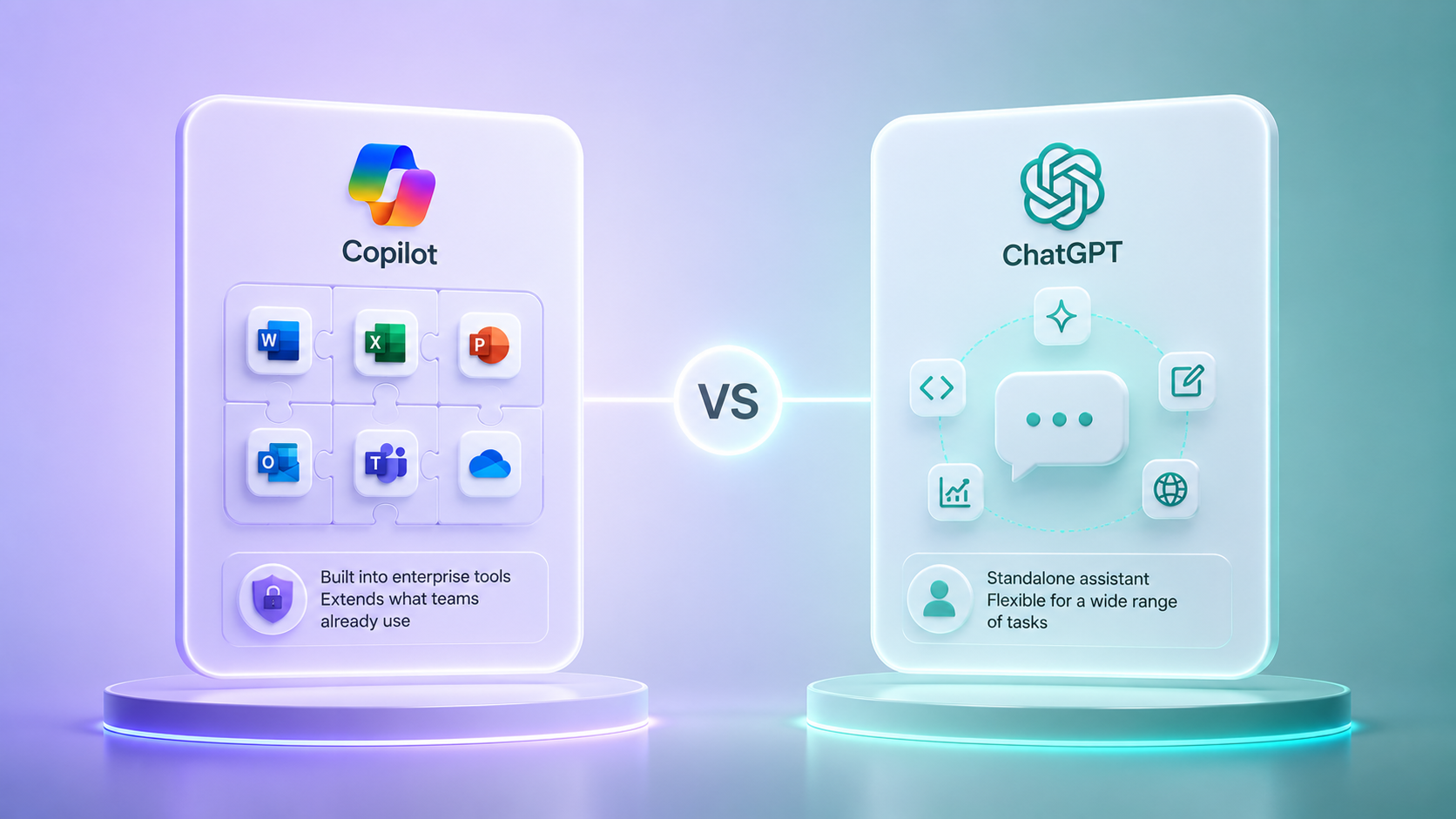
The difference shows up in where each tool fits into your day-to-day work. Copilot is built to sit inside enterprise tools and quietly extend what teams already use every day. ChatGPT, by contrast, isn’t tied to a single platform—it works as a standalone assistant you can bend to a wide range of tasks. With that in mind, here’s a quick side-by-side to make the contrast clearer.
Core Feature Comparison
| Feature | Microsoft Copilot | ChatGPT |
|---|---|---|
| Primary Ecosystem | Microsoft 365/Azure | OpenAI/Third-party |
| Core Model | GPT-4 + Microsoft Tuning (with potential early GPT-5 integrations) | GPT-5.2 |
| Best For | Enterprise & Office tasks | General/creative/dev |
| Usage Mode | Embedded in apps | Standalone + API |
| Free Tier | Yes (Bing/Windows) | Yes (as of February 13, 2026, all users have access to GPT-5.2 models) |
| Paid Tier | Microsoft 365 Copilot ($30 USD/user/month) | ChatGPT Plus ($20 USD/month) |
Integration with Ecosystems: Microsoft vs. OpenAI
Copilot’s biggest structural advantage is how deeply it sits inside Microsoft’s product stack. Inside Teams, it can summarize meetings in real time. Inside Word, it drafts and edits. Inside Excel, it interprets data and generates formulas. That native, no-friction access to your working environment is something ChatGPT simply doesn’t replicate—at least not natively. ChatGPT works in the opposite way. Because its API is open, developers and teams can plug it into almost anything they’re already building, which makes it far more adaptable outside a single ecosystem.
Target Audience: Enterprise Users vs. General Users
Copilot is built with IT-led organizations in mind, especially teams already running on Microsoft 365. Deployment typically happens at the company level, with admin oversight, security controls, and compliance requirements handled centrally. ChatGPT plays a different role. It’s used by a much wider mix of people—developers, creators, researchers, students, and small teams—who want a capable AI assistant without needing enterprise infrastructure or formal rollout processes.
Usage Context: Embedded vs. Standalone
Copilot lives inside your Microsoft apps; it shows up when and where you’re already working. ChatGPT is a destination—you go to it. Both approaches can work, but the difference starts to matter once you’re using the tool every day and building it into how you actually work.
Functionality Comparison
Language and Communication Strengths
For open-ended writing—things like long-form pieces, creative drafts, or subtle tone shifts—ChatGPT usually feels easier to work with. It’s particularly strong at producing language that sounds natural and cohesive across different styles, rather than stiff or overly structured. Copilot, by contrast, is optimized for structured business communication: summarizing email threads, generating meeting notes, and drafting formal documents. If your primary goal is professional productivity inside Microsoft apps, Copilot delivers that cleanly and quickly.
Text and Document Processing
This is one of the most practical ChatGPT vs. Copilot distinctions. Copilot can directly read, edit, and interact with live Word documents and Excel spreadsheets—your actual files, in real time. ChatGPT processes documents through uploads in the interface, which works well but requires an extra step and doesn’t carry persistent context across sessions the same way. For teams managing high document volumes inside Microsoft 365, Copilot’s native access is a genuine workflow advantage.
Code Generation Capabilities
This is also where the GitHub Copilot vs. ChatGPT conversation tends to get muddled, so it helps to clear up one common misunderstanding. GitHub Copilot and Microsoft 365 Copilot aren’t the same product, and they weren’t built for the same job. GitHub Copilot, first released in 2021, was built specifically for developers and is meant to live inside IDEs like Visual Studio Code and JetBrains IDEs. Microsoft 365 Copilot, which arrived later in 2023, goes in a different direction by embedding AI directly into Office apps such as Word, Excel, and Outlook. Despite the similar naming, they’re designed to solve very different kinds of problems in day-to-day work.
GitHub Copilot lives inside the editor, offering real-time code suggestions and completions as you write. If you’re working in VS Code or a similar environment, Copilot shines at filling in functions and speeding up routine coding work. Studies show that GitHub Copilot delivers coding in 55% less time.
ChatGPT plays a different role. Rather than autocomplete-style suggestions, ChatGPT provides a richer, broader interface complete with code execution and markdown previews—making it better suited for reasoning through problems, walking you through logic, calling out architectural issues, and generating code. ChatGPT can also recall project details and integrate with external tools, giving it an edge on complex, multi-step development tasks. For a comprehensive comparison of coding-focused tools, see our guide on best AI tools for coding.
The difference between GitHub Copilot and ChatGPT mostly comes down to how you work. Copilot is built for speed inside the IDE; ChatGPT is built for reasoning across any interface. Both are strong—the best choice depends entirely on your workflow.
(Sources available on request.)
Debugging and Troubleshooting Abilities
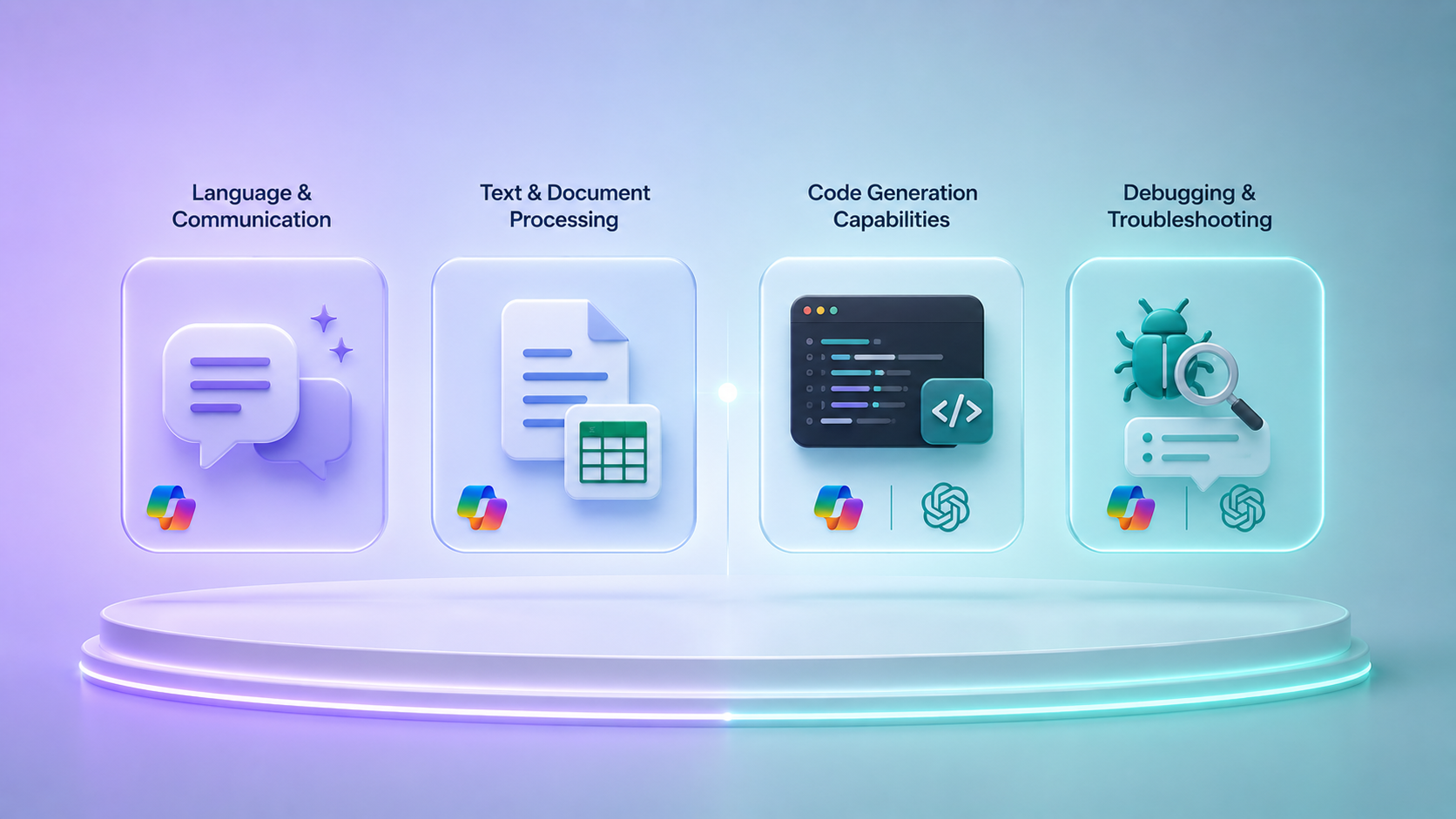
For step-by-step debugging explanations—where understanding why something broke matters—ChatGPT consistently delivers more thorough walkthroughs. GitHub Copilot is faster for inline fix suggestions within the IDE, making it better when you need a quick patch rather than a full breakdown. Again, these aren’t competing products so much as complementary ones.
Pros and Cons of Microsoft Copilot vs ChatGPT
Microsoft Pilot Pros & Cons: Snapshot
| ✅ Pros | ❌ Cons |
|---|---|
| Seamless Microsoft 365 Integration | Requires a Microsoft 365 subscription |
| Real-time contextual suggestions in apps | Limited outside Microsoft ecosystem |
| Strong for structured business tasks | Fewer customization options |
| Enterprise-grade security & compliance | Context window limitations vs GPT-4o |
ChatGPT Pros & Cons: Snapshot pt 2
| ✅ Pros | ❌ Cons |
|---|---|
| Versatile tool: text, code, images, data | Less direct app/suite integration |
| Excellent open-ended problem solving | May require more clarifying prompts |
| Strong creative & conversational AI | Slower on complex multi-step tasks |
| Robust API for custom applications | The free tier has usage limitations |
Advantages of Microsoft Copilot
The headline benefit is ecosystem fit. If your team lives in Outlook, Teams, and Excel, Copilot reduces friction dramatically—it doesn’t require switching tools, learning new interfaces, or copying content between platforms. Real-time suggestions in context, enterprise-grade data security, and tight compliance controls (GDPR, SOC 2) make it a strong choice for regulated industries and large organizations.
Limitations of Microsoft Copilot
Copilot’s biggest trade-off is how tightly it’s bound to Microsoft 365. Step outside that environment, and its usefulness drops quickly, especially compared to a direct OpenAI API setup. For organizations without Microsoft licenses already in place, the cost can feel steep.
Advantages of ChatGPT
ChatGPT’s real advantage is flexibility. Between multimodal support and an open API, it adapts to a wide range of use cases without being tied to one ecosystem, which is why it works across creative, research, and technical tasks alike.
Limitations of ChatGPT
The trade-off with flexibility is setup. ChatGPT usually needs more careful prompting, lacks Copilot’s out-of-the-box productivity integrations, and can slow down once workflows become multi-step.
Key Applications Microsoft Copilot vs. ChatGPT: What Each AI Tool Does Best
| Microsoft Copilot Best For | ChatGPT Best For |
|---|---|
| Coding & Development (via GitHub Copilot) | Creative writing & content generation |
| Business document drafting & summarizing | Coding support & code explanation |
| Spreadsheet data analysis & reporting | General knowledge & informational retrieval |
| Real-time assistance in Microsoft apps | Academic research & summarization |
| Email management & meeting notes | Flexible cross-platform problem solving |
The honest takeaway on Copilot vs. ChatGPT for use cases is that context is everything. Neither tool is universally superior—Copilot wins where Microsoft infrastructure is the environment; ChatGPT wins where flexibility, creativity, or broad reasoning is required.
Performance Benchmarking: Side-by-Side Comparisons
Microsoft Copilot vs ChatGPT Benchmarks at a Glance
| Task Category | Microsoft Copilot | ChatGPT |
|---|---|---|
| Coding Tasks | Strong (esp. w/ GitHub Copilot) | Very Strong (reasoning + explanation) |
| Content Creation | Good (business-focused) | Excellent (creative and versatile) |
| Data Analysis | Excellent (Excel/native integration) | Good (Code Interpreter/uploads) |
| Debugging | Strong (IDE-integrated) | Strong (detailed explanations) |
Across benchmarks, the Microsoft Copilot vs. ChatGPT difference isn’t about one being better—it’s about where each performs best. Copilot dominates structured, data-heavy Microsoft workflows: summarizing documents, analyzing spreadsheets, and managing communications inside Teams and Outlook. ChatGPT shines most on creative and open-ended work across platforms. Still, results vary widely, and much of that comes down to how well the prompts are written rather than the tool itself.
User Experiences and Testimonials
Looking across conversations on places like Reddit, LinkedIn, and developer forums, a fairly consistent pattern shows up. People who spend most of their day inside Microsoft Office tend to get the most out of Copilot. In that context, it regularly saves time on routine work—drafting emails, polishing documents, or pulling together meeting summaries—without requiring much extra setup. Developer teams using GitHub Copilot often report similar gains in repetitive coding tasks, especially boilerplate and inline suggestions.
ChatGPT’s strengths show up elsewhere. It’s consistently favored for creative writing, open-ended analysis, and workflows that move across tools rather than staying in one ecosystem. Many developers also point out that ChatGPT tends to receive new features and model updates sooner, and the flexibility of the API is a major draw when building custom applications.
Cost and Availability
Cost is one area where the Microsoft Copilot vs ChatGPT comparison is relatively easy to follow—at least at a high level. Pricing does change, though, so it’s still worth double-checking the official plans before making a decision. Check out the pricing overview below:
Pricing Structure: Copilot vs ChatGPT
Both tools offer free access, but what you get at each tier differs considerably.
Microsoft Copilot is available for free through Copilot on web, Windows, and Bing, where it functions as a basic AI chat tool. The more substantial capabilities come with Microsoft 365 Copilot, which is priced at roughly $30 per user each month and embeds AI directly into apps like Word, Excel, Teams, and Outlook. In bigger organizations, Copilot access is usually tied to Microsoft 365 E3/E5 plans, where most enterprise features live. Microsoft also splits offerings across business and personal tiers, which changes what’s available.
ChatGPT starts with a free tier that gives limited GPT-5 access for everyday use. If you’re on Plus, the $20 monthly fee mainly gets you full access to the model and a set of advanced features. Enterprise works differently—it’s priced case by case and focuses more on security controls and admin oversight than individual features.
If budget matters, ChatGPT’s free tier usually feels more applicable than Copilot’s. For organizations already paying for Microsoft 365, adding Copilot is a natural—and potentially cost-efficient—upgrade rather than an additional expense. Make sure to always verify current rates directly with official vendor pages before committing.
Long-Term Cost Considerations
If a team is already built around Microsoft 365, Microsoft 365 Copilot often feels like the next-best-step extension rather than a separate purchase. You’re paying for AI features layered onto tools people already rely on, which changes the value calculation for existing customers. ChatGPT Plus, priced at $20 a month, is meant for a different kind of use altogether. It’s positioned as an accessible upgrade for individuals or small teams who want more capability without committing to an enterprise stack. Once you move into larger deployments, pricing on both sides becomes more variable, shaped by usage, security requirements, and compliance needs. Checking the current plans before deciding is still the safest move.
Integration with IDEs, APIs, and Third-Party Tools
For developers, integration usually ends up being the deciding factor in the GitHub Copilot vs ChatGPT discussion. GitHub Copilot lives in the editor. With support for VS Code and JetBrains IDEs, it works in real time as you type and feels more like part of the environment than a separate AI layer. In larger organizations, Microsoft extends that setup through Azure OpenAI Service, giving IT teams more control over how Copilot is configured and governed.
ChatGPT takes a different approach to integration. Its API is widely used across the industry and sits behind thousands of third-party apps, internal tools, and automated workflows. If you’re building something custom—or stitching AI into an existing system rather than an editor—the flexibility of the ChatGPT API is hard to ignore.
Copilot vs ChatGPT vs Gemini: The Three-Way Comparison
No modern AI comparison is complete without mentioning Google’s Gemini. When looking at ChatGPT vs Gemini vs Copilot, each model has a clear home turf: Copilot owns Microsoft 365, ChatGPT dominates cross-platform flexibility and open-ended reasoning, and Gemini integrates most naturally into Google Workspace—Docs, Sheets, Gmail, and Meet. In terms of raw language performance, all three are competitive, with differences showing up most clearly in ecosystem fit and specific task categories. When examining Copilot vs ChatGPT vs Gemini as a whole, the right choice almost always comes down to which productivity environment you already live in. For a broader look at how different AI tools compare, check out our best AI chatbots 2026 review.
For a broader three-way view, compare this article with best AI chatbots and Claude vs ChatGPT. **
Evaluating Your Tech Stack and Team Needs
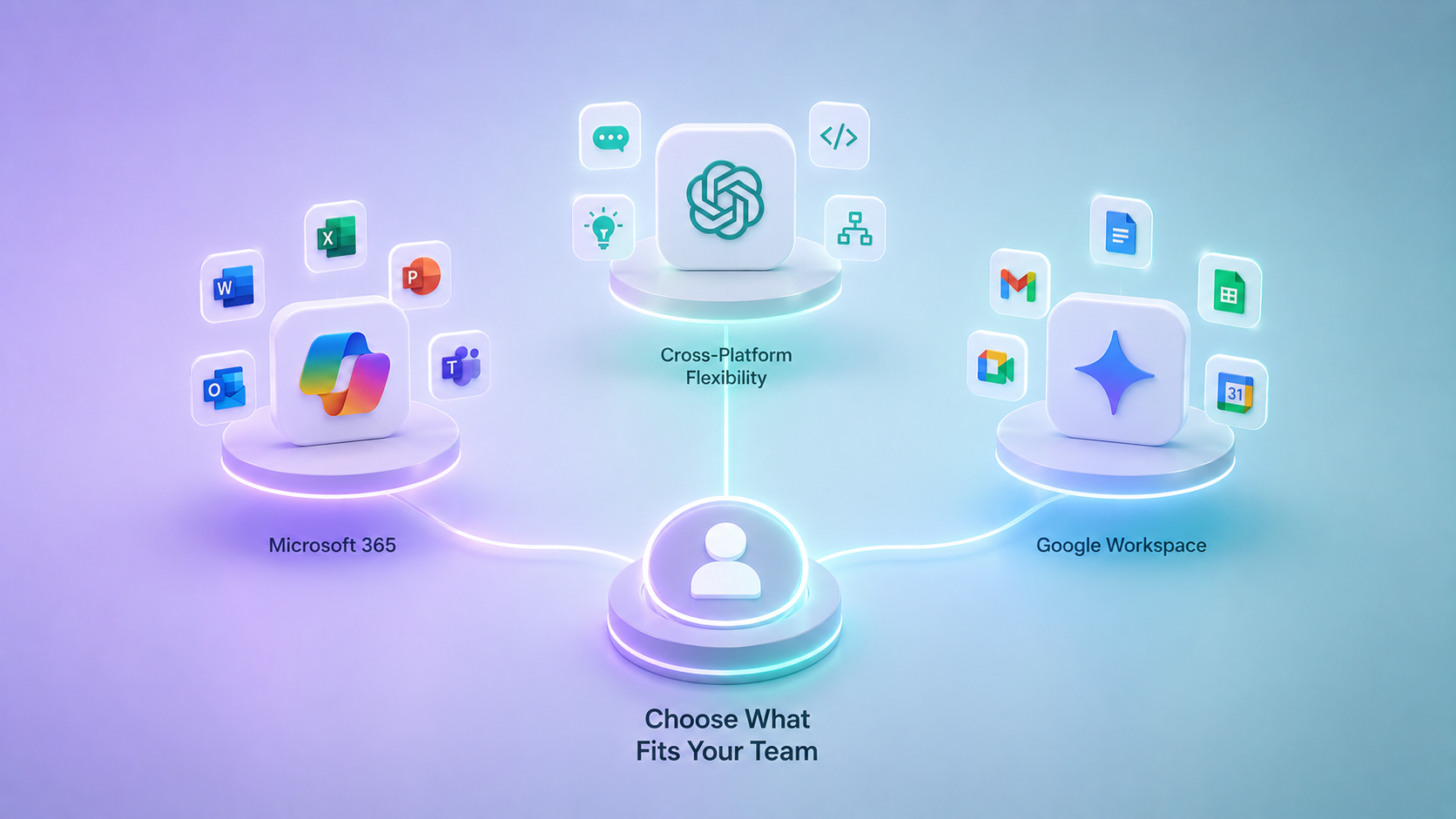
Before making a decision, it helps to look at what you already have in place—existing Microsoft 365 licenses, team size, security expectations, and how much budget flexibility there actually is. For many enterprises already paying for Microsoft 365, Copilot can end up feeling cost-effective simply because it builds on infrastructure they’re already funding. Smaller teams and individuals often get more flexibility per dollar from ChatGPT Plus. Either way, the best investment alongside either tool is knowing how to use it well. Ready to close the AI proficiency gap? Coursiv is built around practical, workflow-driven courses—focused on how people actually use tools day to day, rather than abstract theory. Browse our best AI tools for business to discover how to make the right choice for your team.
Which AI Tool Is Best for You? Choosing Based on Use Case
The decision tree here is actually simple. If most of your work happens inside the Microsoft 365 ecosystem—tools like Microsoft Outlook, Microsoft Teams, Microsoft Word, and Microsoft Excel—Microsoft Copilot tends to fit naturally. The tight integration cuts down on friction and speeds up the kinds of tasks you’re already doing every day.
Once you step outside a single software suite, the balance shifts. If your priority is flexibility—things like creative work, API access, multimodal features, or moving easily between different tools—ChatGPT tends to adapt more naturally to that kind of setup.
Developers usually feel the split fast: Copilot for in-IDE completion and ChatGPT for reasoning, architecture, and explanations.
Let’s Wrap It Up!
There’s no universal winner in the Copilot vs. ChatGPT comparison. Copilot works best inside Microsoft 365–centric enterprise environments, while ChatGPT is usually the better fit for flexible, creative, and cross-platform work. The gap isn’t in capability—it’s in context. Choose the tool that fits where you work, and then invest the time in learning how to use it well. Coursiv makes that easy. Explore practical, real-world courses and start working smarter today.