You’ve got a business to run. You don’t have time to test 40 AI tools, and you don’t need to.
Five or six well-chosen tools, each handling one specific job – drafting content, booking appointments, answering basic support questions, logging invoices – can reset your baseline fast.
What follows is a practical breakdown of which platforms actually deliver for lean teams, what they cost, and where they’ll let you down.
Best AI Tools for Small Business: Quick Stack
Start here. The table below summarizes your most common tools and their bottlenecks worth evaluating:
| Business Need | Tool Type | Example Tools | Best For | Watch Out For |
|---|---|---|---|---|
| General Assistant | LLM Chatbot | ChatGPT, Claude, Gemini | Drafting, analysis, Q&A | Free tiers use your inputs for training |
| Marketing & Content | AI Writing Platform | Jasper, Copy.ai | Multi-channel content at volume | Outputs need human editing for tone |
| Design & Social | Asset Generation | Canva (Magic Studio), Buffer | Visual assets, scheduled publishing | Credit caps and per-seat fees apply |
| Email & CRM | Relationship Pipeline | HubSpot CRM, Pipedrive | Lead tracking and client management | Add-ons inflate the base bill fast |
| Customer Support | Conversational Agent | Tidio (Lyro), Intercom (Fin) | 24/7 ticket deflection | Per-resolution costs scale aggressively |
| Finance & Operations | Ledger Automation | QuickBooks, Notion AI | Invoicing, summaries, documentation | Advanced features sit behind paywalls |
| Automation | No-code workflow | Zapier, Make | Connecting apps, removing manual steps | Task and operation limits; complexity creep |
| Ecommerce | Store and marketing AI | Shopify (Sidekick, Magic), Klaviyo | Product copy, support, upsell emails | Generic output still needs human review |
How Small Businesses Should Choose AI Tools
Before you subscribe to anything, figure out where your time is actually going. Pick the single task your team repeats most and find the lightest tool that handles it. That’s it. Don’t try to fix six things at once.
The gap between businesses using these tools well and those still doing everything manually is widening. What started as experimentation is turning into standard operating procedure across a lot of industries. (U.S. Chamber of Commerce, 2025; SBA Office of Advocacy, 2025)
Five things worth checking before you commit to any tool:
- Workflow fit: It needs to connect with what you already use, day one. If it requires a workaround to talk to your email or accounting software, skip it.
- Pricing model: Flat monthly pricing is predictable. Per-operation or per-resolution pricing sounds reasonable until your volume picks up and the bill triples.
- Integrations: If a tool doesn’t connect to what you already use, like Gmail, Shopify, or QuickBooks, you’ll pay for Zapier or Make to bridge the gap.
- Data Privacy: If you’re handling customer records or proprietary files, make sure the contract explicitly blocks the vendor from using your data to train their models.
- Time saved as the exit test: If a tool doesn’t save you measurable hours within 30 days, cancel before the trial converts.
Best General AI Assistants for Small Business
A good general assistant is the first thing to get. Pricing across the major options is close enough that the real decision comes down to which ecosystem fits your workflow.
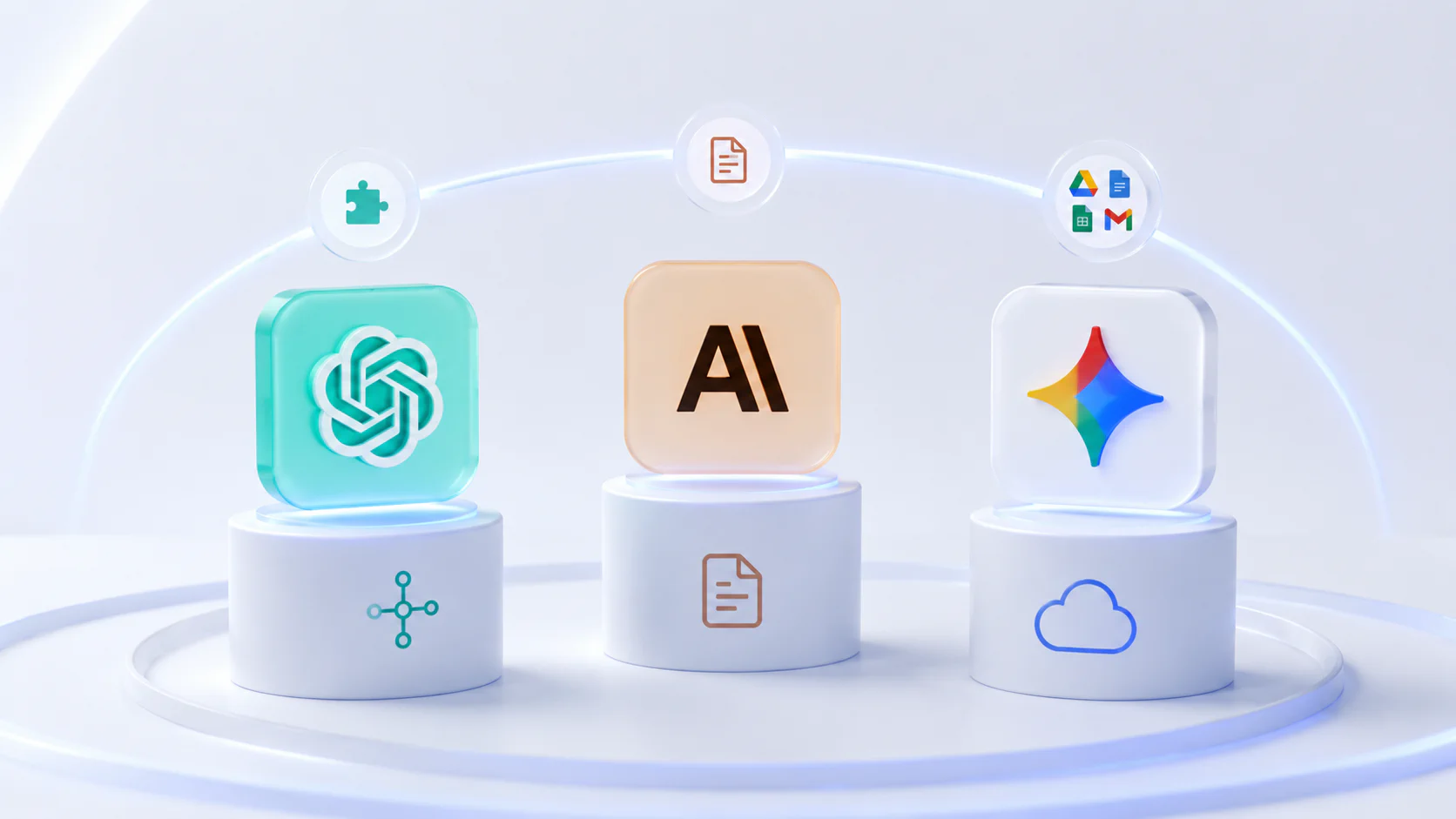
ChatGPT connects to a wide range of third-party tools and handles everything from drafting to research to data analysis. Paid tiers scale cleanly across teams. Something to sort out early: free accounts use your conversations for training, so don’t put anything sensitive in until you’re on a business plan with explicit privacy protections.
Claude is the one to reach for with large documents. It can process enormous chunks of text in one go without losing context – legal documents, compliance material, long internal reports. If precise editing and documentation work is a big part of your day, this is probably your first pick.
Gemini slots in naturally if your team already lives in Google Workspace. It connects to Docs, Sheets, Gmail, and Drive without any setup friction, which is a genuine advantage if you’re not looking to change how you work.
Best AI Tools for Small Business Marketing
Marketing is usually where you’ll see the fastest returns. Content that used to take a full day can get done in a couple of hours once you have the right tools and a decent prompt routine dialed in.
Jasper works well for teams producing content across multiple channels regularly. Its Brand Voice feature and campaign workflows keep output consistent across a team. G2 reviewers rate it highly for SEO content, with one caveat: it needs clear direction and editing, and won’t write something good from a vague brief. The Pro plan runs $59/month billed annually (one seat) with a seven-day trial.
Copy.ai is best for short-form copy and go-to-market workflow automation. The self-serve entry plan is around $49/month for five seats, with a limited free tier. Watch the pricing carefully before you scale up – the jumps between tiers are significant.
HubSpot AI handles automated data tasks directly inside your marketing pipeline. The platform aggregates your customer data, and its built-in AI assistant writes emails and produces predictive lead scores to identify your best prospects. It makes contact tracking easier and automates your reporting so lean teams can focus on strategy instead of spreadsheet entry. The free CRM is genuinely useful to start with, but the features worth having for a growing business sit behind premium plans that can get expensive depending on how you use them.
Mailchimp works best for teams that live in email – templates, automation, and AI writing help, all bundled into one tool. It takes the guesswork out of timing by combining basic automation with predictive analytics, so your messages actually go out when people are likely to open them. Built-in AI helps you segment your audience and improve copy so campaigns land better. The Standard plan starts at $20/month for modest contact counts and is required for AI content capabilities and multi-step automation. Watch the billing model: Mailchimp counts total contacts including unsubscribed ones unless you archive them.
Canva is probably the best value on this list for non-designers: the Pro plan is $15/month ($120/year). The easy drag-and-drop interface lets anyone create graphics and brand assets that look professional. Its Magic Studio suite uses AI to generate layouts and remove backgrounds instantly, giving small businesses a professional look at a fraction of a designer’s cost.
Buffer is what you want if all you need is scheduled social posting and nothing more complex. This no-nonsense scheduler takes the pain out of managing multiple social media profiles by letting you create posts in batches. Built-in AI adapts tone and format for platform-specific needs like LinkedIn or Instagram. The free plan covers three channels with the AI Assistant included; the paid Essentials plan is $5/channel/month billed annually. It does one job and does it cleanly.
If you want to dig deeper on the marketing side, see our article on ChatGPT prompts for marketing.
Best AI Tools for Sales and Lead Follow-Up
Sales momentum dies when follow-up slips. These tools handle the parts of the pipeline that are easy to let slide.
HubSpot Free CRM gives you a solid pipeline foundation at no cost. A simple visual dashboard organizes every interaction with a lead and tracks deals. The free tier is basically a solid database with just enough AI built in to help a small business grow without spending anything upfront. Automation and advanced outbound tools require paid tiers, but the starting point is genuinely usable.
Pipedrive shows your deal flow as a visual board, which makes it easy to spot where things are stalling. Plans start at $14/seat/month billed annually, with AI features arriving from Premium upward ($49 to $59/seat). Add-ons like built-in calling can add up quietly, so check the full cost before committing.
Apollo.io combines a large prospecting database with outbound sequencing in one place, which cuts down on the number of separate tools you need for lead generation. Its AI capabilities handle prospecting and lead validation, freeing you up for actual conversations and closing. The Basic plan is $49/seat/month billed annually. Worth knowing: data accuracy runs around 65% according to user reports, so plan on regular list cleaning to keep bounce rates manageable (G2, 2026).
Best AI Tools for Customer Support
Support pricing has shifted heavily toward per-resolution models. Before you sign up for anything here, run the numbers against your actual monthly ticket volume – what looks affordable at low volume can get expensive fast.
Tidio (Lyro AI) works well for straightforward e-commerce support. The free tier gives you a useful starting point, and the automated flows handle repetitive questions (order status, shipping info, basic FAQs) before handing off anything more complex to a human. The Starter plan starts from $29/month and includes 50 Lyro AI Agent conversations. Paid scaling options go up to the Growth plan ($59) and Plus plan ($749). For businesses in the middle, the gap between Growth and Plus is significant.
Intercom (Fin) resolves a solid share of customer questions automatically within your product, without needing a human involved. Since it bills per resolved conversation, keeping your help documentation current is what keeps costs predictable. Fin charges $0.99 per resolution with a 50-resolution monthly minimum, and seat plans stack on top (Essential is $29/seat/month).
Zendesk AI is the most capable option here, but also the most expensive per resolution. AI automated resolutions bill at $1.50 each (committed) or $2.00 pay-as-you-go.
If you want to focus on your storefront specifically, see our earlier post on the top AI tools for e-commerce.
Best AI Tools for Finance, Admin, and Operations
Keeping admin lean is how thin margins stay healthy.
QuickBooks is still the default for small business bookkeeping. It covers everything from invoices to payroll in one place, with AI features for bank statement reconciliation and automatic transaction categorization that save meaningful hours of manual data entry each month. The features that make it genuinely powerful for growing businesses sit behind higher-tier plans. Intuit raised prices across tiers in May 2026, and Plus is now $110/month.
Notion AI is ideal for teams that want a shared space for SOPs, meeting notes, and project documentation. If your team already uses Notion for notes and processes, the AI layer adds a lot without requiring any new habits. The Business plan ($20/seat/month) is the lowest tier with the full AI suite.
Otter.ai transcribes meetings and pulls out action items automatically. If client calls take up a meaningful part of your week, the time it saves pays for itself quickly. Pro is $8.33/seat/month billed annually (1,200 minutes/month); Business is $19.99/seat/month for unlimited transcription.
Zapier and Make handle the repetitive data-moving work between apps – the kind of thing that shouldn’t require a human but somehow always does. Zapier connects to more tools overall; Make tends to be cheaper ($9/month at entry versus Zapier’s $20) for complex multi-step automations.
Best AI Tools for E-commerce Small Businesses
Shopify AI is already included across all Shopify plans. It generates product descriptions, suggests catalog tags, and surfaces store data without any additional cost. The descriptions need editing before they sound like your brand, but the first draft is there instantly.
Klaviyo uses predictive behavior to create dynamic customer segments for email and SMS marketing. Cost is based on active profiles, not sends, so keep that in mind as your list grows. The free plan includes up to 250 active profiles; the Email plan starts at $20/month.
A Simple 30-Day AI Adoption Plan for Small Business
The businesses that get results from AI don’t try to adopt everything at once. They run one workflow through a full test cycle before they expand.
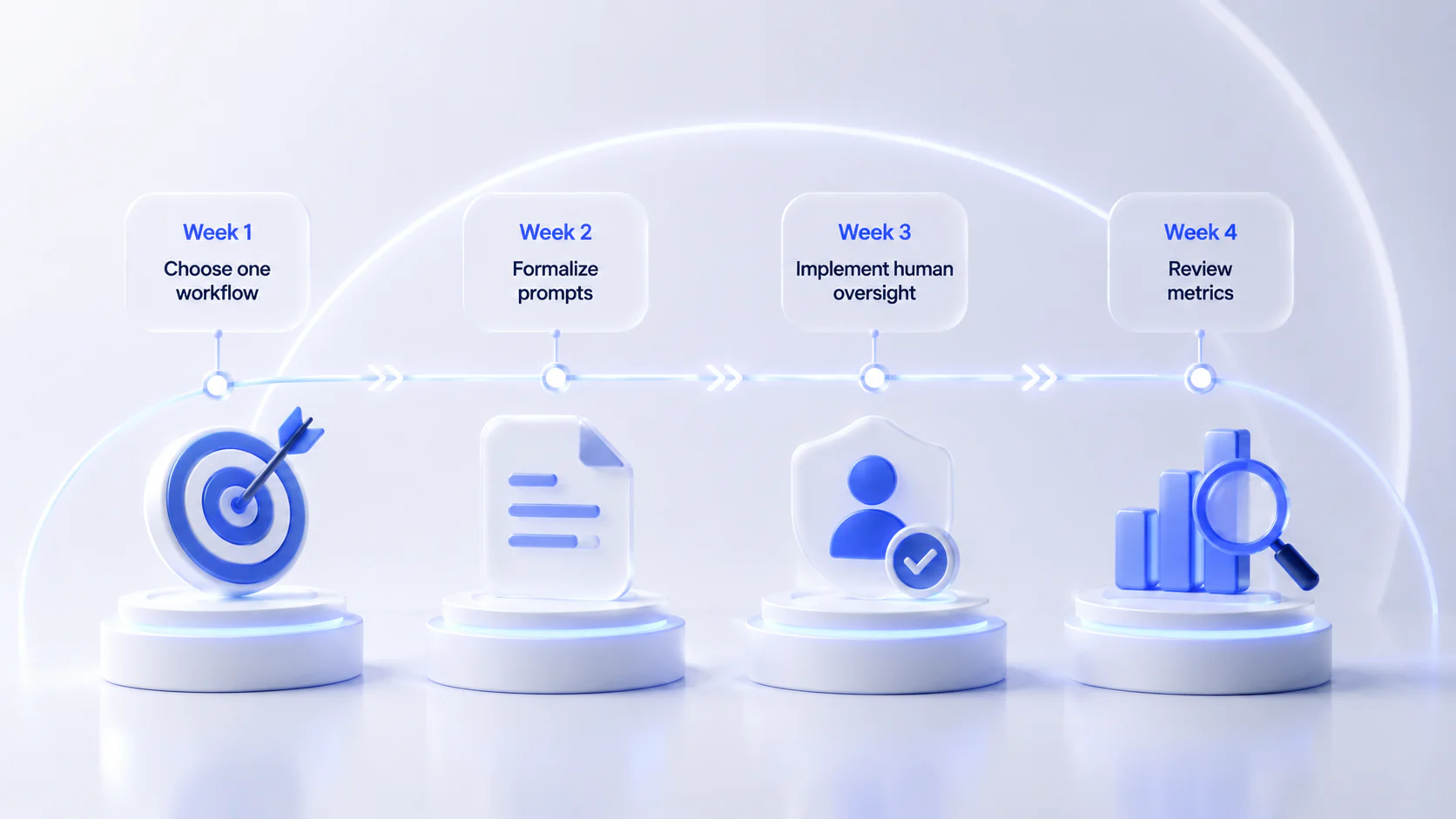
Week 1: Choose one workflow. Pick one task you or your team repeats constantly – drafting client replies, generating product copy, something specific. Start a trial with one tool. Just one.
Week 2: Formalize prompts. Early outputs are usually flat because the context you give the tool is too thin. This week, build internal templates that capture your brand tone, your audience, and any technical specifics. Better inputs produce noticeably better outputs.
Week 3: Implement human oversight. Run the new workflow live, but have someone review every output before it reaches a client or touches your books. Track how long the editing takes. That number tells you whether you’re actually saving time.
Week 4: Review metrics. If you saved real hours without quality slipping, keep the tool and pick the next bottleneck. If the editing time ate the savings, either fix your prompts or try a different tool.
Risks Small Businesses Should Avoid
Data leakage: Free and consumer accounts typically use your conversations to improve the model. Don’t run sensitive client data or financial records through anything below a business-tier plan with explicit privacy protections.
Inaccurate outputs: These tools state wrong information with complete confidence. Check any pricing, legal language, or statistics before they go anywhere near a client or a public document.
Erosion of brand identity: AI copy can start to sound the same across every company using the same tool. Set tone guidelines, use custom instructions, and edit every draft before it goes out.
Over-automation in support: Automating FAQ deflection saves real time. Billing disputes, cancellations, and anything emotionally sensitive need a real person.
Software bloat: It’s easy to accumulate $20–$60 subscriptions that seemed useful at the time. Review what you’re paying for every six months and cut anything that isn’t clearly saving you time or money.
Legal dependencies: Automation handles data entry well. It doesn’t replace an accountant or a lawyer when tax compliance or regulatory questions are on the table.
Frequently asked questions