AI is already helping many people work less or accomplish more.
Gallup’s largest and most recent tracker, surveying U.S. workers (Oct–Nov 2025), found that 12% of employees use AI daily and 26% a few times a week — totaling roughly 38% as frequent users.
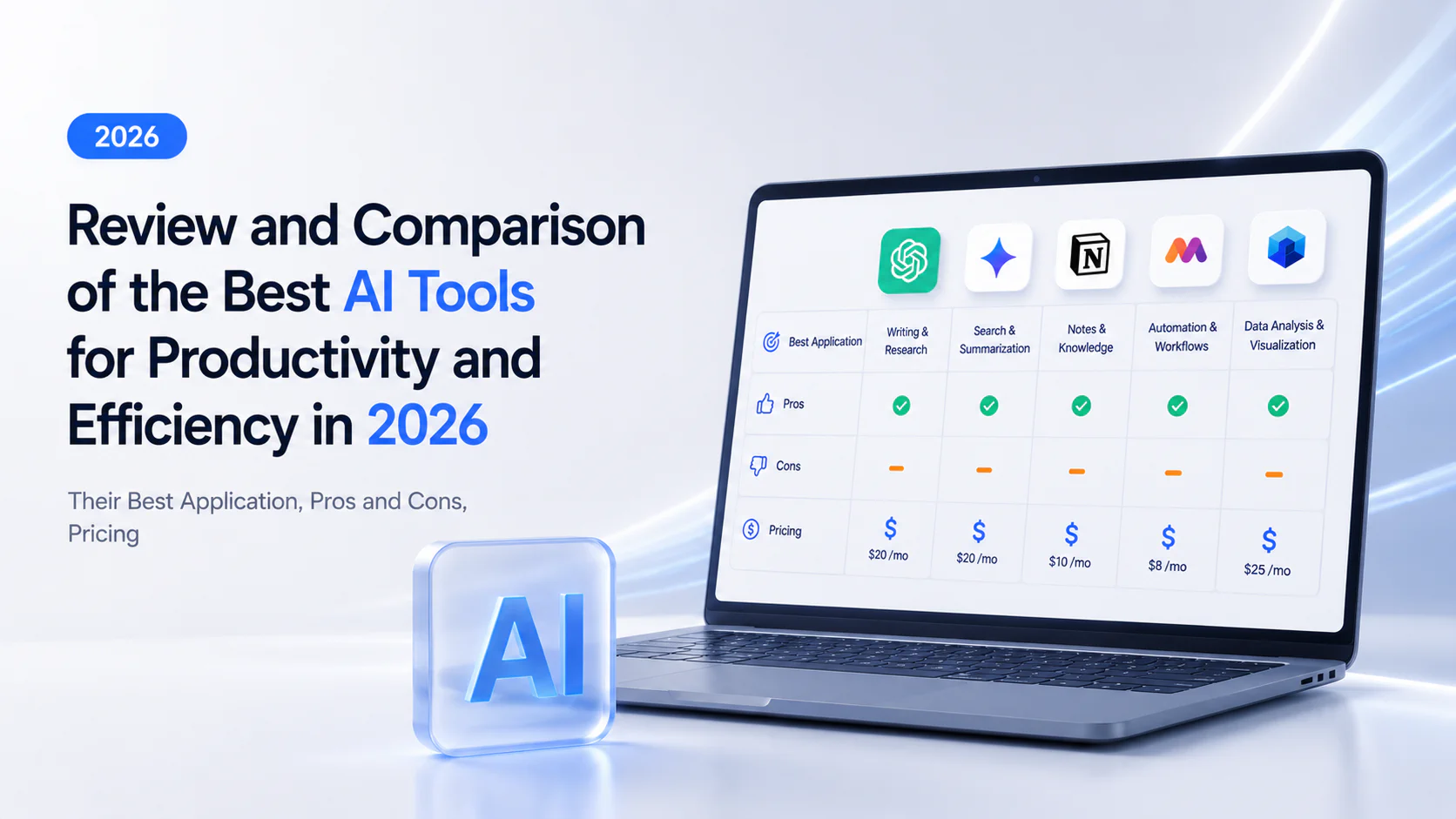
This guide walks through 20 AI productivity tools across five categories. For each one, you’ll find pros and cons, current pricing, and a clear picture of who it’s built for.
Summary: Top Picks by Category
| Category | Tool | Ideal for | Starting Price |
|---|---|---|---|
| Writing and Communication | ChatGPT | All-round versatility | Free (Plus $20/mo) |
| Grammarly | Inline editing across apps | Free (Pro $12/mo) | |
| Jasper | Marketing teams at scale | Pro $69/user/mo | |
| Claude (Anthropic) | Long documents, reasoning | Free (Pro $20/mo) | |
| Perplexity AI | Source-cited research | Free (Pro $20/mo) | |
| Meetings and Transcription | Otter.ai | Clean, passive note-taking | Free (Pro $8.33/user/mo) |
| Fireflies.ai | CRM integration, multilingual | Free (Pro $18/user/mo) | |
| Fellow.ai | Structured meeting management | Free (Team $11/user/mo) | |
| Read AI | Sentiment and engagement analytics | Free (Pro $19.75/user/mo) | |
| Scheduling and Time Management | Reclaim AI | Gentle calendar optimization | Free (Starter $12/user/mo) |
| Clockwise | Team-level deep work protection | Free (Teams $7.75/user/mo) | |
| Project Management | Notion AI | Flexible all-in-one workspace | Plus $12/user/mo |
| ClickUp Brain | Complex multi-project environments | Brain AI add-on $14/user/mo | |
| Microsoft Copilot | Microsoft-first enterprises | Free, $30/user/mo add-on | |
| Visual Media Creation | Gamma | Fast presentations | Free (Plus $12/mo) |
| Descript | Text-based video editing | Free (Hobbyist $24/mo) | |
| Adobe Firefly | Copyright-safe image generation | Standard $9.99/mo | |
| AI Everywhere Tools | Motion | Full scheduling and PM automation | Pro $49/mo (individual) |
| Superhuman Mail | High-speed email | Free (Starter $30/user/mo) | |
| Zapier Agents | Cross-app workflow automation | Free (Pro $50/mo) |
Tip: If you want a structured practical path through several of these tools at once, Coursiv’s AI Mastery pathway covers ChatGPT, Claude, Jasper, and more in bite-sized daily lessons, with guides specifically built around productivity, sales, and project management workflows.
Best AI Tools for Writing and Communication
ChatGPT, a versatile AI assistant
With more than 700 million weekly active users, ChatGPT remains the tool most people try first and often stick with. GPT-5.4, released in March 2026, folded writing, coding via Codex, data analysis, image generation through DALL-E, and voice and video features into a single model with a context window that can handle up to 272K tokens.
Ideal for: Generalists, freelancers, and solo users who need one tool to handle a wide variety of tasks rather than staying in a single lane, like writing.
Pricing: Free. Go $8/month. Plus $20/month. Pro $200/month. Business $30/user/month. Enterprise custom.
Pros: “Swiss Army knife” with advanced tools like Canvas for collaborative editing, Deep Research for cited summaries, and Agent Mode for autonomous multi-step tasks. It supports over 119 external integrations.
Cons: Hallucinations remain a core liability.
Grammarly, an AI writing assistant for clarity and tone
Real-time editing in any app and website.
Ideal for: Daily writers who want inline grammar checking.
Pricing: Free. Pro $12/month (annual). Enterprise custom.
Pros: Exceptional accuracy. Works across browser, desktop, and mobile. Explains corrections to build skills.
Cons: It can be overly eager to correct things, missing the bigger picture. The most useful features are locked behind a paywall.
Jasper, an enterprise-grade AI content platform
Enterprise marketing platform with Brand Voice, multi-agent workflows, and compliance tools. Pricier than general-purpose alternatives.
Ideal for: Marketing teams managing multiple brands at once.
Pricing: Pro $69/user/month. Business custom.
Pros: Deep Brand Voice customization, an extensive library of purpose-built templates.
Cons: The price tag is significantly steeper than what you’d pay for ChatGPT or Claude. Output feels generic on technical topics.
Claude (Anthropic), an AI assistant for long-document analysis
An AI assistant favored for natural writing quality and long-form analysis and nuanced reasoning, thanks to its massive 1-million-token context window.
Ideal for: Analysts, researchers, and developers needing nuanced reasoning and long-document processing.
Pricing: Free. Pro $20/month. Max $100/month. Team $25/user/month. Enterprise ~$60/seat.
Pros: Most natural writing quality among major chatbots. Maintains coherence over very long conversations. Advanced Coding assistant, Chrome extension agent, no-code agent Cowork.
Cons: Aggressive rate limiting is the top complaint. No image or video generation.
Perplexity AI, a conversational search engine with cited sources
Every answer cites live web sources with inline references.
Ideal for: Researchers and analysts who need source-cited answers.
Pricing: Free. Pro $20/month. Education Pro plan for 10/month. Enterprise $40/user/month.
Pros: Multi-model access. Spaces with the ability to include websites to search, files, and scheduled searches. Searches across your apps, including emails.
Cons: Weak for creative and long-form writing.
Best AI Tools for Meetings and Transcription
Otter.ai, automated meeting transcription and note-taking
Otter.ai is an automated meeting transcription and note-taking tool designed to passiveley capture and organize information from virtual meetings. Auto-joins Zoom, Teams, and Meet.
Ideal for: Individuals and small teams wanting passive, automated notes.
Pricing: Free, 300 min/month. Pro $8.33/user/month. Business $20/user/month. Enterprise custom.
Pros: Clean interface. HIPAA-compliant since July 2025 (Enterprise plan).
Cons: Strict minute caps. Limited to 4 languages. Speaker ID struggles with overlapping voices.
Fireflies.ai, an AI-driven service that handles meeting notes and transcriptions
It boasts the most extensive integration ecosystem available, supports over a hundred languages, and offers unlimited transcription on its paid plans, with no restrictions on the number of minutes.
Ideal for: Sales teams and international organizations needing CRM integration.
Pricing: Free, 800 min storage. Pro $18/user/month. Business $29/user/month. Enterprise $39/user/month.
Pros: Deep CRM integrations. Customizable summaries. 100+ languages.
Cons: Hidden AI credit system. Transcripts can be slow. No video recording below the Business plan.
Fellow.ai, an AI meeting copilot for collaborative agendas
More than a transcription tool, Fellow.ai helps teams plan meetings, run them with shared agendas, and track decisions and action items after the call. SOC 2, HIPAA, and GDPR compliant.
Ideal for: Teams that prioritize organized meeting processes and personal responsibility.
Pricing: Free, 5 AI notes and 5 AI recordings/month. Individual $29/month. Team $11/user/month. Business $23/user/month. Enterprise $25/user/month.
Pros: Best-in-class templates and 1-on-1 management. Does not train on customer data. Seamless Slack integration.
Cons: Summaries require a once-over before they’re distributed. The workflow is somewhat inflexible, which can be a drawback for spontaneous collaborative efforts.
Read AI, meeting summaries and speaker sentiment analytics
Read AI’s unique differentiator is real-time sentiment and engagement scoring — analyzing facial expressions, body language, pitch, and intonation during meetings.
Ideal for: Managers wanting data-driven insights into team engagement.
Pricing: Free, 5 reports/month. Pro $19.75/user/month. Enterprise $29.75/user/month. Enterprise+ $39.75/user/month.
Pros: AI coaching offers advantages in two key areas: pacing and the elimination of filler words.
Cons: Privacy concerns are real, and bots can sometimes slip in unnoticed. Plus, sentiment analysis can get it wrong when it comes to different cultures.
Best AI Tools for Scheduling and Time Management
Reclaim AI, smart scheduling for Google Calendar
Reclaim AI is an AI calendar and scheduling tool that automatically organizes tasks, meetings, habits, focus time, and buffers across your calendar.
Ideal for: Professionals wanting gentle calendar optimization without leaving Google Calendar or Outlook.
Pricing: Free. Starter $12/user/month. Business $18/user/month.
Pros: Easiest setup, proficiency in a day. Habit scheduling is a standout.
Cons: Advanced features are locked behind higher tiers. No iCloud Calendar. Calendar sync issues and task duplication.
Clockwise, an AI tool for optimizing team schedules and deep work
An AI calendar and scheduling tool that automatically optimizes meetings, focus time, and team calendars.
Ideal for: Engineering teams protecting deep work at scale.
Pricing: Free. Teams $7.75/user/month. Business $11.50/user/month (billed annually). Enterprise custom.
Pros: Exceptional value. 15 to 20 minute setup. Excellent Slack integration.
Cons: No task management. Read-only calendar. Focus blocking can be aggressive. Works best only when the whole team is on it.
Best AI Tools for Project Management and Knowledge Work
Notion AI, integrated workspace tool for note-taking and project management
Notion AI is an AI assistant built into Notion that helps users write, summarize, search workspace content, and work with notes, docs, and project pages.
Ideal for: Knowledge teams who need a flexible, all-in-one workspace.
Pricing: Plus $12/user/month. Business $24/user/month. Enterprise custom.
Pros: Block-based flexibility. AI understands workspace content. Massive template ecosystem.
Cons: Steep learning curve. Forced a $10 to $20 jump for AI access. Performance degrades with large databases. Mobile experience significantly weaker.
ClickUp Brain, an AI knowledge manager built into a project platform
ClickUp Brain is sold as a separate add-on layered atop ClickUp’s already feature-dense project management platform. It answers questions about your workspace, helps create and summarize work, and automates project workflows.
Ideal for: Teams already in ClickUp managing complex multi-project environments.
Pricing: On top of base plans, there are Brain AI $14/user/month or Everything AI $33/user/month.
Pros: AI indexes tasks, docs, comments, and chat across the workspace. Multi-model support. Automated standups.
Cons: Add-on costs balloon for larger teams. The output’s quality isn’t as good as what specialized tools can produce, and the complex features can be difficult to understand.
Microsoft Copilot, an artificial intelligence assistant embedded within the Office 365 suite
Its primary functions include automating tasks like converting bullet points into memos, formulating Excel functions based on natural language input, and distilling lengthy Teams meeting transcripts into actionable items.
Moreover, for businesses, it offers strong security measures and keeps data separate. This means the AI’s answers are tailored to a company’s specific information and its access management practices.
Ideal for: Microsoft-first enterprises.
Pricing: Copilot Chat free. M365 Copilot $30/user/month add-on. Requires E3, $36, or E5, $57.
Pros: Seamless integration. Teams meeting summarization is the most praised feature.
Cons: High total cost. Inconsistent quality, especially in Excel.
Best AI Tools for Visual Media Creation
Gamma, an AI-driven presentation and slide deck creator
It can whip up entire presentations, websites, and documents from a simple prompt in less than a minute.
Ideal for: Anyone who needs a polished deck fast and does not want to wrestle with slide design.
Pricing: Free, 400 credits. Plus $12/month. Pro $25/month.
Pros: Low learning curve. Smart image and layout pairing.
Cons: PowerPoint export often does not match the editor. Limited customization. Customer support is near-absent.
Descript, an AI-powered video and podcast editor
Edit the video by editing the transcript.
Ideal for: Podcasters, YouTubers, and course creators.
Pricing: Free, 1 hour. Hobbyist $24/month. Creator $35/user/month. Business $65//user/month.
Pros: Text-based editing makes video accessible. All-in-one recording and publishing. Studio Sound is a standout.
Cons: Credit-based pricing penalizes multi-file workflows.
Adobe Firefly, generative AI for creative design and image editing
Commercially safe, trained on licensed Adobe Stock and public domain only. IP indemnification on eligible plans.
Ideal for: Designers and marketing teams needing copyright-safe AI images.
Pricing: Standard $9.99/month. Premium $199.99/month. Also included in Creative Cloud plans.
Pros: Generative Fill in Photoshop is a game-changer. No copyright concerns. Intuitive web interface.
Cons: Image quality trails Midjourney for artistic styles. Complex credit system.
Best AI Everywhere Tools
Motion, the AI employee superapp
Handles task scheduling, project coordination, and AI workflow agents all in one place.
Ideal for: Solopreneurs and small teams wanting full scheduling and PM automation.
Pricing: Pro for individuals starts at $49/month. Pro for teams starts at $29/user/month.
Pros: Genuinely replaces 3 to 4 tools. Automatic task scheduling and rescheduling is the standout feature.
Cons: 2 to 3 week learning curve. High price hard to justify for simple workloads.
Superhuman Mail, an AI-enhanced email client for high-speed inbox management
Superhuman Mail is an AI-powered email app built for people who spend a lot of time in their inbox. Its main value is faster email triage, reply drafting, follow-ups, inbox organization, and scheduling.
Ideal for: Sales professionals and executives who navigate a hundred or more emails each day.
Pricing: Free. The Starter plan costs $30 per user, each month. The Business plan is $40 per user, monthly.
Pros: Fastest email client. AI mimics your writing style. Drives inbox zero.
Cons: Hard to justify for low-volume email. Steep keyboard shortcut learning curve. Gmail and Outlook only. No unified inbox.
Zapier Agents, AI agents that connect and automate 8,000+ apps
Zapier Agents is an AI agent layer built on top of Zapier’s 8,000+ app integration network. Unlike traditional Zapier (rule-based trigger → action), Agents use AI reasoning to interpret instructions in plain language, make decisions, call multiple apps, browse the web, and delegate work between agents — all without requiring code.
Ideal for: Cross-app workflow automation, agentic task execution, and lightweight AI ops without code.
Pricing: Agents go as an add-on to platform plans. Free plan includes 400 activities/month. Pro is $50/month billed annually with 1,500 activities/month. Enterprise is listed as coming soon.
Pros: Largest app integration ecosystem by far. Plain-language AI builds workflows without code. Reliable execution with detailed run logs and auto-retry on failure.
Cons: Task-based pricing scales painfully for high-volume workflows. Multi-step agents are finicky and hard to debug.
How Can You Integrate AI into Your Existing Workflows?
Begin with the workflow that’s the biggest time sink.
If you’re drowning in meeting follow-ups, hook up Otter.ai or Fireflies.ai to your calendar.
If email is eating up your mornings, give Superhuman a try.
If presentations take up your afternoons, run one through Gamma.
Are AI Productivity Tools Safe to Use with My Company Data?
SOC 2 (and increasingly Type II) is becoming a de facto expectation for enterprise‑facing AI and SaaS vendors.
But before adopting any tool for sensitive work, check three things:
- whether the tool trains on your data (free tiers often do; enterprise plans typically don’t)
- whether it holds SOC 2 certification
- whether your organization has an approved tool list.
How Can AI Help You Become More Productive Without Causing “Automation Fatigue”?
Automation fatigue is the mental and operational exhaustion that builds when you layer too many tools on top of each other without a clear purpose.
The result is a productivity paradox: automation meant to accelerate output ends up creating more friction, not less. Workers spend time toggling between platforms, triaging alerts, and relearning interfaces instead of doing the work the tools were supposed to free them for.
The fix is simpler than most “AI strategy” advice suggests. Organizations that consolidate tools, set realistic expectations, and prioritize interoperability see fatigue replaced by genuine adoption. For individual professionals, that translates to three practical rules:
- Solve one workflow gap at a time. Pick the task that wastes the most hours, find the tool that fits, and give it two weeks before adding anything else.
- Integrate, don’t stack. A new tool should connect to what you already use (your calendar, your inbox, your project board), not sit alongside it as a separate destination.
- Drop what doesn’t earn its place. If a tool isn’t saving you measurable time after 30 days, cut it. The cost of keeping an unused subscription is not just financial; it’s the mental weight of one more thing you “should” be using.
Two or three well-mastered tools deliver more value than a dozen barely used ones. The companies seeing the most stable productivity gains from AI are the ones that deploy fewer tools with better training, not more tools with less thought.
How Do You Write Better Prompts to Get the Results You Want?
Three habits make the biggest difference:
- Be specific about format and audience. Instead of “write me an email,” try “write a 3-paragraph email to my team lead explaining why we should extend the deadline by one week, professional but not formal.”
- Give context before instructions. Share background, constraints, and examples before telling the AI what to do.
- If the first output misses, each round trains the conversation toward what you need.
Tip: If you need structured practice to get the most out of AI tools for your use case, check Coursiv’s guides. They’re built for busy people and delivered in bite-sized lessons.
Over 1.8 million users have built practical AI skills through the platform.
Getting Started: Your First Week with AI Tools for Productivity
- Day 1: Pick one general-purpose AI — ChatGPT or Claude. Put it to work on three actual tasks: draft an email, condense a document, and think through a problem you’re stuck on.
- Day 2: Hook a meeting tool (Otter.ai or Fireflies.ai) up to your calendar. Let it capture your next two meetings, then read back what it summarized.
- Day 3: Try Reclaim AI’s free plan. Set aside focus blocks and see if the AI can actually hold them for a week.
- Day 4: Run your next research task through Perplexity instead of Google. Notice whether sourced answers beat juggling ten browser tabs.
- Day 5: Take stock. Cut what didn’t earn its place. Double down on whatever saved the most real time.
FAQ