Claude earns a place in a product manager’s stack when the work is context-heavy: PRDs, feature specs, user research synthesis, roadmap tradeoffs, stakeholder updates, launch briefs, and competitive analysis. It does not replace product judgment, customer discovery, prioritization, or accountability for what ships.
Quick answer: use Claude as a senior writing and synthesis partner for PM artifacts, then validate every recommendation against customer evidence, strategy, engineering constraints, and metrics.
| PM workflow | Claude use | Human PM owns |
|---|---|---|
| PRDs and feature specs | Draft structure, edge cases, acceptance criteria | Problem framing and tradeoffs |
| User research | Synthesize themes and objections | Interview quality and interpretation |
| Roadmaps | Reframe Now/Next/Later options | Prioritization and stakeholder alignment |
| Stakeholder updates | Tailor updates by audience | Narrative, politics, and decisions |
| Competitive analysis | Summarize positioning gaps | Strategic response |
| Metrics reviews | Explain trends and risks | Instrumentation and business judgment |
Source check — June 4, 2026: Anthropic’s verified Product Management plugin says it covers feature specs, roadmaps, stakeholder communication, user research synthesis, competitor analysis, and product metrics. That lines up with the best PM use cases: artifact acceleration and context synthesis, not replacing discovery or leadership.
For adjacent workflows, compare AI tools for product managers, AI productivity tools, and Claude vs ChatGPT.
How Product Management Workflows Can Be Optimized With the Help of AI Technology
Before getting into specific tools, it helps to step back and look at what AI is doing to the shape of the PM role itself. The answer is uncomfortable for anyone who built their seniority on accumulated knowledge.
Lenny Rachitsky’s December 2025 survey of 2,500+ tech professionals found that 63% of PMs and 83% of founders save four or more hours per week using AI tools. The hours land in three places: PRDs (21.5% of PMs cite it as their highest-value use case), mockups and prototypes (19.8%), and communication across emails and presentations (18.5%).
What’s missing is just as telling. Strategic and discovery work sits near the bottom of the same survey: user research at 4.7%, roadmap ideation at 1.1%. AI helps PMs produce. It hasn’t yet helped them think.
That gap reframes the role. Reforge’s analysis of PM in the AI era names the shift directly: for two decades, senior PMs derived value from accumulated factual knowledge (industry insights, competitive intelligence, customer feedback patterns, and market trends), and that asset is now being commoditized.
Strategic vision, judgment, taste, and leadership are what’s appreciated.
What Are the Advantages of Claude AI for Product Managers
Once you accept the shift, the question becomes which tool actually moves the work. Three things make Claude worth a serious look for PM work, separate from the question of whether it’s also useful for writing code or analyzing data. Each one maps to a specific weakness in how PMs were already using AI tools.
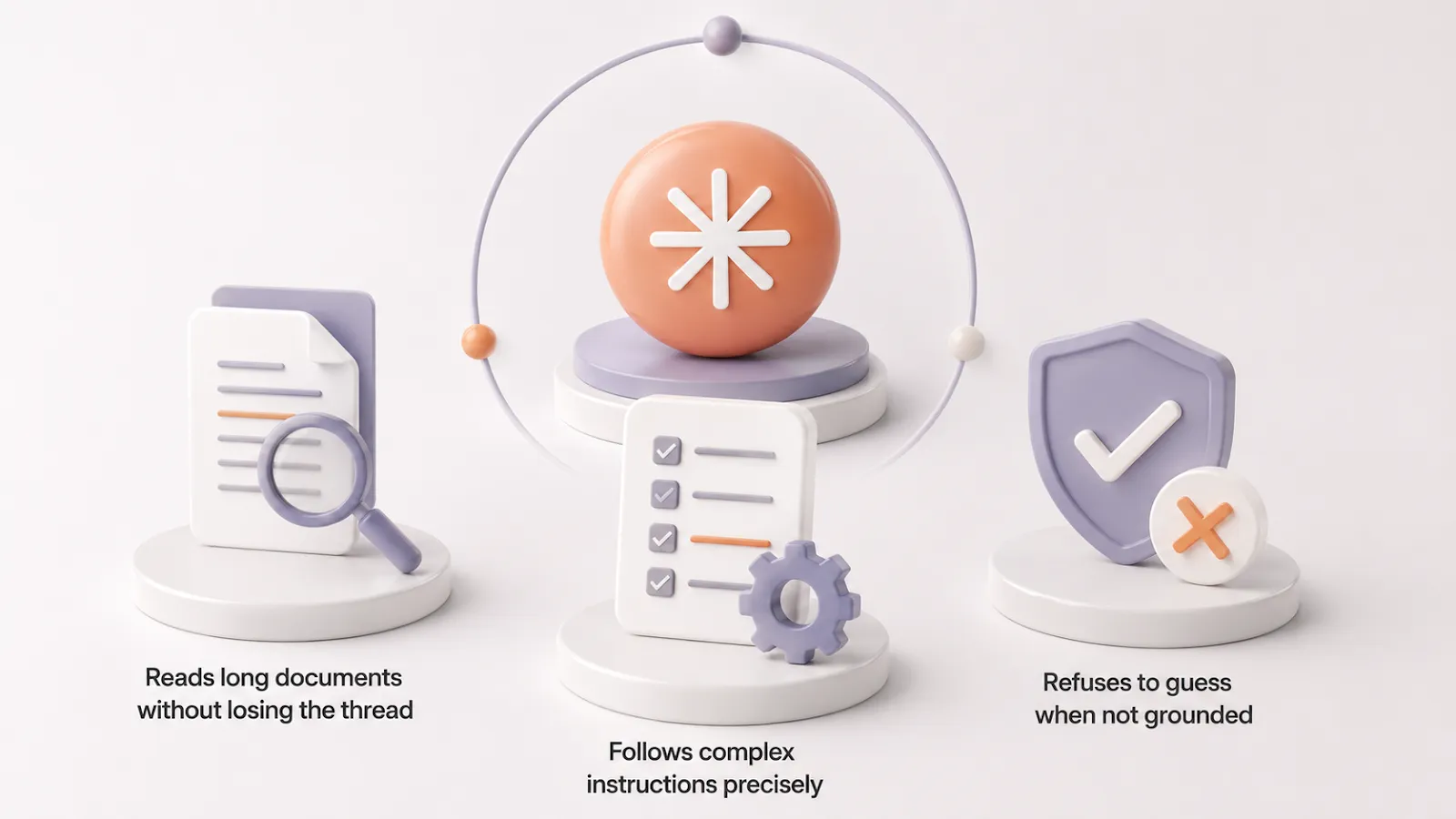
1) It reads long documents without losing the thread.
This is the single biggest practical gap between Claude and most alternatives for PM work. Paste in a 200-page PRD, six analyst reports, or a month of interview transcripts, and you can ask Claude specific questions about details buried in the middle without the model getting lost or hallucinating filler.
The current production model, Claude Opus 4.7, holds a 1M-token context window, which is enough for almost any single document a PM would feed it. The day-to-day default, Claude Sonnet 4.6, holds the same window in beta.
2. It follows complex instructions precisely.
If you write a careful prompt with specific constraints (a particular tone, a defined output structure, a list of edge cases to address), Claude follows the prompt more faithfully than competitors. This matters for the PM tasks where the output has to land in a specific voice or format: PRDs with consistent section structure, customer communications with a particular tone, and evaluation rubrics that grade against specific criteria.
A community survey of 400+ product managers (sample is India-based, treat as directional) ranked PRD writing (87%), summarizing user research (79%), and stakeholder updates (74%) as the top three Claude use cases. Practitioners cite better-structured outputs on nuanced requests where edge cases and tradeoffs need surfacing.
3. It refuses to guess.
When grounding is missing, Claude is calibrated to say “I don’t know” rather than produce a plausible-sounding fabrication. That’s a design choice with a real cost (Claude sometimes refuses questions where competitors would attempt an answer) and a real benefit.
For PM work, where a confidently wrong claim in a strategy memo, competitive teardown, or roadmap rationale costs more than a missing one, the refusal pattern is the feature. On Artificial Analysis’s AA-Omniscience benchmark, which measures both accuracy and calibration, Claude posts among the lowest hallucination rates of frontier models.
Useful Applications of Claude AI for Product Managers
The use cases below are the ones working PMs have published workflows for, with named practitioners, real prompts, and limits flagged. Treat each as a starting template, not a turnkey solution. Most will need a session or two of tuning to your team’s vocabulary and standards.
Sprint Planning and Backlog Grooming
Claude reads your backlog directly now. The Connectors directory, generally available since February 2026, covers the tools most PM teams actually use: Jira, Linear, Asana, ClickUp, Monday, Notion, and 50+ others. Setup takes one click and an OAuth approval. Once authorized, Claude can search issues, summarize sprints, and create or update tickets without you pasting anything in.
That changes what sprint planning looks like. The bottleneck moves from “how do I get my backlog into Claude” to “what’s the right prompt to turn a backlog into a sprint.” A working pattern: “Pull the top 20 unassigned issues from our product backlog sorted by priority. Based on a typical sprint velocity of 40 story points and a team of 4 engineers, propose which tickets should go into the next sprint. Group by theme. Flag any dependencies I should resolve before the sprint starts.”
Two limits to plan around. First, every team’s instance is its own maze of custom fields, statuses, and labels. Claude works best when your team’s conventions are documented in a Project knowledge base it can reference alongside the live data. Second, vague queries are slow. “Show me all open tickets” can take twenty seconds or time out; “show me my assigned tickets from the last week in the mobile app project” returns fast and useful.
Writing Product Updates and Release Notes
Sachin Rekhi, a former LinkedIn PM and current founder, described his release-notes workflow on his blog: he gives Claude the past 20 release notes as voice and tone examples, and the output reliably matches the team’s hand-written style. The pattern generalizes. Once Claude has 10 to 20 examples of how your company writes, the model produces drafts that feel native to your voice rather than generic AI prose.
ClaudeFluent’s release-notes guide draws a line worth keeping: automate the routine notes, write the major launches yourself. A v3.0, a new product line, a pricing overhaul: those need narrative, positioning, and strategic framing that only the PM who lived through the project can provide.
Use Claude to compress a two-hour writing job into ten minutes of editing for the small stuff, and protect your time and judgment for the launches that need it.
Product Strategy Development
The most repeated piece of practitioner wisdom on Claude for strategy comes from Sachin Rekhi: AI tools aren’t particularly good at generating a product strategy from scratch, but they’re incredibly good at critiquing one. His approach is to upload a strategy document and ask Claude to apply a specific critique framework after first showing the model what a strong strategy looks like with example documents.
That pattern, “show it what great looks like, then ask it to grade your draft,” works for almost every strategic deliverable:
- Positioning memos
- OKR proposals
- Narrative roadmaps
- Board updates
How to Use Claude AI for Market Research Summaries
Claude’s long-context strength makes it useful when you have to synthesize across many documents at once.
Here is a reusable prompt structure, adapted from a practitioner prompt library: “I am going to share research notes, competitor summaries, customer feedback, and analyst reports. Synthesize all of this into a strategic intelligence brief. Include: (1) the three most important market insights ranked by strategic impact, (2) the single biggest risk we are currently underestimating, (3) the most compelling opportunity we have not yet moved on, (4) the one question that, if answered, would most change our strategy.”
Paste in 50 to 100 pages of source material across analyst notes and customer signal documents, and Claude returns a draft brief in minutes. You’ll still need to verify each claim against the source, especially anything quantitative, but the synthesis layer is where the time gets saved.
Competitive Analysis
Competitor teardowns are a Claude sweet spot when the data is pasteable:
- G2 reviews
- Pricing pages
- Marketing copy
- Support documentation
A practitioner workflow from ClaudeWorld starts with a focused prompt:
Paste 20 G2 reviews of a competitor and ask Claude to identify the top three reasons customers chose the product, the top three recurring complaints, and the gaps customers say they wish were filled.
Then expand: feed it five competitors at once and ask which positioning territories are crowded and where the whitespace sits.
The same source flags the limit that Claude users learn quickly: the model’s training data has a cutoff, so for live intelligence (current pricing, recent product launches, new hires), you need to provide the fresh information yourself. Claude’s value sits in the analysis, with data collection landing on you.
Roadmap Planning
Roadmap work splits into two: the strategic narrative (what to build, for whom, why now) and the downstream work (tradeoff analysis, stakeholder comms, rationale docs). Claude earns its place on the second layer.
The strongest use is pressure-testing prioritization. You bring the framework and the candidate items. Claude scores them without your political and emotional baggage. Marcus Moretti, a GM at Spiral, wrote on Every that Claude was “ruthless” about elevating the work most likely to deliver the vision, precisely because it lacked his attachments.
The second use is adversarial review. Ask Claude to argue against your roadmap call: “Make the strongest case for swapping items two and five.” That second pass surfaces tradeoffs you smoothed over the first time through.
The strategic narrative itself stays with you. Offloading it costs you the thinking that makes the roadmap defensible in the first place.
Customer Journey Mapping
Journey mapping with Claude works best inside a Project, where company context, product description, and prior interview synthesis sit in the knowledge base. A Department of Product Substack walkthrough describes using Projects this way for ongoing product health work, with a dedicated chat history and custom instructions.
Once the Project is set up, journey mapping becomes a conversation rather than a single-shot task. You can ask Claude to draft the as-is journey from your existing research, then iterate on stages, emotions, and friction points.
Hand Claude the new interview transcripts and ask whether they confirm or contradict the existing map. The map becomes a living artifact you maintain, with stages and friction points updated as customer signal comes in.
Can Claude AI Help Identify Customer Pain Points?
Synthesizing pain points from raw qualitative data is one of Claude’s strongest applications. Els van der Berg, an interim product lead, published a workflow for querying 50 interview transcripts at once.
Her pattern: structure the interview data as a library, then ask targeted questions like “Go through my interviews and tell me which interviewees match our ICP per the company context document, and use only those files going forward.” From there, you ask for direct quotes, segment by attribute, and compare across cohorts.
The technique works for support tickets, NPS comments, and app reviews too.
The trick is asking for direct quotes alongside the synthesis. Without that grounding, the model can drift into plausible-sounding patterns that aren’t in the source data. With quotes, you get a synthesis you can defend in a stakeholder meeting.
Using AI to Interpret Product Metrics
Claude now connects directly to the analytics tools most product teams use: Amplitude and Mixpanel ship official Connectors, and PostHog, Pendo, Heap, GA4, and others have MCP servers in 2026. Once authorized, Claude can query funnels, build cohorts, pull retention reports, and analyze dashboards through natural language.
What Claude does well here is the reasoning layer on top of the data: hypothesis generation when a metric moves unexpectedly, surfacing which segments to investigate next, and translating a dashboard into a prioritized list of follow-ups. Ask “why did weekly active users drop 8% last week” and Claude can pull the relevant cohort and funnel data, then walk through likely causes.
The gap that remains is ad-hoc CSV analysis. For uploading a spreadsheet and getting executable code, charts, and analysis in one loop, ChatGPT’s Advanced Data Analysis is still smoother. Use Claude when the data lives in a connected tool and you want reasoning. Use ChatGPT when you have a CSV and want a chart in 30 seconds.
How to Keep Claude AI Outputs Accurate and Useful
Three techniques, validated by Anthropic’s own documentation, will catch the majority of errors before they get into your work.
First, tell Claude it’s allowed to say “I don’t know.” The default behavior, especially under pressure to be helpful, is to produce a confident answer. An explicit instruction at the top of your prompt (“If you don’t have enough information to answer this confidently, say so rather than guessing”) flips that default and saves you the cost of catching a fabrication later.
Second, ground long-document analysis in direct quotes. For any task involving documents over 20,000 tokens (roughly 15 pages), ask Claude to pull word-for-word quotes from the source before drawing conclusions. The structure:
Before answering, extract the five quotes from the document most relevant to my question. Then base your answer on those quotes and reference them by their text.
That single change cuts hallucination rates substantially because the model gets forced to anchor each claim to specific source material.
Third, require citations and self-verification. Ask Claude to cite quotes or sources for each claim it makes, then run a follow-up pass:
Verify each claim in your previous response by finding a supporting quote or source. If you can’t find one, retract the claim.
For connector-fed data (Jira tickets, Mixpanel queries, Amplitude charts), the same principle applies: ask Claude to name which specific ticket, query, or chart each conclusion came from.
Beyond the prompting discipline, hold one rule about confidence. As one practitioner guide puts it, Claude writes fluently even when a point needs checking, and strong formatting is not proof. Treat it as an analysis partner you can challenge, not an oracle, and ask it to critique its own answer. The second pass usually surfaces weak assumptions that the first pass smoothed over.
If you want a structured way to build these habits faster, Coursiv’s Claude guide walks through prompting techniques, output formatting, and verification workflows specifically for the kind of professional work PMs do day to day.

How Does Claude Compare to Other AI Tools for Product Management?
Picking one tool for everything is the wrong frame. The senior PMs publishing the most useful workflows in 2026 are running two or three tools in sequence and using each for the part it does best. Below is the verdict for each comparison, anchored to PM-specific tasks.
ChatGPT
Claude wins on PRDs, long-document synthesis, and any output where precise instruction-following matters. ChatGPT wins on live data analysis (Advanced Data Analysis), image generation, voice mode, and the wider plugin ecosystem.
The dividing line is precision versus exploration. Write a careful prompt with specific constraints, and Claude follows it faithfully. ChatGPT produces fluent outputs that are often correct but shallower on edge cases.
Google Gemini
Gemini’s edge is raw context size (3.1 Pro supports 2 million tokens) and Google Workspace integration. If your team lives in Docs, Sheets, and Slides, Gemini reads your work without uploads.
Claude’s edge holds on writing. Use Gemini to pull together market context from the live web and internal docs already in Workspace. Use Claude to synthesize and write the output.
Perplexity AI
Perplexity is a search-and-citations tool, not a Claude alternative. It ranked high among PMs in Lenny Rachitsky’s December 2025 survey because it does the discovery layer well.
The workflow most PMs describe is sequential: Perplexity gathers sourced context on a market or competitor, Claude turns that context into a strategy memo or teardown.
Will Product Management Get Replaced by AI by 2030?
The likely answer is bifurcation, not replacement. Some PM work is being absorbed into the model. Other PM work is becoming dramatically more valuable. Which side of the line you sit on depends on what kind of PM you’ve been.
Marty Cagan calls it directly. The PMs at risk are the ones doing delivery and execution in disguise: scoping tickets, writing acceptance criteria, managing backlogs. The PMs appreciating in value are the ones Cagan calls product creators, responsible for value and viability. Reforge frames the same split, with associate-PM roles facing the steepest headwinds while judgment, taste, and leadership get rarer.
The analyst’s data agrees. McKinsey’s late-2025 workforce analysis names PMs explicitly as a growth role, the kind that defines standards and orchestrates work across teams, vendors, and AI agents. A small group of people can now supervise dozens of specialized agents running an end-to-end process. The PM role inside that structure looks different, and it looks larger.
The contrarian voice comes from the AI vendor itself. Anthropic’s Head of Growth, Amol Avasare, told Lenny Rachitsky that a five-engineer team using Claude Code now produces the output of 15 to 20 engineers. PM and design productivity haven’t scaled the same way. His conclusion: we’ll need more PMs, because engineering generates more decisions than PMs and designers can currently support.
The bottom line: the PM work being compressed is project management in disguise. The PM work that’s growing is the kind that defines what to build, who it’s for, and why now.