Already tried an AI image generator and not sure you picked the right one? Or maybe your team needs product shots, social visuals, ad concepts, or blog images, and you need to know which tool is actually worth learning.
Quick answer: the right AI image generator in 2026 depends on the job, plan, and terms. Midjourney may suit artistic direction, GPT Image 2 may be the lowest-friction option inside ChatGPT, Adobe Firefly may be a lower-risk option for reviewed client-facing commercial work, Stable Diffusion may suit open-weight/local-control workflows, and FLUX.2 may fit fast commercial image experiments.
Source check — June 12, 2026: pricing and commercial-use claims were checked against current vendor pages where available, including Midjourney plans, Adobe Firefly plans, Adobe’s Firefly product description/IP indemnification terms, the Stability AI Community License, OpenAI API pricing, and Topaz pricing. Treat prices, model names, and rights terms as snapshots and re-check before client work.
AI image generators by use case
| Use case | Potentially suitable AI image generator | Why it may fit |
|---|---|---|
| Art-directed creative output | Midjourney | Strong art direction, style consistency, and cinematic visuals |
| Easiest tool for most users | GPT Image 2 / ChatGPT Images | Conversational prompting and editing inside a familiar assistant |
| Commercial workflows with legal review | Adobe Firefly | Built around licensed training data, qualifying indemnity terms, and Adobe workflow integration |
| Open-source control | Stable Diffusion | Local workflows, model control, and lower software cost for technical users |
| Fast commercial experimentation | FLUX.2 | Strong fit for product, ad, and campaign image iteration |
| Images with readable text | Ideogram or GPT Image 2 | Better fit for posters, menus, social tiles, and graphics with words |
This review covers widely used AI image generators in 2026, plus task-specific categories such as general image creation, object removal, watermark removal, and image quality improvement. You’ll see where each tool may fit, what it costs at the time of update, prompt examples that highlight its strengths, and the tradeoffs to check before using AI images in real work.
Benefits of AI Image Generation Tools
Quick answer: AI image generators can be useful when you need faster visual drafts, potentially lower-cost campaign variations, custom blog images, product mockups, or creative concepts that would be slow to source from stock libraries.
Potentially lower cost than stock. Stock licensing can be expensive, especially for recurring blog, social, and campaign variations. By comparison, Midjourney plans currently list Standard at $30/month with 15 Fast GPU hours plus unlimited Relax-mode images, while ChatGPT image access depends on the current ChatGPT plan. For teams that need many draft visuals, an AI subscription may cost less than repeated stock licensing, but rights and review requirements still matter.
Faster turnaround on routine assets. Blog headers, social posts, campaign variations, and listing visuals that used to take hours of searching or briefing a designer can sometimes be drafted in minutes, with human review before use.
Essential Features of The Top AI Image Tools
Quick answer: choose an AI image tool by commercial rights, image quality, editing workflow, text rendering, integrations, privacy, and whether you need artistic output or realistic product images.
These are the core features to look for in an AI image tool, along with tools that may be suitable in each area depending on your use case, plan, privacy needs, and commercial terms.
Commercial license and IP indemnification. Adobe Firefly is one of the more conservative options for client-facing workflows because Adobe says Firefly is trained on content where it has permission or rights and that customers on qualifying plans are eligible for IP indemnification, with terms and exclusions applying. Midjourney, Stable Diffusion, FLUX, and OpenAI may grant commercial use rights on paid tiers, but rights and indemnity vary by plan and terms. If a client’s legal team reviews assets, verify the current vendor terms before choosing a tool.
Photorealism vs. stylization. Midjourney is often picked for cinematic art direction and painterly output. FLUX.2 and GPT Image 2 may be strong options for photorealistic product and people shots. Firefly Image Model 5 may be suitable for Adobe-centered teams that need brand-safe review workflows.
AI image editor. Inpainting, outpainting, masks, and layered editing often matter more for working professionals than peak text-to-image quality. Firefly and ChatGPT offer low-friction conversational editing workflows.
Integration. Firefly lives inside Photoshop and Illustrator. GPT Image 2 lives inside ChatGPT, with availability depending on the current OpenAI product surface and partner integrations. FLUX appears inside some partner workflows such as Adobe Firefly. Pick the tool that lives where you already work, then verify the current integration and terms.
Text rendering. This is where tools diverge sharply. If you’re making posters, menus, social tiles, or anything with words in the image, text rendering is the deciding factor. Ideogram and GPT Image 2 are often strong options, but every output still needs proofreading.
AI Image Generators 2026: Use-Case Picks
Quick answer: consider ChatGPT/GPT Image 2 if you want a low-friction image workflow, Midjourney if artistic style matters most, Adobe Firefly if reviewed commercial workflows and qualifying terms matter, and Stable Diffusion if you want local control.
Midjourney V7: Strong Fit for Artistic Styles
Midjourney remains a common choice for directed, intentional-looking creative work. Check Midjourney’s current model docs before production because defaults and newer models can change. Paid plans generally include commercial-use terms, but confidential client work may require a plan with Stealth Mode and legal review of the terms.
Suggested Application and Prompt Examples
Midjourney may be a good fit when the brief is cinematic, painterly, fashion editorial, or concept art. Two prompts that play to its strengths (the flags at the end control aspect ratio, stylization level, and model version):
- Fashion editorial: “Editorial fashion portrait, avant-garde structured blazer, brutalist concrete architecture, directional golden hour sunlight, confident direct gaze, shallow depth of field, medium format film aesthetic, muted palette with coral accents –ar 4:5 –s 350 –v 7”
- Cinematic landscape: “Wide fantasy landscape, snow-capped peaks above ancient forest, stone keep on a ridge, late afternoon long blue-purple shadows, atmospheric valley haze, painterly epic concept art –ar 21:9 –s 450 –quality 2”
Pricing
- Basic: $10/month, ~200 Fast minutes, no Relax mode
- Standard: $30/month, 15 Fast hours plus unlimited Relax
- Pro: $60/month, 30 Fast hours, Stealth Mode for private generations
- Mega: $120/month, 60 Fast hours
Annual billing currently shows a 20% discount on Midjourney’s plan page. No free tier is listed.
Pros and Cons
Pros: strong aesthetic output, style consistency through –sref, and higher-resolution output options on newer models. The community gallery can also work as a reference library before you prompt.
Cons: text in images is unreliable on V7 even with words in quotes. There’s no public API. On Basic and Standard, every image you generate is visible in the public gallery, which rules out confidential client work until you upgrade to Pro for Stealth Mode. Customer support and billing are major Trustpilot flashpoints.
GPT Image 2 (ChatGPT Images): Strong for Photorealism and Integration
GPT Image 2 can be a practical option when you want a usable draft quickly without learning a second tool. It may be especially useful for conversational editing, photorealistic drafts, and prompt-following inside an existing ChatGPT workflow.
Suggested Application and Prompt Examples
Two prompts:
- Photorealistic product: “Studio shot of a frosted glass serum bottle on white marble, soft shadow falloff, neutral beige palette, sharp focus on the cap text reading ‘Pure 12 Renewal Serum,’ empty space at top for headline copy.”
- Conversational edit: “Take the image you just made and change the background to a brick warehouse interior, keep the person and lighting identical.”
Pricing
- Free with usage limits
- Go: $8/month
- Plus and Pro: check the live ChatGPT pricing page for current image limits and plan availability
- API access via OpenAI: GPT-Image-2 pricing is token-based; the current OpenAI API pricing page lists separate image input, cached input, output, and text input rates.
Pros and Cons
Pros: strong text rendering for a general-purpose model. Integration with ChatGPT itself means you can request an image inside the same conversation where you’re drafting the email it goes into.
Cons: a recognizable “ChatGPT look” with a warm color cast, slower generation in Thinking Mode, and less artistic range than Midjourney. Content moderation is aggressive and unpredictable.
Stable Diffusion 3.5: Flexible Open-Weight Option
Stable Diffusion is one of the most flexible options for local and open-weight workflows. Under the Stability AI Community License, the Stable Diffusion 3.5 Suite is free for researchers, developers, small businesses, and creators with less than $1M in annual revenue; larger commercial users should review enterprise-license requirements.
Suggested Application and Prompt Examples
The reason to pick Stable Diffusion is total control: train your own LoRA on a specific character, run unlimited generations on your own GPU, and fine-tune the pipeline. The catch is the technical setup. You need at least 8 GB of VRAM and the patience to install ComfyUI, Automatic1111, or Forge. Two prompts:
- Photorealistic interior: “modern Scandinavian living room, oak floor, white walls, large window with morning light, linen sofa, ceramic vase with eucalyptus, 35mm, shallow depth of field, magazine interior photography.”
- Custom LoRA workflow: “portrait of [your trained character LoRA], cinematic side lighting, 85mm lens, shallow depth of field, neutral expression, professional headshot.”
Pricing
Free to run locally under the Community License if you stay under the revenue threshold. Hosted Stability AI products and credits change over time, so verify the live Stability AI plan and API pages before budgeting.
Pros and Cons
Pros: free if you self-host, unlimited generations, full creative control, and custom LoRA training.
Cons: the technical barrier and hardware gatekeeping are real.
FLUX.2: Strong Fit for Commercial Experimentation
July 24, 2026 update: Black Forest Labs has launched FLUX 3 in Early Access — a multimodal successor that adds native video with audio and image synthesis on top of the FLUX.2 image lineup. FLUX 3 Image access opens in stages and has no public pricing yet, so FLUX.2 remains the priced, generally available, open-weight option for image work described below.
FLUX.2 ships five models. [pro] and [max] are the flagship commercial options, available through API only. [flex] handles image-to-image tasks. [dev] is a 32B open-weight model for developers. [klein], added January 2026, is a smaller open-weight model (4B and 9B variants) that runs on consumer GPUs with about 13 GB of VRAM.
Suggested Application and Prompt Examples
FLUX.2 may fit marketing teams that need many ad variations with consistent references, or product-shot drafts where lighting has to look right under scrutiny. Two prompts:
- Consistent character with reference: “Generate the same woman from image 1 walking through a downtown San Francisco street at golden hour, mid-stride, candid editorial style, 35mm.”
- Typography-forward poster: “Retro-futuristic sci-fi poster, towering central space structure surrounded by buildings, vibrant cosmic sky in blue and purple, thick clouds at the base, large Japanese-inspired text reading ‘NEO TOKYO 2099’ at the bottom.”
Pricing
No consumer subscription. Access runs through API platforms (Replicate, fal.ai, Together.ai, Cloudflare Workers AI, Freepik) and as a partner model inside Adobe Firefly. Typical pricing lands in the cents-per-image range. FLUX.2 [klein] 4B can run locally for free on a consumer GPU with about 13 GB of VRAM.
Pros and Cons
Pros: photorealistic detail, convincing lighting and reflections, strong text rendering, and multi-reference consistency that can hold across a series of images.
Cons: the largest FLUX.2 models need 64 to 90 GB of VRAM to run locally without quantization, out of reach for almost every consumer GPU.
Adobe Firefly Image Model 5: Lower-Risk Option for Adobe Workflows
Firefly Image Model 5 sits inside the Adobe ecosystem. Access depends on the current Creative Cloud or Firefly plan. It supports higher-resolution generation and Adobe brand/workflow features such as Custom Models on qualifying plans, so teams can work toward more consistent campaign output.
Suggested Application and Prompt Examples
Firefly may be a lower-risk option when a legal team reviews generated assets and the team already works in Adobe tools. Two prompts for professional brand work:
- Brand-safe campaign: “Professional woman, 50s, business casual blazer, warm authentic smile, soft natural office light, leaning over a wood conference table reviewing printed reports, photorealistic, copy space on the right.”
- Layered prompt-based edit: “Change the jacket color to navy blue and replace the laptop with a leather portfolio, keep lighting and pose identical.”
Pricing
Adobe Firefly plans currently list:
- Free trial
- Standard: $9.99/month, 2,000 credits and unlimited standard image features
- Pro: $19.99/month, 4,000 credits plus Adobe Express Premium and Photoshop on web and mobile
- Pro Plus: $49.99/month, 10,000 credits
- Premium: $199.99/month, 50,000 credits
- Creative Cloud Pro at $69.99/month bundles Firefly with the rest of Adobe’s suite
Pros and Cons
Pros: commercial-risk positioning is the headline feature. Adobe says Firefly models are trained on content where Adobe has permission or rights, and qualifying plans are eligible for IP indemnification, with terms applying. Photoshop integration (Generative Fill, Generative Expand, Generative Remove) is a practical advantage for teams already in Creative Cloud, and Firefly also exposes selected partner models inside the same interface.
Cons: creative range. Firefly’s output is often competent and on-brand but may be less surprising than more stylized tools. The conservative approach that can lower risk for reviewed client work may be less suitable when you need an image that takes a creative risk.
Review of AI Tools by Specific Tasks
Quick answer: if you only need one image task, choose a dedicated tool. Use image generators for new visuals, object removers for cleanup, upscalers for quality, and watermark removers only for images you own or have rights to edit.
Beyond generating images from scratch, readers ask most about three tasks: removing unwanted objects, removing watermarks, and improving image quality. The five generators above handle all three through inpainting, conversational editing, or built-in enhancement features. But if one of these tasks is all you need, dedicated tools may be quicker or lower-cost.
AI for Image Creation
If you want a low-friction general image workflow, ChatGPT (GPT Image 2) can be a practical starting point. You type a sentence, get a draft image, and edit it by describing the change. With the current image model, readable text in images is often more practical than it was with earlier general-purpose tools.
For more artistically directed output, consider Midjourney Standard if you have time to learn its prompting style. For local creation with technical skills, Stable Diffusion 3.5 can run locally under the applicable license terms.
Free AI Image Object Remover
One free option to test is Cleanup.pictures. It appears in multiple 2025–2026 review roundups for free object removal at limited export resolution. Output quality can be strong on simple backgrounds and weaker on complex ones.
AI Image Watermark Remover
Responsible-use note first, because this is the one task with legal stakes. Legitimate uses are removing your watermark from old photos, cleaning up stock images you’ve licensed and have rights to modify, and stripping a previous brand mark from work you own.
Inside that frame, Watermarkremover.io (by Pixelbin) and Dewatermark.ai are commonly listed automatic tools in 2026 review roundups.
AI to Improve Image Quality
If the source image is fine but the resolution is too low for print, a large display, or a detail crop, an upscaler adds sharpness and detail without regenerating from scratch.
Topaz Photo is a strong photographic upscaling option, handling denoise, sharpen, upscale, and face recovery in a single workflow. Note that Topaz pricing currently lists Topaz Photo Personal at $199 billed annually or $39/month. For photographers dealing with noise, blur, or portrait recovery, test output on your own sample images before committing.
For web-based upscaling without installing anything, Let’s Enhance offers convenience and good results — the free tier covers roughly 10 images, with paid plans from $9/month.
Which AI Tool May Fit Professional Image Generation?
Quick answer: Adobe Firefly may be a lower-risk default for reviewed client-facing commercial image work, while Midjourney may be better suited to creative direction and visual style. Many professionals use both.
It depends on what “professional” means. For client deliverables where a legal team reviews assets, Adobe Firefly Image Model 5 may be suitable because of qualifying IP indemnification terms and Photoshop integration. For creative work judged on artistic merit, Midjourney may be a strong option.
A pragmatic approach for many US professionals is to keep Firefly in the reviewed client-facing workflow and use Midjourney for projects that need broader artistic range. Pricing and plan terms change, so check live vendor pages before standardizing a two-tool stack.
If you want to go deeper on prompting after picking your tools, Coursiv’s AI Mastery pathway covers ChatGPT, Claude, Stable Diffusion, and Midjourney in bite-sized lessons with applied challenges.
Which One Fits Personal Use on Affordable Plans?
Quick answer: ChatGPT Plus may be a low-friction choice for many personal users because image generation sits inside a general AI assistant you can also use for writing, planning, and editing prompts.
ChatGPT Plus may be the lowest-friction choice if you already use ChatGPT. Image generation is included subject to current plan limits, and GPT Image 2 can handle many personal projects with iterative prompting.
Pick One and Start This Week
The mistake most readers make after a comparison like this is to keep researching. There’s always another tool, another version, another benchmark.
The cost of indecision can be higher than the cost of picking a less-than-perfect tool: a ChatGPT Plus subscription you actually use can beat a perfect Midjourney stack you put off for three months.
A concrete first step.
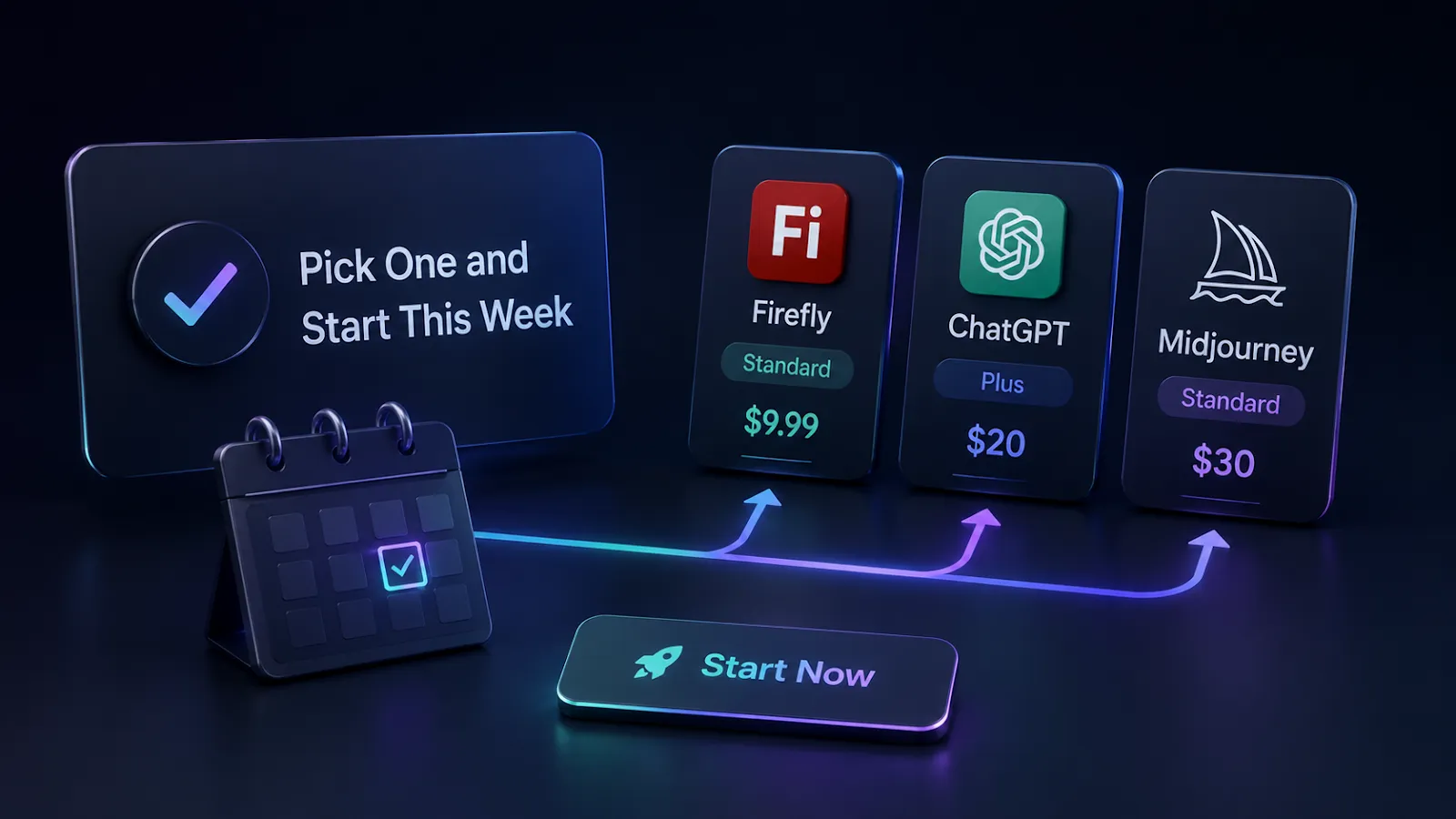
If you do client work, start a Firefly Standard trial at $9.99 and run your next deliverable through it.
If your work doesn’t touch a legal review, subscribe to ChatGPT Plus at $20 and use GPT Image 2 for the next image you’d otherwise have searched for on a stock site.
If you want cinematic creative work, sign up for Midjourney Standard at $30 and give yourself two weeks to learn its prompting style.
Skip everything else until you’ve used the first tool long enough to know what it can’t do.