Home
›
Courses
› ChatGPT for Accountants: AI Tools for CPAs & Accounting Firms
Accounting trainingAI Certification
ChatGPT for Accountants:
AI-Powered Accounting for CPAs & Firms
Learn how to use ChatGPT for financial analysis, tax compliance, bookkeeping automation, and client
communication — with just 20 minutes a day. Built for CPAs, accountants, and accounting firms.
Accounting professionals from leading companies use Coursiv to master AI-powered workflows.
1M+
Learners worldwide
10h+
Saved per week with AI
30 days
To certification
3×
Faster financial reporting
Why most teams underuse ChatGPT
Most accounting firms use ChatGPT. Almost none use it for real accounting automation.
Most accountants treat ChatGPT like a simple writing tool. Top performers use it to automate accounting
tasks, extract transactions from bank statements, streamline financial data management, and accelerate their
entire tax and audit workflow.
Without accounting AI training
Hours lost to repetitive data entry and manual reconciliation
Slow tax research across multiple code sections
Inconsistent client communication and follow-ups
No system for using AI across the accounting workflow
After this course
AI-powered bookkeeping that cuts data entry in half
Instant tax research and compliance checking
Professional, consistent client communications
A Custom GPT built for your accounting practice
How accounting professionals use ChatGPT after this course
Real accounting workflows — from bookkeeping to advisory.
Financial Data Analysis & Reporting
Use ChatGPT to analyze financial data, generate variance reports, and draft management summaries with
structured accounting prompts.
High impact
Tax Research & Compliance
Research tax codes, identify deductions, and stay current on regulatory changes. ChatGPT accelerates every
tax task for CPAs and accounting firms.
Time saver
Bank Statements & Extract Transactions
Extract transactions from bank statements, categorize expenses, and reconcile accounts using ChatGPT
prompts built for accounting workflows.
Popular
Accounting Automation
Automate repetitive accounting tasks like transaction categorization, journal entries, and reconciliation
workflows with structured ChatGPT prompts.
Versatile
Audit Preparation & Documentation
Organize audit documentation, generate compliance checklists, and identify potential issues before the
auditor arrives.
Growth
Client Communication & Advisory
Draft professional client emails, engagement letters, advisory memos, and financial summaries in seconds
using sample ChatGPT prompts.
Useful for team-wide adoption and execution standards.
Primary fit
Individual contributors
Yes
Interest in AI-powered workflows
Can apply modules directly to daily tasks.
Adjacent backgrounds
Professionals from related roles
Yes
Basic domain context helpful
Good fit for cross-functional collaboration.
Adjacent backgrounds
Freelancers and consultants
Yes
Client delivery experience
Supports faster output and clearer communication.
Adjacent backgrounds
Operations or support specialists
Yes
Process-oriented mindset
Great for documentation and workflow consistency.
Experience level
Absolute beginners
Yes
Usually none
Course starts from practical fundamentals.
Experience level
Mid-level professionals
Yes
Current role workflows
Helps scale speed and quality in current responsibilities.
Experience level
Senior leaders
Yes
Decision-making responsibility
Useful for governance, adoption, and systems thinking.
Course Modules
6 units · 35 lessons · ~6 hours total duration
Lesson 1 — ChatGPT as an LLM
What is ChatGPT and how does it work?
Lesson 2 — Discovering ChatGPT Models
Explore, compare, and apply ChatGPT models.
Lesson 3 — Intro to Prompting
Prompt engineering matters.
Lesson 4 — Feed ChatGPT with Data
How to use ChatGPT to maximize its potential.
Lesson 5 — File Attachments & Image Upload
Work smarter with files in ChatGPT.
Lesson 6 — Voice Chat
Interact with ChatGPT without typing.
Lesson 1 — Prompt Engineering Techniques
Create complex and effective prompts.
Lesson 2 — Context Management in Prompts
How to manage multi-turn conversations.
Lesson 3 — Image Generation
Turn prompts into pictures.
Lesson 4 — ChatGPT for SMM
Your first post with ChatGPT.
Lesson 5 — Travel Planning
Assist Horizon Havens using ChatGPT.
Lesson 6 — Event Planning
Use ChatGPT for event planning.
Lesson 7 — Content Creation
Generate an article about work-life balance.
Lesson 1 — Prompts for Data Processing
Create prompts for analyzing a company's revenue.
Lesson 2 — SEO Optimization with ChatGPT
Boost content's SEO effectively.
Lesson 3 — Complex Problem Solving
Create prompts for complex tasks.
Lesson 4 — Performance Analysis
How to analyze prompt performance.
Lesson 5 — Monetize Prompt Engineering
Create high-quality prompts and market them for sale.
Lesson 6 — Ethical Considerations
How to mitigate risks when using AI.
Lesson 7 — Revise and Recap
Review key points and summarize.
Lesson 1 — Know Your GPT
Pick the best GPT model before you prompt.
Lesson 2 — Prompting with Purpose
Start to prompt strategically for precise AI results.
Lesson 3 — Layered Prompts
Break complex tasks into sequential steps.
Lesson 4 — Role-Play Techniques
Assign specific personalities for targeted responses.
Lesson 5 — Iterative Prompt Development
Refine prompts through systematic testing cycles.
Lesson 6 — Challenge: Write a Freelance Productivity Guide
Apply all techniques in a comprehensive project.
Lesson 1 — What Are Projects & Why Use Them
Build smarter workflows with Projects.
Lesson 2 — Organizing Prompts, Files & Context
Keep your files and prompts aligned.
Lesson 3 — Collaborating Like a Team
Work together, even solo.
Lesson 4 — Challenge: Launching an Event Agency
Run your first team project.
Lesson 1 — What Are Custom GPTs?
Explore tailored AI assistants for specific needs.
Lesson 2 — Building Your First GPT
Define purpose, personality, and core settings.
Lesson 3 — Teaching with Data
Transform generic GPTs into domain experts.
Lesson 4 — Evaluating & Improving Performance
Test and refine GPT performance.
Lesson 5 — Challenge: Build an Email Assistant GPT
Create a specialized business communication assistant.
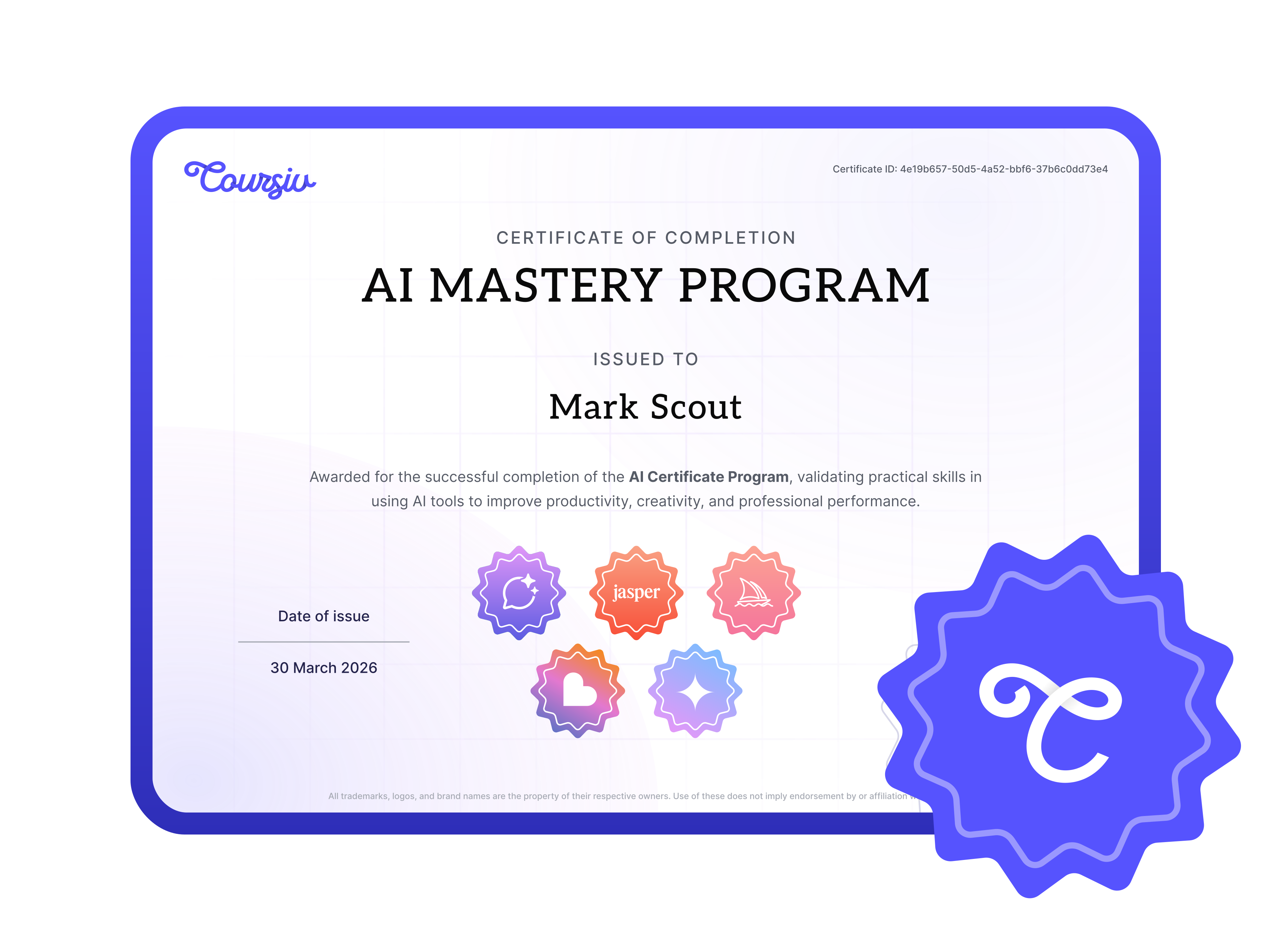
Official Certificate
Earn Your ChatGPT
Accounting Certification
Complete all lessons, pass the final assignment, and receive a professional certificate that validates
your AI accounting skills. Stand out as a CPA who knows how to leverage AI in modern accounting practice.
Add to LinkedIn
Showcase your AI expertise on your professional profile
ChatGPT is the most versatile AI for accountants available today. It handles financial data analysis, tax
research, client communication drafting, and building Custom GPTs tailored to your firm's workflows.
Unlike narrow-purpose genAI tools, ChatGPT adapts to virtually any accounting task — from extracting
transactions from bank statements to generating audit documentation. Combined with your existing
accounting software, ChatGPT becomes the central AI tool for any accounting practice.
ChatGPT drives accounting automation by turning repetitive, pattern-based tasks into prompt-driven
workflows. You can automate journal entry narratives, month-end reconciliation checklists, client email
templates, tax organizer letters, and financial statement footnotes — all without writing code. The course
teaches you to build a prompt library that any team member can use, creating firm-wide accounting
automation that reduces manual effort on routine accounting tasks by 40 to 60 percent.
Yes. You can upload PDF or CSV bank statements directly into ChatGPT and use structured prompts to extract
transactions into categorized tables. ChatGPT will parse dates, descriptions, and amounts, categorize
expenses against your chart of accounts, flag duplicates or unusual items, and produce output ready for
import into QuickBooks, Xero, or your reconciliation workbook. This single workflow saves accounting firms
dozens of hours per month.
ChatGPT is the most flexible genAI tool for accountants, but it works best as part of a broader stack.
Platforms like TaxDome handle practice management, Tipalti automates accounts payable, and tools like
QuickBooks or Xero manage core bookkeeping. ChatGPT fills the gaps between these platforms — drafting
content, analyzing exported data, and generating reports. The course teaches you to use ChatGPT as the
connective AI layer across all your accounting genAI tools.
No. AI for accountants is a productivity tool, not a replacement for professional judgment, ethical
responsibility, or client relationships. ChatGPT automates the repetitive, time-consuming parts of
accounting — data entry, research, report drafting — so CPAs can focus on advisory, strategic planning,
and building client trust. The CPAs who learn to leverage AI will be more valuable, not less.
Yes. ChatGPT is a powerful research assistant for tax preparation. It helps you research specific tax code
sections, identify potential deductions, draft client tax organizer letters, and explain complex tax
scenarios in plain language. While it should never replace professional judgment on tax matters, it
dramatically speeds up the research and documentation process for CPA firms during busy season and beyond.
Absolutely. Firm owners and managers learn how to create standardized ChatGPT prompts for their team,
build Custom GPTs loaded with firm procedures and templates, and implement accounting automation across
financial analysis, client communication, and workflow management. Many firm leaders use the course to
roll out AI adoption across their entire practice.
You probably won't need it — but yes. The course is designed so you don't get stuck: bite-sized
lessons, clear instructions, real accounting examples. If something is unclear, email support responds
within 24 hours.
Related courses for CPAs, Accountants, Bookkeepers, Accounting Firm Owners
Practical workflows tailored for CPAs, Accountants, Bookkeepers, Accounting Firm Owners.
ChatGPT for Accountants: The Complete Guide to AI-Powered Accounting
Looking for a practical ChatGPT course built specifically for accounting professionals? Whether you're a
CPA, bookkeeper, or accounting firm owner, Coursiv teaches you how to use ChatGPT to transform your entire
accounting workflow — from financial reporting and tax research to client communication and bookkeeping
automation.
AI for Accountants: ChatGPT Features That Matter
ChatGPT for accountants is not about replacing professional judgment — it is about amplifying what CPAs and
accounting firms already do well. The most relevant ChatGPT features for accountants include structured data
analysis, long-context document processing, and the ability to generate consistent, reusable ChatGPT
responses across repetitive accounting tasks. When you understand which ChatGPT features align with real
accounting workflows, you stop experimenting and start saving hours every week.
Modern ChatGPT models can process uploaded spreadsheets, interpret financial data in CSV or Excel format,
and return organized outputs such as categorized expenses, ratio analysis, or summary narratives. For
accounting professionals, this means you can feed ChatGPT a trial balance and receive a formatted variance
report, or upload a client's general ledger export and ask for anomaly detection. The key is learning how to
write a ChatGPT prompt that gives the model enough context — client industry, chart of accounts structure,
reporting period — to produce accurate, firm-ready output.
This course walks you through every ChatGPT feature that matters for accountants, from basic prompting
through advanced Custom GPT configuration. You will learn to evaluate ChatGPT responses critically, refine
prompts iteratively, and build a prompt library tailored to your firm's specific accounting tasks.
GenAI Tools for Accounting Tasks
ChatGPT is the most accessible genAI tool for accountants, but it works best when you understand how it fits
alongside other automation platforms in your tech stack. GenAI tools broadly fall into three categories for
accounting: conversational AI like ChatGPT for research and drafting, robotic process automation for
repetitive data movement, and specialized accounting AI for tasks like invoice matching or receipt scanning.
The advantage of ChatGPT over narrow-purpose genAI tools is its flexibility. A single well-crafted ChatGPT
prompt can handle tax research one minute and client communication the next. You are not locked into a
single accounting task. For firms evaluating genAI tools, ChatGPT offers the lowest barrier to entry and the
widest range of practical accounting applications — which is why it has become the default starting point
for accounting automation at firms of every size.
In this course, you will learn how to use ChatGPT as the central genAI tool in your accounting practice
while understanding when specialized software handles a task better. The goal is practical efficiency, not
tool worship — you will finish the course knowing exactly which accounting tasks belong in ChatGPT and which
belong elsewhere.
How to Use ChatGPT for Bank Statements and Transactions
One of the highest-impact applications of ChatGPT for accountants is processing bank statements and
transaction data. Accountants routinely spend hours reviewing bank statements, matching transactions to the
general ledger, and flagging items that need client clarification. ChatGPT dramatically accelerates this
process when you use the right prompts and data formatting.
To extract transactions from bank statements using ChatGPT, export the statement to CSV or copy the
transaction table into the chat. Then write a ChatGPT prompt that instructs the model to categorize each
transaction according to your chart of accounts, flag unusual amounts, and separate business expenses from
personal ones. A sample ChatGPT prompt for this task might read: "Categorize the following bank statement
transactions into these account categories: [list]. Flag any transaction over $5,000 or any duplicate payee
within the same week."
For PDF bank statements, you can upload the document directly into ChatGPT and ask it to extract
transactions into a structured table. The model will parse dates, descriptions, and amounts, giving you a
clean dataset ready for import into QuickBooks, Xero, or your reconciliation workbook. This single workflow
— extract transactions, categorize, and reconcile against bank statements — can save an accounting firm
dozens of hours per month across its client base.
Transaction extraction:
Upload PDF or CSV bank statements and use ChatGPT to extract transactions into structured, importable
tables.
Expense categorization:
Write ChatGPT prompts that sort transactions by account code based on your firm's chart of accounts.
Duplicate detection:
Ask ChatGPT to flag potential duplicate transactions, unusual amounts, or missing entries in bank
statement data.
Client review summaries:
Generate plain-language summaries of bank statement activity for client approval before posting.
Accounting Automation with ChatGPT
Accounting automation is the single biggest productivity lever for modern firms, and ChatGPT sits at the
center of an automation strategy that does not require expensive custom software. The concept is
straightforward: identify repetitive accounting tasks that follow predictable patterns, then build ChatGPT
prompts that handle those tasks consistently. Over time, you compile these prompts into a library that any
team member can use — creating firm-wide accounting automation without writing a single line of code.
Common accounting automation targets include journal entry narratives, month-end reconciliation checklists,
client email templates, tax organizer letters, and financial statement footnotes. Each of these tasks
follows a pattern: gather context, apply rules, produce a formatted output. That pattern is exactly what
ChatGPT excels at. When you pair a well-structured ChatGPT prompt with consistent data inputs, the model
delivers reliable, repeatable results that feel like custom software built for your firm.
The course teaches a systematic approach to accounting automation with ChatGPT. You will audit your current
workflows, identify the highest-value automation candidates, build and test prompts for each task, and then
roll them out across your team. By the end, your firm will have a documented automation playbook that
reduces manual effort on routine accounting tasks by 40 to 60 percent.
Journal entries:
Automate narrative descriptions and supporting documentation for recurring journal entries.
Month-end close:
Build a ChatGPT-driven checklist that walks your team through every step of the close process.
Accounts payable:
Use ChatGPT prompts to match invoices to purchase orders and flag discrepancies for review.
Client onboarding:
Generate customized onboarding documents, engagement letters, and data request lists automatically.
ChatGPT Prompts for CPA Firms
The quality of ChatGPT responses depends entirely on the quality of your prompts. For CPA firms, this means
your ChatGPT prompts need to include professional context that general-purpose prompts lack: applicable
accounting standards, client entity type, reporting period, materiality thresholds, and the intended
audience for the output. A vague prompt produces vague results; a specific, well-structured accounting
ChatGPT prompt produces work-product-ready output.
Here are sample ChatGPT prompts that CPA firms use daily after completing this course:
Financial analysis:
"Analyze the attached trial balance for [Client Name], a manufacturing business with $8M revenue. Identify
the top five variances versus prior year, explain each, and suggest follow-up questions for the client."
Tax research:
"Summarize the current IRS guidance on Section 199A qualified business income deductions for an S-Corp
with three shareholders and $1.2M net income. Include phase-out thresholds."
Audit preparation:
"Generate a risk-based audit planning memo for a nonprofit with $3M in federal grant revenue. Include key
assertions, expected audit procedures, and a preliminary materiality calculation."
Client communication:
"Draft an email to a business client explaining the impact of the new lease accounting standard on their
2025 financial statements. Keep the tone professional but accessible."
Expense analysis:
"Review the following 200 transactions and flag any that appear personal, duplicated, or outside the
normal expense pattern for a dental practice."
Each of these sample ChatGPT prompts follows the same structure: role context, specific data, clear
instructions, and a defined output format. This course teaches you to build ChatGPT prompts for every
accounting task your firm handles, so every team member produces consistent, high-quality work regardless of
experience level.
Financial Data Analysis and Audit Support
Financial data analysis is where ChatGPT delivers some of its most impressive results for accountants. The
model can process large datasets, identify trends, calculate ratios, and generate narrative interpretations
— all from a single ChatGPT prompt. For CPA firms that handle audit engagements, this capability translates
directly into faster fieldwork, more thorough analytics, and better-documented conclusions.
During audit planning, you can use ChatGPT to perform preliminary analytical procedures on financial data:
trend analysis across periods, ratio comparisons against industry benchmarks, and identification of unusual
fluctuations that warrant further investigation. During fieldwork, ChatGPT helps draft audit memos, generate
confirmation letters, and organize working papers. After the audit, it assists with management letter
drafting and financial statement footnote preparation.
The course covers financial data analysis workflows in detail, teaching you how to structure data for
ChatGPT input, write prompts that produce audit-ready analysis, and review ChatGPT responses for accuracy
before incorporating them into your working papers. You will also learn to build a Custom GPT loaded with
your firm's audit methodology, so every engagement follows the same rigorous analytical framework.
Analytical procedures:
Run trend analysis, ratio analysis, and reasonableness tests on client financial data using ChatGPT.
Audit documentation:
Generate working paper narratives, lead sheets, and tickmark explanations from structured prompts.
Management letters:
Draft management letter comments with specific findings, criteria, and recommendations.
Footnote drafting:
Create financial statement footnotes that comply with applicable accounting standards.
TaxDome, Tipalti, and AI Integrations
ChatGPT becomes even more powerful when integrated into the broader ecosystem of tools that accounting firms
already use. Platforms like TaxDome for practice management and Tipalti for accounts payable automation each
handle specific accounting workflows efficiently — and ChatGPT fills the gaps between them. Where TaxDome
manages client communication workflows and document collection, ChatGPT drafts the actual content of those
communications. Where Tipalti automates payment processing, ChatGPT analyzes the transaction data and
generates the reporting narratives your clients and partners need.
The practical integration approach is straightforward: export data from TaxDome, Tipalti, or any other
accounting platform into a format ChatGPT can process (CSV, Excel, or plain text), run your analysis or
content generation prompts, and then bring the output back into your workflow. Custom GPTs can be configured
with templates that match the formatting requirements of each platform, so the output plugs in with minimal
manual adjustment.
This course teaches you to think about ChatGPT as a connective layer in your firm's technology stack.
Whether you use TaxDome, Tipalti, QuickBooks, Xero, Drake, Lacerte, or any combination of accounting and tax
software, you will learn to build ChatGPT workflows that bridge the gaps between platforms and eliminate the
repetitive manual work that currently slows your firm down.
TaxDome workflows:
Use ChatGPT to draft client messages, organizer instructions, and follow-up emails that plug directly into
TaxDome communication templates.
Tipalti reporting:
Analyze payment data exported from Tipalti and generate cash disbursement summaries, vendor spend
analysis, and 1099 preparation notes.
Multi-platform data analysis:
Combine exports from multiple accounting systems and use ChatGPT to reconcile, analyze, and report across
platforms.
Custom GPT integrations:
Build a Custom GPT trained on your firm's procedures that generates output formatted for your specific
software stack.
Why Accounting Firms Choose Coursiv for ChatGPT Training
Coursiv's ChatGPT course is built for busy accounting professionals who need practical skills fast. The
curriculum covers everything from foundational prompt engineering to advanced accounting automation and
Custom GPT development. With 35 bite-sized lessons, real-world accounting scenarios, and a professional
certification, you will be using ChatGPT to improve your accounting workflows within the first week. Over
one million learners and professionals at leading companies trust Coursiv for AI training that delivers
measurable productivity gains.
Practical, hands-on lessons designed for immediate application in accounting tasks.
Real-world accounting scenarios and ChatGPT prompt templates you can use today.
Learn at your own pace — just 20 minutes a day for 30 days.
Official certification to enhance your professional credibility as a CPA or accountant.
Trusted by accounting firms, business professionals, and financial management teams worldwide.