Professionals from global companies use Coursiv to build practical AI skills.
2x
2x faster research synthesis
26
Role-focused lessons
390
Enrolled this week
30 days
To practical AI adoption
Why most teams underuse AI
Most teams approach AI for UX designers ad-hoc. Top teams run it as a repeatable system.
This program turns one-off prompting into structured execution for UX designers, product designers, and
design researchers, with clear playbooks for planning, delivery, and performance.
Before a AI for UX designers system
Inconsistent quality in role-specific ai workflows and recurring rework
Slow turnaround in client and stakeholder communication due to manual drafting
No shared standards for research and briefing support across the team
Weak iteration loop for improving documents and templates over time
After this certification
Role-Specific AI Workflows runs on reusable prompt frameworks
Client and Stakeholder Communication moves faster with structured AI workflows
Research and Briefing Support becomes consistent, clear, and brand-safe
Documents and Templates is continuously optimized using data and review cycles
How UX designers, product designers, and design researchers use AI after this course
Practical workflows tailored for UX designers, product designers, and design researchers.
Role-Specific AI Workflows
Apply AI to the recurring tasks that matter most for UX designers, product designers, and design
researchers, from planning to follow-up.
High impact
Client and Stakeholder Communication
Draft clearer emails, updates, proposals, explanations, and follow-ups with AI-assisted review.
Popular
Research and Briefing Support
Summarize information, compare options, and prepare briefs faster using structured research prompts.
Research
Documents and Templates
Create reusable checklists, SOPs, prompts, proposals, reports, and scripts for daily work.
Time saver
Marketing and Growth Ideas
Turn common questions, service offers, and client needs into content and growth campaigns.
Growth
Responsible AI Guardrails
Use AI with privacy, accuracy, and human review standards appropriate for your profession.
Eligibility overview for AI for UX designers learners. Built for practical adoption, not technical
prerequisites.
Section
Candidate Type
Eligible?
Typical Requirement
Notes
Primary fit
UX designers, product designers, and design researchers
Yes
Basic familiarity with AI for UX designers
Primary target group for this course.
Primary fit
Team leads and managers
Yes
Experience coordinating team workflows
Strong fit for building shared prompt systems and execution standards.
Primary fit
Individual contributors in related roles
Yes
Interest in AI-assisted productivity
Can apply modules directly to day-to-day tasks.
Adjacent backgrounds
Professionals transitioning into this domain
Yes
Domain basics are helpful
Course structure supports onboarding into role-specific workflows.
Adjacent backgrounds
Operations, admin, or support specialists
Yes
Comfort with process-oriented work
Useful for documentation, coordination, and quality-control tasks.
Adjacent backgrounds
Freelancers and consultants
Yes
Client-facing delivery experience
Helpful for faster turnaround and standardized deliverables.
Experience level
Absolute beginners with no prior AI background
Yes
No strict prerequisite
Starts from practical basics and ramps up with repeatable templates.
Experience level
Mid-level practitioners
Yes
Current role-based workflow ownership
Best fit for improving consistency, speed, and collaboration.
Experience level
Senior leaders and decision-makers
Yes
Process improvement responsibility
Useful for system design, governance, and team-wide adoption.
Course Modules
3 units · 26 lessons · ~6 hours total duration
Lesson 1 - From Personal Context to Initial Product Ideas
Move from personal context to initial product ideas with a clear, step-by-step AI process.
Lesson 2 - Validate User Problems and Product Opportunities
Apply validate user problems and product opportunities directly to your role with step-by-step
guidance tailored for UX designers, product designers, and design researchers.
Lesson 3 - Analyze Competing UX Patterns and Products
Analyze competing ux patterns and products to find patterns and make evidence-based decisions.
Lesson 4 - User Research Synthesis and Persona Discovery
Develop your skills in user research synthesis and persona discovery through guided modules
designed for working professionals.
Lesson 5 - Clarify Product Purpose and User Value
Learn how clarify product purpose and user value fits into your broader workflow and where it
delivers the highest value.
Lesson 6 - Explain Design Rationale and Product Positioning
Cover explain design rationale and product positioning end to end and walk away with a reusable
playbook for your workflow.
Lesson 7 - Monetization Models & Pricing
Cover monetization models & pricing end to end and walk away with a reusable playbook for your
workflow.
Lesson 8 - Business Model Validation
Apply business model validation directly to your role with step-by-step guidance tailored for UX
designers, product designers, and design researchers.
Lesson 1 - How AI Simplifies Your Professional Portfolio
Understand how ai simplifies your professional portfolio and apply it to your daily workflow.
Lesson 2 - Define Your Visual Identity and Positioning
Work through define your visual identity and positioning with examples that mirror the challenges
UX designers, product designers, and design researchers face every day.
Lesson 3 - Choose and Curate Your Best Client Work
Build confidence in choose and curate your best client work with structured exercises and
immediate, practical application.
Lesson 4 - Create Visual Assets and Concepts with AI
Create visual assets and concepts with ai with structured prompts and a repeatable QA process.
Lesson 5 - The AI Build: Homepage & Structure
Cover the ai build: homepage & structure end to end and walk away with a reusable playbook for
your workflow.
Lesson 6 - Write Strong Case Studies with AI
Write strong case studies with ai that drives results using tested structures and review loops.
Lesson 7 - Turn Portfolio Visitors into Client Leads
Turn portfolio visitors into client leads into a repeatable advantage for UX designers, product
designers, and design researchers.
Lesson 8 - Mobile Optimization & Launch
Optimize your approach to mobile & launch and improve outcomes with less manual effort.
Lesson 1 - Meet Claude
Get started with claude and understand the core capabilities available to you.
Lesson 2 - Use Projects to Organize Role-Specific Context
Use projects to organize role-specific context in your day-to-day tasks with practical, ready-made
templates.
Lesson 3 - Create with Artifacts
Create with artifacts with structured prompts and a repeatable QA process.
Lesson 4 - Interconnected Reasoning
Break down interconnected reasoning into clear steps you can execute within a single work week.
Lesson 5 - Apply Analytical Frameworks to Complex Work
Implement apply analytical frameworks to complex work so your work stays consistent across
projects and team members.
Lesson 6 - Creativity Stimulation
Break down creativity stimulation into clear steps you can execute within a single work week.
Lesson 7 - Write and Edit Professional Briefs
Write and edit professional briefs that drives results using tested structures and review loops.
Lesson 8 - Synthesize Long Research and Notes
Explore synthesize long research and notes and leave with outputs you can bring straight to your
team.
Lesson 9 - Pressure-Test Decisions and Recommendations
Work through pressure-test decisions and recommendations with examples that mirror the challenges
UX designers, product designers, and design researchers face every day.
Lesson 10 - Using Claude Alongside Other Tools
Cover using claude alongside other tools end to end and walk away with a reusable playbook for
your workflow.
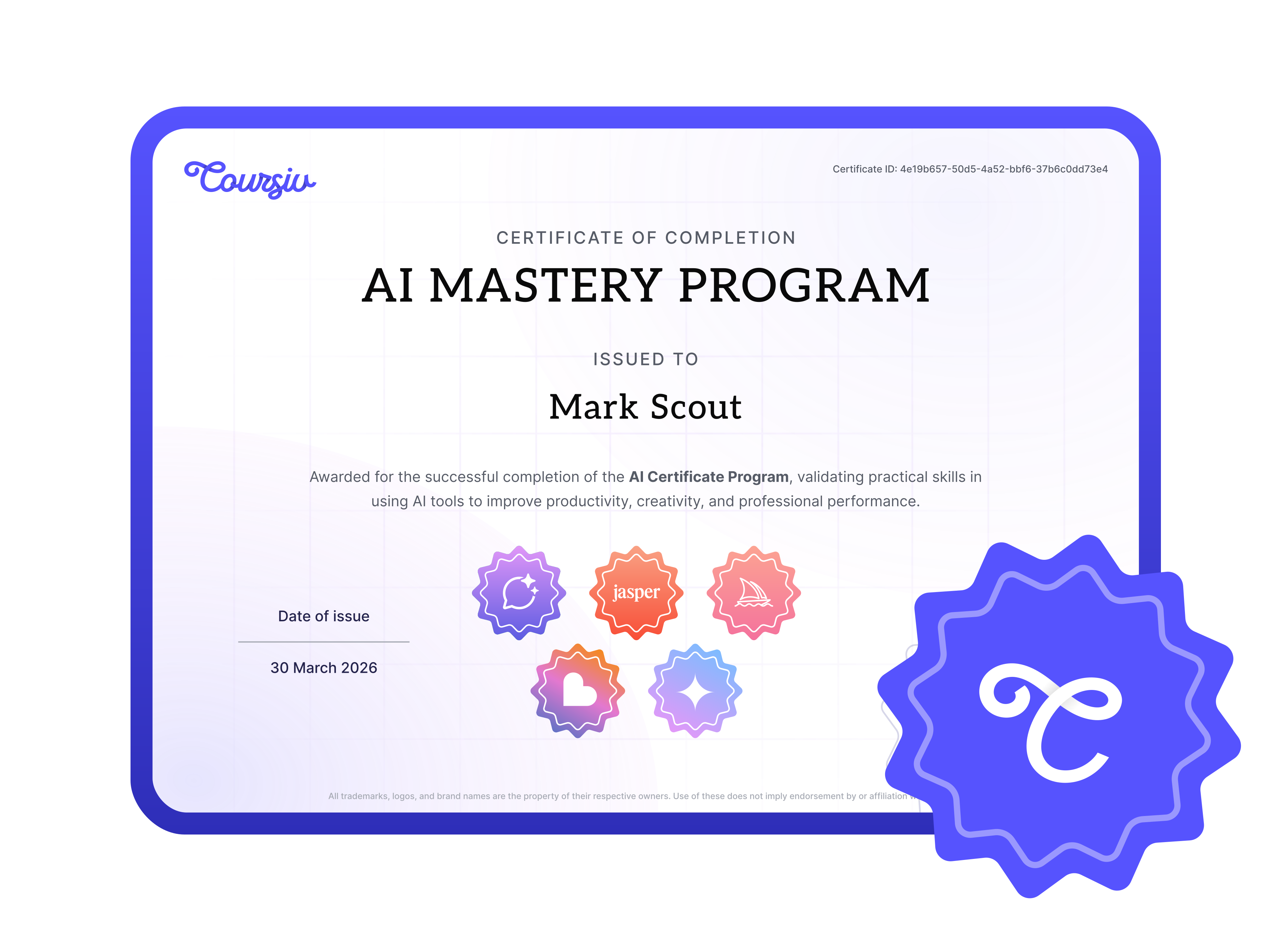
Official Certificate
Earn Your AI Certification
with Coursiv
Complete the modules, pass the final assignment, and receive a professional certificate you can add to
your profile and resume.
Add to LinkedIn
Showcase your AI expertise on your professional profile
Yes. It adapts existing Coursiv AI modules into practical, keyword-focused workflows for UX designers,
product designers, and design researchers.
This course is built for UX designers, product designers, and design researchers who want practical AI
templates, communication workflows, research support, and productivity systems.
No. The course is beginner-friendly and uses guided examples, reusable prompts, and role-specific
workflows.
No. AI is used for drafting, research support, summaries, planning, and productivity. Learners should
review outputs and follow professional standards.
The lessons focus on transferable workflows using tools like ChatGPT, Claude, Perplexity, Canva AI,
Midjourney, or other AI tools depending on the learning paths selected for the page.
Related courses for UX designers, product designers, and design researchers
Practical workflows tailored for UX designers, product designers, and design researchers.
An AI for UX designers course for research synthesis, personas, product discovery, design rationale, and
portfolio case studies.
AI for UX designers supports thinking, not taste replacement
UX work depends on research, synthesis, framing, communication, and design judgment. AI can speed up
analysis and writing, but designers still own decisions, ethics, and user understanding.
Research synthesis and product discovery
Product development modules are adapted for user problem validation, persona discovery, competitive UX
analysis, opportunity framing, and translating research into design direction.
Portfolio and case-study improvements
Portfolio modules help UX designers write stronger case studies, clarify design rationale, explain
constraints, and package work for hiring managers or clients.
Claude for long-context UX work
Claude modules support long interview notes, usability findings, design critiques, and strategic review
where large context windows and careful synthesis matter.
What the course helps you build
Research:
summarize interviews and usability notes
Personas:
turn findings into user profiles and needs
Case studies:
write clearer UX portfolio narratives
Ready to master AI for UX designers?
Join over 1 million learners on Coursiv.
Build practical AI skills in 30 days with short daily lessons.