Claude Code vs Codex Comparison Guide in 2026

Short answer: Claude Code wins for interactive, terminal-native work on a real local machine and leads on multi-file code-quality benchmarks. Codex wins for async, parallel, cloud-sandboxed execution, especially for teams already paying for ChatGPT.
A growing share of teams run both: Claude Code as the supervised pair-programmer, Codex as the background fleet for delegated work and pre-merge review.
Claude Code vs OpenAI Codex 2026 Comparison: Key Differences Overview with Pros and Cons
| Claude Code | Codex | |
|---|---|---|
| Pros | - Top SWE-bench scores: 87.6% on Verified, 64.3% on Pro.- Native long context: 1M tokens.- Mature governance: hooks, plan mode, and pinned permission profiles.- Procurement-ready: direct deployment via AWS Bedrock, Google Vertex AI, and Microsoft Foundry. | - Significantly higher usage limits: Codex uses ~4x fewer tokens for equivalent tasks.- Strong on hard infrastructure tasks: can handle complex tasks like one-shotting a Replit clone in under 90 minutes.- First-class cloud: isolated sandboxes per task, parallel queues, and GitHub PR output.- Flexible as a host platform: teams can run Claude Code inside Codex terminal to get Claude reasoning at Codex token costs. |
| Cons | - Stability issues: recent updates, split-tests, and outages can cause regressions and break trust in day-to-day workflows.- Cost pressure: heavy workflows can burn through token limits quickly; some modes raise costs 2-3x and can run slower on local machines. | - Interface friction: the UX remains a common pain point.- Lower code quality in some tests: blind tests often favor Claude (67% vs 25%), and SWE-bench Pro is lower (56.8% vs 59%).- Less surgical precision: can rewrite large code blocks, go off-plan, and miss existing repository style. |
| Pricing model | Subscription with rolling 5-hour and weekly caps; API overflow. | Token-based credits per ChatGPT plan; extra credits and API-key mode. |
| Bundled in | Pro, Max, Team Premium, Enterprise (not Team Standard). | Free and Go (trial), Plus, Pro, Business, Edu, Enterprise. |
What Is the Purpose of a Codex vs. Claude Code?
Codex is OpenAI’s cloud-based, autonomous coding agent. It runs background tasks like writing code, fixing bugs, and opening PRs. It works asynchronously, without a developer present, and scales across parallel queues in remote, sandboxed environments.
Claude Code is Anthropic’s interactive, terminal-first coding assistant. It works alongside a developer in real time, within a local environment. It reads the actual codebase and runs commands with the developer in the loop.
Claude Code vs OpenAI Codex Features Table
| Feature | Claude Code | Codex |
|---|---|---|
| Primary surface | CLI, desktop app | CLI, IDE extension, desktop app, Codex Cloud |
| IDE extensions | VS Code, Cursor, Windsurf, JetBrains | VS Code, Cursor, Windsurf, JetBrains, Xcode, Eclipse |
| Default model (April 2026) | Claude Opus 4.7 | GPT-5.5 |
| Other models | Opus 4.6, Sonnet 4.6, Haiku 4.5 | GPT-5.4, GPT-5.4-mini, GPT-5.3-Codex, GPT-5.3-Codex-Spark |
| Context window | 200K default; 1M for extra credits | 272K default; up to ~1.05M for extra credits |
| Cloud agent | Background tasks via SDK and GitHub Actions; Agent Teams | First-class Codex Cloud, parallel queues, GitHub PRs, Slack dispatch |
| Extensibility | MCP, Skills, hooks, plugins, sub-agents, Agent Teams | MCP, Skills, Plugins, Automations, sub-agents, Computer Use |
| Sandbox and approval | Permission modes, plan mode, lifecycle hooks | OS-level sandbox; read-only, workspace-write, full-access; approval policies |
| Enterprise controls | SSO, SAML, SCIM, RBAC, audit logs, HIPAA-ready, Bedrock/Vertex/Foundry | SSO, SAML, SCIM, EKM, RBAC, domain verification, managed config |
OpenAI Codex vs. Claude Code Comparison in Crucial Use Cases for Developers and Tech Experts
Local Terminal Workflows
Both ship a serious CLI. Claude Code feels native to a checked-out repo with full shell access. Codex CLI is a leaner Rust binary trained on terminal tasks.
Pros and Cons of Claude Code for Local Terminal Workflows
Pros: Whole-tree visibility, deep Git integration, mature plan mode, lifecycle hooks gate dangerous commands.
Cons: Heavier default footprint than Codex CLI; permission setup takes upfront work.
Pros and Cons of Codex for Local Terminal Workflows
Pros: Fast Rust binary, OS-level sandboxing on by default, strong terminal-task performance.
Cons: Sandbox boundaries can feel restrictive; less polished for sustained multi-hour sessions.
Verdict: Pick Claude Code for whole-tree visibility. Pick Codex CLI for fast, sandboxed shell work.
Cloud and Asynchronous Agents
Codex was built first for hosted delegation: Codex Cloud runs each task in its own sandboxed container, parallelizes work, and returns reviewable diffs/PRs from a fully managed queue. Claude Code can also run async via Routines, Channels, SDK, and GitHub Actions, but you usually provide the runners and wiring yourself.
Pros and Cons of Claude Code for Cloud and Async Agents
Pros: Agent Teams + Routines + GitHub Actions enable parallel sub-agents and scheduled or event-driven runs.
Cons: No single first-party “PR farm” surface; scaling async work needs extra glue code and CI setup.
Pros and Cons of Codex for Cloud and Async Agents
Pros: First-class hosted cloud with per-task containers, parallel queues, GitHub PR output, Slack dispatch, and click-to-schedule automations.
Cons: Sandboxes start with no network (you must allow-list access), and debugging happens via remote logs rather than your own shell.
Verdict: Pick Codex when you want fully hosted, fire-and-forget cloud agents; pick Claude Code when you’re happy to own CI/runners and just need an SDK-driven automation layer.
Enterprise and Team Coding
Both ship the controls auditors expect: SSO, SCIM, RBAC, audit logs, compliance APIs, encryption controls, managed configuration. The decider is procurement, not feature lists.
Pros and Cons of Claude Code for Enterprise
Pros: Governance: lifecycle hooks, rewind, plan-then-execute flows, and routines let orgs enforce policies, safely roll back changes, and run policy-governed cloud agents across their existing repos and CI.
Cons: Claude Code is now included with every Team and Enterprise seat, but is explicitly outside the HIPAA-ready scope, and rollout still leans on org-level curation of skills, hooks, and guardrails.
Pros and Cons of Codex for Enterprise
Pros: Codex Security agent produces repo threat models with sandboxed patches.
Cons: Single-vendor dependency on OpenAI; cloud-leaning model limits some on-prem environments.
Verdict: Tie. Choose based on which model provider you can already procure.
Frontend and Web Development
Claude Code’s edge is Opus 4.7’s high-resolution, pixel-accurate vision plus Anthropic’s frontend-design skill for distinctive UI, while Codex and Claude now both match the input side and add Computer Use and in-app browser control to drive running apps.
Pros and Cons of Claude Code for Frontend
Pros: Stronger output on visual fidelity and design-token discipline. Pixel-accurate vision.
Cons: Browser and GUI driving via Computer Use is still in research preview and slower/rougher than API-based checks, so most teams still pair it with Playwright/Puppeteer for CI.
Pros and Cons of Codex for Frontend
Pros: Computer Use plus in-app browser drives a real running app. Useful for end-to-end interaction and visual regression testing.
Cons: Generated UI tends toward generic patterns. Less codified design discipline.
Verdict: Use Claude Code to produce a distinctive UI. Use Codex to verify the running app.
Backend and APIs
Codex has a reputation for catching edge cases and backward-compatibility regressions in PR review. Claude Code’s depth on long codebases and opusplan mode (Opus for planning, Sonnet for execution) suits service refactoring at scale.
Pros and Cons of Claude Code for Backend
Pros: Long-context reasoning across whole services. Strong refactoring quality. plan-then-execute reduces blast radius.
Cons: Slower than Codex on small-scoped edits. Review-style usage requires manual orchestration.
Pros and Cons of Codex for Backend
Pros: Strong PR-review behavior. Fast turnaround on isolated fixes. OS sandbox contains risky service code.
Cons: 272K default context can clip on monorepo-scale services without explicit long-context config.
Verdict: Use Claude Code as the implementer for big, multi-service changes, and Codex as the pre-merge reviewer focused on edge cases and regressions.
DevOps and Infrastructure
Terminal-Bench 2.0 now clearly favors Codex: GPT-5.5 in Codex scores 82.7% versus Anthropic-reported ~69.4% for Opus 4.7, so Codex has roughly a 13-point lead on command-line and DevOps tasks.
For Terraform, Kubernetes manifests, CI/CD, and shell-heavy IaC, Codex’s structured tool use and tighter sandbox model (network off by default, explicit allow-lists) reduce accidental damage compared to a permissive local shell.
Pros and Cons of Claude Code for DevOps
Pros: Plan mode and lifecycle hooks let teams pin allowable commands. Useful where blast radius matters more than speed.
Cons: Trails Codex on Terminal-Bench. Defaults are looser than the sandbox-first approach.
Pros and Cons of Codex for DevOps
Pros: Higher Terminal-Bench scores. network off by default in cloud sandboxes. Two-phase setup-then-runtime cuts accidents.
Cons: The remote sandbox introduces latency and friction for workflows that require very tight local apply-and-revert cycles for IaC.
Verdict: Pick Codex for IaC and DevOps as a default. Claude Code becomes competitive once you’ve invested in hooks, CLAUDE.md, and permission policies that lock down what it can run.
Mobile and Cross-Platform Development
Neither vendor has a mobile-only product, but integration looks different from early 2026. Xcode 26.3 now ships first-party, agentic coding support for both Codex and Claude via MCP.
Codex also offers an Eclipse extension, while Claude Code still lives mainly in the terminal and desktop app outside Eclipse.
Pros and Cons of Claude Code for Mobile
Pros: Solid React Native and Flutter handling once CLAUDE.md encodes platform conventions. Long context helps on large mobile codebases.
Cons: No native Eclipse integration, and mobile testing still relies on your existing emulator/devices; there’s no full “tap-through-the-simulator” story yet despite new Computer Use capabilities.
Pros and Cons of Codex for Mobile
Pros: Xcode and Eclipse extensions broaden native IDE coverage, and Codex’s cloud agents can run mobile build/test pipelines as scheduled or event-driven jobs.
Cons: Mbile-specific workflows remain thinner than backend support on both platforms, and neither vendor yet offers a robust, standard emulator-driving framework for end-to-end UI testing.
Verdict: Codex’s unique native IDE reach is now Eclipse only, while Claude Code leans on long-context reasoning and terminal/desktop workflows; across cross-platform stacks, the choice is mostly about preferred IDE and governance style rather than raw capability.
Testing and Code Quality
This is the strongest hybrid pattern in this comparison. Claude Code’s /loop, hooks, and Agent Teams work well for running test suites and iterating on failures with idiomatic edits. Codex’s PR review reliably catches race conditions and backward compatibility issues.
Pros and Cons of Claude Code for Testing
Pros: Idiomatic test generation. Clean refactors. /loop automates write-test-fail-fix cycles. Agent Teams parallelize coverage.
Cons: Less consistent at flagging subtle regression risks.
Pros and Cons of Codex for Testing
Pros: PR-review catches race conditions and backward-compat breaks. Cloud queue runs review on every PR without manual invocation. Codex now generates 2–4 alternative implementation approaches for each task before executing, which helps surface coverage edge cases earlier.
Cons: Test generation tends to be more mechanical. Refactors less idiomatic.
Verdict: Use Claude Code to write and refactor. Use Codex’s review agent before the merge.
AI and ML Workflows
Claude Code has tighter Jupyter integration in the VS Code extension: its mcp__ide__executeCode tool cannot run anything silently, and every call inserts a new cell and triggers a native Quick Pick that asks you to Execute or Cancel, so notebook execution is always gated by an explicit prompt.
Codex’s plugin catalog still covers more data and ML tooling out of the box. OpenAI’s planned acquisition of Astral, makers of uv, Ruff, and ty, will bring Python dependency management, linting, and type checking in as first-class Codex tools, rather than loose integrations that close the Python gap.
Pros and Cons of Claude Code for AI/ML
Pros: Notebook-friendly cell-by-cell execution. Strong reasoning on training and architecture. Long context for full pipeline review.
Cons: Data warehouse access goes through MCP rather than first-party plugins.
Pros and Cons of Codex for AI/ML
Pros: Plugin catalog covers more data and ML tooling out of the box. Astral integration closes the Python gap.
Cons: Notebook handling lags Claude Code. Cloud sandboxes complicate GPU-attached workflows.
Verdict: Pick Claude Code for notebook-heavy work. Pick Codex if your Python/ML stack is standard — the pending Astral acquisition will make uv, Ruff, and type-checking native rather than plugins.
Claude Code and OpenAI Codex: Why Are They So Popular Among Developers and What Are Their Advantages Compared to Other Popular AI Coding Agents
Compared to other popular AI agents, these two combine model quality, agent maturity, and procurement reality in ways that make them the default short list for serious teams in 2026.
Three things set Claude Code and Codex apart:
- Both tools provide frontier-model access (Claude 4.6/4.7 for Claude Code, GPT-5.4/5.5 for Codex) directly from the labs that train them.
- They both ship mature, first-party agent harnesses with sandboxing, approvals, and policy controls that are deeper and better-integrated than most third-party wrappers, though they are no longer unique in having such features.
- They benefit from vendor-backed enterprise procurement via Bedrock/Vertex/Foundry for Claude and ChatGPT Business/Enterprise (plus Azure OpenAI-style channels) for Codex, which remains a genuine differentiator versus many independent AI coding agents.
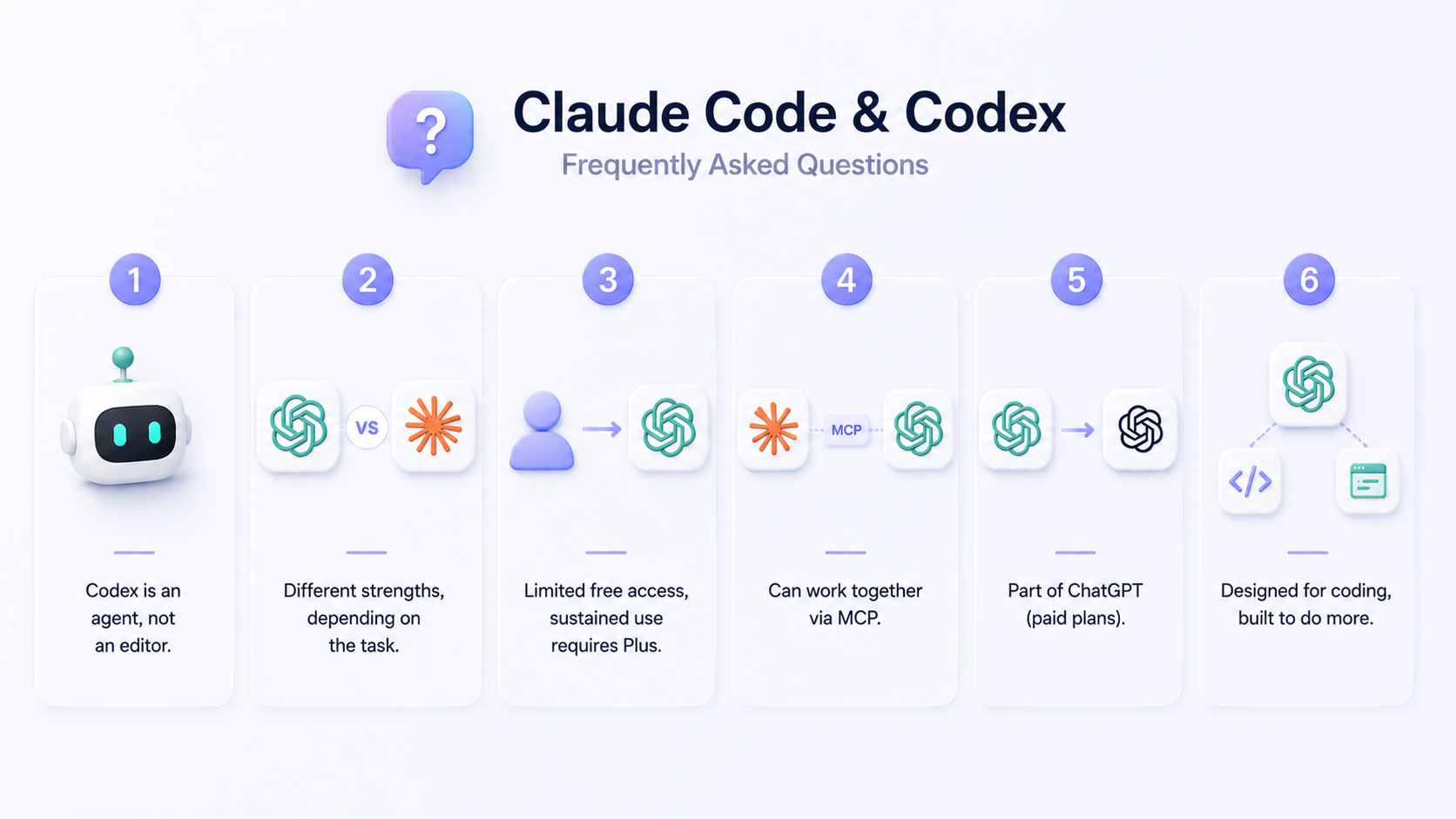
Frequently Asked Questions About Claude Code and Codex
Is Codex like VS Code?
No. Codex is an agent, not an editor. It ships as:
- CLI (command-line interface)
- extension for VS Code, JetBrains, Xcode, Eclipse
- macOS desktop app
- Windows desktop app
- cloud agent via ChatGPT
Is Codex better than Claude Code?
Codex leads on Terminal-Bench 2.0, SWE-bench Pro, async cloud execution, and token efficiency. Claude Code leads on SWE-bench Verified (though that benchmark is now considered contaminated), long-context reasoning, and interactive multi-file refactors where blind evaluations favor its code quality.
Is Codex free for ChatGPT free users?
ChatGPT Free includes a limited Codex trial as of April 2026. However, sustained Codex use requires Plus at $20 per month or above.
Can Claude Code work with Codex?
Both speak MCP and can mount the same MCP servers, so community workflows have Claude Code call Codex (or vice versa) for code review through the OpenAI Agents SDK. Direct cross-product subscription sharing is not officially supported.
Is Codex part of ChatGPT?
It comes with paid ChatGPT plans and is available in the web app ー the Codex Cloud agent appears in ChatGPT’s sidebar. But most people use it via the CLI, IDE extension, or desktop app.
Is Codex only for coding?
Yes, by design. The desktop app’s plugin system and Computer Use can drive non-coding apps when needed, and OpenAI has signaled the Codex desktop app, ChatGPT, and Atlas browser will eventually merge into a single application.