Worried AI will replace data analysts? Here’s what’s really happening in 2026. Explore the best AI tools for data analytics and learn how to stay competitive.
Best AI Tools for Data Analytics in 2026: Will AI Take Over Data Visualization?
AI has become a game-changer in many fields, including data analytics. Data visualization has moved from static charts and graphs to interactive dashboards that are intuitive and easy to interpret. With AI, data exploration is possible even for people with little to no technical background.
AI now automates data cleaning, visualization, and report summaries. That raises a valid question: will AI replace data visualization professionals? The short answer is “No”.
Making data-driven decisions is important, but it requires a significant amount of time. AI reduces the hours spent manually building reports and looking for trends. Instead, data analysts can now focus on understanding the data and determining the next steps.
Businesses still need human judgment for context, strategy, experimental design, and validation. AI will not take over data analytics, but it will make it more effective and accessible.
This article explores the best AI tools for data analysis, so that you can keep up with the times and make it work in your favor.
AI vs Traditional Analytics—Key Differences
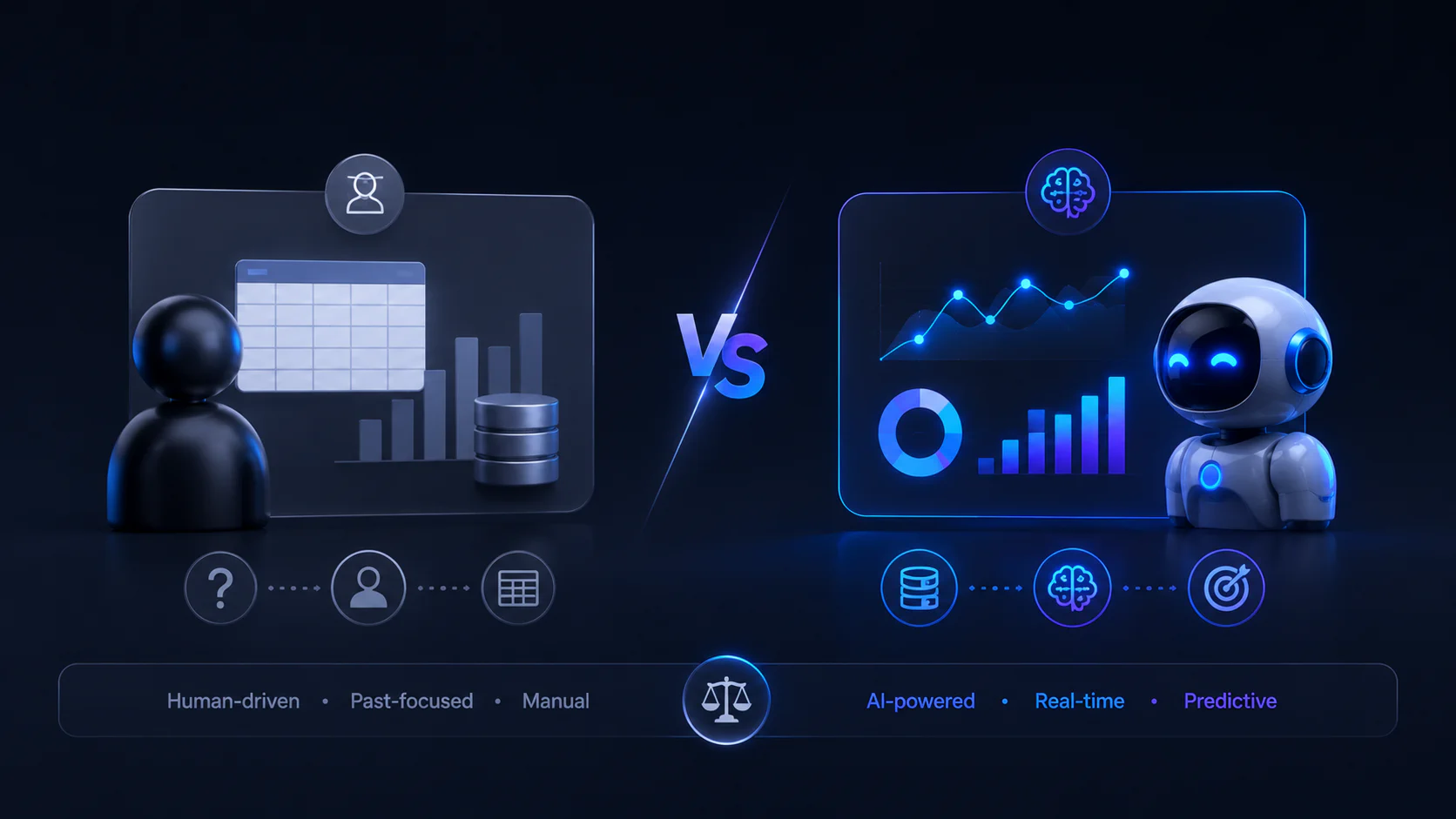
Traditional analytics are human-driven methods of data analysis. They involve analysts using spreadsheets and databases to examine data. These methods are based on statistical analysis and past performances.
AI analytics use machine learning to make real-time predictive insights, identifying hidden patterns in seconds. They are based on automated actions and forward-looking analysis.
The key difference between those two methods is that traditional analytics relies solely on human-crafted queries. At the same time, AI tools for data analysis rely on machine learning, along with pattern and trend recognition, which goes far beyond what was possible with traditional methods.
Traditional BI vs AI-Native Tools
Traditional BI Tools
- Examples: Microsoft Power BI, Tableau
- Best for: Structured reporting, dashboards, financial KPIs
- Pros: Governed dashboards, simple to use, and audit records
- Cons: Slower setup, static dashboards, require technical knowledge
AI-Native Analytics Tools
- Examples: ChatGPT, Claude, Gemini
- Best for: Quick data exploration, hypothesis testing, conversational insights, and sorting out messy spreadsheets
- Pros: Quick iteration, natural-language querying, automated repetitive tasks
- Cons: Requires good prompting, outputs need careful validation
What Are the Best AI Tools for Data Integration?
Data integration is the process of collecting data from multiple sources into a single report. Below are some of the best AI data integration tools:
- Informatica
A complete data integration platform for ETL, data quality, and governance.
Key Features:
- Improved data discovery
- Lots of features for managing data
- Talend
Started as an open-source data integration platform, offers ETL and cloud integration options. As a low-code solution, it’s easier for non-technical people to use.
Key Features:
- Batch and real-time processing
- Supports both data integration and analysis
- Fivetran
An automated data integration platform. Offers many security certifications, ensuring your data remains protected in the process.
Key Features:
- Prebuilt data connectors
- Strong safety
- Domo
A platform for the data lifecycle, including integration. Excellent data security and governance.
Key Features:
- Data automatically refreshes
- Strong safety
Courses by Coursiv Useful for Working With Data
Many professionals use AI tools randomly and get average, inconsistent results. Coursiv is the world’s #1 way to learn AI skills. With fun, gamified lessons designed for busy people, Coursiv fits AI into your daily life—and helps you turn knowledge into results. Check out our 28-Day AI Certificate Program Challenge to accelerate your learning.
Here are some of our courses that are especially useful for working with data in 2026:
- ChatGPT & ChatGPT 2.0
This two-part course takes your knowledge from basic prompts to using ChatGPT as your data analytics AI assistant.
- Move past basic questions to master complex prompts for analyzing revenue, spotting financial trends, and solving complex business problems.
- Analyze complex technical audit datasets quickly.
- Transform ChatGPT from a generic model to a specialized data expert to meet your needs.
Level: Beginner
Time to Complete: 6+6 hours (both courses)
Best For: professionals who want to master the full lifecycle of AI data analysis.
Where to Access: check out Coursiv on Google Play or App Store.
- Claude
This course teaches how to apply Claude’s advanced reasoning in data analysis.
- Learn how to use more than one model on the same data set to find hidden patterns and insights.
- Learn “Output Control” (tables, JSON, or code) needed for business reports.
- Link data points from different areas to find hidden patterns.
Level: Beginner to Intermediate
Time to Complete: 7 hours
Best For: researchers and analysts who need precise reasoning and structured data outputs.
Where to Access: check out Coursiv on Google Play or App Store.
- Gemini
This course teaches how to work with data of different formats.
- Extract and analyze data from different sources, including images, charts, and technical documents.
- Automatically analyzed Sheets, organized Drive files, etc.
- Solve technical issues and build repeatable processes with no coding skills.
Level: Beginner
Time to Complete: 3 hours
Best For: professionals who rely on the Google ecosystem to automate reporting and data cleanup.
Where to Access: check out Coursiv on Google Play or App Store.
Three Main Categories of AI Data Tools
- Foundational Models
AI tools with a wide range of tasks. Versatile, build custom workflows and write SQL queries to work with data.
- Analyze raw datasets from uploaded files
- Summarize findings and help turn them into reports
- Perform data cleaning
Examples: ChatGPT, Claude, Gemini
2. AI-Enhanced Business Intelligence Tools
Analytics tools with a built-in AI. Focus on quickly extracting insights, detecting patterns, and visualizing data with little to no coding.
- Automatic updates
- Finds patterns and trends in the data
- Writes reports
- Good for people with no coding skills
Examples: Domo, Tableau Pulse, Anomaly AI
3. Enterprise AI Copilots
Added on top of existing business systems to automate repetitive tasks.
- Automatic reports
- Finds patterns and trends in the data
- Suggests decisions based on data
- Reduces manual intervention
Examples: Tableau AI Copilot, Microsoft 365 Copilot
Best AI Tools for Specific Tasks in Data Analytics Process, With Pros and Cons, and Best Application Scenarios
At Coursiv, we review AI platforms to help our readers choose the best one. Here are a few of the top AI data analysis tools.
ChatGPT: Best for Fast Data Exploration
ChatGPT’s “Advanced Data Analysis” acts as a virtual data scientist. It allows users to upload CSVs or Excel files to find trends and create visualizations. It does the repetitive tasks and documentation for you, saving time and energy for new ideas.
Pros:
- Translates text into SQL or Python code
- Generates reports
- Summarizes datasets and finds patterns
Cons:
- Can “forget” details
- Not connected to live databases
- Only handles small sets of data
Best Application:
- Exploring CSV files or sample extracts
- Generating basic insights before deeper modeling
- Drafting explanations of trends
Claude: Best for Complex Data Reasoning
Claude performs logical consistency best. Unlike other models that may overlook details in large papers, Claude maintains a detailed analytical framework across documents.
Pros:
- Excellent logical consistency
- Strong at long-form reasoning and structured explanations
- Handles complex instructions clearly
Cons:
- No built-in sandbox for live coding
- Lacks native web search
- Slower processing for simple tasks
Best Application:
- Interpreting complex business metrics
- Writing short summaries from lengthy findings
- Risk analysis and scenario reasoning
Gemini: Best for Google Workspace & Sheets
Gemini is suitable for professionals whose data workflows are in the Google ecosystem. It connects Sheets, Docs, and Drive.
Pros:
- Integrates with Google Sheets/Docs
- Handles multiple types of data
- Generates formulas and automates spreadsheet tasks
Cons:
- Best value only within Google Workspace
- Not a full business intelligence platform
- Advanced models still require additional tools
Best Application:
- Creating and debugging complex formulas
- Automating regular spreadsheet reports
- Generating summaries directly inside Docs or Slides
Power BI Copilot: Top Enterprise BI Tool
Microsoft Copilot vs ChatGPT - Power BI Copilot builds interactive dashboards using natural language prompts. It automates visualization while adhering to corporate data regulations.
Pros:
- Connects to databases
- Converts text into dashboards and visuals
- High security
Cons:
- High cost
- Learning curve for advanced data modeling
- Restricted within the Microsoft ecosystem
Best Application:
- Organization-wide KPI dashboards
- Governed reporting environments
- Business teams needing controlled self-service analytics
Anomaly AI: Best Conversational Analytics
Anomaly AI focuses on tracking metrics and identifying unusual patterns through natural language interaction. You might ask directly what changed or why.
Pros:
- UX-friendly interface
- Finds patterns and trends in the data
- Connects to systems
Cons:
- Not good for creative tasks
- Has to have clean data
- Can’t generate ideas
Best Application:
- KPI monitoring and alerting
- Revenue or performance anomaly detection
- Ongoing performance tracking
ChatGPT vs Claude vs Gemini for Data Analytics
Choosing between the AI tools for data analysis mainly depends on your workflow.
ChatGPT is the best way to explore quickly and in real time: it writes and runs Python code, makes charts, and answers follow-up questions.
Claude pays close attention to details. It’s especially strong in complex logic and qualitative data, working well for long-form analysis and thorough explanations.
Gemini is integrated into the Google Workspace. It works best for formula generation, basic summarization, and simple automation.
Best AI Tools for Solo & Small Teams
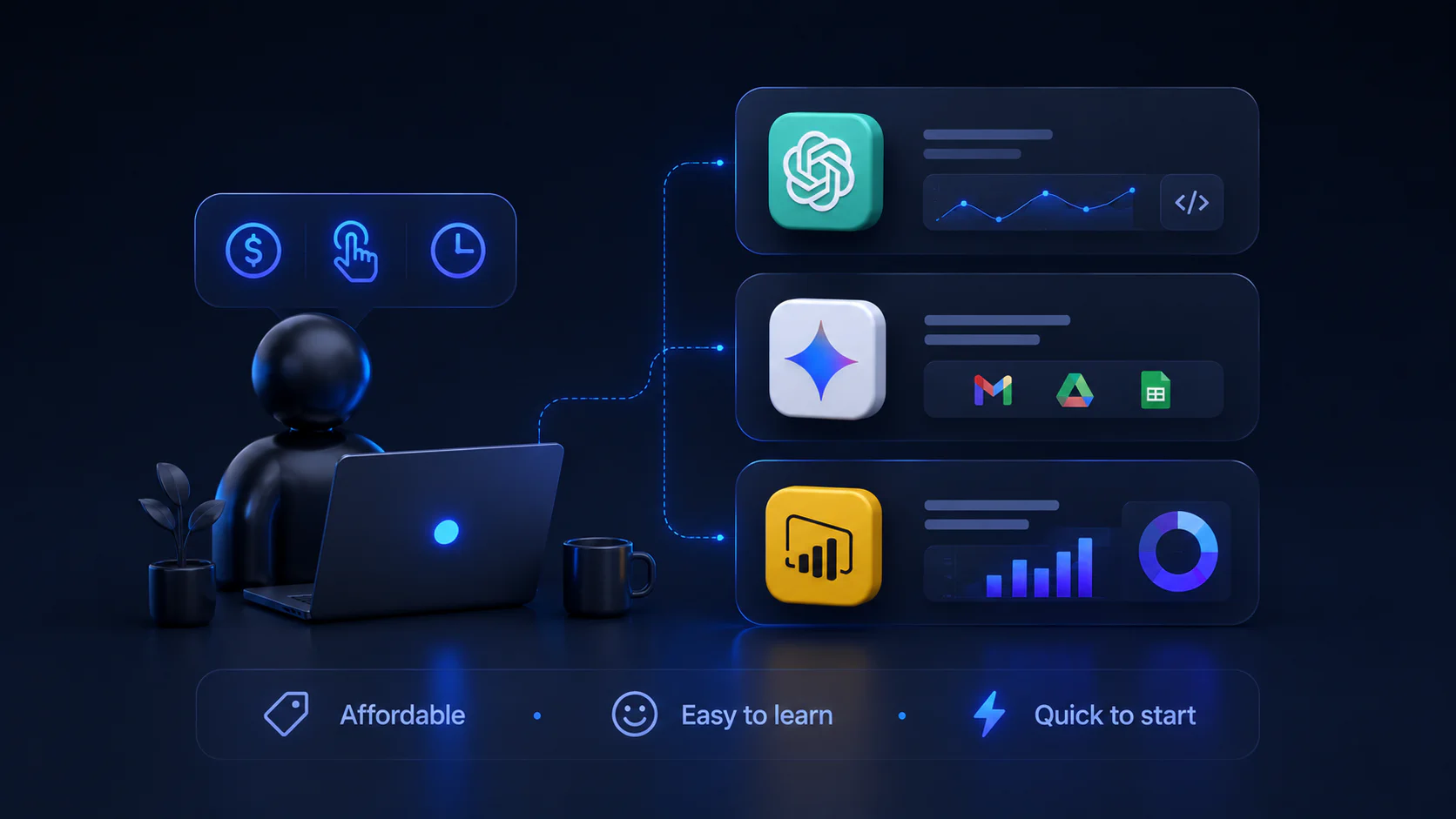
When data scientists work alone or in small groups, they look for tools that are cheap, simple, and easy to understand.
This is what we suggest:
- ChatGPT — for quick iterations, scripting, and prototype dashboards.
- Gemini — for people already working in Google Workspace.
- Microsoft Power BI — for small teams and solo analysts looking for interactive dashboards and reports.
These options don’t require business equipment and can be learned in a few days.
Best Enterprise AI Data Solutions
When choosing an AI tool for data analysis, larger businesses should focus on high security and scalability:
- Power BI Copilot — lets users ask questions in natural language and produce governed dashboards.
- Tableau Pulse — conversational insight layers within established BI platforms.
- ThoughtSpot — search-based analytics across cloud data warehouses.
How to Pick the Right AI Data Analytics Tool. Match AI Tools to Your Use Case
Choosing the right AI data analytics tool rarely means randomly picking the most advanced model. It’s important to find the one that serves your specific needs.
If you need fast data exploration, trend detection, and instant visualizations, then choose ChatGPT. It’s used for quick iterations and generating code.
If you use spreadsheets or work in Google Workspace often and need help with formulas, Gemini might be the best choice for you. It works well with collaborative sheet-based processes.
The key is simple: match the tool to your daily workflow, not the other way around.
Connect AI to BigQuery, Snowflake, and Excel
Modern AI tools are growing in support of direct connections to data warehouses and spreadsheets:
- BigQuery & Snowflake: Tools like ChatGPT and Power BI Copilot can query SQL warehouses directly.
- Excel: Gemini can generate formulas, pivot suggestions, and insights inside the spreadsheet environment—either through built-in AI features or add-ins.
With minimal coding, you can go from a natural language prompt to an analytical SQL query and a visualization.
Auto Data Cleaning & Anomaly Alerts
Auto data cleaning tools can:
- Detects missing values and anomalies
- Suggests transformation rules
- Generates cleaning scripts (Python, SQL)
Anomaly alerts use statistical models or AI supervision to flag unexpected behavior—such as sudden drops in metrics or seasonal shifts.
Pairing cleaning with alerts results in a more reliable analysis for making dashboards.
Free AI Data Tool Checklist for 2026
- KNIME
An open-source platform for data analytics. Accessible to both beginners with no coding experience and advanced users as well.
- Viete AI
An AI tool that builds multi-sheet Excel workbooks in seconds. Turns text into a professional spreadsheet instantly.
- Numerous
An AI-powered tool that allows you to do tasks by simply dragging down a cell in a spreadsheet. Generates AI-written text directly into spreadsheets.
- Orange
A visual programming tool with a drag-and-drop feature for data exploration, visualization, and basic machine-learning tasks. Works for beginners with no coding experience.
- Apache Spark
An open-source framework for large-scale data processing and analytics. Works for more advanced users who want to delve deeper into the next level of data analytics.
- Weka
A collection of machine-learning algorithms for data mining tasks. More suitable for advanced users with Java programming knowledge who want to delve deeper into machine learning.
- Julius AI
An AI tool that functions as a data analysis platform, which allows processing Excel, CSV, PDF, and Google Sheets files with no coding knowledge.
A free version has a limit of 15 messages per month.
- Power BI
Microsoft Power BI offers a free desktop version that allows users to connect, visualize, and share data insights with ease. Offers drag-and-drop interface, integration with Microsoft services, and visualization tools.
The free version may be ideal for small teams and solo analysts looking for interactive dashboards and reports.
- Google Data Studio (Looker Studio)
A cloud-based data visualization tool that allows users to convert raw data into interactive dashboards. Integrates with Google Analytics, Sheets, BigQuery, and has an intuitive interface, making it accessible to users with different coding experiences.
Under $100 per Month Solutions
In 2026, anyone can access high-level AI tools for data analysis without spending a lot of money. From the platforms we looked at, these are the best options that cost less than $100 per month:
ChatGPT Plus
- Cost: $20/month
- Best For: Quickly exploring CSV files and generating first-pass insights.
Claude Pro
- Cost: $17/month
- Best For: Interpreting complex data and logical reasoning.
Gemini Advanced
- Cost: $19.99 per month
- Best For: Automating spreadsheet tasks in Google Workspace.
Anomaly AI
- Cost: $25/month
- Best For: Ongoing performance tracking and trend detection.
Power BI Pro
- Cost: $14/month
- Best For: Creating and sharing interactive dashboards and reports.
Tableau Standard
- Cost: $15/month for viewers, $75/month for creators in teams
- Best For: Exploring different dashboards from the biggest repository.
Thoughtspot
- Cost: from $50/month
- Best For: Moving from static, developer-dependent dashboards to interactive, self-service insights.
Julius AI Pro
- Cost: $37/month
- Best For: Analyzing, visualizing, and reporting on structured data without writing code.
Test AI Data Tools Before Buying
Before buying the subscription for an AI tool, it’s important to test it first.
Here are a few steps to consider:
Try for free. Most AI tools provide a free month, sometimes even three months of a free trial. It’s better to try your options before committing to one.
Run your dataset through the tool. Test for compatibility and the limits, and compare the results.
Check export and integration. See possible formats of the files and test out the integration options to see if it’s as good as they say.
Real business questions to evaluate. Try out the chats by asking real questions you go through in your workflow. See if it suits your ideas.
Check the team onboarding time. Not everyone in your team is a data analyst, nor do they have technical skills. In that case, try to choose a tool that works for all of you by choosing the more accessible option.
GDPR AI Compliance 2026

As AI laws change in Europe and around the world, compliance is important:
- Make sure that tools don’t use or store your data without your permission
- Look over the data on residency rules
- Check to see how to stop using training
- Keep records of decisions made by AI for auditing purposes
GDPR must be followed, especially when AI interacts with private or sensitive data sets.
Frequently Asked Questions About AI Tools For Data Analytics:
How is AI used in data visualization?
Which AI is best for analyzing data?
There’s no “best” AI tool for data analysis. It depends on your workflow.
ChatGPT is ideal for quick exploration, Claude works best for deep reasoning, and Power BI Copilot is best for governed dashboards. Choose what works best for you and your needs.
Can ChatGPT do data visualization?
Which AI is good for data visualization?
Can ChatGPT do data analysis?
How to use AI for Excel data analysis?
Use AI to:
- Generate formulas
- Suggest charts
- Translate natural language prompts into Excel operations
Will AI take over data visualization?