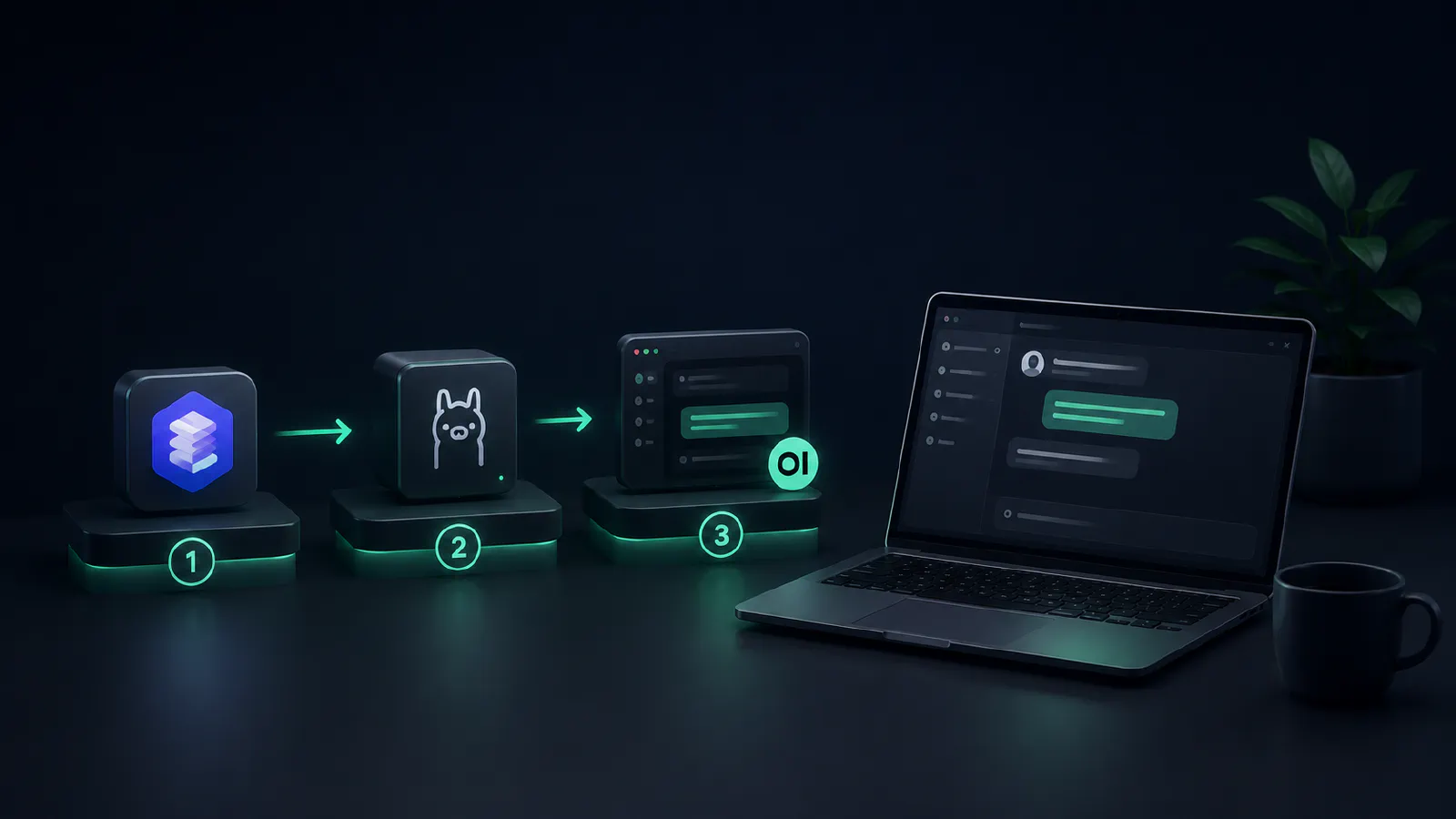
Important wording note: You cannot run OpenAI’s hosted ChatGPT model locally because its model weights are not public. In practice, “running ChatGPT locally” means running an open-weight local AI model with a similar chat interface.
For adjacent reading, see building a personal AI assistant, training your own AI model, and DeepSeek vs ChatGPT.
If you’re handling NDAs, client data, or unreleased pricing, every prompt you send to a commercial cloud server can become a data-handling risk. Terms and retention obligations can change. Platforms can have outages. Legal holds or preservation orders may also affect data that users expected to delete.
Open-weight models running on your own hardware can reduce that risk significantly. Similar prompt experience, with your prompt data staying local during inference when the system is configured correctly. This guide covers hardware selection, the best local interfaces, installation on Windows, macOS, and Linux, and how to configure custom personas and private document retrieval so your local setup actually works for you.
Why You May Need to Run ChatGPT Locally
Quick reframe before going further. You can’t run OpenAI’s ChatGPT on your own machine: the weights aren’t public. What you can do is run open-weight models like Llama, Qwen, Gemma, Phi, DeepSeek, or Mistral through a local app that looks and feels like ChatGPT.
Four reasons to make the switch:
Benefits of Local AI Setups for Privacy and Control
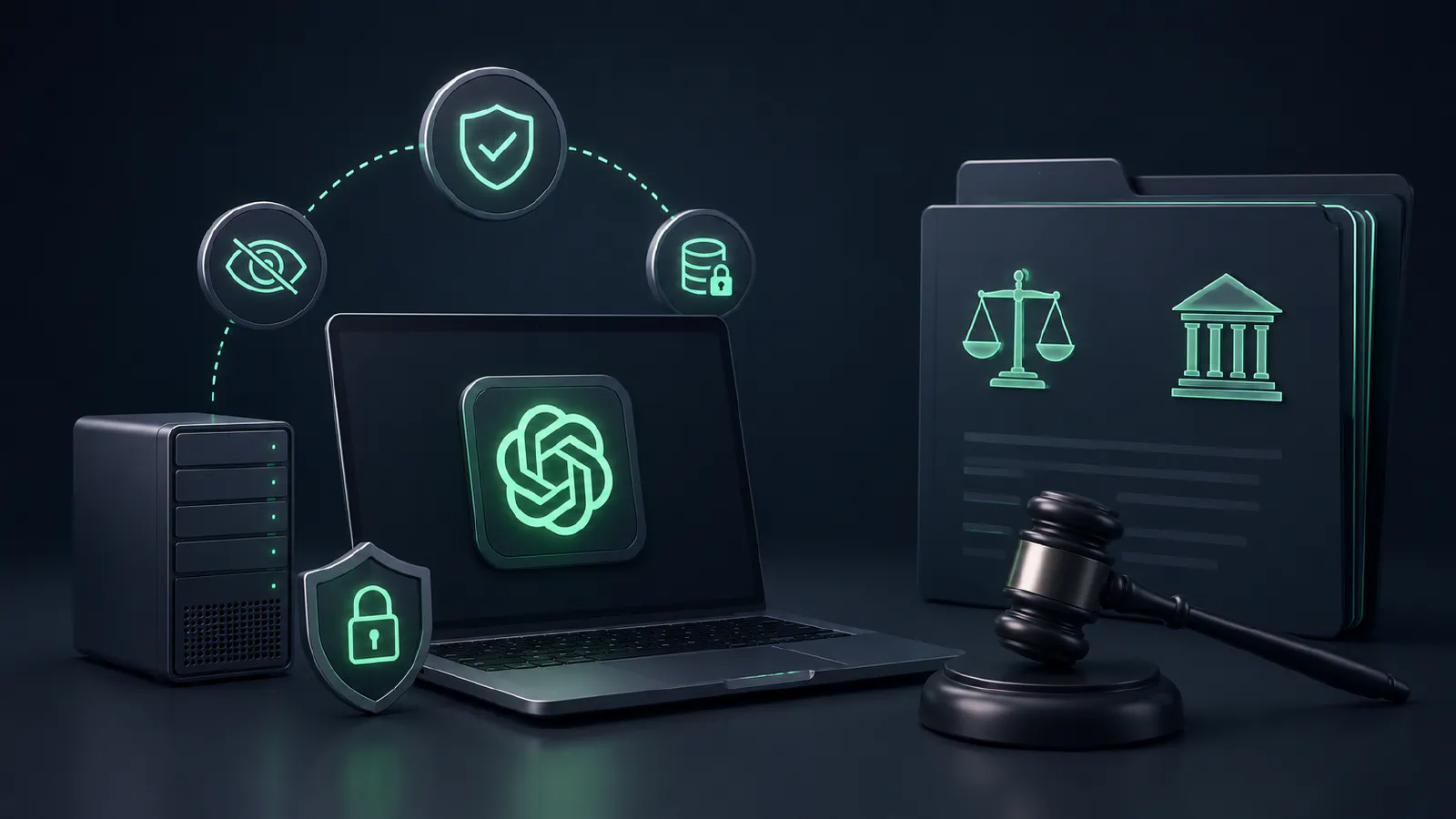
A correctly configured local setup can keep inference on your machine instead of sending prompts to a third-party model API. You still need to manage app telemetry, local logs, backups, and device security, but you rely less on a provider’s retention policy for each prompt.
The strongest argument is a court case most professionals haven’t heard about. A federal magistrate judge in New York completely upended cloud privacy assumptions during The New York Times copyright fight. The court ordered OpenAI to freeze ChatGPT conversation logs that standard users thought were permanently deleted (Ars Technica, 2025). As the lawsuit dragged out, follow-up rulings forced the company to hand over a massive, de-identified mountain of those exact user chats for evidence (Reuters, 2025; National Law Review, 2026).
Offline Access: Working Without Internet Dependency
Once a model sits on your hard drive, it runs without an internet connection. Useful on flights, in client offices with locked-down WiFi, in air-gapped environments, and as a backup when OpenAI has an outage. You also stop worrying about regional restrictions when traveling.
Cost Savings: Eliminating Subscription Fees
Subscription costs vary by plan and region, and high-end AI plans can add up over time. Local hardware is an upfront purchase instead of a recurring seat fee. Heavy users or small teams may save money over a long enough horizon, but a GPU build is not automatically cheaper once you include electricity, maintenance, storage, and future upgrades.
Data Security: Keeping Sensitive Information Private
Data security depends on configuration. Local models can reduce the amount of sensitive information sent to external services, but you still need disk encryption, access control, backups, and a policy for logs, telemetry, and shared machines.
Worth knowing: some consumer cloud plans may allow conversation data to be used for service improvement or model training unless account settings or plan terms say otherwise. Business, enterprise, and education plans often have stricter defaults, but you should verify the current policy for the exact account you use.
Understanding Local LLMs vs. Cloud ChatGPT
Now the honest part. Open-weight models are genuinely capable. For email drafts, summarization, code review, brainstorming, and document Q&A, they handle daily professional work without issue. Where they still fall short is on the hardest reasoning tasks and obscure factual recall: that’s where closed frontier models still win. For most workflows, you won’t notice the gap.
Take a look at the public benchmarks. Over on Artificial Analysis’s Intelligence Index, Claude Opus 4.8 holds the top spot at 61, with GPT-5.5 (xhigh) sitting right behind it at 60. But here is the real surprise: Moonshot’s Kimi K2.6 dominates the open-weights category at 54 (Artificial Analysis, 2026; AI Hub, 2026). That puts the best open model just three points behind the absolute ceiling of proprietary tech.
Hardware Requirements for Running Local AI in 2026
The number that matters for any local setup is memory: GPU VRAM (NVIDIA, AMD) or unified memory (Apple Silicon). Everything else is secondary.
Choosing the Right GPU or CPU for Smooth Inference
Memory dictates which models fit. The rough rule at Q4 quantization (the format most people run): divide the model’s parameter count in billions by two for VRAM in GB. A 7B model wants about 5GB. A 13B model wants 8 to 10. A 32B model needs around 20. A 70B model takes 40+, which is why it doesn’t fit on a single consumer 24GB card without offloading to system RAM.
Practical tiers:
- 12GB cards: (RTX 3060): comfortable for 7 to 14 billion-parameter models (LocalAImaster, 2026).
- 16GB cards: (RTX 4060 Ti 16 GB): mainstream sweet spot for 14B with headroom (LocalAImaster, 2026).
- 24GB cards: (used RTX 3090, RTX 4090): 32B comfortably, 70B slow with offloading (LocalAImaster, 2026).
- High-memory Macs (96–128GB unified memory): The only consumer machines capable of running a 70B model fully in memory at Q4; no single consumer NVIDIA graphics card out right now (even with 24 or 32GB of VRAM) can physically handle this on its own (LocalAImaster, 2026; Modal 2026).
CPU-only inference works on 3B–8B models. It’s functional for testing, slow for daily work.
RAM and Storage Needs for Different Model Sizes
Your system RAM should match your VRAM or ideally double it; 32GB is the floor, while 64GB makes handling larger models easier (LocalAIMaster, 2025; Ganglani, 2026). Storage fills up fast since a quantized 13B model takes 8GB and a 70B model requires over 40GB (LocalAIMaster, 2025). Storing five or six variants can easily drain 200GB, so you need high-speed NVMe SSDs – traditional HDDs will make your first-load times completely miserable (A1 Computers, 2026).
Apple Silicon Optimization for M-Series Macs
Apple’s unified memory pools the CPU and GPU into one shared allocation. A 64GB Mac effectively gives you a 64GB VRAM target – something that would take multiple dedicated GPU cards to replicate on a PC (A1 Computers, 2026).
One thing catches people off guard: speed tracks with memory bandwidth, not chip generation. An M3 Max running at 400 GB/s will outrun a newer M4 Pro at 273 GB/s on the same model. Newer doesn’t automatically mean faster here (Craftrigs, 2026).
Practical memory tiers for model sizing:
16GB–24GB handles 7B–8B models. Minimum viable (A1 Computers, 2026).
32GB–48GB runs 14B–32B options smoothly. This is the sweet spot for most professional workflows (Craftrigs, 2026).
64GB–128GB covers dense 70B architectures without breaking a sweat (Ganglani, 2026).
On macOS, MLX-format models inside LM Studio give you a real speed advantage over GGUF – but only up to a point. Short context lengths on small to medium models, MLX wins. Push into massive models or long complex prompts and GGUF is actually more stable and often faster. Know which situation you’re in before committing to a format (GitHub, 2025; Reddit, 2026).
Budget-Friendly Hardware Recommendations for Beginners
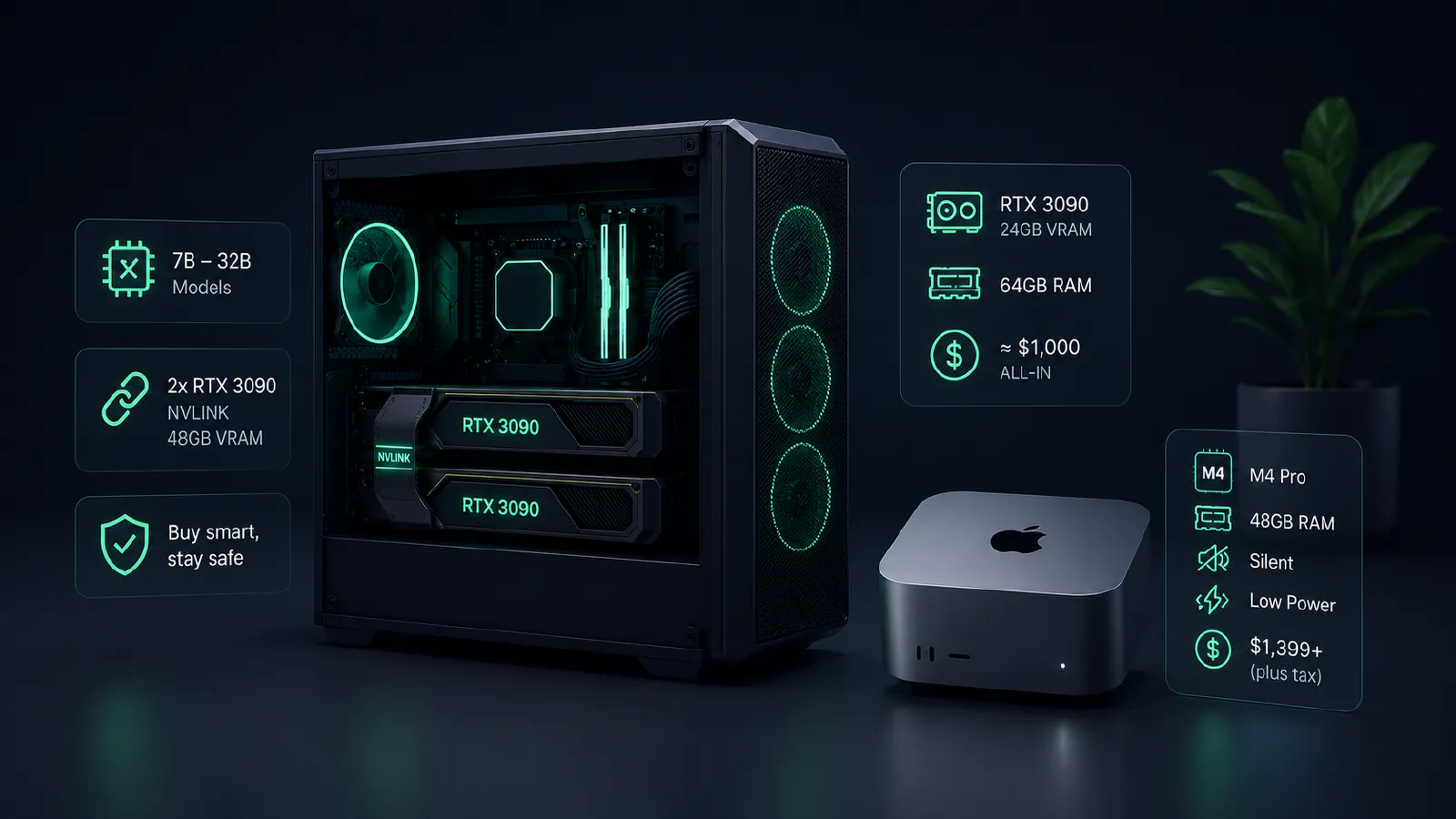
For around $1,000 all-in, building a dedicated PC around a used RTX 3090 with 24GB of VRAM and 64GB of system RAM is the consensus first step. The card itself sits right between $600 and $800 on the secondary market and handles 7B through 32B models comfortably (Reddit, 2026; XDA, 2026). Stacking two of them via NVLink (since the 3090 was the last consumer NVIDIA card to support it) hands you a 48GB pool for heavy 70B work at a fraction of the cost of a new enterprise setup.
If you are buying used, stick to reputable sellers, demand video proof of the card running stable under heavy benchmark loads, and stay away from hardware heavily mined or repasted by unknown hands.
On the Apple side, a Mac Mini with the M4 Pro chip and 48GB of memory starting at $1,399 (plus tax) is the real value standout (Apple, 2026). It is completely silent, draws very little power, runs 30B options comfortably, and sits on your desk without ever sounding like a leaf blower.
Best Tools and Platforms for Local ChatGPT in 2026
You have more good options than you need. Five worth knowing.
Ollama: The Easiest Way to Run Models Locally
A common default backend. Ollama runs as a background server on port 11434 and exposes an OpenAI-compatible API at /v1/chat/completions. This means any tool that talks to ChatGPT can talk to Ollama by simply changing the base URL. It features a massive library of thousands of models and operates as a CLI-first engine, though an official desktop application featuring built-in chat capabilities and file interaction is available for Windows and Mac. It remains the best choice when you want a stable engine for other applications to point at (Ollama, 2026).
LM Studio: A User-Friendly GUI for Model Management
The polished desktop app. It features a built-in Hugging Face model browser, per-model parameter sliders, document chat, and an OpenAI-compatible server running on port 1234. Version v0.3.17 introduced full Model Context Protocol (MCP) support. On Macs, it utilizes Apple’s MLX acceleration framework for noticeably faster inference on Apple Silicon. The platform is closed-source with anonymous telemetry enabled by default, which can be toggled off under Settings > Privacy.
Recommendation: This is the ideal starting point for a non-technical reader. Simply install, search for a model, click download, and start a chat.
Open WebUI: Creating a ChatGPT-Like Interface
If you want something that looks and feels like ChatGPT while keeping the stack self-hosted, this is one of the strongest options. Open WebUI serves a slick web interface on port 3000 (via Docker) or port 8080. It supports multi-user access with role-based permissions and ships with robust, built-in document RAG (retrieval-augmented generation) using hybrid search and reranking. When paired with Ollama as the backend, you get a private, self-hosted ChatGPT instance that a whole team can share.
Jan.ai and GPT4All for Simple Desktop Experiences
Jan is open-source, MIT/AGPL licensed, and positions itself as a local-first desktop app with no telemetry by default. It provides a local server on port 1337 and a clean interface that looks like ChatGPT. If privacy verification matters more to you than extra features, Jan is worth testing.
GPT4All from Nomic AI is probably the lowest-friction entry point on this list. Lightweight desktop app, built-in document RAG through its LocalDocs module, and specifically tuned to run well on CPUs. No dedicated GPU? GPT4All is where you start.
PrivateGPT and AnythingLLM for Private Document Chat
AnythingLLM is the one to use if you’re doing serious document work. It runs as a desktop app or Docker container, connects to over 30 model providers, and keeps your files separated into isolated workspaces so nothing bleeds between projects. Every answer links back to the exact source it pulled from. It handles PDFs, Word docs, Markdown, CSVs, code files, and audio natively, and has scrapers built in for GitHub, Notion, YouTube, and Confluence. Over 53,000 GitHub stars, MIT licensed (GitHub, 2026; Local AI Master, 2026).
PrivateGPT is a different animal. Maintained now as a production enterprise project by Zylon.ai, it runs on FastAPI and LlamaIndex and is really aimed at developers rather than general users. If you want a bare-bones starting point without the extra layers, the original implementation is still sitting in the repository’s “primordial” branch.
Comparing Ollama vs. LM Studio vs. LocalAI
Think of Ollama as a headless engine: scriptable, container-friendly, and ideal for always-on network access.
LM Studio is the better user application: immediate model discovery, clean interface, no terminal required.
LocalAI handles multimodal endpoints: text, embeddings, image generation, and audio in one container.
Most team setups run Ollama as the silent backend with Open WebUI on top.
Prerequisites Before Setting Up Local ChatGPT
One-click applications like LM Studio, Jan, or GPT4All require zero setup – you simply install them and go. However, if you are building a custom stack using Docker or the Ollama and Open WebUI combination, you will need a few foundational dependencies.
Development Environment Setup
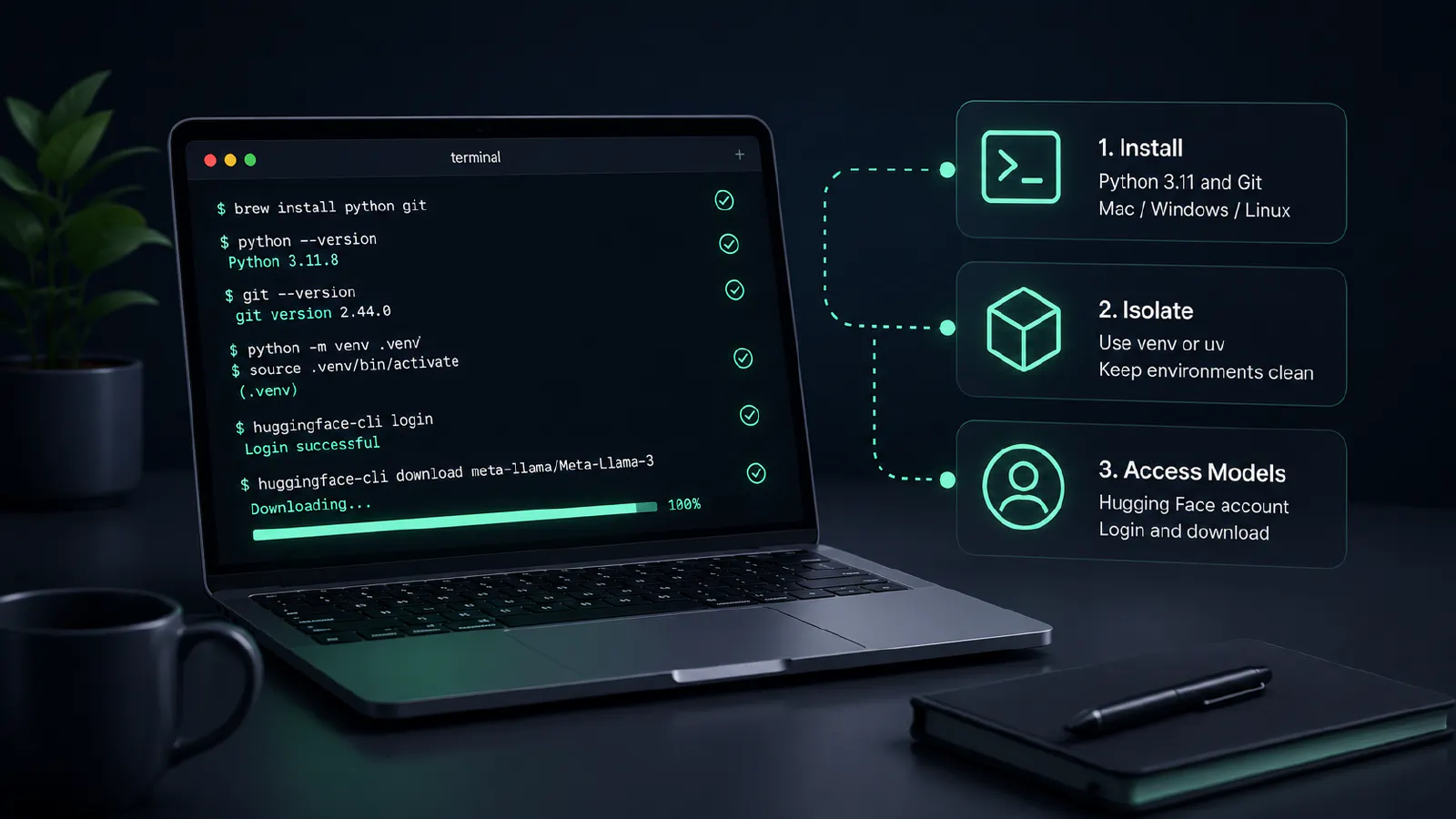
You need Python 3.11 and Git. On a Mac, brew install python git handles both in one shot. Windows users grab the official Python installer and Git for Windows separately. Linux, just use your package manager. (SitePoint, 2026)
Always isolate your projects with venv or the faster uv manager. Skipping this is the single most reliable way to break your Python installation – don’t find out the hard way.
Some models like Llama and Gemma are gated behind a Hugging Face account. You accept the license, generate a read-access token in your profile settings, then run huggingface-cli login in your terminal. After that, huggingface-cli download pulls the weights down locally. Takes five minutes, easy to miss if nobody tells you upfront. (Hugging Face, 2026)
Local Network Configuration
Once your backend engines are live, they serve OpenAI-compatible endpoints over specific local network ports. Anything built to communicate with the standard OpenAI API can talk to these local alternatives by simply changing the base request URL (Ollama, 2026):
| Platform | Default Port | Exposure Details |
|---|---|---|
| Ollama | 11434 | Exposes /v1/chat/completions natively |
| LM Studio | 1234 | Built-in server toggle in GUI |
| Jan.ai | 1337 | Local server port |
| GPT4All | 4891 | Application API endpoint |
| Open WebUI | 3000 / 8080 | Web interface port depending on Docker config |
Installation on Windows
You can grab the native Windows installer directly from the official site or run winget install Ollama.Ollama from a PowerShell window. If you are running an NVIDIA card, you will want drivers at version 535 or newer (though 550+ is highly recommended) for proper automatic GPU detection (Tech Insider, 2026). While WSL2 remains a great option for a Linux-style environment, it is no longer required for basic functionality. Notably, a native ARM64 build is available, meaning anyone running newer ARM-based Windows laptops can execute models natively without taking an emulation hit.
Installation on macOS
To install, just grab the application bundle from the site and drop it into your Applications folder, or run brew install ollama. Metal GPU acceleration works completely out of the box. While you will get the absolute fastest generation speeds on Apple Silicon by loading MLX-format models into LM Studio, sticking with macOS 14 Sonoma or newer is generally recommended for the best overall system compatibility (Aimadetools, 2026).
Installation on Linux Distributions
Setting up a Linux machine takes a single terminal command:
curl -fsSL https://ollama.com/install.sh | sh
This script supports major distributions like Ubuntu, Fedora, and Arch right out of the box (Cohorte, 2026). It is highly recommended to configure the binary to run as a persistent systemd service so your backend stays live across system reboots. If you are running an AMD graphics card, keep in mind that official ROCm 6.x compute support is primarily available on Linux environments.
Docker-Based Setups for Portable Deployments
For isolated, clean portable deployments, you can spin up the backend via containerized architecture using a straightforward run command:
docker run -d --gpus all -v ollama:/root/.ollama -p 11434:11434 ollama/ollama
If you want a private ChatGPT clone that multiple people can use, set up a docker-compose environment and link the Ollama backend directly to an Open WebUI frontend. That’s the setup most teams land on (Aimadetools, 2026). Just ensure you point the frontend container to http://ollama:11434 using the internal service name rather than localhost so the bridge network routes correctly. Don’t forget that passing physical GPU access into a Docker runtime requires the NVIDIA Container Toolkit installed on the host machine. You can verify your passthrough layer is working with a quick test run: docker run --rm --gpus all nvidia/cuda:12.0-base nvidia-smi.
One-Click App Installers
If you have zero interest in touching a command line, tools like LM Studio, Jan, GPT4All, and AnythingLLM package everything into traditional desktop installers (.exe or .dmg). For an entirely managed ecosystem, Pinokio acts as a single-click script launcher. Its v7.2 release introduced a built-in supply chain security sandbox called “Bluefairy” (which intentionally holds back brand-new packages for 72 hours to detect malicious injections), alongside a dedicated “Ask Pinokio” interface for conversational agent sessions (Pinokio, 2026).
Preparing Your Local ChatGPT for Daily Work
Installation gets the software running, but tuning a stock local model is what actually saves you time.
Choosing the Right Model for Your Tasks
For a general open-weights all-rounder, the Qwen3 family is the consensus choice, scaling from lightweight 0.6B versions up to massive 235B+ Mixture-of-Experts (MoE) architectures (Ollama Model Library, 2026). If you are looking for specific alternatives based on your hardware layout and targets:
Coding: Kimi K2.6 stands out as a dedicated open-weights choice.
Maximum Quality (24GB VRAM): Llama 3.3 70B is the ideal target, though it requires accepting Meta’s gated license.
Tight Hardware Constraints: Microsoft’s Phi-4 delivers the highest reasoning performance per gigabyte.
Setting System Prompts and Personas for Common Workflows
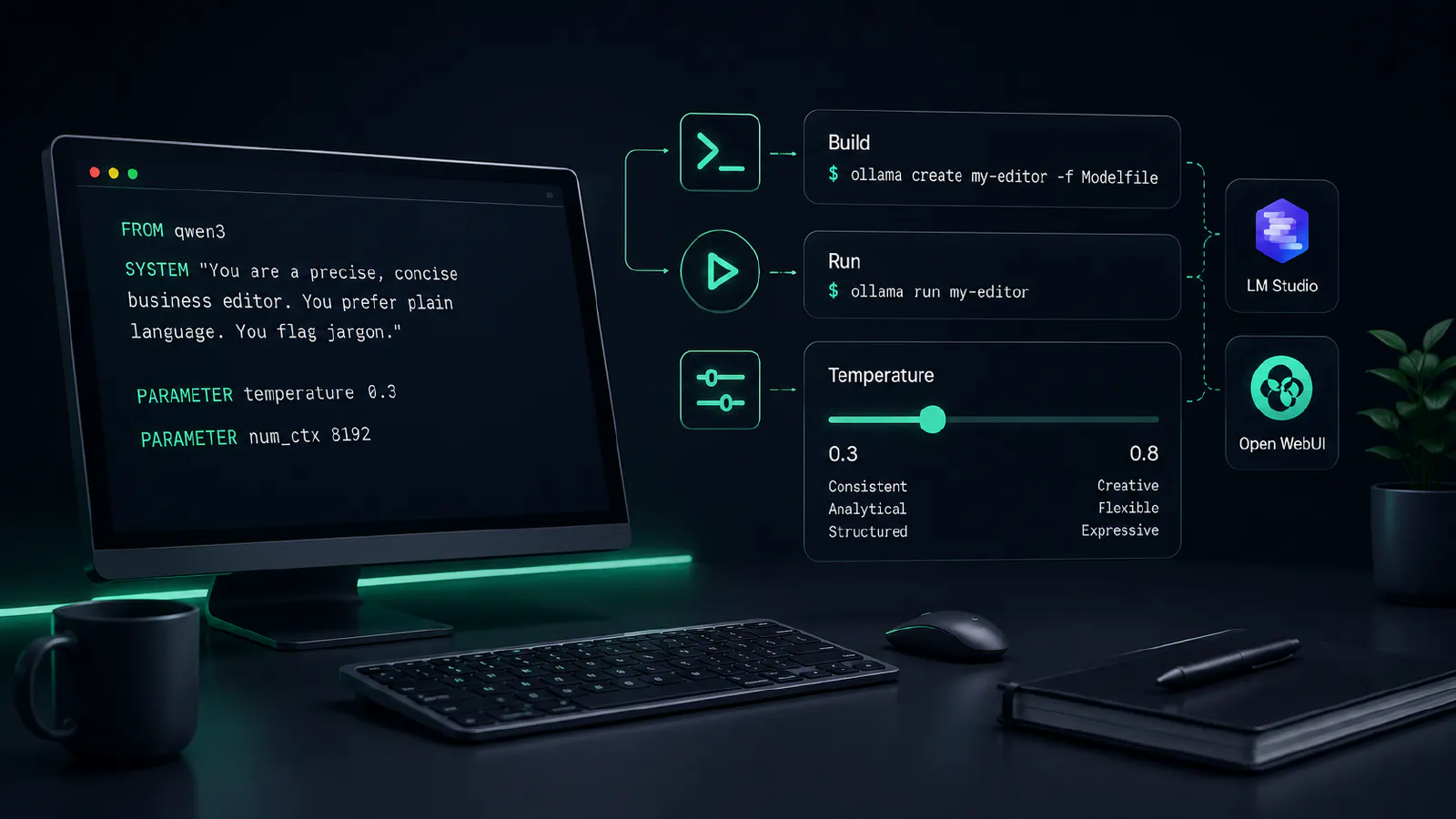
A system prompt is a set of standing rules the model reads before every conversation. In Ollama, you write them permanently into a custom image using a plain text file called a Modelfile (Easton, 2026):
FROM qwen3
SYSTEM "You are a precise, concise business editor. You prefer plain language. You flag jargon."
PARAMETER temperature 0.3
PARAMETER num_ctx 8192
Build it and launch it with two commands (DasRoot, 2026):
ollama create my-editor -f Modelfile
ollama run my-editor
Temperature is worth understanding. Push it down toward 0.3 and the model gets consistent and analytical – good for editing, summarizing, structured output. Push it toward 0.8 and it loosens up, which is what you want for creative drafts. LM Studio and Open WebUI expose the same slider in their interfaces if you’d rather not touch a config file.
Private Document Interaction (RAG)
Open WebUI handles local file chat through a built-in Knowledge panel. Upload your files, then tag them into any conversation using the # symbol. It’s straightforward and doesn’t require any extra configuration. For something more structured, AnythingLLM is the better pick. It keeps files separated by project workspace, so your legal docs don’t bleed into your marketing drafts. Embeddings process once and reuse across sessions. Every answer comes with a citation you can actually click (Nullzen, 2026; DataCamp, 2026).
Building Reusable Prompt Templates and Shortcuts
When you find a prompt that works, save it. In Ollama, MESSAGE pairs inside your Modelfile let you bake few-shot examples directly into a persona – they’re just there every time you launch it (Easton, 2026).
Open WebUI has a preset menu that does the same thing with a few clicks. AnythingLLM and Pinokio both handle reusable task templates if your workflows get repetitive (Nullzen, 2026).
What to Expect Once You Start
Setting up local AI is a weekend project, not a five-minute app install. You will likely encounter driver edge-cases, port collisions, or a model crashing inexplicably after working fine the day before. These are normal troubleshooting hurdles, not project blockers.
Start small. Download LM Studio, pull down an 8B Qwen model, and see if the offline experience fits your routine.
If it clicks, you can transition to an always-on Ollama backend topped with an Open WebUI frontend.
If it doesn’t, you have spent a single evening learning your exact structural needs, and you’ll know exactly which cloud subscriptions are worth paying for and which ones you can cancel.