Last updated: June 30, 2026
Google released Nano Banana 2 Lite on June 30, 2026, calling it the fastest and most cost-efficient Gemini image model in the Nano Banana family. It is built for rapid image generation and editing where speed, throughput, and low cost matter more than maximum creative control.
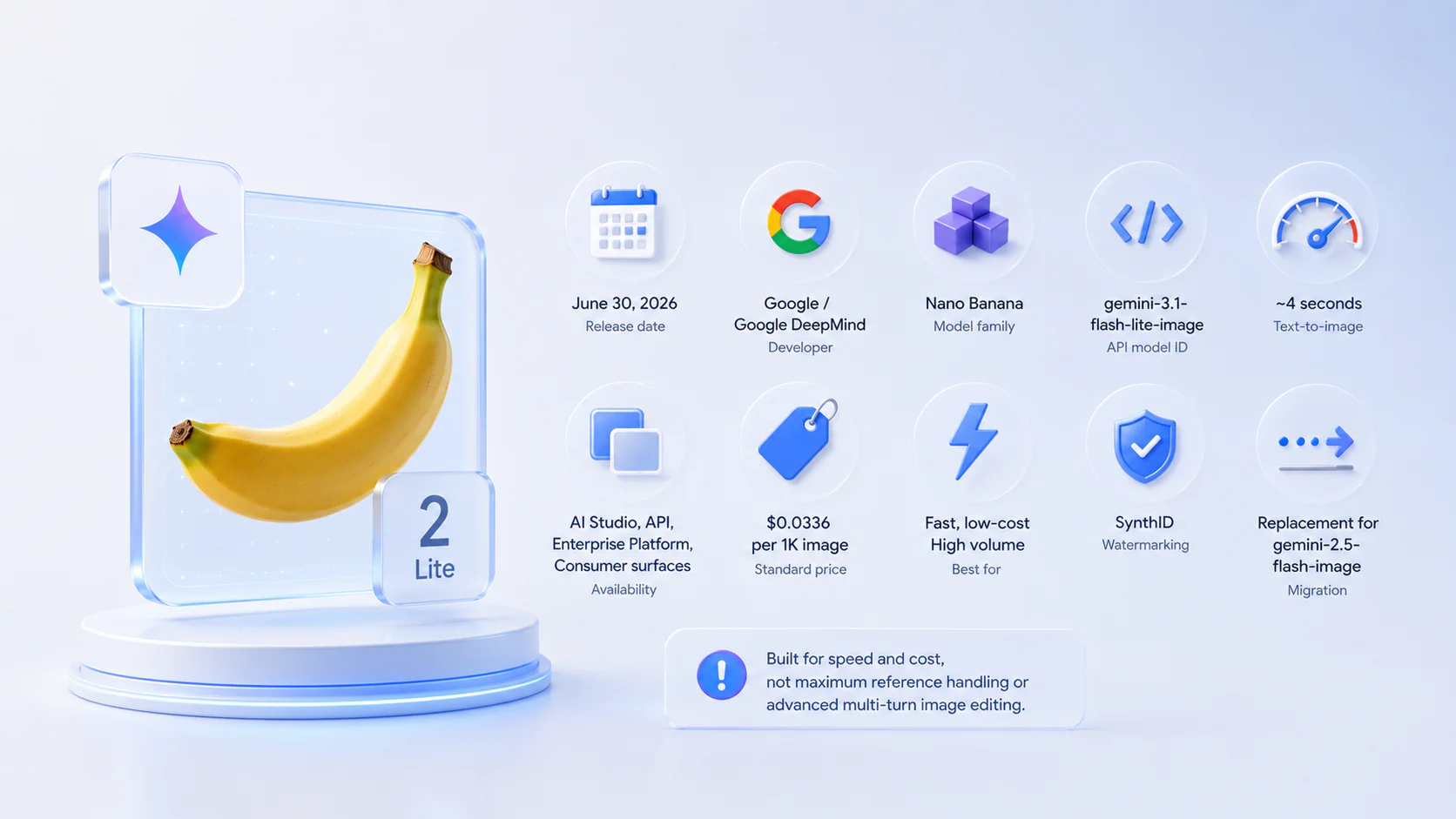
Quick answer: Nano Banana 2 Lite is Google’s low-latency Gemini image model for high-volume image generation and editing. It is available in Google AI Studio, the Gemini API, and Gemini Enterprise Agent Platform, with rollout across Google consumer surfaces such as AI Mode in Search, the Gemini app, NotebookLM, Google Photos, Stitch, Google Flow, and Google Ads. The API model name is gemini-3.1-flash-lite-image. Google says it can deliver text-to-image outputs in about 4 seconds and costs about $0.034 per 1K image.
Review verdict: Nano Banana 2 Lite is the model to test when you need lots of good-enough images quickly: prototypes, ad variants, product mockups, creative drafts, thumbnails, UI concepts, marketplace images, and batch image pipelines. It is not the best choice for the most complex image work, multi-reference control, or long multi-turn editing. For those, use Nano Banana 2 or Nano Banana Pro.
This article is based on Google’s Nano Banana 2 Lite and Gemini Omni Flash announcement, the Gemini API image generation docs, and the Gemini API pricing page. Always check Google’s docs for current pricing, regional availability, and API limits before moving production traffic.
Key takeaways
- Release date: June 30, 2026.
- Developer: Google / Google DeepMind.
- Model family: Nano Banana, Gemini native image generation.
- API model ID:
gemini-3.1-flash-lite-image. - Best for: low-latency image generation, high-volume creative pipelines, rapid drafts, prototypes, ad variants, and operational image generation.
- Availability: Google AI Studio, Gemini API, Gemini Enterprise Agent Platform, and Google consumer surfaces.
- Speed claim: Google says Nano Banana 2 Lite can deliver text-to-image outputs in about 4 seconds.
- Pricing headline: roughly $0.034 per 1K image; Google API pricing lists $0.0336 per 1K-resolution image under standard pricing.
- Migration: Google recommends it as the replacement for the original Nano Banana model,
gemini-2.5-flash-image. - Safety: generated images include SynthID watermarking.
- Main limitation: it is built for speed and cost, not maximum reference handling or advanced multi-turn image editing.
Nano Banana 2 Lite quick facts
| Detail | Nano Banana 2 Lite |
|---|---|
| Official model name | Gemini 3.1 Flash Lite Image |
| API model ID | gemini-3.1-flash-lite-image |
| Release date | June 30, 2026 |
| Main purpose | Fast, low-cost image generation and editing |
| Developer access | Google AI Studio, Gemini API, Gemini Enterprise Agent Platform |
| Consumer rollout | AI Mode in Search, Gemini app, NotebookLM, Google Photos, Stitch, Google Flow, Google Ads |
| Text-to-image latency | About 4 seconds, according to Google |
| Standard image price | $0.0336 per 1K image in Gemini API pricing docs |
| Batch image price | $0.0168 per 1K image in Gemini API pricing docs |
| Input price | $0.25 / 1M tokens for text, image, or video inputs under standard paid pricing |
| Output image price | $30 / 1M output image tokens under standard paid pricing |
| Best upgrade path from | gemini-2.5-flash-image |
| Watermarking | SynthID watermark on generated images |
What is Nano Banana 2 Lite?
Nano Banana 2 Lite is the speed-and-cost version of Google’s Nano Banana image generation family. Nano Banana is the product name for Gemini’s native image generation capabilities: models that can generate, edit, and iterate on images from text, image inputs, or mixed text-and-image instructions.
Nano Banana 2 Lite sits at the efficient end of the family. It is designed for fast visual drafts and high-throughput workflows, not for the most demanding professional art direction. Google describes it as the efficiency specialist of the Gemini image lineup.
That positioning matters because image generation is increasingly moving from “make one impressive image” to “generate hundreds or thousands of useful variations.” Marketing teams, product teams, marketplaces, agencies, and app builders need models that are cheap enough to run repeatedly and fast enough to keep users in the creative loop.
Nano Banana 2 Lite is built for exactly that.
Nano Banana 2 Lite release date and availability
Google announced Nano Banana 2 Lite on June 30, 2026. It is available in developer tools and is also rolling into consumer Google products.
| Surface | Status at launch |
|---|---|
| Google AI Studio | Available |
| Gemini API | Available |
| Gemini Enterprise Agent Platform | Available |
| AI Mode in Search | Rolling out |
| Gemini app | Rolling out |
| NotebookLM | Rolling out |
| Google Photos | Rolling out |
| Stitch | Rolling out |
| Google Flow | Rolling out |
| Google Ads | Rolling out |
Rollout can still depend on region, account type, workspace policy, product surface, and API tier. If you are building with the API, check the model list in Google AI Studio or the Gemini API docs before shipping.
Nano Banana 2 Lite API model ID
The API model ID is:
gemini-3.1-flash-lite-image
Google frames Nano Banana 2 Lite as the recommended replacement for the original Nano Banana model:
gemini-2.5-flash-image
For developers, that makes the first test simple: run your existing Nano Banana prompts through gemini-3.1-flash-lite-image, then compare speed, token usage, cost, prompt adherence, text rendering, and image consistency.
A safe migration path is:
- Duplicate your current image-generation evaluation set.
- Run it with the legacy model and with Nano Banana 2 Lite.
- Compare final image quality, latency, refusal behavior, and total cost.
- Test your most important dimensions: text in image, brand consistency, people/characters, product details, and batch workflows.
- Move non-critical traffic first.
- Keep Nano Banana 2 or Nano Banana Pro available for harder jobs.
Nano Banana 2 Lite pricing
Google’s launch post describes Nano Banana 2 Lite as costing about $0.034 per 1K image. Google’s Gemini API pricing page gives a more exact standard paid-tier equivalent of $0.0336 per 1K-resolution image.
| Pricing item | Paid-tier price |
|---|---|
| Text/image/video input | $0.25 / 1M tokens |
| Text and thinking output | $1.50 / 1M tokens |
| Image output | $30 / 1M image output tokens |
| 1K image equivalent | $0.0336 per image |
| Batch 1K image equivalent | $0.0168 per image |
This is the core reason Nano Banana 2 Lite matters. A model that is cheaper per useful draft changes how teams build image workflows. Instead of carefully prompting one image at a time, teams can generate larger option sets, run automated filters, and let users choose or edit the strongest outputs.
The best cost metric is not only price per image. It is cost per usable asset. If Nano Banana 2 Lite is fast and cheap but produces too many rejected images for your use case, Nano Banana 2 or Pro may be more economical. If it produces acceptable drafts most of the time, it can be the better default.
What is new in Nano Banana 2 Lite?
1. Lower latency for interactive creative work
Google says Nano Banana 2 Lite can deliver text-to-image outputs in about 4 seconds. That is important because image generation often happens in a tight feedback loop: prompt, inspect, revise, generate again.
Low latency makes the model more practical for:
- live creative tools;
- design copilots;
- internal marketing apps;
- ad-variant generators;
- e-commerce content tools;
- social content workflows;
- fast UI and mood-board exploration.
If a user has to wait too long between iterations, they stop experimenting. Nano Banana 2 Lite is designed to keep iteration moving.
2. Lower cost for high-volume pipelines
Many image-generation workflows are expensive because users rarely accept the first result. A campaign may need dozens of thumbnails. A marketplace may need multiple product backgrounds. A creative team may need hundreds of drafts before selecting ten.
Nano Banana 2 Lite is built for those high-volume workflows. Its economics make it more realistic to generate multiple candidates, compare them, and use the best result instead of over-optimizing one prompt.
Good candidates include:
- paid social ad variants;
- product listing images;
- blog and newsletter visuals;
- fast thumbnails;
- personalized campaign assets;
- marketplace category images;
- design system illustrations;
- concept art drafts.
3. Better replacement for the original Nano Banana
Google explicitly recommends Nano Banana 2 Lite as the replacement for the first Nano Banana model. The reason is simple: better quality, faster generation, and lower cost.
If your app still uses gemini-2.5-flash-image, Nano Banana 2 Lite should be the first upgrade candidate. That does not mean you should silently swap it everywhere. Image models can behave differently even when they are better overall. Test prompts where small details matter: text, hands, logos, product shapes, brand colors, character consistency, and object placement.
4. Reliable prompt adherence and text rendering
Google says Nano Banana 2 Lite retains reliable prompt adherence, strong character consistency, and legible in-image text rendering despite prioritizing speed.
That last point matters. In-image text has historically been one of the biggest weaknesses of image models. If Nano Banana 2 Lite can render usable text while staying cheap and fast, it becomes more useful for ads, posters, UI mockups, social graphics, educational visuals, and product cards.
Still, verify text-heavy assets manually. Even strong image models can misspell, add extra words, or distort small typography.
Nano Banana 2 Lite vs Nano Banana 2 vs Nano Banana Pro
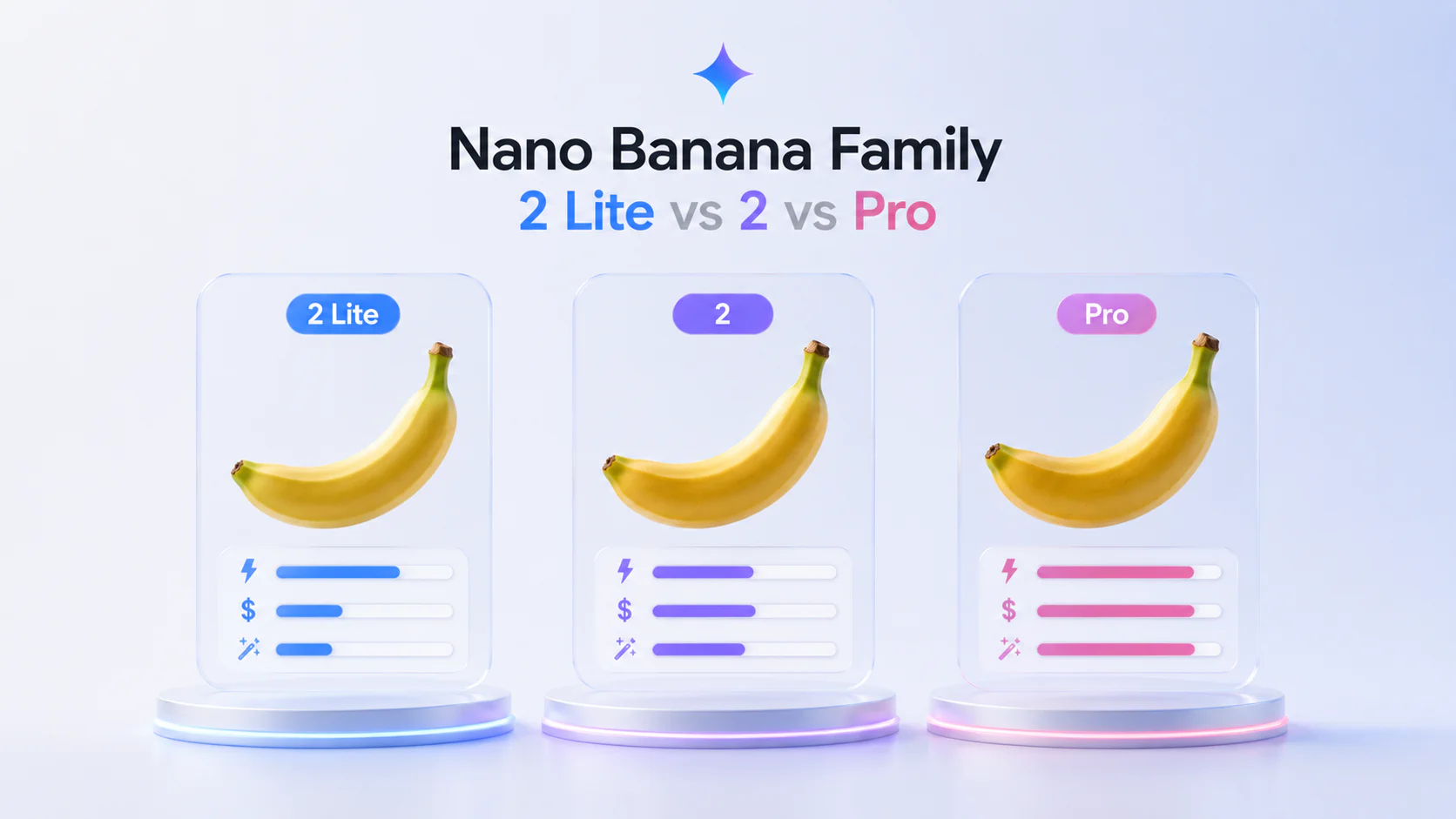
Google’s Nano Banana family now has multiple tiers. The easiest way to understand them is by cost, speed, and control.
| Model | API model ID | Best for | Tradeoff |
|---|---|---|---|
| Nano Banana 2 Lite | gemini-3.1-flash-lite-image | Fast, cheap, high-volume image generation | Less optimized for multiple references and multi-turn sequential editing |
| Nano Banana 2 | gemini-3.1-flash-image | General-purpose image generation and editing | More capable than Lite, likely higher cost/latency |
| Nano Banana Pro | gemini-3-pro-image | Complex professional image work, brand consistency, advanced control | Premium option for hard tasks |
| Legacy Nano Banana | gemini-2.5-flash-image | Older image workflows | Google recommends upgrading to Nano Banana 2 Lite |
A practical routing setup:
- Use Nano Banana 2 Lite for first drafts and high-volume variants.
- Use Nano Banana 2 for general image quality and more balanced workflows.
- Use Nano Banana Pro for client-ready, brand-sensitive, complex, or high-control work.
- Retire legacy Nano Banana after testing quality and cost regressions.
Best use cases for Nano Banana 2 Lite
Rapid creative prototyping
Nano Banana 2 Lite is a strong fit when the goal is to see many visual directions quickly. Designers and marketers can generate rough ideas, choose the most promising direction, and then refine with stronger models or human editing.
Examples:
- campaign concepts;
- landing page hero images;
- social media post styles;
- app onboarding illustrations;
- brand mood boards;
- pitch deck visuals.
Ad and marketing variants
Ad creative often requires volume. You may need the same concept in different layouts, colors, audiences, products, or aspect ratios. Nano Banana 2 Lite’s speed and price make it suitable for generating many variations before performance testing.
Use it for:
- Meta and TikTok ad concepts;
- display ad backgrounds;
- Google Ads image variants;
- promotional banners;
- seasonal campaign creative;
- localized visuals.
E-commerce and product imagery
E-commerce teams can use Nano Banana 2 Lite to draft product scenes, background variants, merchandising images, and category visuals. The key is to keep human review for product accuracy, especially when exact dimensions, labels, or legal claims matter.
Good uses:
- lifestyle backgrounds;
- marketplace thumbnails;
- bundle concept images;
- product category cards;
- visual A/B tests.
Content operations
Blog, newsletter, and social teams often need images that are clear, fast, and inexpensive rather than perfect. Nano Banana 2 Lite can help produce supporting visuals at scale.
Use it for:
- article headers;
- newsletter graphics;
- course thumbnails;
- simple explainers;
- editorial illustrations;
- internal communication images.
Image-to-video workflows with Gemini Omni Flash
Google’s launch post emphasizes chaining the two new models together. Use Nano Banana 2 Lite to generate a fast still image, then pass that image as a reference into Gemini Omni Flash to animate it into a video.
That workflow is useful for:
- e-commerce product videos;
- travel or location demos;
- real estate room concepts;
- quick social video drafts;
- app onboarding clips;
- performance marketing creative.
Limitations and caveats
Nano Banana 2 Lite is not the best Gemini image model for every task. Key caveats:
- It is optimized for speed and cost. If maximum quality matters, compare with Nano Banana 2 and Nano Banana Pro.
- It is not optimized for multiple reference inputs. Google’s image docs describe Lite as less suited for this than higher-tier Nano Banana models.
- It is not the best option for multi-turn sequential editing. Use a stronger model when you need consistent iterative edits across many turns.
- Text rendering still needs QA. Google highlights legible text, but production assets should be reviewed.
- Product and brand accuracy matter. Do not assume generated product details, labels, legal copy, or logos are correct.
- Pricing can change. Always check the Gemini API pricing docs before committing to cost estimates.
- Generated content needs disclosure workflows. Google uses SynthID watermarking, but teams should still define content labeling and review policies.
Should you use Nano Banana 2 Lite?
Use Nano Banana 2 Lite if you need fast, inexpensive image generation at scale. It is especially compelling for teams that generate many drafts and only promote a small number to final production.
| Situation | Recommendation |
|---|---|
You use gemini-2.5-flash-image | Test Nano Banana 2 Lite as the upgrade path |
| You need thousands of image drafts | Start with Nano Banana 2 Lite |
| You need complex brand-controlled output | Compare against Nano Banana Pro |
| You need multiple reference images | Test carefully; Lite may not be ideal |
| You need client-ready visuals | Use Lite for drafts, then refine with stronger tools |
| You need cheap batch generation | Use Lite and evaluate batch pricing |
The simplest rule: Lite for speed, Nano Banana 2 for balance, Pro for control.
Developer checklist
Before moving Nano Banana 2 Lite into production, check the following:
- Confirm
gemini-3.1-flash-lite-imageis available in your region and API tier. - Run your existing prompts against Lite and the previous model.
- Measure median and p95 latency.
- Measure cost per accepted image, not only cost per generated image.
- Test text-heavy prompts separately.
- Test brand-sensitive and product-sensitive prompts separately.
- Decide when to route hard prompts to Nano Banana 2 or Pro.
- Build human review into regulated, medical, legal, finance, political, or brand-critical workflows.
- Verify output sizes and aspect ratios match your app requirements.
- Document disclosure, watermarking, and content policy requirements.
FAQ about Nano Banana 2 Lite
What is Nano Banana 2 Lite?
When was Nano Banana 2 Lite released?
What is the Nano Banana 2 Lite API model name?
gemini-3.1-flash-lite-image.How much does Nano Banana 2 Lite cost?
Is Nano Banana 2 Lite available in Google AI Studio?
Is Nano Banana 2 Lite replacing the old Nano Banana model?
gemini-2.5-flash-image, because it offers better quality, faster generation, and lower cost.