Yes. Grok has a Free plan that costs $0 and includes limited Chat and agent requests. It works on grok.com, in the iPhone and Android apps, and inside X.
The catch is a usage cap with no published message count. Grok Bot (bots that finish tasks in the background using your connected tools and files), the latest Grok models, and video generation sit on paid plans.
If you ask Grok a few questions a week, Free is enough. If you hit the limit often or need Grok Bot or video, look at the paid plans, which start at $8 a month.
Below: what’s free, the limits, images, real offers vs. rumors, and when it’s worth paying.
Grok Free vs. paid at a glance
Here’s how the Grok free plan compares with the two lowest paid tiers.
| Free | Plus | Premium | |
|---|---|---|---|
| Price per month | $0 | $8 | $30 |
| Grok features | Limited Chat, Imagine, and Build; limited agent requests | Grok Chat, Voice, Imagine, and Build; Grok API access; Cursor | Everything in Plus, plus Grok Bot, the latest Grok models, faster Chat responses, and AI videos |
| X features | Standard X account, no paid perks | Premium checkmark, fewer timeline ads, creator tools, analytics | Ad-free scrolling on most surfaces |
Two higher tiers, Super ($100 a month) and Ultra ($200 a month), raise usage to 15x and 50x the Plus pool.
Last verified: November 16, 2026.
Why people say Grok is no longer free
Search “is Grok AI free” and you’ll find both yes and no. Each answer can be right, depending on the feature and the date it was written.
In January, X put public image requests behind a paywall. X restricted image creation and editing through the public @Grok account to paying subscribers. That same day, the Associated Press confirmed that free users could still edit images on Grok’s standalone website and app. Reddit users reported the same split.
From March onward, free access to Grok Imagine was inconsistent. In March, one Reddit user reported getting an upgrade prompt as soon as they tried to make a video, even on a new account.
In August, some users reported getting a few free generations again.
By November, one free user said they’d gone several days without generating a single image because Grok kept telling them they’d hit their limit, even though SpaceXAI’s pricing table still listed limited image generation on Free.
Free chat limits added to the confusion in November. One Reddit user who used Grok only for text said they hit a limit without seeing when it would reset. Another said they could send only one message before the limit appeared.
Real offers vs. rumors
As of November 16, 2026, SpaceXAI lists a $0 plan with limited chat and limited image generation. What people could use for free depended on the feature, where they opened Grok, and when they tried it.
Here’s how common claims compare with what official SpaceXAI pages said.
| What you might hear | What official pages say |
|---|---|
| “Free unlimited Grok” apps and videos | No official page offers unlimited free Grok. These apps are separate services with their own terms and data handling. Some run on the paid Grok API. SpaceXAI’s API terms allow that only when Grok is built into the developer’s own product, so you’re using their app, not a Grok plan. |
| Cheap Grok subscriptions from resellers | Subscriptions are sold only through X Subscription Corp. Accounts bought elsewhere may be fraudulent and can be suspended or terminated at any time. The API license is non-sublicensable and covers only apps that build Grok into their own product. |
| A free trial of paid plans | The pricing page lists no trial for paid plans. Some accounts see a Grok Bot trial: a usage credit for up to seven days that never converts to paid. New users who sign up through a subscriber’s referral link get 14 days of Premium free, Grok Bot included; it needs a card and renews at full price unless you cancel. In the Grok mobile app on November 16, 2026, I saw a 7-day free trial of Plus; Premium, Super, and Ultra showed no trial. It’s likely an app store trial, so the store runs it and it renews as a paid subscription unless you cancel there first. |
| A first-month discount on Premium and up | Real. On November 16, 2026, the signed-in plan screen showed 50% off the first month: Premium $15 (then $30), Super $50 (then $100), and Ultra $100 (then $200). It gave no sign-up deadline, so check the price on your account before you subscribe. |
Free-trial rumors follow every AI tool. Our guide to the ChatGPT Plus free trial sorts the same question for OpenAI.
What you can do on Grok Free
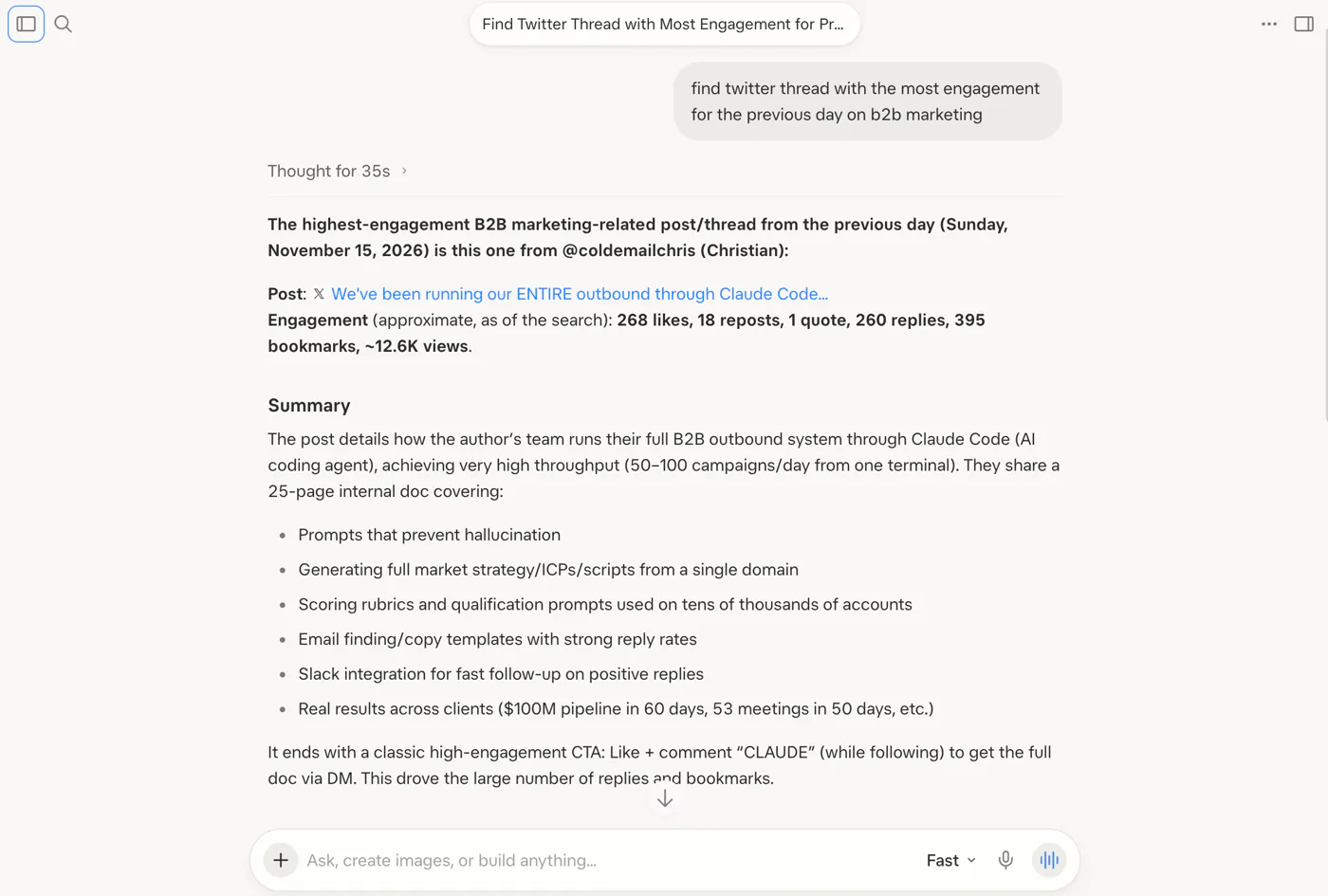
Chat. Ask questions, draft emails, summarize documents, and brainstorm.
Search. Grok can pull current results from the web and from X posts.
Voice. Dictate a prompt or have a spoken conversation with Grok. SpaceXAI’s FAQ gives the free tier its own Voice limit, separate from Chat.
Grok Build and coding agents. Describe an app, game, website, or dashboard, and Grok Build creates a working version right in the chat, which you can publish to a shareable link. Developers also get limited use of the Grok Build coding agent in the terminal and a starter allowance for coding agents in Cursor.
X. Standard X: post, reply, and follow.
Screenshot: Grok (SpaceXAI).
Image generation and device access have their own sections below. For a first session on web, mobile, or X, see how to use Grok.
Free Grok for image generation
Screenshot: Grok (SpaceXAI).
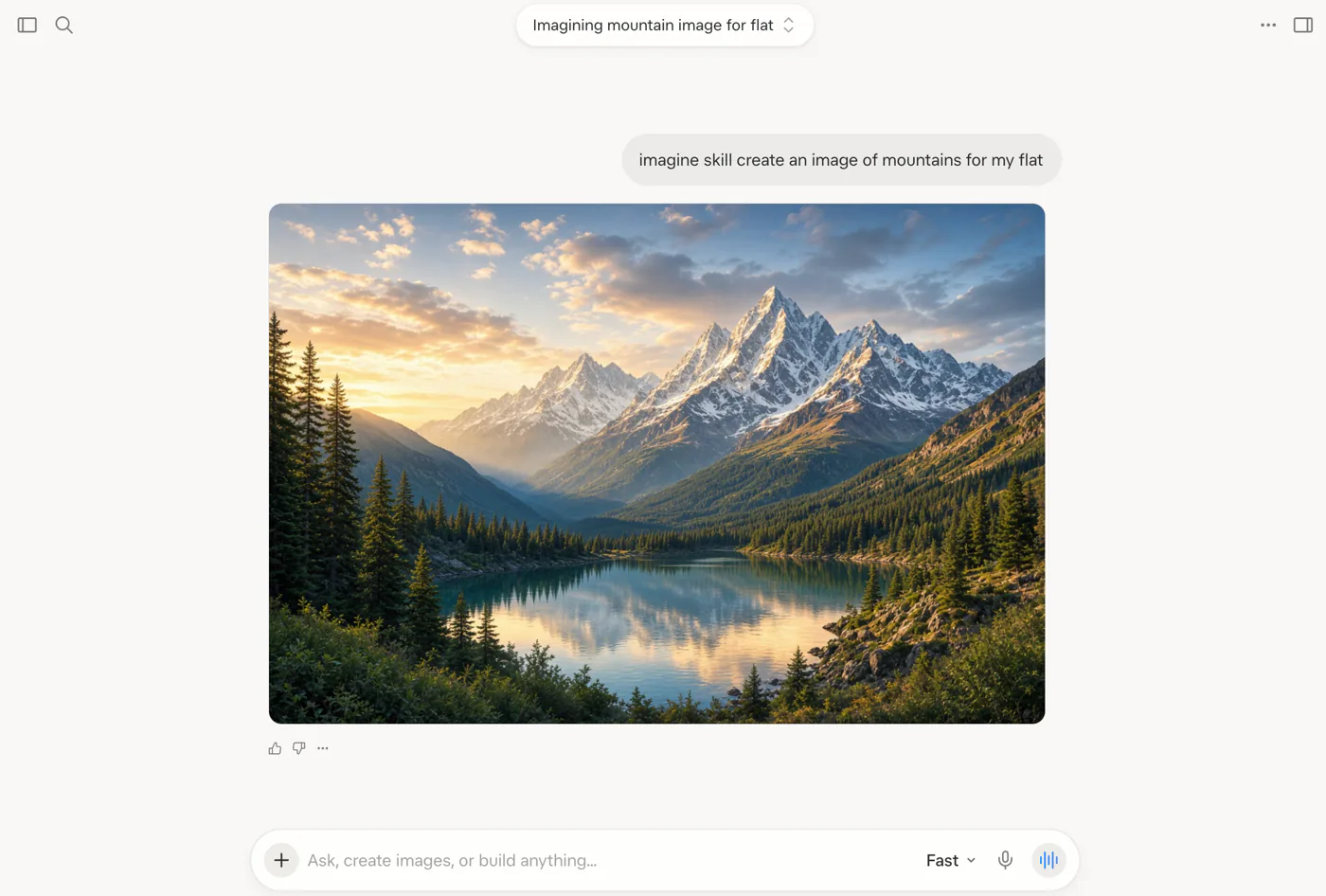
The comparison table on SpaceXAI’s pricing page lists image generation (Imagine) on the Free plan as “Limited,” with no image count.
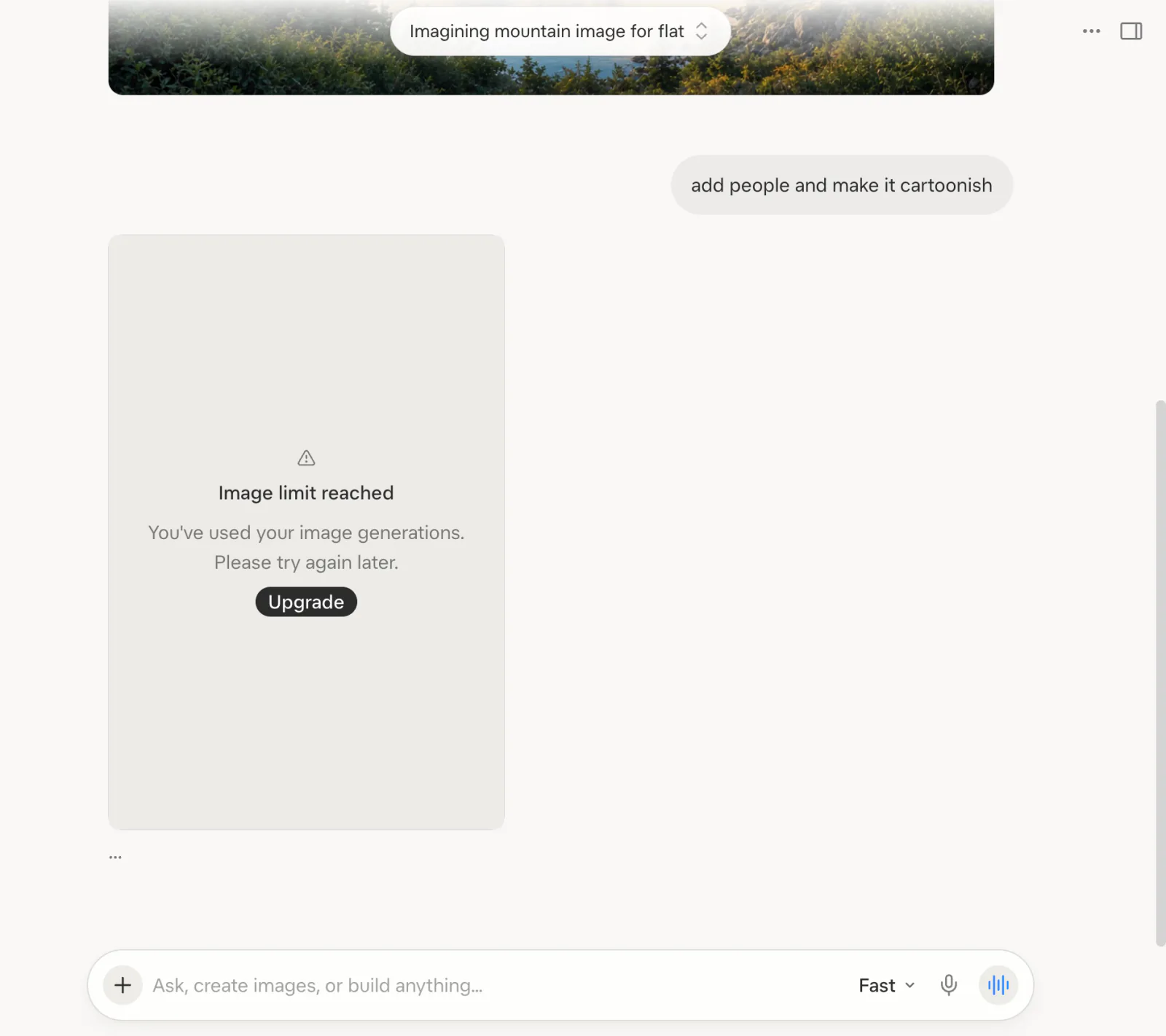
In my test, a free account generated only one image before the “Image limit reached” message appeared. That’s one test, not an official limit.
Screenshot: Grok (SpaceXAI).
Generated images carry a Grok watermark, and SpaceXAI’s FAQ says there’s no setting to remove it.
For what the tool can do, see what Grok Imagine is.
Once you hit Grok’s image limit, you can switch to ChatGPT’s image generation. Our guide to the ChatGPT image generation limit explains how its allowance works.
Grok Free limits
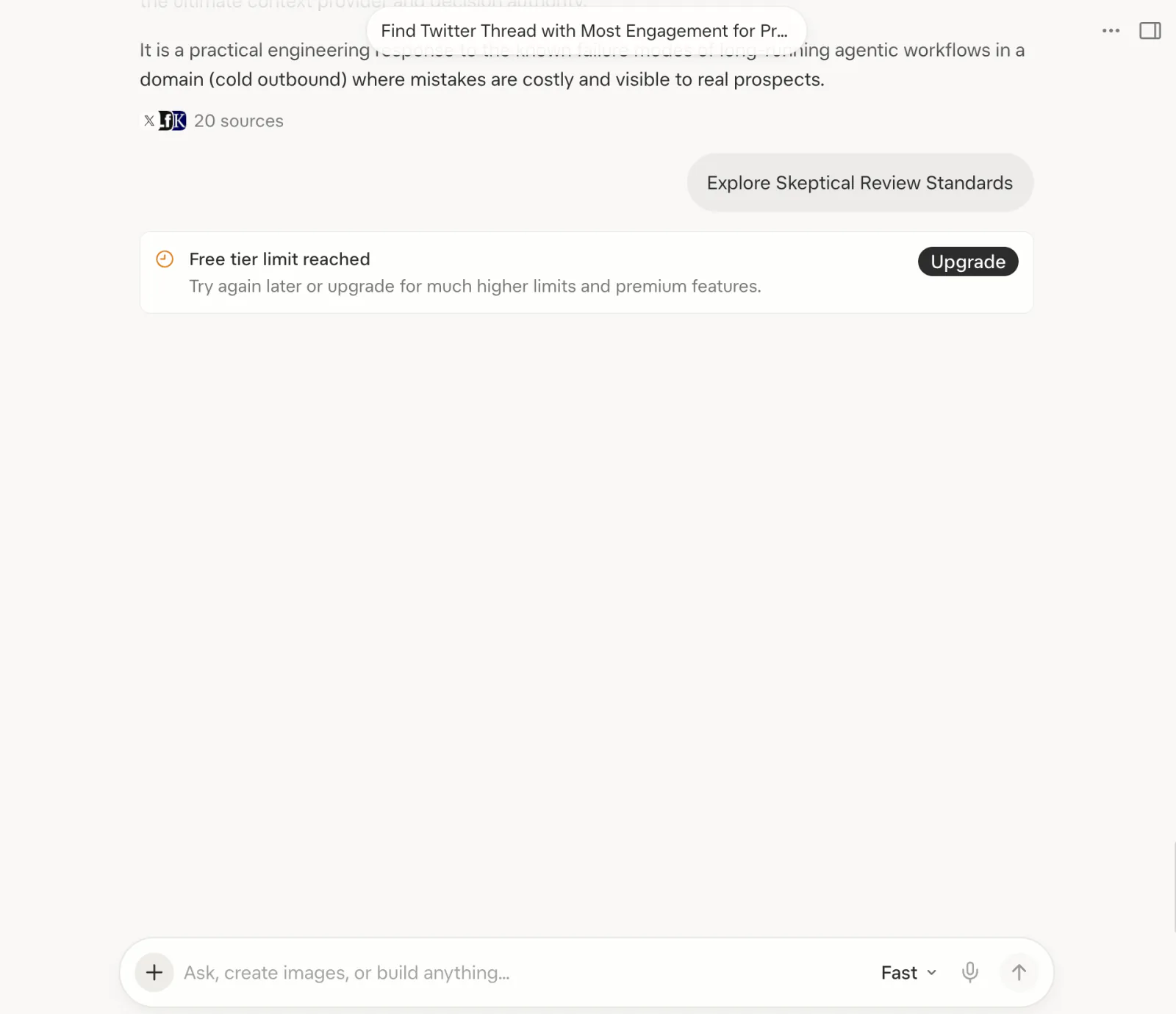
How they work. Grok’s free chat limit resets automatically on its own schedule. SpaceXAI gives no fixed message count or reset time, so you may only find out you’ve hit the cap when Grok stops accepting messages. Some users see a countdown. Others see “Free tier limit reached” and find out chat is available again when they retry.
What happens when you hit them. Grok stops answering and shows a limit message until the allowance resets.
Screenshot: Grok (SpaceXAI).
At the limit you have two options: wait for the reset or move to a paid plan. To learn more about Grok usage limits, check our guide.
Is Grok free on iPhone, Android, and X?
Yes. A free account works on grok.com, in the iPhone app, in the Android app, and in Grok inside X.
iPhone and Android. Sign in with Apple, Google, email, or X.
X. Grok is available to X users on the web and in the X apps through the Grok icon in the navigation bar. In the X mobile app, Grok worked with the same account when I tested it. On the web, Grok on X needs a separate Grok account. If you already sign in to grok.com with X, you’ll be asked to remove X as a sign-in method at accounts.x.ai before Grok opens in X.
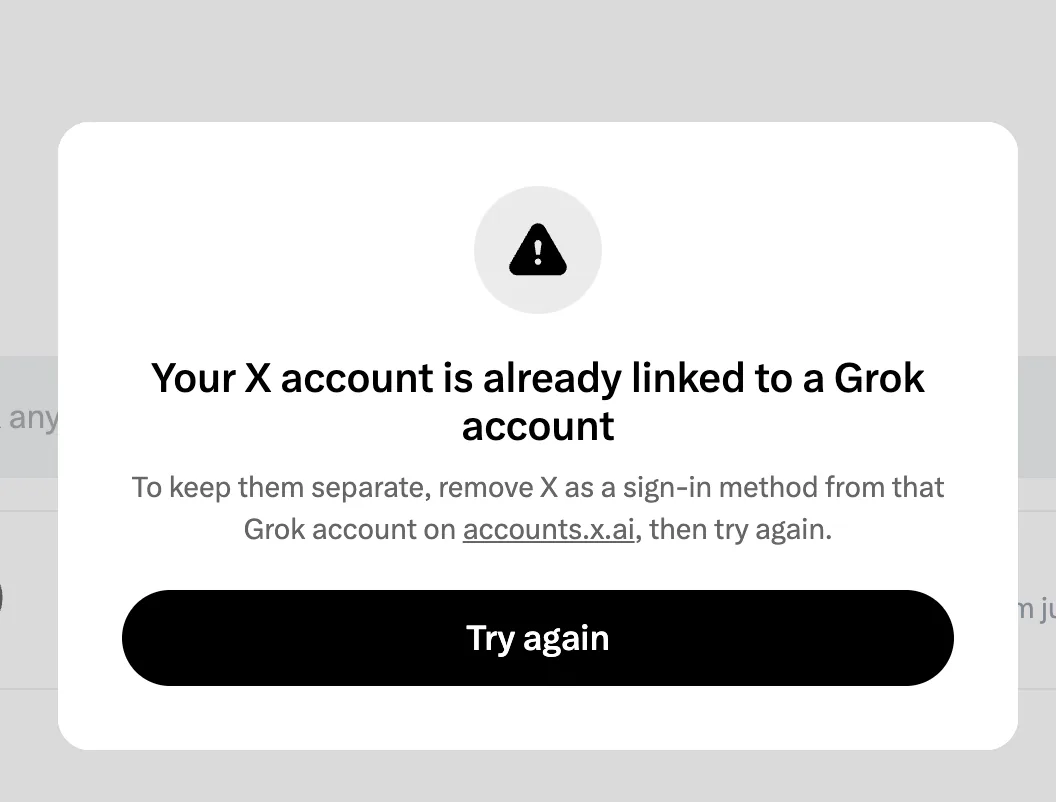
Screenshot: Grok on X (SpaceXAI).
Is Grok Free safe and private?
Grok Free comes with the same data controls as the paid plans. Its privacy policy, last updated October 27, 2026, sets no separate rules by plan. Four settings matter:
- Model training. On the free account I tested, the setting that lets the company train its models on your chats was off by default. To check or change it: On grok.com, go to Settings → Data Controls → “Improve the Model.” In the mobile apps, go to Settings → Data & Information → Data Controls → “Improve the model.” An opt-out applies to new conversations.
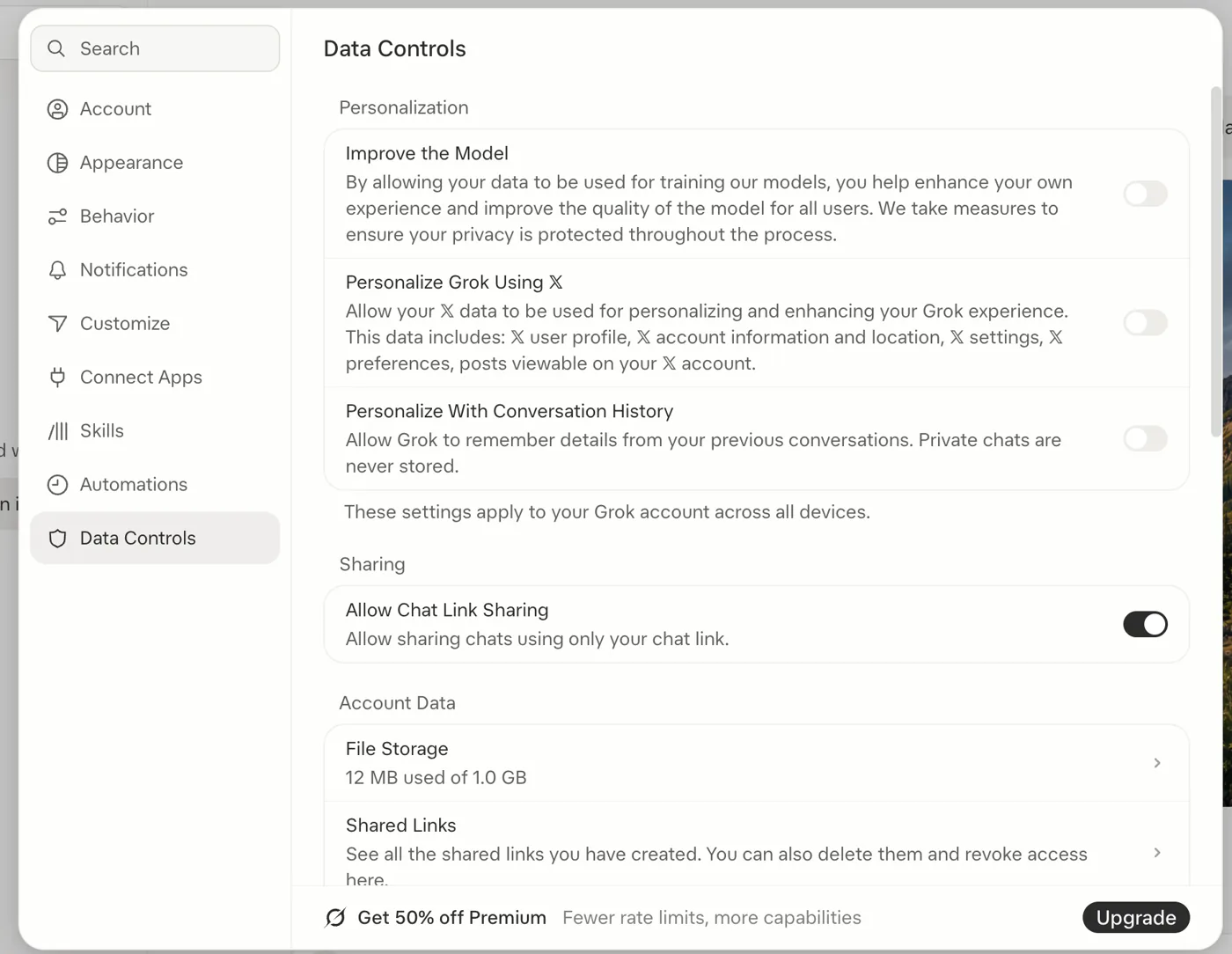 Screenshot: Grok (SpaceXAI).
- Private Chat. Tap the ghost icon to start one. Private chats aren’t used for training, don’t appear in your history, and are deleted within 30 days.
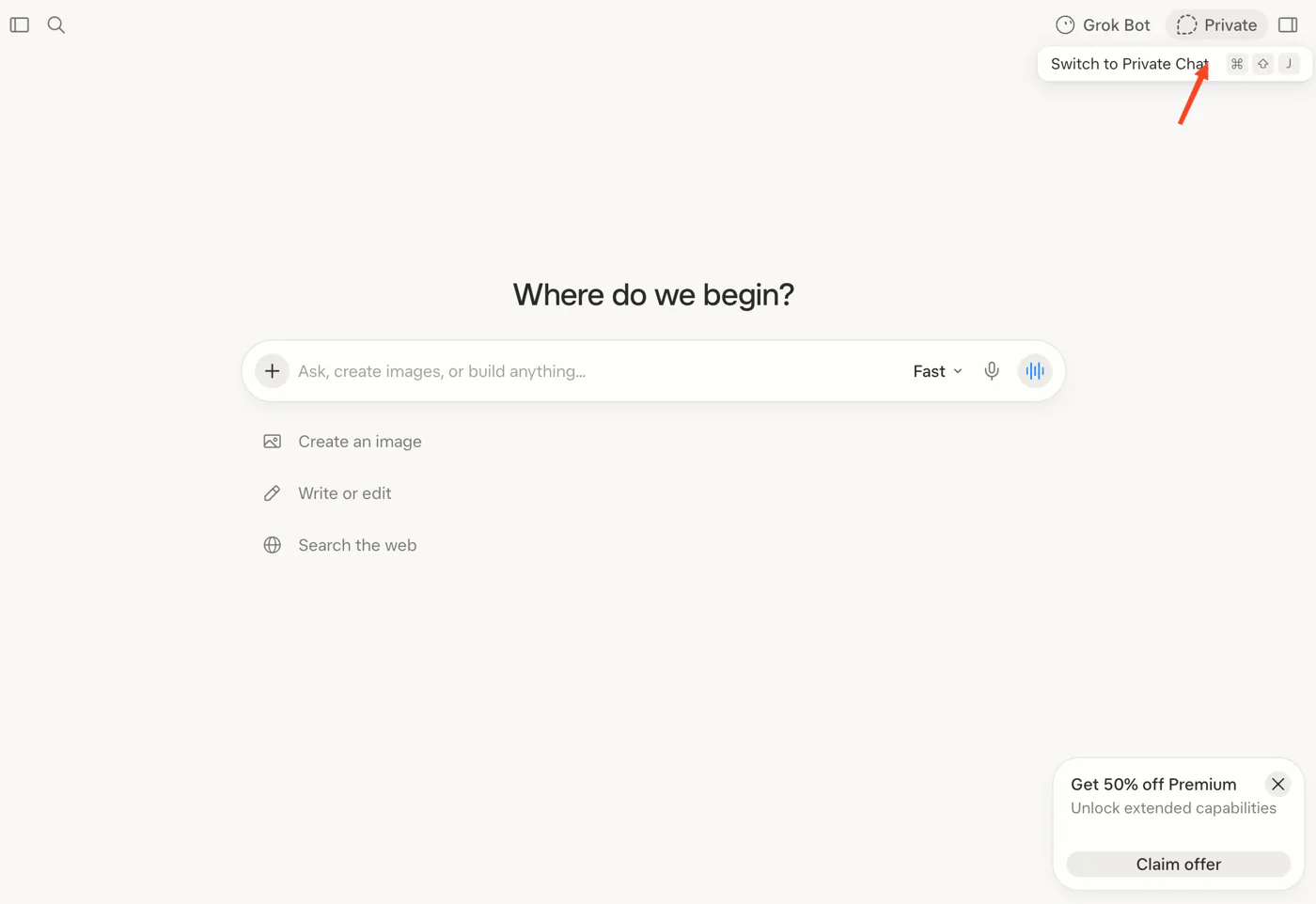 Screenshot: Grok (SpaceXAI).
Grok on X. In X, you can only delete your Grok conversation history. To turn off training, use the setting in Grok itself (the app or grok.com).
Deletion. Deleted conversations are removed within 30 days, with exceptions for safety, security, or legal reasons. For example, the privacy policy says the company may keep data that’s relevant to an ongoing legal claim.
The company says it doesn’t sell your data. A limited number of authorized staff may review conversations, so keep client names, account numbers, and health details out of your prompts on any plan.
4 ways to get more out of Grok Free
Write one complete prompt. Put the context, the task, any limits, and the format you want (say, a three-column table or five bullets under 100 words) in a single message. Each follow-up that fixes a vague first request spends another request from your limited free allowance. For example:
I run a 12-person accounting firm. Draft a 120-word email telling clients our office is closed December 24 to January 2, and give me two subject lines. Plain tone, no exclamation points.
Spend heavy requests on purpose. On paid plans, image generation and agent tasks draw more compute than a text question. Treat them as the expensive items on Free too, and save them for work that needs them.
Split routine work across free plans. Use Grok for questions that benefit from live X and web search, and send plain drafting elsewhere. Our guides to whether Google Gemini is free and whether Copilot is free cover two alternatives.
Learn your own reset pattern. SpaceXAI publishes no free reset time, so note when you hit the limit and when access returns. After a week or two you’ll know when to schedule longer sessions.
Grok Free vs. ChatGPT Free vs. Gemini Free vs. Claude Free
| Grok Free | ChatGPT Free | Gemini Free | Claude Free | |
|---|---|---|---|---|
| Text chat | Limited Chat requests, no published number | Unlimited text chats | Standard limits, based on compute | Limited usage |
| Model | Not named; latest models start at Premium | GPT-6 | Flash-Lite | Sonnet and Haiku |
| Image generation | Limited (Imagine) | Limited | Standard limits, no published number | Not available at all (diagrams and charts only) |
| Voice | Included, with its own limit | Limited | Included (Gemini Live) | Included, counts toward chat limits |
| Limit refresh | Not published | Not published | Every 5 hours, up to a weekly limit | Every 5 hours and every week |
Last verified: November 16, 2026, against each company’s pricing or help page.
For plain text questions, ChatGPT Free is the only plan here that lists unlimited chats. Grok Free’s distinct feature is search across X posts.
For head-to-head detail, check these guides:
Grok vs. ChatGPT → benchmarks, pricing, and best use cases side by side
Grok vs. Gemini → how to test both on your own tasks before you choose
When it’s worth paying
Match the plan to how you use Grok today, and upgrade only when a specific limit or a feature you lack keeps blocking you on important tasks, and you can’t replace it with another assistant’s free plan.
SpaceXAI’s pricing FAQ recommends Plus for social creators with limited AI use and Premium for people new to AI.
That’s the vendor’s view, so start from your own usage. Before you subscribe anywhere, check what ChatGPT, Claude, Gemini, and Copilot charge in our AI subscription comparison.
| If you… | Look at | Why |
|---|---|---|
| Ask a few questions a week | Free | The limited allowance covers occasional use |
| Hit the free limit most weeks, mostly in chat | Plus | Lowest-priced step up to a weekly usage pool |
| Post on X daily and want the checkmark and fewer ads | Plus | X perks start here |
| Need Grok Bot, the latest models, or video | Premium | First plan that lists all three |
| Run coding agents in Cursor for hours a day | Super or Ultra | The largest usage pools |
Learn Grok deeper
If you want to go beyond the basics, keep up with Grok updates, learn other AI tools in detail, or apply AI to your own work, Coursiv can help you build a habit of AI experiments and keep your learning structured.
You can try it with the 28-day challenge: short lessons that fit a busy schedule, with hands-on tasks built in and a certificate of completion once you pass the final assessment.
You can also browse the AI Certificate Program curriculum first.
Grok and X are trademarks of their respective owners. This article is independent and is not affiliated with or endorsed by SpaceXAI, X Corp., OpenAI, Google, or Anthropic.