Last updated: July 9, 2026
GPT-5.6 Terra is the balanced model in OpenAI’s GPT-5.6 family. If GPT-5.6 Sol is the flagship for the hardest work and GPT-5.6 Luna is the fast low-cost tier, Terra is the middle option: strong enough for serious professional tasks, cheaper than Sol, and more capable than a pure budget model.
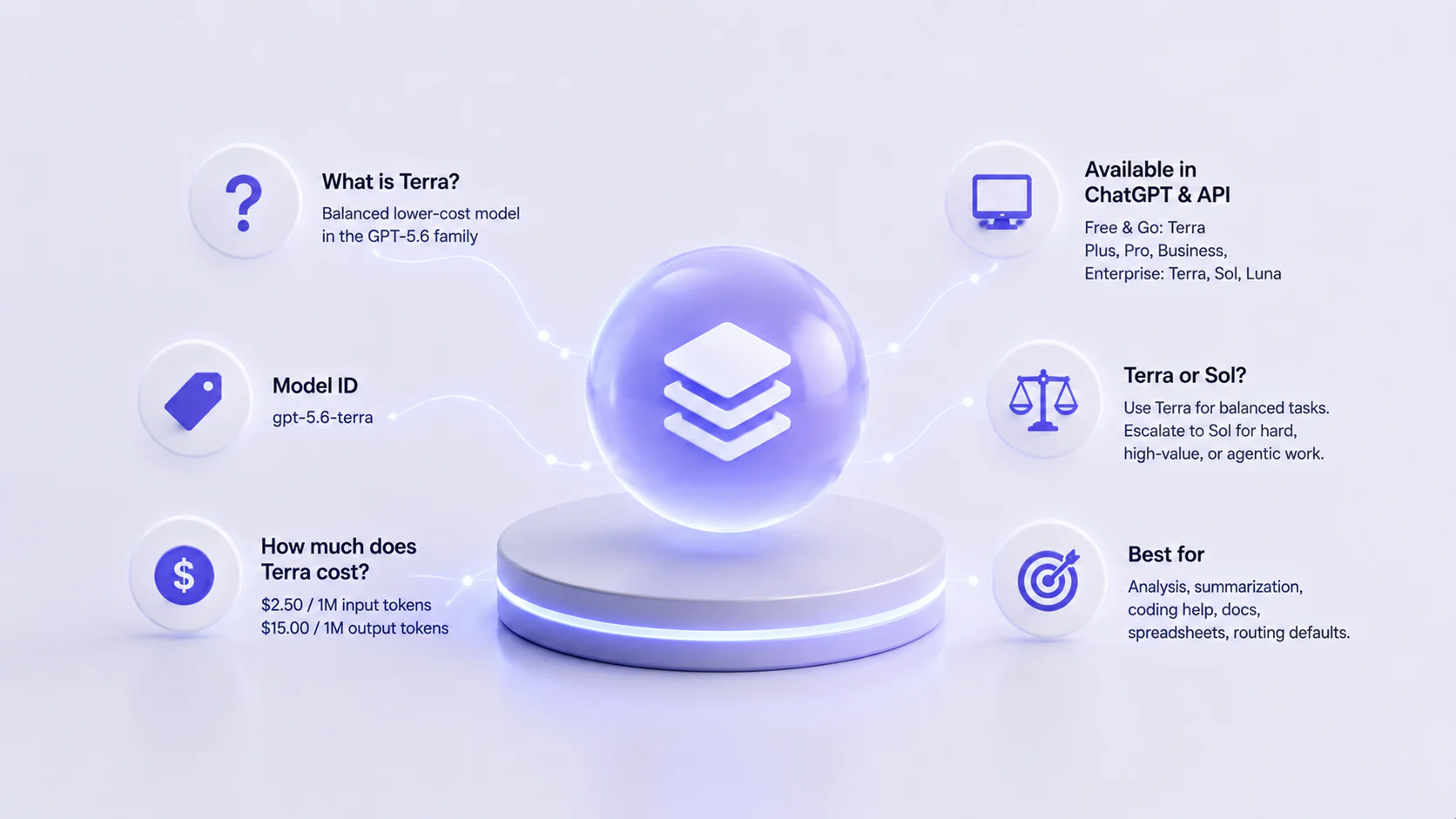
Quick answer: GPT-5.6 Terra’s API model ID is gpt-5.6-terra. OpenAI made GPT-5.6 generally available on July 9, 2026, after a limited preview that began on June 26. Terra is available through the OpenAI API and is also the GPT-5.6 model available to Free and Go users in ChatGPT Work and Codex. Plus, Pro, Business, and Enterprise users can choose Terra, Sol, or Luna in ChatGPT Work and Codex.
Verified July 9, 2026
- OpenAI launch post: GPT-5.6: Frontier intelligence that scales with your ambition
- Safety details: GPT-5.6 System Card
- Developer guidance: OpenAI API model guidance
- Developer status: OpenAI API models page
- API pricing: OpenAI API pricing page
- ChatGPT Work rollout: ChatGPT is now a partner for your most ambitious work
GPT-5.6 Terra Quick Facts
| Detail | GPT-5.6 Terra |
|---|---|
| Model family | GPT-5.6 |
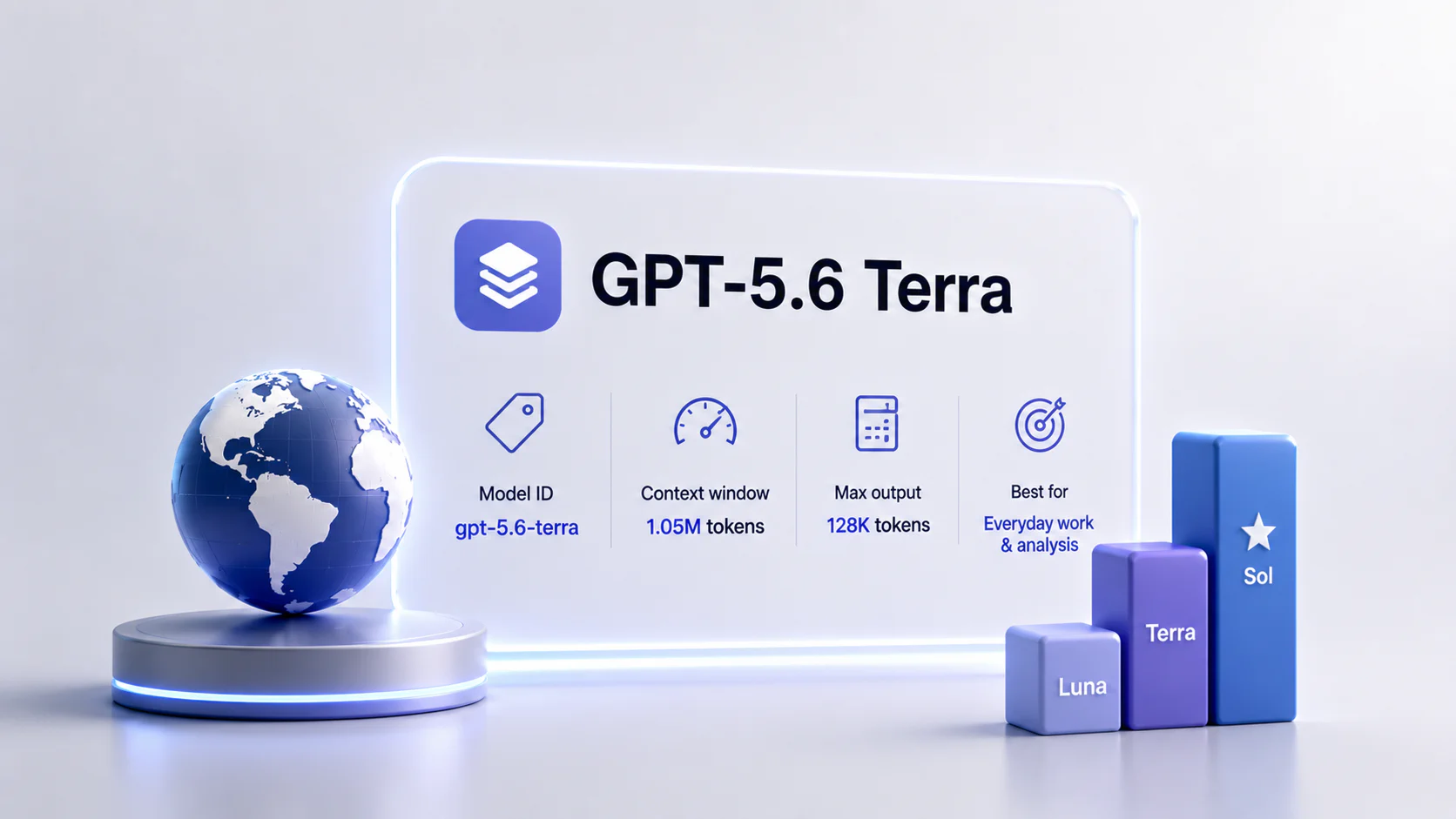
| Model ID | gpt-5.6-terra |
| Role | Balanced lower-cost GPT-5.6 option |
| API alias warning | gpt-5.6 routes to Sol, not Terra |
| Release status | Generally available as of July 9, 2026 |
| Short-context input price | $2.50 / 1M tokens |
| Short-context output price | $15.00 / 1M tokens |
| Short-context cache write | $3.125 / 1M tokens |
| Short-context cached input read | $0.25 / 1M tokens |
| Long-context input price | $5.00 / 1M tokens |
| Long-context output price | $22.50 / 1M tokens |
| Context window | 1.05M tokens |
| Max output | 128K tokens |
| Knowledge cutoff | February 16, 2026 |
| Reasoning settings | none, low, medium, high, xhigh, max |
| Tools | Functions, web search, file search, computer use |
| Best for | Everyday professional work, analysis, coding help, routing defaults |
| Escalate to Sol when | Failure is expensive or the workflow is deeply agentic |
| Downgrade to Luna when | The task is simple, high-volume, and easy to verify |
What Is GPT-5.6 Terra?
GPT-5.6 Terra is the balanced tier in the GPT-5.6 lineup. OpenAI describes the family as:
- Sol: flagship and most capable;
- Terra: strong lower-cost option for everyday work;
- Luna: fastest and most cost-efficient option.
Terra is the model that should interest most teams building a routing strategy. Sol may be too expensive for every request. Luna may be too small for nuanced professional work. Terra sits in the middle: use it when you need quality, but not necessarily the maximum reasoning budget.
That middle role is the point. OpenAI says Terra is a lower-cost model with performance competitive with GPT-5.5. In practice, that makes Terra a strong candidate for default routing in professional apps, internal agents, knowledge-work tools, document workflows, and routine coding assistance.
GPT-5.6 Terra Release Date and Availability
There are two relevant dates:
- June 26, 2026: OpenAI previewed the GPT-5.6 family with Sol, Terra, and Luna.
- July 9, 2026: OpenAI announced general availability for GPT-5.6.
Current access by surface:
| Surface | Terra availability |
|---|---|
| OpenAI API | Developers can access gpt-5.6-terra. |
| ChatGPT Work | Free and Go users access Terra. Plus, Pro, Business, and Enterprise users can choose Terra, Sol, or Luna. |
| Codex | Free and Go users access Terra. Plus and higher users can choose Terra, Sol, or Luna. |
| ChatGPT chat | OpenAI specifically says Plus, Pro, Business, and Enterprise users access Sol through medium and higher effort settings; Terra is specifically named for ChatGPT Work and Codex. |
| Enterprise / Edu | Admin controls, spend controls, and workspace model policies may affect access. |
The old preview-era availability answer is no longer the right general answer. The better answer is more specific: Terra is available in ChatGPT Work and Codex, and through the API; access depends on plan and surface.
GPT-5.6 Terra Pricing
OpenAI lists GPT-5.6 prices per 1M tokens. For standard short-context API use, Terra costs:
| Token type | Price per 1M tokens |
|---|---|
| Input | $2.50 |
| Cached input read | $0.25 |
| Cache write | $3.125 |
| Output | $15.00 |
For standard long-context requests, Terra costs:
| Token type | Price per 1M tokens |
|---|---|
| Input | $5.00 |
| Cached input read | $0.50 |
| Cache write | $6.25 |
| Output | $22.50 |
Cache write follows OpenAI’s GPT-5.6 rule: 1.25x the uncached input rate. Cached reads receive a 90% discount, making repeated long prompts much cheaper when caching applies.
For example, if your workflow repeatedly includes the same policy document, codebase summary, product manual, or brand guide, Terra may be a good default because it balances answer quality with cache economics.
Pricing can change under Batch, Flex, Priority, regional processing, and third-party deployment paths, so use the current API pricing page before estimating a production bill.
Terra vs Sol vs Luna
| Model | Best fit | Main tradeoff |
|---|---|---|
| GPT-5.6 Sol | Hardest reasoning, agentic coding, security, science, design, long workflows | Highest cost and likely more latency |
| GPT-5.6 Terra | Balanced professional work, coding help, analysis, document workflows, default routing | Not as strong as Sol for the hardest tail |
| GPT-5.6 Luna | Fast high-volume tasks, extraction, classification, cheap drafts | Not the first choice for complex tasks |
A practical routing strategy:
- Start with Luna for simple extraction, tagging, classification, and first drafts.
- Route normal professional work to Terra.
- Escalate to Sol when Terra fails, the task is high-value, or the workflow needs deeper reasoning.
This routing matters because the gpt-5.6 alias points to Sol. If you want Terra economics, use gpt-5.6-terra explicitly.
Best GPT-5.6 Terra Use Cases
Use Terra for tasks such as:
- business writing that needs structure but not flagship-level reasoning;
- policy and document summarization;
- code explanation and routine debugging;
- test generation and code review drafts;
- research synthesis from curated sources;
- spreadsheet and report analysis;
- customer-support answer drafting with human review;
- internal workflow automation;
- planning documents, briefs, and SOP drafts;
- slide, document, and spreadsheet workflows where Sol would be overkill;
- default model routing for professional assistants.
Terra is especially useful when your system has many tasks that are too hard for a cheap model but not valuable enough to send to Sol by default.
When Not to Use Terra
Do not default to Terra when:
- a lower-cost model already solves the task reliably;
- the work is mission-critical and Sol’s stronger reasoning is justified;
- you need
ultrafor a complex multi-agent workflow; - the task is mostly high-volume extraction or classification that Luna can handle;
- the user is waiting on a very latency-sensitive response;
- you cannot verify the output;
- your workspace admin has not enabled the needed surface or model access.
Terra is the middle tier, not the universal answer. The right production setup usually has all three tiers available and routes by task difficulty, value, and verification cost.
Terra and Reasoning Effort
OpenAI lists the same reasoning effort settings for Terra as for the other GPT-5.6 models: none, low, medium, high, xhigh, and max.
For Terra, start conservatively:
- use
noneorlowfor latency-sensitive tasks; - use
mediumfor everyday professional work; - use
highorxhighwhen you have evidence that more reasoning improves quality; - test
maxbefore using it broadly, because it may reduce Terra’s cost advantage.
OpenAI’s migration guidance says to treat GPT-5.6 migration as a tuning pass, not only a model-slug change. Preserve your current reasoning setting as a baseline, then test that setting and one level lower on representative tasks.
Terra, Prompt Caching, and Tool Use
Terra supports GPT-5.6’s newer prompt caching behavior, including explicit cache breakpoints. For GPT-5.6 and later models, prompt_cache_options.ttl sets the minimum cache lifetime.
This is useful for:
- repeated system instructions;
- policy manuals;
- style guides;
- product catalogs;
- repository summaries;
- customer support knowledge bases;
- long document workflows.
Terra also supports functions, web search, file search, and computer use in the API model listing. For tool-heavy workflows, GPT-5.6’s Programmatic Tool Calling can reduce repeated model round trips by letting the model write lightweight programs that coordinate eligible tools and process intermediate results.
Terra and Safety
OpenAI’s GPT-5.6 system card treats Sol, Terra, and Luna as High capability in both cybersecurity and biological/chemical risk, but says they do not reach the Critical threshold. Terra should be evaluated with the same controls as any model used for sensitive work:
- clear allowed and disallowed use cases;
- human review for regulated outputs;
- logging and monitoring;
- prompt and tool boundaries;
- stable safety identifiers for user-facing API apps;
- extra caution for cyber, biology, health, legal, and financial workflows.
The takeaway is not “Terra is unsafe” or “Terra is automatically safe.” The takeaway is that stronger, cheaper models can put more sensitive work into production, so governance matters.
Should You Test GPT-5.6 Terra?
Test Terra if you want a practical default model for real workloads.
- Everyday professional workflows
- Analysis and summarization
- Routine coding help
- Balanced cost/quality routing
- Document and spreadsheet workflows
- Security or biology workflows
- Customer-facing automation
- Long autonomous tasks
- Tasks with unclear verification
- Simple high-volume tagging that Luna handles
- High-stakes work that should escalate to Sol
- Workflows where your plan or workspace does not expose Terra
Evaluation Checklist
| Question | Why it matters | Likely route |
|---|---|---|
| Is the task routine but still professional? | Terra is built for this middle tier. | Terra |
| Is failure expensive? | Hard, high-value work may justify Sol. | Sol |
| Is the task simple and high-volume? | Luna may be cheaper and faster. | Luna |
| Does the workflow reuse a long prompt prefix? | Caching can improve Terra economics. | Terra |
Does the task require multi-agent ultra? | Ultra is a higher-capability path. | Sol / Work / Codex |
| Can humans verify the output quickly? | Verification changes the cost-quality tradeoff. | Terra or Luna |
Bottom Line
GPT-5.6 Terra is likely the most practical GPT-5.6 tier for many teams. It is cheaper than Sol, stronger-positioned than Luna, and designed for the middle of the workload distribution.
The smart move is to test Terra against your real tasks, then route:
- Luna for simple high-volume work;
- Terra for normal professional work;
- Sol for hard, expensive-to-fail tasks.
FAQ
What is GPT-5.6 Terra?
What is the GPT-5.6 Terra model ID?
gpt-5.6-terra. Use this explicit ID if you want Terra. The gpt-5.6 alias routes to gpt-5.6-sol, not Terra.How much does GPT-5.6 Terra cost?
Is GPT-5.6 Terra available in ChatGPT?
Should I use Terra or Sol?
Should I use Terra or Luna?
Does GPT-5.6 Terra support max reasoning?
none, low, medium, high, xhigh, and max reasoning settings for Terra. Test max carefully because it can reduce Terra’s cost advantage.