Last updated: July 9, 2026
GPT-5.6 Luna is OpenAI’s fast, affordable model in the GPT-5.6 family. It is the model to watch if your main question is not “What is the smartest GPT-5.6 model?” but “How do we run GPT-5.6-style workflows at high volume without sending everything to the flagship tier?”
Quick answer: GPT-5.6 Luna’s API model ID is gpt-5.6-luna. OpenAI made GPT-5.6 generally available on July 9, 2026, after a limited preview that began on June 26. Luna is available through the OpenAI API and can be selected in ChatGPT Work and Codex by Plus, Pro, Business, and Enterprise users. Free and Go users get Terra in ChatGPT Work and Codex.
Verified July 9, 2026
- OpenAI launch post: GPT-5.6: Frontier intelligence that scales with your ambition
- Safety details: GPT-5.6 System Card
- Developer guidance: OpenAI API model guidance
- Developer status: OpenAI API models page
- API pricing: OpenAI API pricing page
- ChatGPT Work rollout: ChatGPT is now a partner for your most ambitious work
GPT-5.6 Luna Quick Facts
| Detail | GPT-5.6 Luna |
|---|---|
| Model family | GPT-5.6 |
| Model ID | gpt-5.6-luna |
| Role | Fastest and most cost-efficient GPT-5.6 model |
| API alias warning | gpt-5.6 routes to Sol, not Luna |
| Release status | Generally available as of July 9, 2026 |
| Short-context input price | $1.00 / 1M tokens |
| Short-context output price | $6.00 / 1M tokens |
| Short-context cache write | $1.25 / 1M tokens |
| Short-context cached input read | $0.10 / 1M tokens |
| Long-context input price | $2.00 / 1M tokens |
| Long-context output price | $9.00 / 1M tokens |
| Context window | 1.05M tokens |
| Max output | 128K tokens |
| Knowledge cutoff | February 16, 2026 |
| Reasoning settings | none, low, medium, high, xhigh, max |
| Tools | Functions, web search, file search, computer use |
| Best for | High-volume tasks, extraction, tagging, first drafts, routing |
| Escalate to Terra when | The task needs more nuance or professional-quality reasoning |
| Escalate to Sol when | The task is hard, high-value, or deeply agentic |
What Is GPT-5.6 Luna?
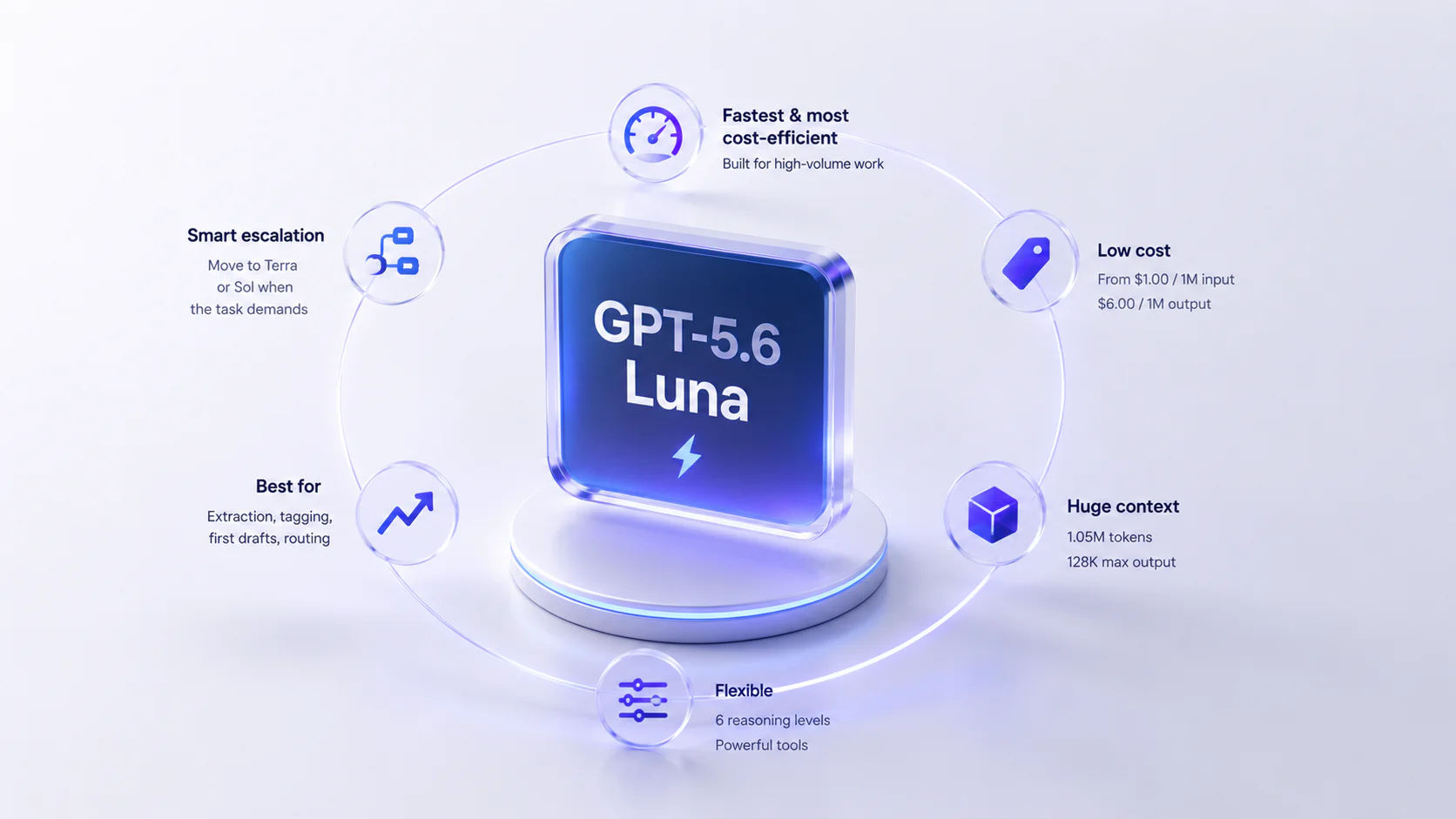
GPT-5.6 Luna is the low-cost tier of the GPT-5.6 family. OpenAI describes Luna as the fastest and most cost-efficient model in the family. That makes it useful for a different class of work than Sol.
A Sol-first workflow asks: “How do we get the best answer?”
A Luna-first workflow asks: “How do we solve many simple tasks cheaply, then escalate only the hard ones?”
That is the right way to evaluate Luna. It is not supposed to beat Sol at the hardest tasks. It is supposed to make GPT-5.6 economics work for high-volume systems.
GPT-5.6 Luna Release Date and Availability
There are two relevant dates:
- June 26, 2026: OpenAI previewed the GPT-5.6 family with Sol, Terra, and Luna.
- July 9, 2026: OpenAI announced general availability for GPT-5.6.
Current access by surface:
| Surface | Luna availability |
|---|---|
| OpenAI API | Developers can access gpt-5.6-luna. |
| ChatGPT Work | Plus, Pro, Business, and Enterprise users can choose Luna. Free and Go users get Terra. |
| Codex | Plus and higher users can choose Luna. Free and Go users get Terra. |
| ChatGPT chat | OpenAI specifically names Sol for Chat access; Luna is specifically named for ChatGPT Work and Codex. |
| Enterprise / Edu | Admin controls, spend controls, and workspace model policies may affect access. |
The old preview-era availability answer is no longer the right general answer. The better answer is more specific: Luna is available in ChatGPT Work and Codex for eligible paid plans, and through the API; access depends on plan and surface.
GPT-5.6 Luna Pricing
OpenAI lists GPT-5.6 API prices per 1M tokens. For standard short-context API use, Luna costs:
| Token type | Price per 1M tokens |
|---|---|
| Input | $1.00 |
| Cached input read | $0.10 |
| Cache write | $1.25 |
| Output | $6.00 |
For standard long-context requests, Luna costs:
| Token type | Price per 1M tokens |
|---|---|
| Input | $2.00 |
| Cached input read | $0.20 |
| Cache write | $2.50 |
| Output | $9.00 |
Luna is 5x cheaper than Sol on standard short-context input and output tokens. Compared with Terra, Luna is 2.5x cheaper on standard short-context input and output tokens.
That price difference matters when you run:
- millions of classification requests;
- customer support triage;
- lead scoring;
- content tagging;
- short extraction jobs;
- first-pass summaries;
- routing decisions before a larger model;
- quick quality checks before Terra or Sol runs.
Pricing can change under Batch, Flex, Priority, regional processing, and third-party deployment paths, so use the current API pricing page before estimating a production bill.
Luna vs Terra vs Sol
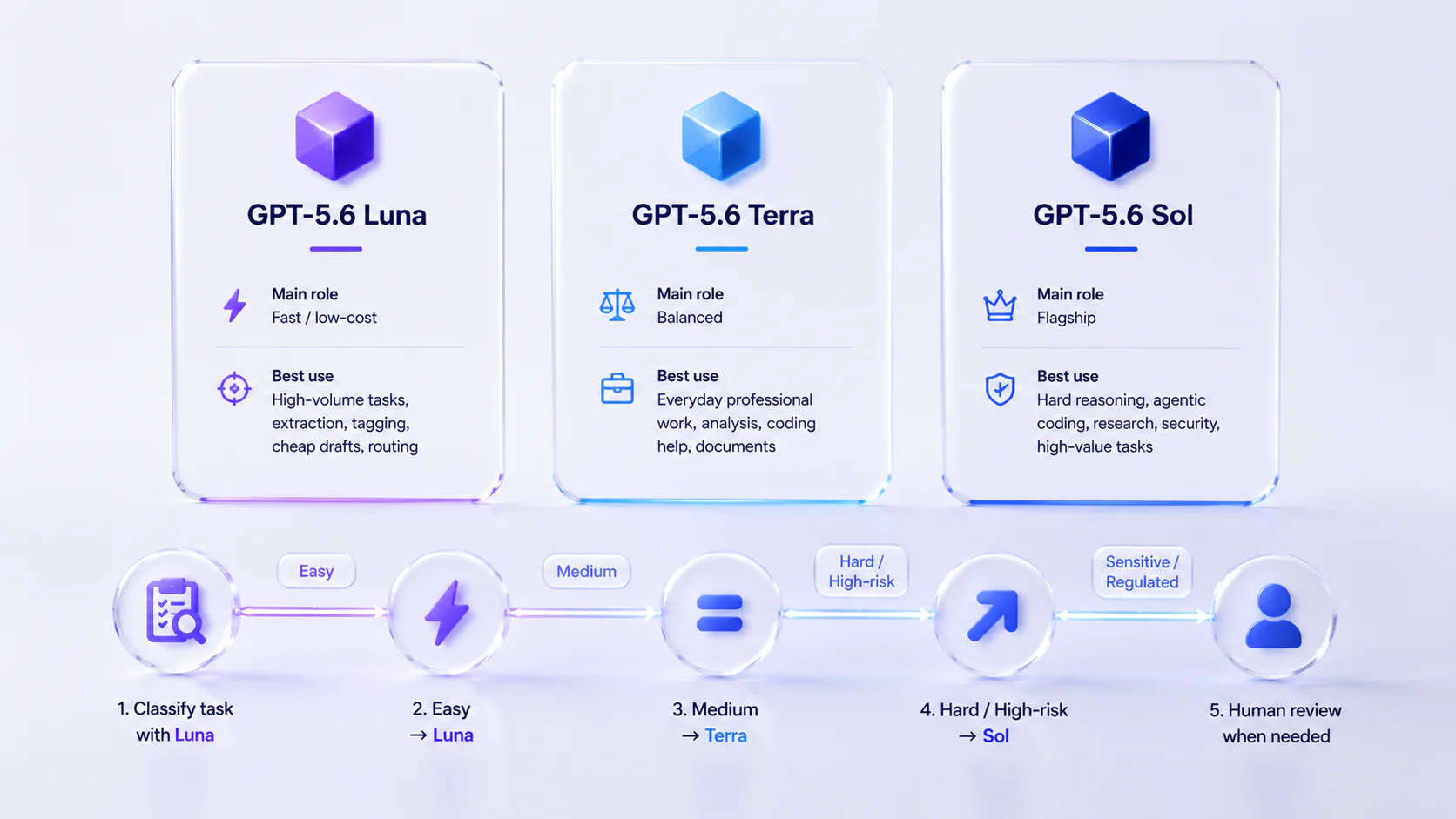
| Model | Main role | Best use |
|---|---|---|
| GPT-5.6 Sol | Flagship | Hard reasoning, agentic coding, research, security, high-value tasks |
| GPT-5.6 Terra | Balanced | Everyday professional work, analysis, coding help, documents |
| GPT-5.6 Luna | Fast/low-cost | High-volume tasks, extraction, tagging, cheap drafts, routing |
Luna should usually be the first model in a cost-saving router, not the only model in the system.
A simple routing pattern:
- Ask Luna to classify the task difficulty.
- Let Luna handle easy tasks directly.
- Escalate medium tasks to Terra.
- Escalate hard or high-risk tasks to Sol.
- Use human review for regulated, sensitive, or customer-facing outputs.
This routing matters because the gpt-5.6 alias points to Sol. If you want Luna economics, use gpt-5.6-luna explicitly.
Best GPT-5.6 Luna Use Cases
Luna is a strong candidate for:
- intent classification;
- sentiment classification;
- lead scoring;
- spam or abuse triage;
- short summaries;
- metadata generation;
- document routing;
- extracting fields from structured text;
- tagging support tickets;
- first-draft email replies;
- generating title options;
- transforming content formats;
- quick QA checks before a larger model runs;
- cheap first-pass moderation or escalation decisions with review.
The common pattern is that the task is cheap to verify. If a simple validator or human reviewer can catch mistakes quickly, Luna’s low cost becomes valuable.
When Not to Use Luna
Do not use Luna as the only model when:
- the task is high-stakes;
- the output is hard to verify;
- the prompt involves legal, financial, medical, cyber, or scientific decisions;
- the task needs long planning or tool orchestration;
- the user expects polished final work;
- a bad answer can create expensive downstream damage;
- your workflow needs
ultraor complex multi-agent coordination.
In those cases, Luna may still be useful as a classifier or preprocessor, but the final answer should likely come from Terra, Sol, or a human-reviewed workflow.
Luna and Reasoning Effort
OpenAI lists the same reasoning effort settings for Luna as for the other GPT-5.6 models: none, low, medium, high, xhigh, and max.
That does not mean you should run Luna at max by default. Luna’s job is speed and cost efficiency, so start with:
nonefor simple transformations and extraction when reasoning is not needed;lowfor cheap classification, routing, and short drafts;mediumwhen the task has moderate nuance;highor above only after testing shows the extra reasoning beats escalating to Terra.
If a task often needs high or max effort on Luna, it may be a Terra task.
Luna and Prompt Caching
Luna’s cached-input pricing is especially useful for high-volume workflows. For GPT-5.6 and later models, OpenAI says cache writes are billed at 1.25x the uncached input rate, while cached reads keep a 90% discount. GPT-5.6 also supports explicit cache breakpoints, and prompt_cache_options.ttl sets the minimum cache lifetime.
Good candidates for cacheable context include:
- a support policy;
- a product catalog summary;
- a classification rubric;
- a brand style guide;
- a schema definition;
- a workflow instruction block;
- a safety or escalation policy.
The best Luna systems will not send a giant fresh prompt every time. They will cache stable context, keep outputs short, and escalate only when needed.
Luna and Safety
OpenAI’s GPT-5.6 system card treats Sol, Terra, and Luna as High capability in both cybersecurity and biological/chemical risk, but says they do not reach the Critical threshold. Luna is the smallest GPT-5.6 tier, but it still belongs in a controlled deployment when used for sensitive workflows.
Use guardrails such as:
- clear allowed and disallowed use cases;
- human review for regulated outputs;
- logging and monitoring;
- prompt and tool boundaries;
- stable safety identifiers for user-facing API apps;
- escalation to Terra, Sol, or humans for risky tasks.
The goal is not to make Luna answer everything. The goal is to let Luna handle easy work cheaply while identifying when not to answer.
Should You Test GPT-5.6 Luna?
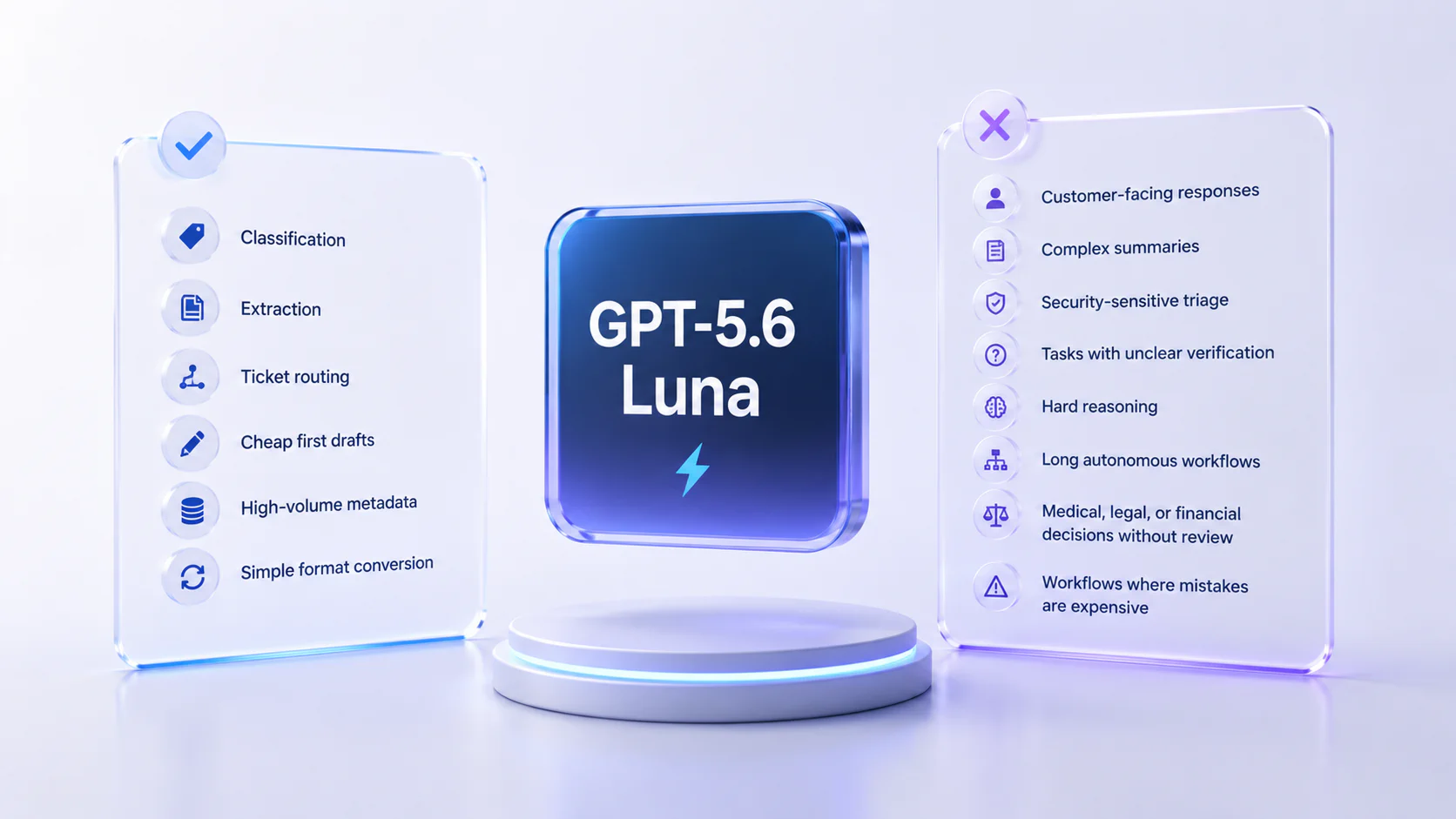
Test Luna if your workload has enough volume for price to matter.
- Classification
- Extraction
- Ticket routing
- Cheap first drafts
- High-volume metadata
- Simple format conversion
- Customer-facing responses
- Complex summaries
- Security-sensitive triage
- Tasks with unclear verification
- Hard reasoning
- Long autonomous workflows
- Medical, legal, or financial decisions without review
- Workflows where mistakes are expensive
Evaluation Checklist
| Question | Why it matters | Likely route |
|---|---|---|
| Is the task simple and high-volume? | Luna is built for this cost profile. | Luna |
| Is the answer easy to verify? | Cheap verification makes Luna useful. | Luna |
| Does the task need nuanced professional judgment? | Terra may be a better default. | Terra |
| Is failure expensive or risky? | Hard or sensitive work should escalate. | Sol / human |
| Does the task reuse stable context? | Caching can make Luna even cheaper. | Luna |
| Does high effort improve Luna enough? | If not, route to Terra instead. | Terra |
Bottom Line
GPT-5.6 Luna is the cost-efficiency play in the GPT-5.6 family. It should not replace Sol for hard problems or Terra for nuanced professional work. But if you have thousands or millions of small tasks, Luna may be the model that makes the whole GPT-5.6 stack economically practical.
Use Luna for easy-to-check volume. Use Terra for the middle. Use Sol for the hard tail.
FAQ
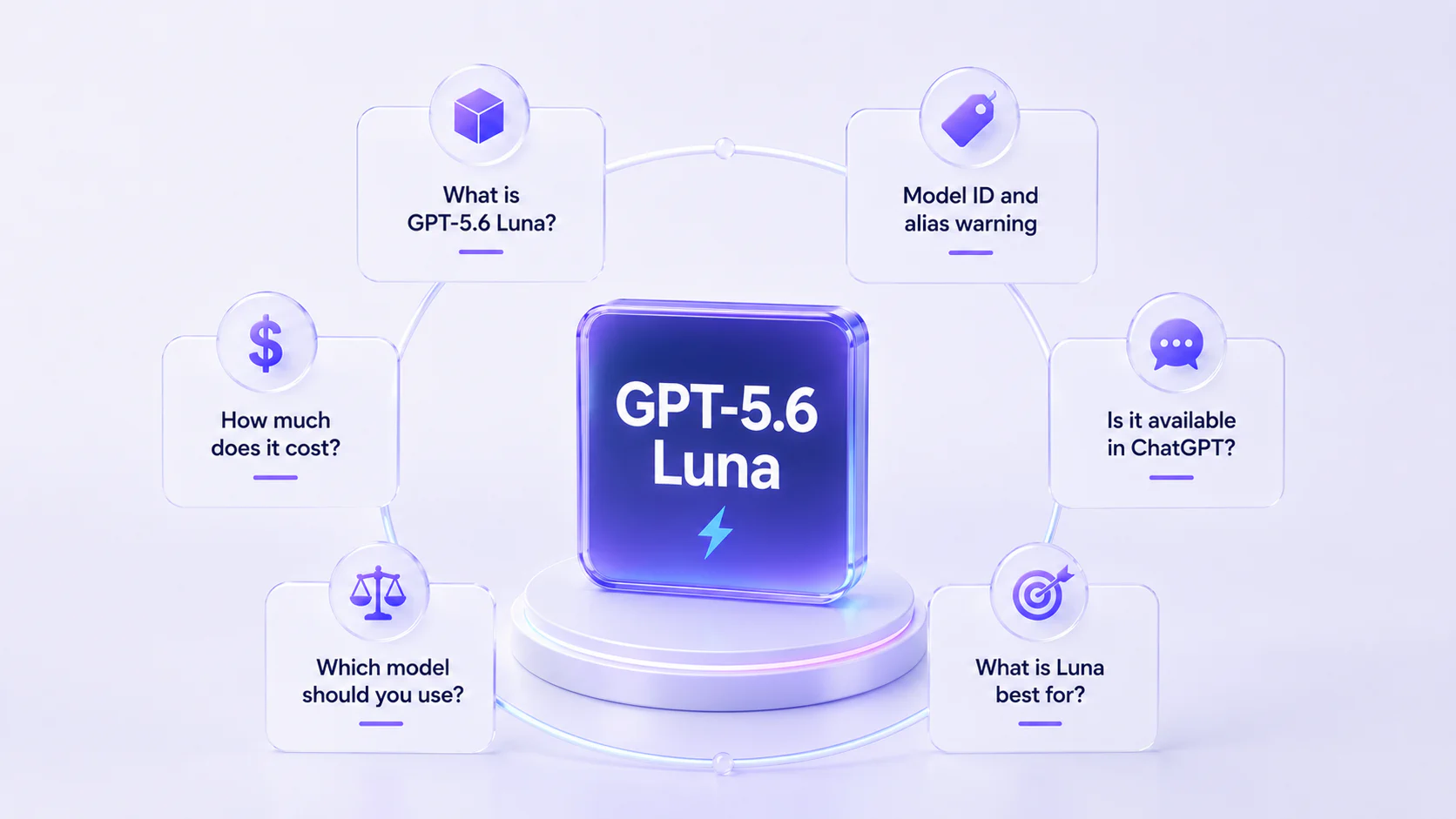
What is GPT-5.6 Luna?
What is the GPT-5.6 Luna model ID?
gpt-5.6-luna. Use this explicit ID if you want Luna. The gpt-5.6 alias routes to gpt-5.6-sol, not Luna.How much does GPT-5.6 Luna cost?
Is GPT-5.6 Luna available in ChatGPT?
Should I use Luna or Terra?
Should I use Luna or Sol?
Does GPT-5.6 Luna support max reasoning?
none, low, medium, high, xhigh, and max reasoning settings for Luna. Test higher reasoning carefully because it can reduce Luna’s cost advantage.