Last updated: July 24, 2026
July 24, 2026 update: Black Forest Labs launched FLUX 3 in Early Access, a multimodal model that generates video with native audio up to 20 seconds. In BFL’s own preliminary human-preference evaluations, FLUX 3 Video was preferred over Gemini Omni Flash in 52% of comparisons — essentially even, and vendor-run, so treat it as a new contender rather than a settled ranking. Gemini Omni Flash remains the generally available, priced option described below.
Google made Gemini Omni Flash available to developers on June 30, 2026, bringing its conversational video generation and editing model to Google AI Studio and the Gemini API. If Nano Banana is Google’s image-generation brand, Gemini Omni is the equivalent idea for video: create, edit, and refine visual scenes through natural language and multimodal references.
Quick answer: Gemini Omni Flash is Google’s fast video generation and conversational editing model. It supports video generation and editing from combinations of text, image, and video inputs, with natural-language refinement across turns. It is available in public preview in Google AI Studio and the Gemini API, and also appears in Gemini, Google Flow, and Gemini Enterprise Agent Platform. The API model ID is gemini-omni-flash-preview. Google prices it at about $0.10 per second of video output.
Review verdict: Gemini Omni Flash is one of the most important Google AI releases for marketers, creators, agencies, game studios, e-commerce teams, and developers building generative media apps. The model is especially interesting because it combines Gemini reasoning with video generation and editing. It is not only text-to-video. It is also conversational video editing, multimodal referencing, image-to-video, and reference-to-video. The main caveat is that it is still a public-preview model with current API limits, including 10-second generations.
This article is based on Google’s Nano Banana 2 Lite and Gemini Omni Flash announcement, the Google DeepMind Gemini Omni page, and the Gemini API pricing docs. Check Google’s docs for current model availability, regional limits, usage rules, and pricing before production use.
Key takeaways
- Developer launch date: June 30, 2026.
- Developer: Google / Google DeepMind.
- Model family: Gemini Omni.
- API model ID:
gemini-omni-flash-preview. - Status: public preview.
- Best for: video generation, conversational video editing, image-to-video, reference-to-video, ad creative, social video, product video, gaming creative, and generative media apps.
- Availability: Google AI Studio, Gemini API, Gemini Enterprise Agent Platform, Gemini app, and Google Flow.
- Pricing headline: about $0.10 per second of video output.
- Current output length: 10-second video generations, according to Google’s launch post.
- Input types: text, image, and video inputs; Google DeepMind also describes Gemini Omni as able to reference image, text, video, or audio.
- Safety and transparency: content created or edited with Omni includes SynthID watermarking and C2PA Content Credentials in supported Google surfaces.
- Main limitation: public-preview restrictions and current API limitations around audio references, scene extension, some video references, and character consistency in some scene changes.
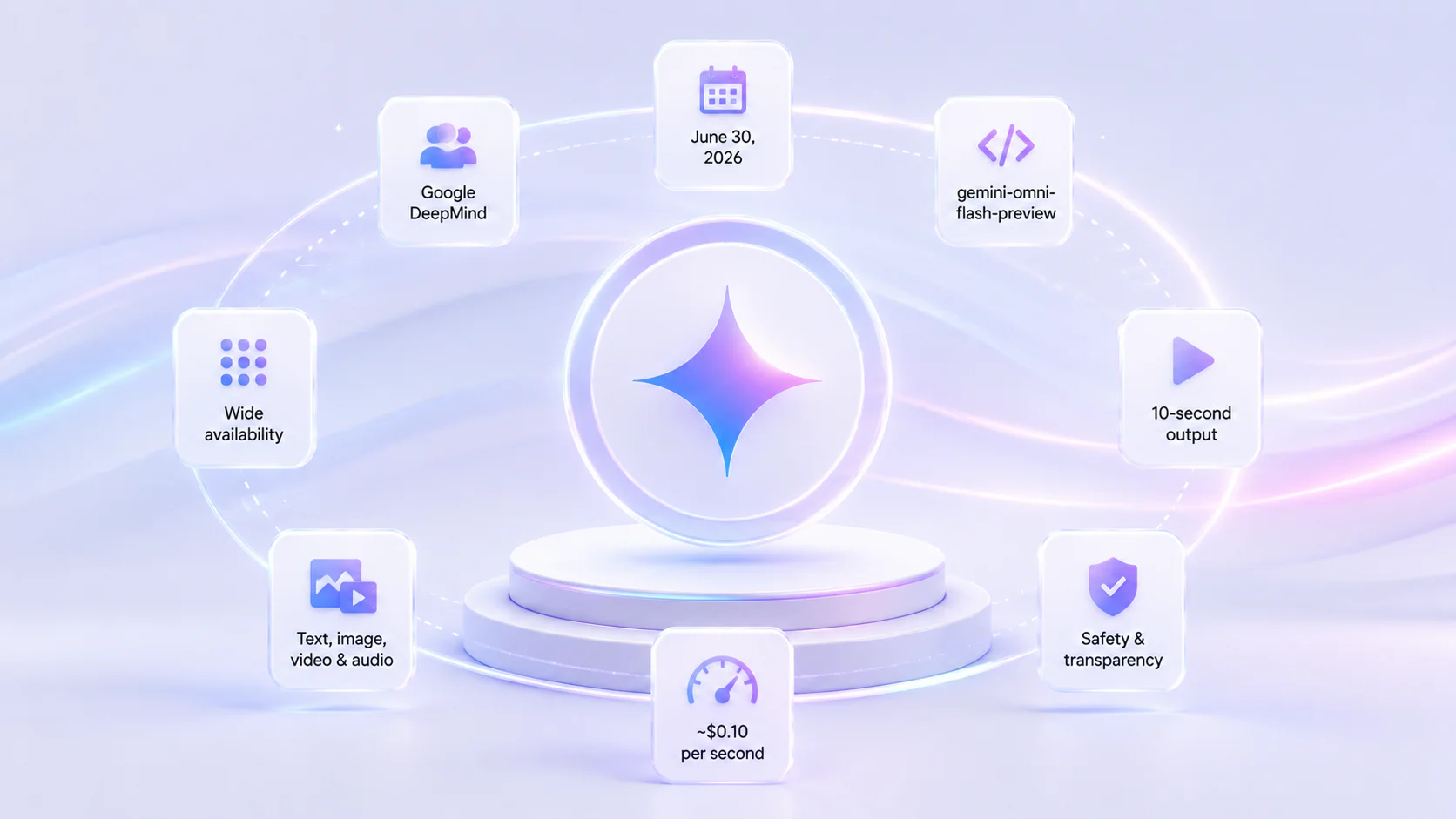
Gemini Omni Flash quick facts
| Detail | Gemini Omni Flash |
|---|---|
| API model ID | gemini-omni-flash-preview |
| Release to developers | June 30, 2026 |
| Status | Public preview |
| Main capability | Video generation and conversational video editing |
| Developer access | Google AI Studio, Gemini API, Gemini Enterprise Agent Platform |
| Product access | Gemini app and Google Flow |
| Price | About $0.10 per second of video output |
| API pricing detail | $1.50 / 1M input tokens; $17.50 / 1M video output tokens under standard paid pricing |
| Output token basis | 5,792 tokens per second of 720p video, according to Google API pricing docs |
| Current duration | 10-second generations |
| Main inputs | Text, image, and video inputs in the API launch post |
| Best companion model | Nano Banana 2 Lite for fast still-image generation before animation |
| Transparency | SynthID watermarking and C2PA Content Credentials in supported Google surfaces |
What is Gemini Omni Flash?
Gemini Omni Flash is Google’s cost-efficient video generation and editing model in the Gemini Omni family. Google describes Gemini Omni as where Gemini’s multimodal reasoning meets the ability to create video. The “Flash” name signals a faster, cheaper version aimed at developers and high-throughput creative workflows.
The model is important because it is not limited to one-shot text-to-video prompts. It is designed for conversational editing. You can create or upload a video, ask for a change, refine the scene again, change an object, adjust style, use a reference image, and continue iterating in natural language.
Think of the difference like this:
| Old video generation workflow | Gemini Omni Flash workflow |
|---|---|
| Write one prompt and hope the output is close | Generate, inspect, ask for edits, refine step by step |
| Mostly text-to-video | Text, image, video, and reference-driven workflows |
| Hard to preserve scene consistency | Designed for multi-turn coherent editing |
| Separate tools for editing and generation | Generation and editing happen in the same model loop |
This makes Gemini Omni Flash more useful for real creative production, where the first result is rarely the final result.
Gemini Omni Flash release date and availability
Google introduced Gemini Omni Flash at Google I/O, then made it available to developers on June 30, 2026.
| Surface | Status at developer launch |
|---|---|
| Google AI Studio | Public preview |
| Gemini API | Public preview |
| Gemini Enterprise Agent Platform | Available |
| Gemini app | Available |
| Google Flow | Available |
Because this is a public-preview model, availability may vary by region, account, product surface, and API tier. Check Google AI Studio and the Gemini API docs before relying on it for production workloads.
Gemini Omni Flash API model ID
The API model ID is:
gemini-omni-flash-preview
The preview suffix matters. It means developers should expect more change than with a stable model. API behavior, limits, latency, pricing, and regional availability can shift during preview.
For production planning, treat Gemini Omni Flash as a model to evaluate and integrate carefully, not a silent drop-in replacement for every video workflow.
Gemini Omni Flash pricing
Google’s launch post describes Gemini Omni Flash at $0.10 per second of video output, the same headline video-output price as Veo 3.1 Fast.
The Gemini API pricing page lists these standard paid-tier prices:
| Pricing item | Paid-tier price |
|---|---|
| Input price | $1.50 / 1M tokens for text, image, video, or audio |
| Text output | $9.00 / 1M tokens |
| Video output | $17.50 / 1M video output tokens |
| Effective video price | About $0.10 per second |
| Output token basis | 5,792 tokens per second of 720p video |
For budgeting, estimate cost by seconds of output, number of revisions, and rejected generations. A single 10-second output at roughly $0.10 per second is about $1.00 before considering prompt/input costs and retries. If a workflow needs six attempts to produce one usable clip, your effective cost per accepted clip is closer to $6.00.
That is why prompt quality, template design, and automated review matter for video workflows.
What can Gemini Omni Flash do?
Conversational video editing
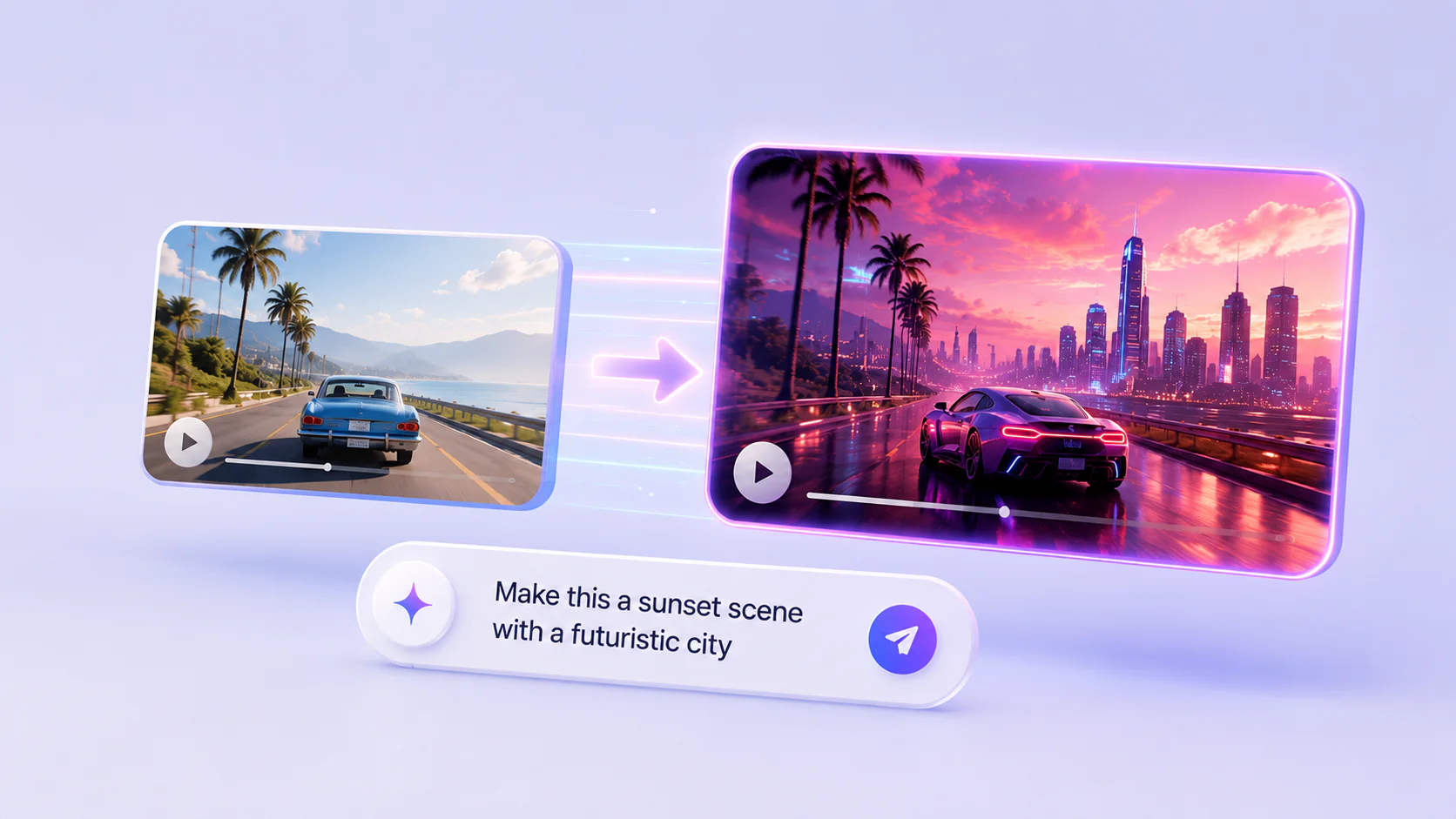
The central feature is natural-language video editing. Instead of using a traditional timeline or manual compositing tool, users can ask Gemini Omni Flash to modify a clip step by step.
Examples of useful edits:
- change the style of a scene;
- replace an object;
- change lighting;
- transform a character;
- adjust action;
- add an effect;
- alter the camera angle;
- use a reference image to guide the change.
This makes Gemini Omni Flash useful for creators who know what they want but do not want to manually edit every frame.
Multimodal referencing
Gemini Omni Flash can combine inputs such as text, images, and video to maintain more control over a scene. Google DeepMind describes Gemini Omni as able to reference image, text, video, or audio and turn references into a cohesive output.
That opens up workflows like:
- turn a product image into a short product video;
- use a sketch to guide motion;
- apply a style reference to a video;
- use an input clip for camera movement;
- replace a character using a reference image;
- create a video from multiple reference ingredients.
This is where Gemini Omni Flash becomes more than a text-to-video model. It can act like a creative transformation model.
Image-to-video
Google’s launch post recommends pairing Nano Banana 2 Lite with Gemini Omni Flash. The idea is simple: generate a still image cheaply and quickly, then animate it with Gemini Omni Flash.
Example workflow:
- Use Nano Banana 2 Lite to generate a still product scene.
- Choose the strongest image.
- Pass it to Gemini Omni Flash as a reference.
- Ask Omni to animate it into a 10-second clip.
- Refine the motion, camera, or style.
- Export and review.
This is useful for ads, e-commerce, social media, game concepts, real estate visuals, and content marketing.
Real-world knowledge and physics
Google emphasizes Gemini Omni’s connection to Gemini’s broader world knowledge. The model is intended to use context about history, biology, narrative logic, physics, motion, forces, and real-world interactions to produce more coherent videos.
In practice, this matters for clips where motion and causality need to make sense: objects falling, fluids moving, athletes performing, scientific explainers, machines operating, or scenes following a narrative sequence.
No model will be perfect here. But video generation becomes more useful when the model understands not just how a scene should look, but what should happen.
Text and action synchronization
Google highlights that Gemini Omni Flash can connect text and graphics to onscreen action. This is important for ads and explainers, where text needs to appear at the right time and relate to what happens in the video.
Use cases include:
- kinetic typography;
- product feature callouts;
- short educational explainers;
- social reels with timed captions;
- brand messages synchronized to motion;
- app demo overlays.
Always review text carefully. Video models can still mistime, misspell, or distort text, especially across fast cuts.
Benchmarks and performance signals
Google DeepMind says Gemini Omni Flash performs strongly across video editing, text-to-video, image-to-video, and reference-to-video evaluations.
Reported signals include:
- strong video editing results for overall preference and instruction following in human-rated internal benchmarks;
- strong text-to-video results for overall preference and instruction following on MovieGenBench prompts;
- fast-motion evaluation across 500 detailed prompts involving sports, athletic performances, and other dynamic actions;
- image-to-video comparisons on VBench image-text pairs;
- reference-to-video performance emphasizing overall preference and speech adherence.
Treat these as useful launch signals, not a complete independent review. Video generation quality depends heavily on prompt style, subject, motion complexity, length, references, aspect ratio, and retry budget. The best benchmark is your own workflow.
Gemini Omni Flash limitations
Google lists several important limitations at launch.
| Limitation | Practical impact |
|---|---|
| 10-second generations | Good for ads, social clips, and drafts; not enough for longer scenes without stitching |
| Longer durations coming later | Do not build a workflow that assumes long-form output yet |
| Audio references not yet supported in the Gemini API | Audio-driven reference workflows may need to wait or use other surfaces |
| Scene extension not yet supported in the Gemini API | Harder to extend an existing scene beyond the generated clip |
| Video references up to 3 seconds accepted by API schema but not correctly processed at launch | Test carefully before relying on video-reference workflows |
| Character consistency has limitations during scene changes or panning | Review character-heavy or continuity-heavy videos carefully |
| Public preview status | Behavior and limits may change |
These limitations are not unusual for a preview video model, but they matter. Gemini Omni Flash is strong for short-form iteration, not yet a complete replacement for professional video production pipelines.
Gemini Omni Flash vs Veo 3.1 Fast
Google compares Gemini Omni Flash pricing to Veo 3.1 Fast by noting the same headline price of about $0.10 per second of video output. The positioning is different.
| Model | Best fit |
|---|---|
| Gemini Omni Flash | Conversational editing, multimodal references, iterative video creation, Gemini reasoning plus video |
| Veo 3.1 Fast | Fast video generation in the Veo family, especially when a Veo workflow is already established |
A simple rule:
- Choose Gemini Omni Flash when you want to talk to the video model, make iterative edits, and combine references.
- Choose Veo when your workflow is already centered on Google’s dedicated video-generation stack and you need Veo-specific behavior.
In practice, teams should test both on the same creative brief and compare accepted-output rate, revision count, motion quality, text quality, and cost per usable clip.
Best use cases for Gemini Omni Flash
Marketing and ad creative
Gemini Omni Flash is immediately relevant for marketing teams that need short, high-velocity video assets.
Use it for:
- social ad drafts;
- product launch clips;
- e-commerce motion ads;
- app demo videos;
- seasonal campaign variants;
- performance creative testing;
- short influencer-style mockups.
The key benefit is iteration. Teams can generate a clip, ask for changes, and produce variants without restarting the entire creative process.
E-commerce product videos
Static product images often convert better when turned into motion. Pair Nano Banana 2 Lite with Gemini Omni Flash: create a product scene, then animate it into a short video.
Examples:
- rotate or reveal a product;
- show a product in a lifestyle scene;
- create a cinematic product showcase;
- generate category-specific motion assets;
- build marketplace videos at scale.
Human review is still required for product accuracy and claims.
Gaming and app creatives
Game studios and app marketers constantly need video variants for user acquisition. Gemini Omni Flash can help generate and revise short creative concepts faster.
Use it for:
- character motion concepts;
- stylized app ads;
- gameplay-inspired clips;
- cinematic concept videos;
- motion graphics drafts;
- A/B creative testing.
Creator tools and generative media apps
Developers can build applications where users upload images or short clips, then edit through conversation. This is the clearest product opportunity.
Possible apps:
- AI video editors;
- social clip generators;
- avatar transformation tools;
- product video builders;
- interior design visualizers;
- fashion try-on motion previews;
- educational explainer generators.
Education and explainers
Because Gemini Omni Flash can use Gemini’s knowledge and synchronize text with action, it can help draft short educational videos.
Examples:
- science explainers;
- historical animations;
- product tutorials;
- onboarding videos;
- classroom visuals;
- internal training clips.
For factual or instructional content, verify every claim and visual implication.
Safety and transparency
Google says Gemini Omni Flash was developed with internal safety, security, and responsibility teams and evaluated through automated testing, human evaluations, human red teaming, automated red teaming, and ethics/safety reviews.
Generated or edited Omni content in supported Google surfaces includes:
- SynthID watermarking, Google’s imperceptible watermark for AI-generated media;
- C2PA Content Credentials, metadata intended to help identify how content was created or edited;
- verification through the Gemini app, with Chrome and Search support coming according to Google DeepMind’s Gemini Omni page.
For businesses, watermarking is useful but not enough by itself. You still need internal policies around disclosure, likeness rights, brand safety, political content, regulated claims, and synthetic media review.
Should you use Gemini Omni Flash?
Use Gemini Omni Flash if you need short-form video generation or conversational editing and you are comfortable working with a preview model.
| Situation | Recommendation |
|---|---|
| You need short video ads | Test Gemini Omni Flash immediately |
| You want text-to-video only | Compare Omni Flash with Veo 3.1 Fast |
| You want step-by-step video editing | Use Gemini Omni Flash |
| You need long videos | Wait for longer-duration support or use a different workflow |
| You need audio-reference workflows in the API | Check current API support before building |
| You need strict character continuity | Test carefully and keep manual review |
| You build creative apps | Omni Flash is highly relevant, especially with Nano Banana 2 Lite |
The best reason to try it is not just output quality. It is the workflow: generate, edit, revise, and combine references in a conversational loop.

Developer checklist
Before building with Gemini Omni Flash, run this checklist:
- Confirm
gemini-omni-flash-previewis available for your account and region. - Review public-preview limits in the Gemini API docs.
- Estimate cost by accepted clip, not by generated clip.
- Test 10-second output constraints against your product requirements.
- Test whether your workflow needs unsupported audio references or scene extension.
- Build prompt templates for common edit operations.
- Pair with Nano Banana 2 Lite if you need fast still-image concepts before animation.
- Add review steps for faces, brands, product claims, regulated claims, and synthetic media disclosure.
- Store prompt, input, output, and revision history for auditability.
- Keep a fallback path to Veo or a manual editing workflow for hard cases.
FAQ about Gemini Omni Flash

What is Gemini Omni Flash?
When did Gemini Omni Flash become available to developers?
What is the Gemini Omni Flash API model name?
gemini-omni-flash-preview.