By 2026, artificial intelligence technology becomes available for almost anyone – it ceases to be an exclusive product of major technology companies. The possibility to make a personal AI assistant is available not only to professionals and developers but to people of all knowledge levels who, first of all, know the basics of AI technologies and even more complex skills. According to MarketsandMarkets, the market of AI assistants is estimated at $3.35 billion in 2025, and it will reach $21.11 billion by 2030 with the CAGR of 44.5%, as companies incorporate artificial intelligence assistants and other tools more often into their processes, and thereby saving significant time thanks to automation of workflow. This article will provide you detailed information about what an AI assistant is, what technologies underlie it, and how to build one yourself.
Privacy note: A personal AI assistant can reduce manual work, but it can also increase data exposure if you connect email, calendars, files, or APIs without clear permissions and review rules.
For adjacent reading, see prompt engineering, training your own AI model, and best AI agents for business.
What Is an AI Assistant in 2026?
An artificial intelligence assistant is a software system capable of understanding natural language, making decisions, and performing actions at the user’s request. Modern assistants, in 2026, rely on LLMs and have capabilities such as context adaptability, tool usage, and memory retention of the person using them for a long period, which improves productivity since they minimize the time used when undertaking activities. To sum up, a custom AI assistant is your personal assistant who knows what you require in either your personal or work-related affairs.
Types of AI assistants (chatbots, voice assistants, autonomous agents)
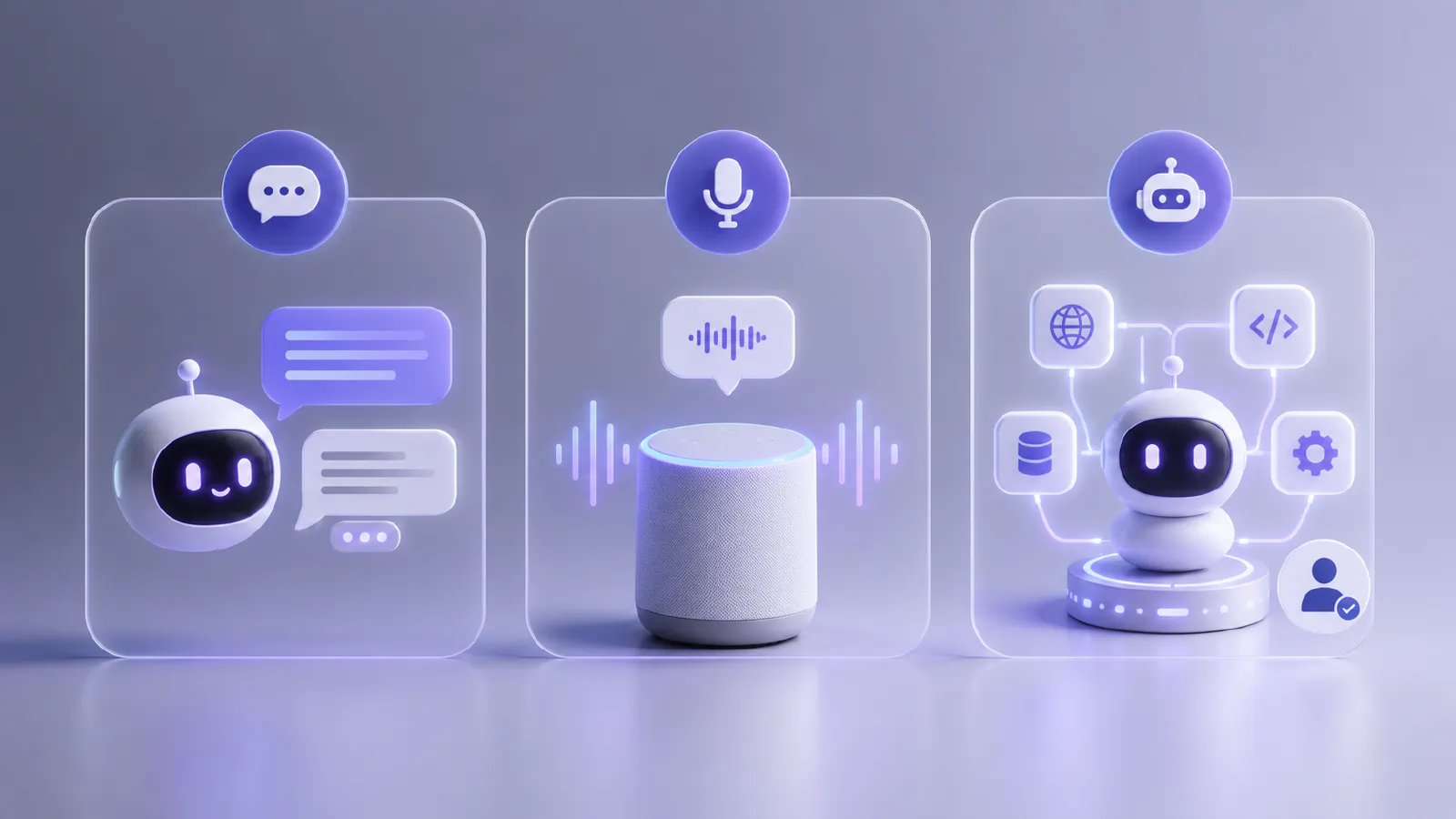
Currently, there are three main types of AI assistants:
- Chatbots – virtual assistants powered by artificial intelligence. These can be applied in applications of messaging, websites, and corporate systems. To simplify it, you have a discussion with an artificial intelligence assistant that answers your queries. According to research, this form of assistants is highly widespread as chatbots made up the largest part of the conversational AI market in 2024, while client support comprised approximately 42% of the total chatbot market (Mordor Intelligence).
- Voice assistants – systems that accept voice input and respond with speech. Siri, Google Assistant, and Alexa are the best-known examples. According to Statista’s forecast, the number of voice assistant users in the U.S. will reach 157.1 million by the end of 2026 – up from 153.5 million in 2025.
- Autonomous agents are the most complex type of AI-based assistants. These agents not only respond to queries but can also perform actions, use tools like browsers, APIs, and databases, and delegate subtasks to other agents. For sensitive workflows, keep human approval in the loop.
Examples of popular AI assistants in 2026
Among the most popular AI assistants, you have likely heard of ChatGPT, Claude, and Gemini. All three of them currently lead the chatbot industry, however, each of these assistants has its own strengths. Claude developed by Anthropic has become widely known lately for its abilities in text analysis, research, and writing tasks that require special attention and preciseness. ChatGPT is the most famous AI tool; according to Reuters, the number of active users per month reached one billion, becoming the fastest app to reach this number. The advantage of Gemini is its multimodal approach, image creation, and Google ecosystem. At the leading edge of software development is GitHub Copilot. Microsoft said it had about 20 million users by July 2025, and 4.7 million active subscriptions by January 2026, up 75% year on year.
Benefits of Building Your Own AI Assistant
Having your very own artificial intelligence personal assistant will make you more productive, give you more time for other things, and help make your life easier in many ways.
Automating business workflows and tasks
Your own AI assistant allows you to automate routine operations. AI assistants perform tasks such as document processing, form filling, task routing, and report generation in the shortest possible time, and when tasks are set correctly, they can deliver effective results requiring minimal revisions. Many professionals note that thanks to the automation of routine processes, it has become easier to devote time to other, more important tasks that require human thinking, and ultimately this leads to growth.
Improving customer support with AI chatbots
Implementing AI assistants in customer support is one of the most common uses of this tool. It can reduce the cost per interaction and help resolve typical issues faster, while escalating sensitive or unusual cases to humans. In a study done by McKinsey, organizations that had AI assistants experienced up to 50% cuts in call costs and higher CSAT ratings.
Personal productivity and AI copilots
Since AI takes over such a significant portion of the tedious tasks, it results in people having more time to do something else, and productivity gets improved. JetBrains reports that about 74% of users named productivity improvement as the biggest advantage of AI. Also, it was stated that almost nine out of ten programmers spend less than one hour per week thanks to this technology, while one fifth manage to save up to eight hours or even more, which used to be spent by specialists on some tasks before.
Cost savings vs. SaaS AI tools
An in-house API-based assistant is significantly cheaper than enterprise SaaS subscriptions when used at high volumes. Additionally, you have full control over the data, model behavior, and integrations – without relying on third-party vendors.
Key Technologies Behind AI Assistants
If you’ve ever wondered how to make an AI assistant, you’ve likely heard that you need to possess the basic skills and concepts required to work with AI and ultimately create an assistant.
Large Language Models (LLMs) explained
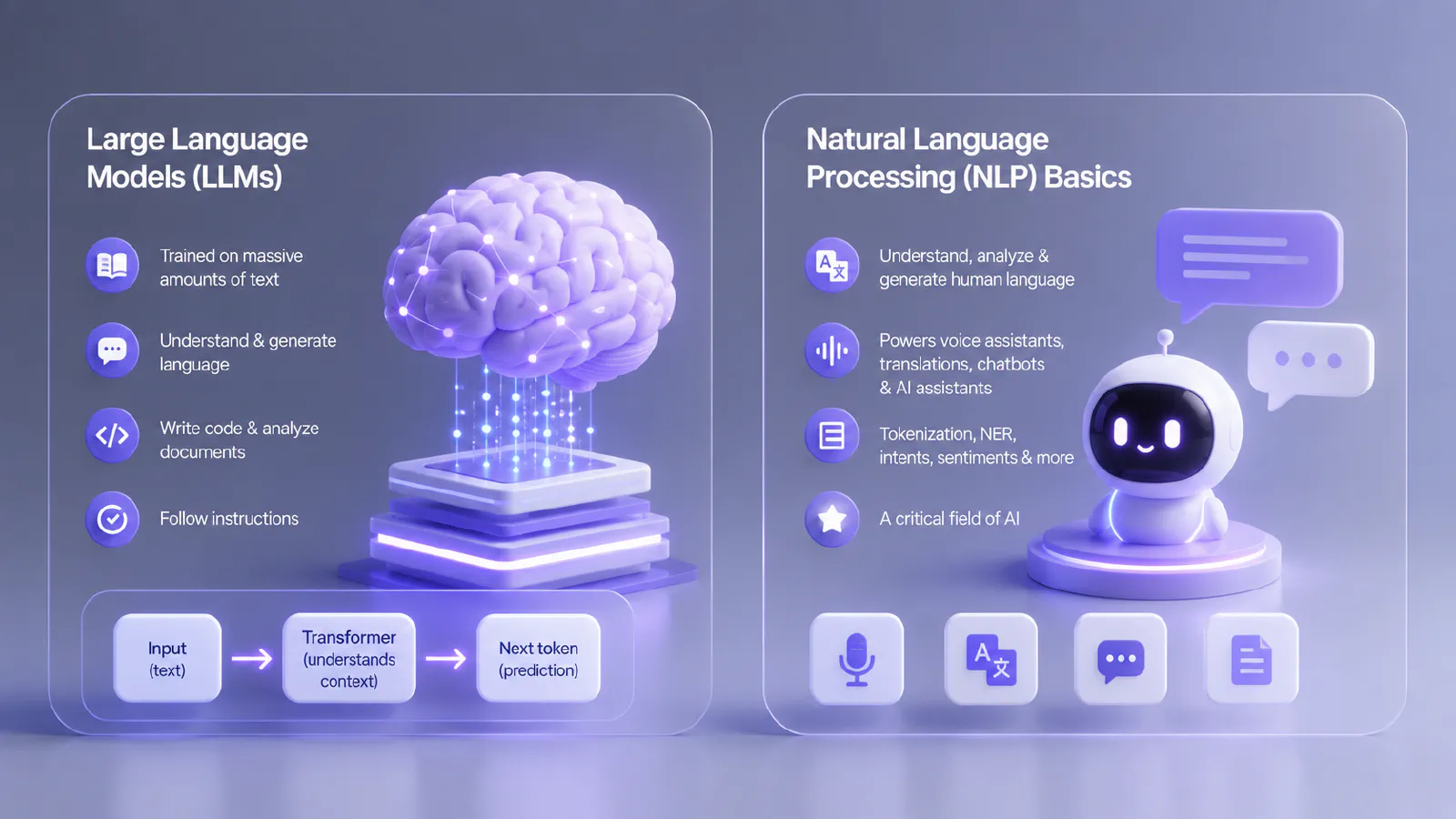
LLMs are neural networks trained on massive amounts of text. This enables them to understand and generate language, reason, write code, analyze documents, and follow instructions. Modern LLMs operate on the principle of transformer architecture – the model processes all incoming text as a single context and predicts the most likely continuation. As is well known, complex datasets, including programming languages, can be used to train the model so that it can subsequently help programmers write code.
Natural Language Processing (NLP) basics is a broader field at the intersection of linguistics, computer science, and AI, which focuses on enabling computers to understand, analyze, and generate human language. Simply put, NLP allows a computer to work with text in a way that makes it possible to extract meaning. NLP can be seen in applications such as voice assistants, automatic translations like those offered by Google Translate, chatbots, and artificial intelligence assistants among many others. This technology involves tokenizing text into segments, recognizing named entities, intents, and sentiments among others. All things considered, NLP forms one of the critical fields of AI.
APIs and AI model providers (OpenAI, Anthropic, Google)
API (Application Programming Interface) – is a way for one program to interact with another program or service. This is becoming increasingly common in various companies and among developers. To add AI to their application, developers send a request via the API and receive a response from the model.
Currently, there are three key API providers:
- OpenAI –GPT-4o, o3, Assistants API with built-in tools (code interpreter, file search)
- Anthropic – Claude 3.5/3.7, with a long context window and high instruction-following accuracy
- Google – Gemini 1.5 Pro/Flash, with multimodality and integration into the Google Cloud ecosystem
Retrieval-Augmented Generation (RAG) systems
RAG is a technology in which an LLM retrieves relevant fragments from an external knowledge base before generating a response. This allows the assistant to work with up-to-date or confidential information not included in the model’s training data. It works roughly like this: the user sends a query → the system searches for relevant information in external knowledge bases → the data is passed to the language model → the model generates a response based on this data.
AI memory and vector databases (Pinecone, Weaviate, FAISS)
AI memory is a mechanism that allows AI to store information from past dialogs and retrieve it from the saved database. Vector databases can be used for this task. In vector databases, text, images, and other data are encoded in a certain numerical format called vectors or embeddings. You are no longer limited to searching data that contains certain words but can use meaning-based searches instead.
Popular vector databases:
- Pinecone – cloud vector database designed to support AI applications
- Weaviate – Open Source solution for storing and searching vectors
- FAISS – Library created by Meta for fast local search, great for prototyping
Types of AI Assistants You Can Build
Let’s say you’ve decided to create your own AI assistant. You type “how to make an artificial intelligence assistant” into a search engine and see that there are different types of assistants depending on your needs.
AI chatbots for websites
Chatbot assistants for websites are the most popular option. They will be integrated into the interface as a widget and are capable of processing user requests, responding to FAQs, assisting in search for data, placing orders, or signing up for services.
Voice-based AI assistants
AI assistants that recognize the speech of a user and reply verbally. The most popular assistants include Siri and Google Assistant.
AI customer support agents
AI assistants that automatically handle queries from users, answer frequently asked questions, and help solve user problems autonomously, which means that no human assistance is required. The workflow is as follows: initially, the AI assistant recognizes what the query entails, accesses the knowledge base, files tickets in help desk systems, and forwards complicated tasks to the live operator.
Autonomous AI agents with task execution
Apart from answering queries, these agents can even do things on their own. They plan an action sequence and then execute it using some tools like browser, API, and terminal. These tasks include browsing, sending emails, generating reports, and managing the calendar and tasks.
Personal AI assistants for productivity
Personal assistants with the aid of AI assist in a number of chores. These include managing emails, calendar appointments, notes, and draft documents. They operate alongside tools such as Google Workspace or Microsoft 365 to improve workplace productivity.
Step-by-Step Guide to Creating an AI Assistant
Below is a step-by-step guide on how to create an AI assistant.
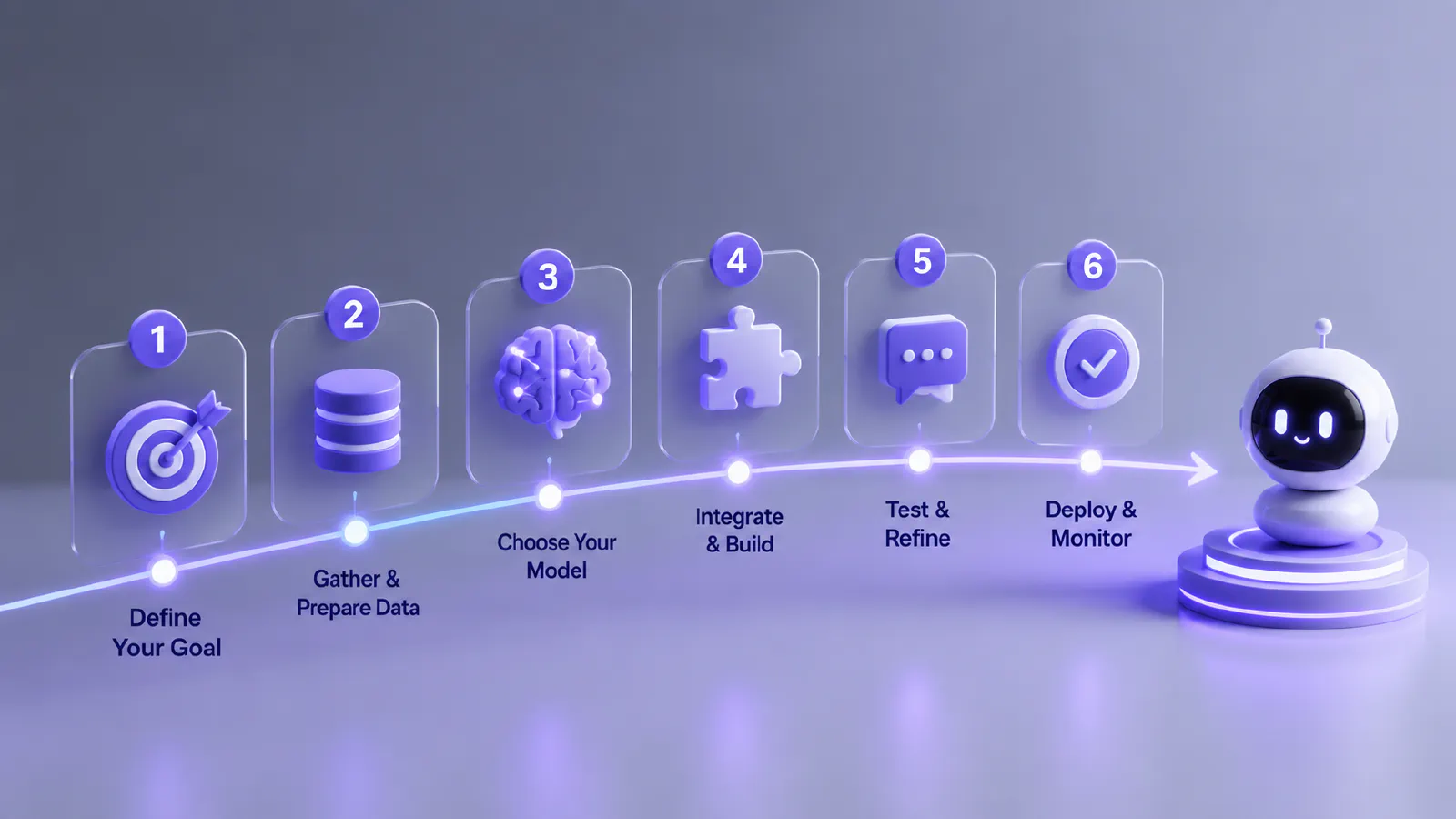
Step 1: Define your AI assistant’s purpose and use case
Before you make an AI assistant, first determine what purpose the assistant will serve and how to achieve this goal. For this, one may consider answering the following questions: who needs the assistant, what it should be able to do, what information it should have access to, and what the load will be.
Step 2: Choose the right AI model (GPT-4, Claude, Gemini)
Once more, when selecting the AI model, you must take into account your individual requirements. Key AI models include:
- GPT-4o (OpenAI) - a great choice for multimodal applications as well as integrations
- Claude 3.5/3.7 (Anthropic) - characterized by a huge context window (up to 200k tokens) and high instructions-following accuracy; ideal for analytics documents
- Gemini 1.5 Pro (Google) – a model integrated with Google Cloud; a good choice for multimodal applications
Step 3: Select a development approach (no-code, low-code, custom code)
At this stage, you need to choose which development level suits you best. This depends directly on your skills.
No-code is suitable for non-developers. Using apps like Zapier AI, Make (formerly Integromat), Flowise, and Botpress, you can create what you need in a short amount of time.
Low-code – these are customizable solutions requiring minimal programming. These apps can help: Langflow, Dify, n8n.
Custom code – for those who want full control. Python + LangChain/LlamaIndex, JavaScript + Vercel AI SDK – the main tools for building an AI agent.
Step 4: Design conversation flows and prompts
This is where the term “system prompt” comes in. A system prompt is the foundation of the assistant’s behavior. You must specify the function, tone, limitations, and form of the replies. In cases where the situation becomes complicated, the best way out is to implement a chain of steps. You should always try different prompts until you find the right one; small changes make a huge difference.
Step 5: Add tools and integrations (APIs, databases, automation tools)
Function calling is supported by modern LLMs. Function calling is an approach that enables the use of external functions (APIs, databases, scripts). Common integrations involve CRMs (e.g., Salesforce, HubSpot), helpdesk systems (e.g., Zendesk, Freshdesk), calendar APIs, web search, and SQL databases.
Step 6: Implement memory and context handling
By default, LLMs don’t have any session history. Therefore, the following choices will have to be made:
- In-context memory – providing the whole conversation history with each request (easy, but constrained by the amount of context)
- Summarized memory – automatically summarizing extended conversations
- Vector memory – maintaining a vector of information about the user in the database for efficient semantic search. The user is able to locate required information using context.
Step 7: Build a user interface (web app, mobile app, chat widget)
And here comes into use the visual part – interface and design. User interfaces can be created using web applications (React, Next.js frameworks can be helpful for this), mobile applications (React Native, Flutter), as well as chatbots integrated in some way into the application (they are available both pre-configured and customizable).
Step 8: Test and optimize performance
After everything is ready, it is the right moment to check the product you have created. Testing includes multiple stages, including functional (response accuracy), load (response time when the number of requests reaches its peak), and security (protection from prompt injection). Useful testing metrics include response accuracy, CSAT, and the proportion of requests that are closed successfully without escalation.
Step 9: Deploy your AI assistant
With the testing process finished, it’s time to start deploying the AI assistant as soon as its final version becomes available. Deployment is a process that requires uploading the application to the server so it can start working. Hosting options include:
- AWS Lambda – an Amazon service for running code without managing servers
- ECS for serverless/container deployment – an Amazon service for running applications in Docker containers
- Vercel for Next.js applications,
- Railway or Render for simple API backends
- Google Cloud Run – a Google service for running containers without managing servers.
Best Platforms and Tools to Build AI Assistants in 2026
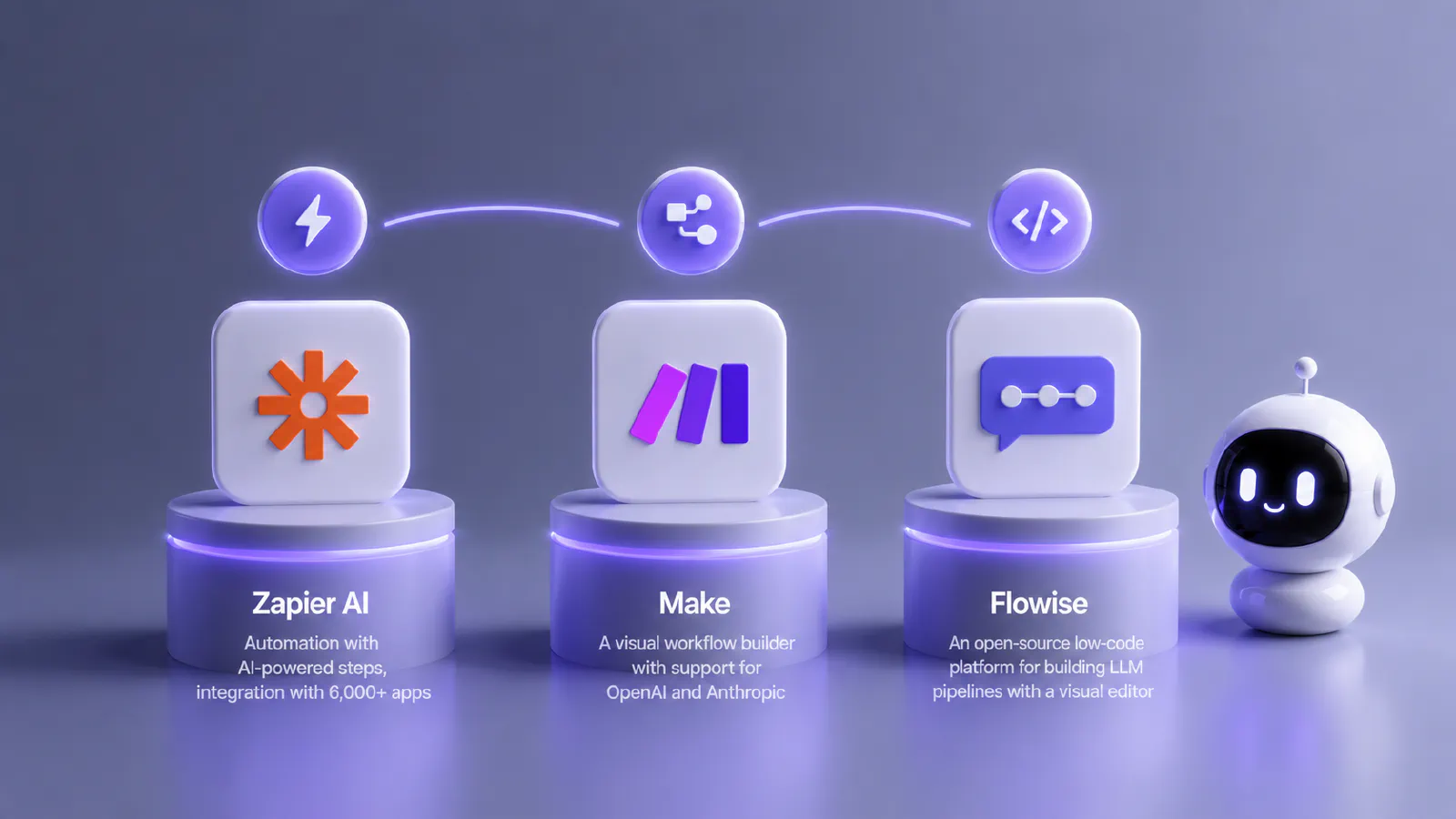
No-code AI builder platforms (Zapier AI, Make, Flowise)
For people without programming skills and those who want to utilize software that will perform the role of developing AI agents by itself, no-code development platforms are the answer.
- Zapier AI – automation with AI-powered steps, integration with 6,000+ apps
- Make – a visual workflow builder with support for OpenAI and Anthropic
- Flowise – an open-source low-code platform for building LLM pipelines with a visual editor
Developer frameworks (LangChain, LlamaIndex, AutoGen)
These are ready-made libraries that simplify the creation of AI applications. Among them, the most common are:
- LangChain – the most popular framework for Python and JavaScript, supports chains, agents, and RAG
- LlamaIndex – specializes in data handling: loading, indexing, and searching
- AutoGen – allows you to create systems consisting of multiple AI agents that communicate with each other.
AI agent frameworks (CrewAI, OpenAI Assistants API)
These are more advanced systems where AI can plan and execute tasks independently.
- CrewAI – creates a team of AI agents (e.g., researcher, writer, analyst).
- OpenAI Assistants API – the official API from OpenAI for creating AI assistants with memory, tools, and files.
Backend and hosting options (AWS, Vercel, Firebase)
Once your AI application is ready, you need to deploy it to run online.
- AWS – the largest cloud platform.
- Vercel – simple hosting for web applications (especially Next.js).
- Firebase – Google’s platform for databases, authentication, and hosting.
How to Build an AI Chatbot Without Coding
Sometimes coding is not required to make a chatbot. It can be done differently.
Using chatbot builders and drag-and-drop tools
Services like Tidio, Intercom, Botpress, and ManyChat offer visual dialogue building tools with built-in templates. For that, you will have to set up scenarios, integrate data sources (FAQs, website, etc.), and then embed a widget in your web page via just one line of code. The Flowise platform allows you to build complex RAG systems visually. To do this, you need to drag and drop the LLM component, connect the vector database, configure the prompt, and the chatbot is ready to work with your documents.
Connecting APIs without programming
You can also connect APIs without programming. Tools such as Zapier and Make enable integration between the AI and third-party platforms without any programming. For instance, application in customer support could be that a customer completes a form → Zapier triggers the process for the AI → AI gives its output → Output gets communicated through email/chat.
Limitations of no-code AI tools
However, no-code AI products have some weaknesses that need to be mentioned. These include lack of flexibility to cover unique use cases, vendor dependence, inability to optimize performance, and increased prices at scale.
How to Build a Custom AI Assistant with Code
Steps needed in case you know how to code and would like to attempt creating an AI agent yourself include:
Setting up a Python or JavaScript environment
You need to choose a programming language. For AI, this is most often Python. Next, you need to install a code editor, libraries, and dependencies. This looks like this:
- For Python: create a virtual environment, install the OpenAI or Anthropic SDK, and python-dotenv for managing API keys.
- For JavaScript/TypeScript: use `npm init`, install the OpenAI or @anthropic-ai/sdk, and dotenv.
Using OpenAI or Claude APIs
This is the stage of connecting a pre-built AI model via the internet. You send a request, which, using the API, allows you to receive a response from the AI.
Adding function calling and tool usage
Function calling allows the LLM to call functions to perform tasks. The model decides when and how to use tools. It can launch a calculator, find information, create a calendar event, send an email, save data to a database, and so on.
Integrating external data sources
In this phase, data from outside sources is used for powering the AI model. The result is that the AI can give updated responses, deal with files, and retain user information. If you use RAG models, LangChain and LlamaIndex are some of the best options.
Adding Advanced Features to Your AI Assistant
Your AI assistant can become even better if you add certain features. These include:
Voice recognition and text-to-speech
There are various applications that can help with speech recognition. There is OpenAI Whisper, which offers speech recognition capabilities across 99 languages. In case you need to use text-to-speech, you can choose any of the following services: ElevenLabs, Azure TTS, or Google Cloud TTS.
Real-time data access and web browsing
To ensure your AI assistant has access to relevant, up-to-date information, you should integrate web search. This can be done via the Tavily API or Serper API, which return structured results that are easy for an LLM to process. The OpenAI Assistants API includes a built-in web search tool.
Multi-agent systems and task delegation
Multi-agent systems distribute tasks among specialized agents. This makes the result more efficient, faster, and more reliable, as each task is performed by a specialized tool. The CrewAI and AutoGen frameworks make this architecture accessible without writing orchestration logic from scratch.
Personalization and user profiles
An AI assistant can store a user’s profile in a database. It saves information such as preferences, interaction history, and role. You can modify the assistant’s tone, level of detail, and suggestions by providing relevant data in the system prompt.
AI assistant with long-term memory
You can implement long-term memory in your AI application using a vector database. To do this, after each dialogue, extract key facts, create their embeddings, and save them with the user’s tag. During the next session, search for relevant memories and add them to the context.
Training and Fine-Tuning Your AI Assistant
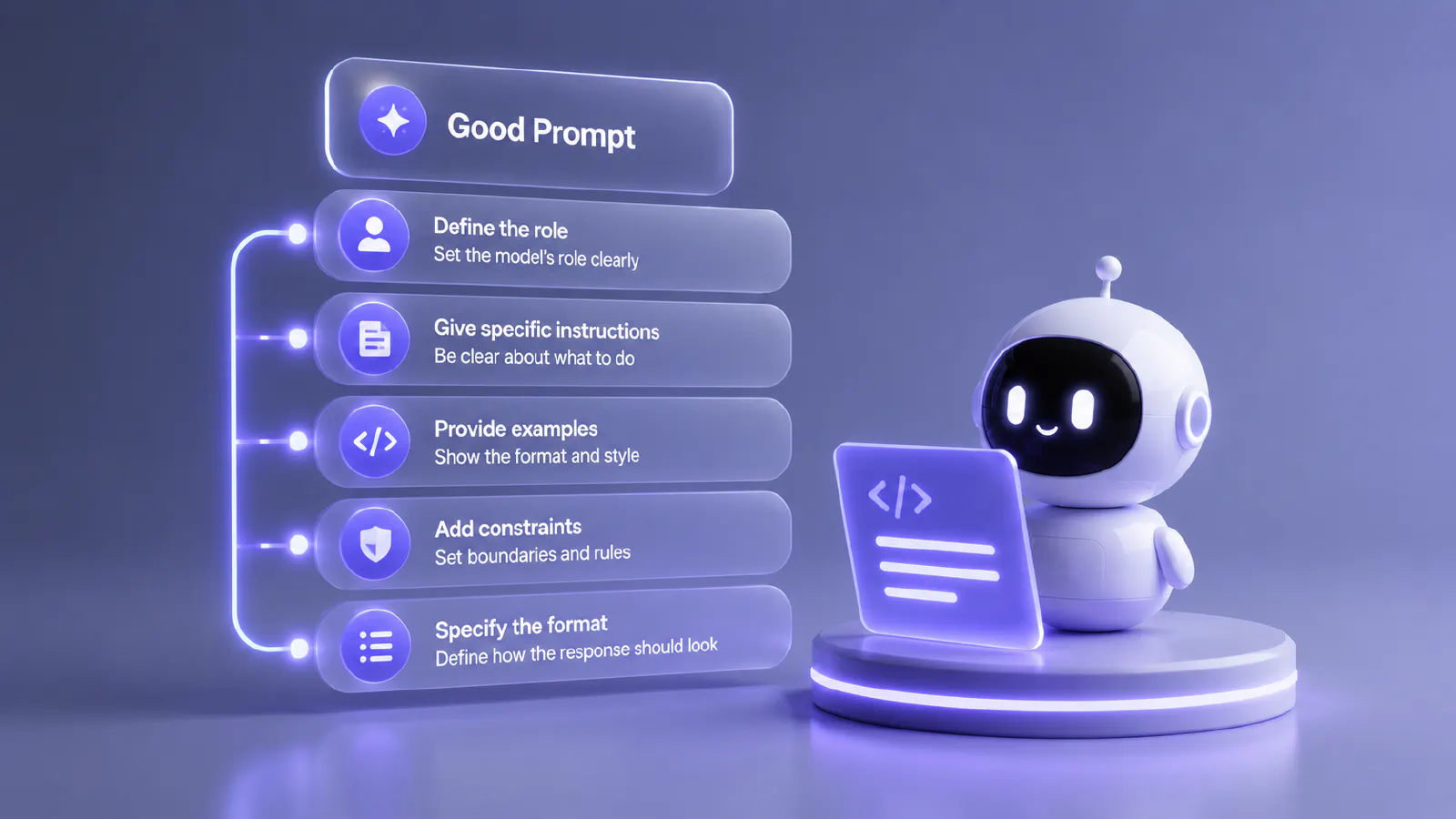
Prompt engineering best practices
The quality of the prompt is also important here. It includes a clear definition of the model’s role, specific instructions on the response format, examples, and constraints. Use XML tags to structure complex prompts – this improves instruction adherence on Claude and GPT models.
Fine-tuning vs RAG approaches
These are two different ways to improve an AI model’s behavior and make it more effective.
- Fine-tuning is retraining the model on your own data so that it changes its behavior. Among the main advantages are faster responses, suitability for fixed tasks, and a more personalized response style. However, it requires a lot of high-quality data, and training is time-consuming and expensive. Fine-tuning is justified when you need to incorporate a specific style or format of responses, improve handling of domain-specific terminology, or reduce costs when dealing with a very high volume of queries.
- RAG is when the AI does not relearn, but first searches for information and then responds. Advantages: always having fresh data, ease of updating the system, no need for retraining. But its effectiveness largely depends on the quality of the database used. On the whole, this method is the best in 2026 for all types of tasks.
Using custom datasets and knowledge bases
Building the database is a very important step. To do this, collect documents, FAQs, manuals, and dialogue examples. Clean the data – specifically, remove duplicates, standardize the format, and split long documents into chunks of 512–1024 tokens with overlap. It is important to remember that data quality directly determines the quality of the assistant’s responses.
Summary
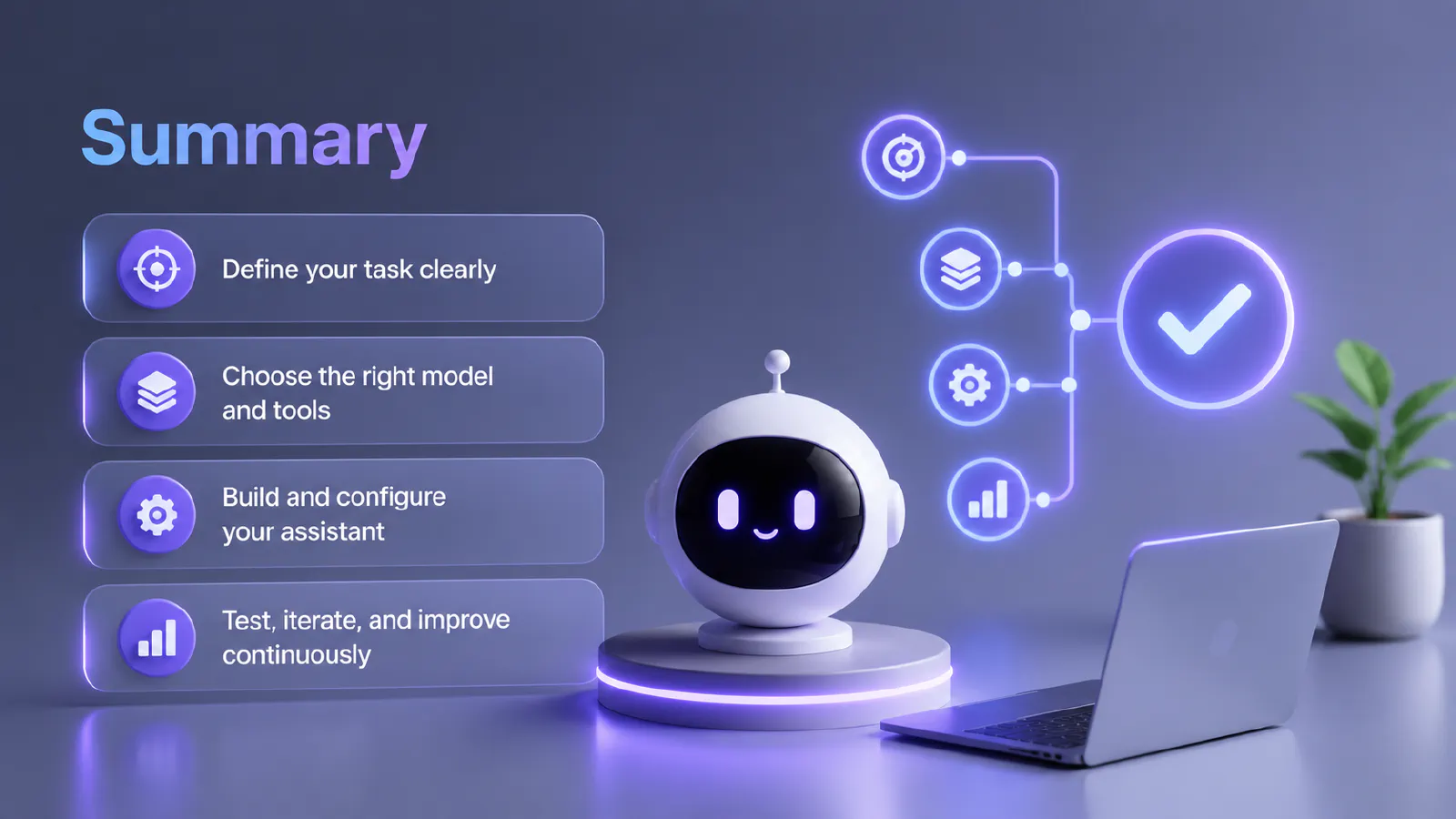
Creating your own AI assistant in 2026 is a perfectly realistic and achievable task if you know the right approach. This is possible both for those without coding skills and for those who can code. The answer to the question “how to make an artificial intelligence assistant” might sound like this: the key is to start with a clear definition of the task, choose the right model and tools, and iteratively test and improve**.**