
Last updated: June 30, 2026
Claude Science is Anthropic’s new beta AI workbench for researchers. It is not a new Claude model. It is a desktop app that combines Claude with local code execution, scientific artifacts, databases, connectors, reusable skills, remote compute, and a reviewer agent designed to make scientific work easier to audit.
Quick answer: Claude Science is an app for scientific research workflows: literature review, Python/R/shell analysis, figure iteration, genomics, single-cell RNA-seq, proteomics, structural biology, cheminformatics, and HPC-backed jobs. It runs on macOS and Linux, is available in beta for Claude Pro, Max, Team, and Enterprise users, and uses the same Claude models included in your plan. The biggest feature is provenance: generated figures, tables, notebooks, and manuscripts can carry the code, environment, and conversation history behind them.
Review verdict: Claude Science is worth testing if your lab already spends time stitching together PubMed, notebooks, R, Python, shell scripts, HPC jobs, scientific databases, and publication figures. It is less useful if you only need casual scientific Q&A. The launch is important because Anthropic is moving Claude from a general assistant into a specialized, tool-using research environment where the output can be checked, reproduced, forked, and refined.
For adjacent AI research tools, compare this with Sakana AI Fugu, Fugu Ultra, and Claude Opus 4.8. Fugu is a model-orchestration product. Claude Science is a domain workbench around Claude.
What is Claude Science?
Claude Science is Anthropic’s AI workbench for scientific research. The official Claude Science launch post describes it as an app that brings common research tools into one environment, produces auditable artifacts, and gives researchers flexible compute access.
The important distinction is simple:
| Question | Answer |
|---|---|
| Is Claude Science a new model? | No. It is a beta app/workbench that uses the Claude models available in your plan. |
| Is it only a chatbot? | No. It can write and run Python, R, and shell commands, use connectors, manage environments, and submit compute jobs. |
| Is it only for life sciences? | The launch is heavily life-sciences focused, but Anthropic also mentions chemistry, math, computer science, physics, and broader scientific labs for discounted research-lab access. |
| Does it replace domain tools? | No. It is designed to connect existing scripts, databases, ELNs, internal tools, HPC resources, and specialized scientific models. |
| Is it production-stable? | Not yet. It is a beta product, and Anthropic documents several admin and compliance gaps. |
From a researcher’s point of view, the pitch is: describe the task in plain language, let Claude plan the workflow, approve the resources it wants to use, watch it run code or jobs, then inspect the artifacts and reviewer findings.
That makes Claude Science closer to a scientific operating environment than a normal AI chat tab.
Why Claude Science matters
AI research assistants already help with literature summaries and code snippets. The bottleneck is what happens after the answer: Was the figure actually generated from the data? Which environment created it? Did the citation support the claim? Can a collaborator reproduce it three months later?
Claude Science is Anthropic’s answer to that bottleneck. It focuses on five practical problems:
- Scientific tooling is fragmented. Researchers jump between papers, databases, notebooks, R, Python, shell scripts, cluster terminals, and domain viewers.
- AI answers are hard to audit. A general assistant can sound confident even when a number, citation, or method is wrong.
- Compute is awkward. Larger jobs often require environment setup, batch scripts, SSH, SLURM, GPU availability, and file-transfer cleanup.
- Artifacts matter. Science is not just prose. It is figures, tables, notebooks, structures, alignments, genomic tracks, and manuscripts.
- Labs already have trusted pipelines. A useful AI research tool needs to run existing code and connect to internal systems, not force a full migration.
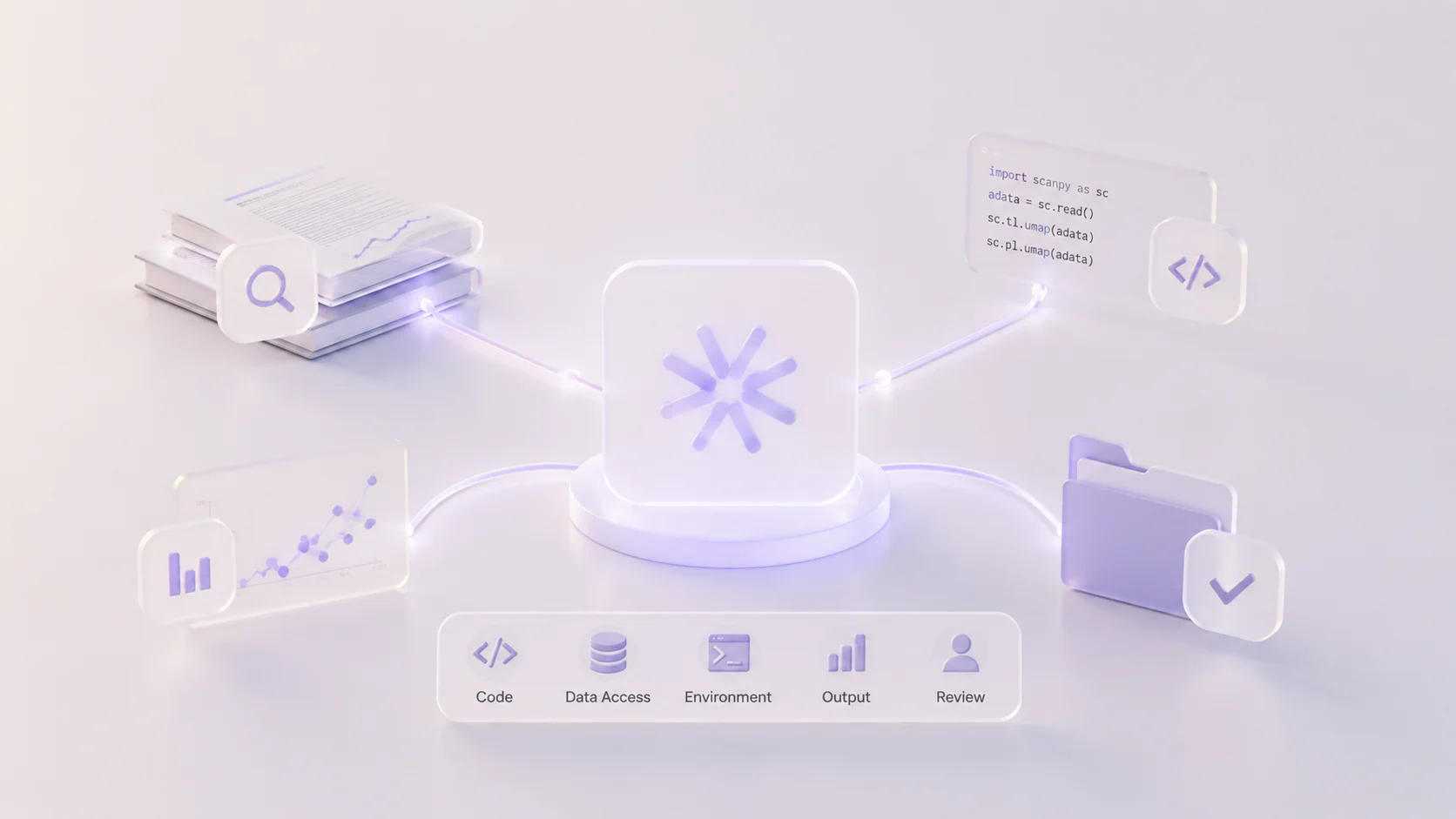
The strongest idea in Claude Science is not that Claude can talk about science. It is that Claude can work inside an auditable loop where code, data access, environment, output, and review are tied together.
Claude Science pricing and availability
Claude Science is available in beta for Claude Pro, Max, Team, and Enterprise users. Team and Enterprise organizations need an admin to enable it before members can use it.
As of the June 30, 2026 source check, the relevant Claude plan pricing is:
| Plan | Public pricing shown by Claude | Claude Science relevance |
|---|---|---|
| Pro | $17/month with annual billing, or $20/month billed monthly | Entry point for individual users; includes access, but reviewer automation is more limited than higher plans. |
| Max | From $100/month | Better fit for heavy individual research use because it provides more usage than Pro. |
| Team standard seat | $20/seat/month annually, or $25 monthly | Team workspace, admin controls, central billing, and org features. |
| Team premium seat | $100/seat/month annually, or $125 monthly | Higher-usage team seat for power users. |
| Enterprise | Listed as seat price plus usage at API rates for self-serve; sales terms may vary | Enterprise access, identity controls, usage analytics, and governance features. |
Claude Science does not have separate API token pricing because it is not a standalone API model. Usage counts against the Claude plan and product limits. Anthropic’s admin docs say Claude Science usage counts toward the same 5-hour and weekly limits as Claude Code and Cowork.
There is also an academic/nonprofit angle. Anthropic says it has a discounted Team plan for active scientific labs at academic institutions and nonprofit research organizations, with eligibility verified through the lab’s principal investigator.
Anthropic also announced support for up to 50 Claude Science AI for Science projects, with up to $30,000 in credits and up to $2,000 in Modal compute for selected projects. Applications are open through July 15, 2026, with award notifications planned by July 31, 2026, and projects running from September 1 to December 1, 2026. That grant window is time-sensitive, so verify it directly on Anthropic’s page before planning around it.
Claude Science setup requirements
Claude Science is a local-first desktop application. It opens through a browser interface, but it is launched from the local app rather than visited like a normal website.
Anthropic’s Claude Science documentation lists these basic requirements:
| Requirement | Details |
|---|---|
| Claude account | Pro, Max, Team, or Enterprise. Team and Enterprise require admin enablement. |
| Operating system | macOS 13 or later, or Linux x64. |
| Disk space | About 5 GB for the runtime and starter environments. |
| Linux dependencies | socat, bubblewrap 0.8.0 or later, and unprivileged user namespaces enabled. |
| Windows support | Not listed at launch. The beta is macOS and Linux. |
On first launch, Claude Science creates starter Python and R environments. The default Python environment includes common scientific packages such as NumPy, pandas, SciPy, matplotlib, seaborn, and Pillow. The default R environment includes tidyverse, ggplot2, and jsonlite.
When a task needs packages outside those starters, Claude can propose a task-specific environment. That matters for reproducibility because Claude Science can tie outputs to the environment that produced them instead of leaving collaborators to guess which package versions were used.
How Claude Science works
Claude Science has several moving parts. The practical workflow looks like this:
- You create or open a project.
- You describe a research task in natural language.
- Claude may propose a plan for multi-step work.
- You approve or revise the plan.
- Claude asks permission before accessing folders, running code, connecting to a network host, using a connector, or launching a remote job.
- Claude writes and runs Python, R, or shell commands.
- Results appear as artifacts in the app.
- The reviewer checks recent responses, artifacts, and execution history for claims that do not match the record.
- You annotate figures or manuscripts, ask for changes, fork sessions, or reuse the workflow as a skill.
Permission cards
Claude Science is permission-driven. The app asks before it gets new access to folders, code execution, package installation, network hosts, connector tools, or remote jobs. Folder access can be read-only or read/write, and standing grants can be revoked in settings.
This is important because a scientific assistant needs access to real files, but unrestricted file and network access would be risky. Claude Science is designed around explicit approvals rather than silent access.
Local sandbox
Claude writes and runs code inside an operating-system sandbox on your machine. The sandbox can only read and write the workspace and the folders you grant. Network access is deny-by-default and goes through a local proxy that permits package managers, approved databases behind featured connectors, and hosts you approve.
There is one major caveat: remote compute jobs are different. If you submit work to a lab server, cloud VM, or HPC cluster, the job runs outside the local sandbox as your user on that host. That is powerful, but it means labs need clear rules for what Claude can run on shared infrastructure.
Scientific artifacts
The artifact system is the most SEO-worthy and practically useful part of Claude Science. The product page says figures, tables, and notebooks can include the exact code, environment, and conversation that produced them. The app can natively inspect scientific formats such as protein structures, alignments, genomic tracks, chemical structures, and PDFs.
For researchers, this is the difference between “the AI made a chart” and “this chart has an evidence trail.”
Reviewer agent

The built-in reviewer checks whether Claude’s claims match the approved plan, saved artifacts, and execution record. It can flag issues such as:
- a result claimed as computed when no corresponding code ran;
- a number that contradicts the source file;
- a citation that does not support the claim;
- a DOI that resolves to a different paper;
- an approved plan step that was skipped;
- a conclusion that is not supported by the method that ran.
Do not overread this feature. The reviewer is not a guarantee of correctness. Anthropic’s docs explicitly say it does not rerun analyses and does not decide whether your method was the right one for the research question. It is a claim-vs-record checker, not a substitute for scientific review.
On Max, Team, and Enterprise plans, the reviewer can run automatically after responses and during longer work. On Pro, Anthropic’s documentation says users can trigger reviews manually.
What can Claude Science do?
Anthropic is positioning Claude Science around end-to-end scientific workflows, especially in life sciences.
Good candidate tasks include:
| Workflow | What Claude Science can help with |
|---|---|
| Literature review | Search and synthesize papers, build evidence tables, check citations, draft review sections. |
| Single-cell RNA-seq | Run QC, clustering, annotation, marker exploration, UMAPs, and figure iteration. |
| Genomics | Query databases, process sequence data, run scripts, inspect alignments, and prepare interpretable artifacts. |
| Protein structure | Pull structures, annotate domains or variants, render 3D structures, and connect to model workflows. |
| Cheminformatics | Search compounds, compute properties, compare structures, and support molecular design workflows. |
| Manuscript and figure work | Generate plots, refine them in plain language, preserve code and provenance, and draft Markdown/LaTeX. |
| HPC-backed analysis | Draft batch scripts, submit jobs over SSH or SLURM, pull back outputs, and document the run. |
| Lab-specific pipelines | Read existing scripts, run them with approval, wrap repeatable workflows as skills, and connect internal tools through connectors. |
The product is not just for one-off questions. It is best suited for workflows where Claude can repeatedly read, run, inspect, revise, and preserve evidence.
Claude Science benchmarks: what we know

There is no public benchmark table that proves Claude Science is better than every other science AI tool. That is because Claude Science is not a model with one fixed score. It is an application layer around Claude models, scientific tools, connectors, environments, and compute.
Anthropic’s launch evidence is mostly workflow evidence:
- beta users ran tasks such as single-cell RNA-seq analysis, CRISPR screen design, protein structure prediction, and cheminformatics;
- Manifold Bio used Claude Science to help nominate targets for experiments;
- an Allen Institute researcher used it for a multi-agent computational review workflow with specialist skills and reviewer agents;
- a UCSF group used Claude Science-supported workflows for molecular epidemiology work and reported major time savings after independent validation.
Those are useful case studies, but they are not independent head-to-head benchmarks. Treat them like early product evidence, not proof that Claude Science will work on your lab’s data.
A better evaluation is to run an internal benchmark:
| Metric | How to test it |
|---|---|
| Reproducibility | Ask Claude Science to reproduce a known analysis and verify whether another person can rerun it from artifacts. |
| Scientific accuracy | Compare outputs against an expert-reviewed baseline, not just against model confidence. |
| Citation fidelity | Sample claims and check whether the cited papers actually support them. |
| Time saved | Measure human hours from raw data to reviewed artifact. |
| Error rate | Count false claims, skipped steps, broken code, untraceable numbers, and invalid assumptions. |
| Compute reliability | Track failed jobs, timeout behavior, environment conflicts, and cluster-policy issues. |
| Governance fit | Check whether local data, connector use, remote compute, and audit needs match lab policy. |
For a lab, the real benchmark is not “Claude Science answered a hard question.” It is “Claude Science produced a result we can defend, reproduce, and improve faster than our existing workflow.”
Claude Science vs GPT-Rosalind
The natural comparison is Claude Science vs GPT-Rosalind, but they are not the same category.
OpenAI’s GPT-Rosalind is a purpose-built life sciences reasoning model. Claude Science is a scientific workbench app around Claude models, tools, artifacts, and compute.
| Comparison | Claude Science | GPT-Rosalind |
|---|---|---|
| Product type | Desktop research workbench/app | Purpose-built life sciences model series |
| Main promise | Run scientific workflows with artifacts, tools, connectors, local data, and compute integration | Stronger biological reasoning for life sciences research and drug discovery |
| Access style | Claude app on Pro, Max, Team, Enterprise beta | Research preview / trusted-access structure for eligible organizations |
| Execution layer | Local Python/R/shell, connectors, remote SSH/HPC, Modal, artifacts | OpenAI describes plugins and Codex-based scientific workflow support for eligible users |
| Best fit | Labs that want Claude to operate across their existing files, scripts, tools, and compute | Organizations that need a specialized biological reasoning model under gated access |
| Watch-outs | Beta governance gaps, local-device data management, no Windows launch support, reviewer limitations | Gated access, dual-use controls, model-specific availability, separate evaluation needed |
The simplest take: Claude Science is the workspace; GPT-Rosalind is the specialized model. A serious research organization may evaluate both, but the procurement question is different.
Claude Science vs Claude Code
Claude Code already became popular with technical researchers because it can read files, write scripts, run commands, and iterate in a project folder. Claude Science takes that pattern and adds a science-specific interface.
| Feature | Claude Code | Claude Science |
|---|---|---|
| Core audience | Developers and technical users | Scientific researchers and labs |
| Interface | Terminal, IDE, web/mobile variants depending on product | Local app opened through a browser tab |
| Default tools | Codebase editing, shell workflows, software tasks | Python, R, shell, scientific artifacts, databases, domain renderers |
| Provenance | Depends on how you structure your repo and logs | Built around versioned artifacts with code, environment, and conversation history |
| Reviewer | Not the same product-level scientific reviewer | Built-in reviewer for claim-vs-record checks |
| Remote compute | Possible manually if configured | First-class SSH/HPC/Modal workflow support |
| Best fit | Software engineering, data work, automation | Research workflows that need scientific formats, provenance, and domain connectors |
If your workflow is mostly coding, Claude Code may still be the better tool. If your workflow is scientific analysis and evidence-heavy artifacts, Claude Science is the more targeted option.
Privacy, data, and security limits
Claude Science is local-first, but not offline. This distinction matters.
Anthropic’s data docs say conversation history and artifacts are stored on the member’s device rather than in an Anthropic-hosted session store. However, each model call still sends the prompt and Claude’s response to Anthropic’s servers for processing under standard retention and Trust & Safety policies.
In practical terms:
- raw datasets and compute can stay on your infrastructure;
- any content included in prompts, tool results, or model context may be processed by Anthropic;
- local files, artifacts, and conversation history do not automatically follow you to another computer;
- remote compute traffic goes directly to the destination you configure, not through Anthropic;
- directory connectors published by admins use Anthropic-hosted connector services, while local/custom connectors can communicate directly from the user’s app.
This is good for labs that want data to remain local, but it is not the same as an air-gapped system. Teams handling sensitive health, clinical, proprietary, or regulated data should review Anthropic’s data documentation and their own institutional rules before enabling it.
Anthropic also says Claude Science is a research tool and is not intended for clinical or diagnostic use. Do not use it as a clinical decision system.
Admin and compliance limitations
Because Claude Science is in beta, several controls are incomplete.
Anthropic documents these important limitations:
| Area | Beta limitation |
|---|---|
| Audit logs | Claude Science events are not yet written to the organization audit log. |
| Compliance API | Admins cannot export or delete Claude Science data through the Compliance API. |
| Org data export | Local data stored on members’ computers is not included. |
| Custom data retention | Auto-delete windows do not govern local Claude Science data. |
| Local connectors and skills | Admin restrictions do not fully control member-added local/custom connectors and local skills yet. |
| Session duration | The setting limits browser sign-in, but the local app can stay signed in beyond that window. |
| Offboarding | Removing a member blocks future sign-in but does not wipe data already on their computer. |
| HIPAA | Anthropic lists HIPAA as partial; beta usage is not covered under the BAA. |
That does not mean teams should avoid Claude Science. It means enterprise, university, biotech, and healthcare organizations should pilot it with controlled datasets first and involve IT/security early.
Best use cases for Claude Science

Claude Science is strongest when the task is messy, multi-step, and evidence-heavy.
Evaluate it for:
- turning raw or semi-processed biological data into reviewed figures;
- reproducing an existing analysis from lab scripts;
- iterating on publication-quality scientific plots;
- building a structured literature review with evidence extraction;
- wrapping a lab pipeline as a reusable skill;
- connecting a custom internal tool through a connector;
- running large jobs on an existing HPC cluster;
- using specialist agents to split literature, analysis, and review tracks;
- inspecting protein structures, genomic tracks, alignments, chemical structures, or PDFs in one place.
Do not start with Claude Science for:
- quick textbook explanations;
- homework-style science Q&A;
- simple summarization that does not need code or artifacts;
- clinical diagnosis;
- regulated data before security review;
- workflows where your organization cannot tolerate beta admin-control gaps;
- tasks where a deterministic validated pipeline is already required and AI should not modify it.
How to test Claude Science in a lab
A good pilot should not start with your riskiest dataset. Use a known workflow where the expected answer is already available.
Recommended pilot structure:
- Choose a known analysis. Pick a published or internally validated dataset where your team knows the expected figures and caveats.
- Define allowed resources. Decide which folders, connectors, internet hosts, and remote compute targets Claude may use.
- Ask for a plan first. Require Claude to explain the steps before it touches data or submits jobs.
- Record every approval. Track folder access, package installs, network hosts, and remote jobs.
- Review artifacts. Check the code, environment, figure metadata, and reviewer findings.
- Have a domain expert grade it. Score not only the final result but also the method and caveats.
- Repeat with a harder task. If the first run works, test a real bottleneck such as a literature review, cell annotation, or HPC job.
- Compare against baseline. Measure time, errors, reproducibility, and human review effort against the current workflow.
The highest-value result from a pilot is not a flashy demo. It is a repeatable operating procedure: what Claude Science can do, what it should never do, and what humans must always verify.
Sources checked
- Anthropic Claude Science launch announcement
- Claude Science product page
- Claude Science documentation overview
- Claude Science get started documentation
- Claude Science core concepts
- Claude Science reviewer documentation
- Claude Science tools and environments
- Claude Science remote compute clusters
- Claude Science data and admin documentation
- Claude pricing page
- NVIDIA BioNeMo Agent Toolkit and Claude Science
- OpenAI GPT-Rosalind overview
FAQ

What is Claude Science?
Is Claude Science a new model?
How much does Claude Science cost?
Does Claude Science run on Windows?
Is Claude Science safe for sensitive research data?
Can Claude Science use an HPC cluster?
sbatch, pull outputs back into the session, and record paths for large files that remain on the host.