Last updated: July 21, 2026
Anthropic has added a new way to teach Claude how you work: demonstrate the task instead of writing the instructions. In Claude Cowork, you can record your screen while completing a workflow, explain your decisions aloud, and let Claude turn the demonstration into a reusable Skill.
The feature is called Record a skill. Anthropic announced it on July 21 and says it is available from the + menu in the Claude Desktop app for Pro, Max, and Team subscribers.
This is more important than a screen recorder with an AI summary. A Claude Skill is a reusable package of task-specific instructions that Claude can load when relevant. The new workflow lowers the hardest barrier to creating one: translating an experienced person’s actions, standards, exceptions, and reasoning into clear documentation.
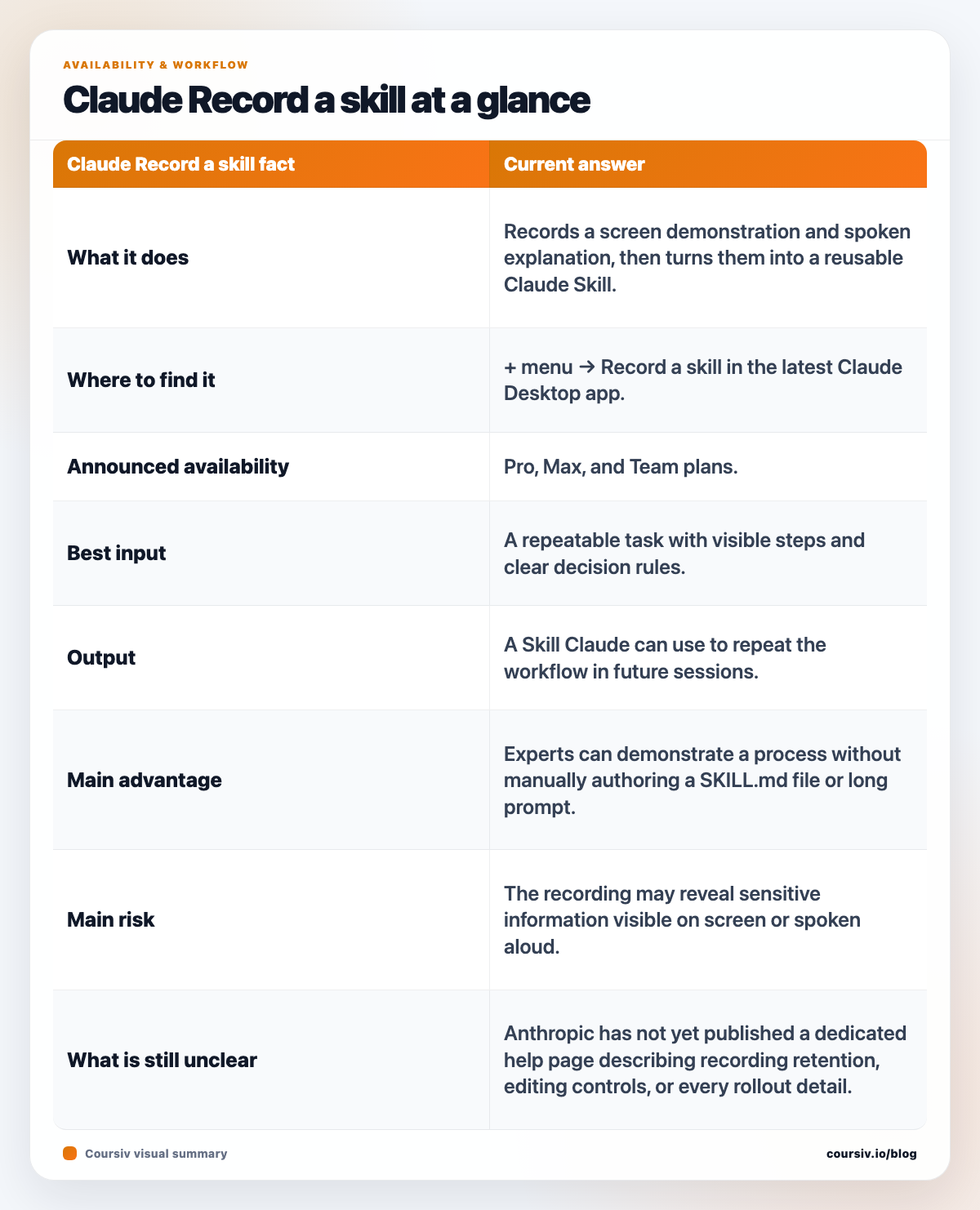
| Claude Record a skill fact | Current answer |
|---|---|
| What it does | Records a screen demonstration and spoken explanation, then turns them into a reusable Claude Skill. |
| Where to find it | + menu → Record a skill in the latest Claude Desktop app. |
| Announced availability | Pro, Max, and Team plans. |
| Best input | A repeatable task with visible steps and clear decision rules. |
| Output | A Skill Claude can use to repeat the workflow in future sessions. |
| Main advantage | Experts can demonstrate a process without manually authoring a SKILL.md file or long prompt. |
| Main risk | The recording may reveal sensitive information visible on screen or spoken aloud. |
| What is still unclear | Anthropic has not yet published a dedicated help page describing recording retention, editing controls, or every rollout detail. |
Verified July 21, 2026
- Feature announcement and plan availability: Claude’s official X post
- How Skills fit into Cowork: Customize Claude Cowork
- What Claude Skills are and where they work: Teach Claude your way of working using skills
- Existing custom-skill controls and sharing: Use Skills in Claude
- Current risk guidance for agentic desktop work: Use Claude Cowork safely
The launch post is currently the primary source for Record a skill itself. Anthropic’s broader Skills and Cowork documentation explains the surrounding product, but it does not yet answer every recording-specific privacy and retention question.
What is Claude Cowork’s Record a skill feature?
Record a skill is a demonstration-to-automation workflow in Claude Cowork. You perform a task on your computer while recording the screen, narrate what you are doing and why, and Claude converts that evidence into a Skill it can apply again.
Before this release, Anthropic already offered several ways to create custom Skills:
- write the instructions and supporting files manually;
- ask Claude to create a Skill from a written description;
- complete a workflow in Cowork and ask Claude to package the successful process into a Skill;
- upload a prepared Skill package through Claude’s customization controls.
The new option captures the process while it happens. That matters because people often omit crucial details when asked to document familiar work from memory. A live demonstration can reveal ordering, checks, visual cues, naming rules, fallback decisions, and small quality-control habits that never make it into a standard operating procedure.
The result is not a trained copy of the person and not a new foundation model. It is a task-specific instruction package. Anthropic’s Skills guidance describes Skills as reusable resources that Claude loads when their description matches the current task.
How to use Record a skill in Claude Desktop
Anthropic’s announcement gives a short path rather than a full setup guide:
- Update and open the Claude Desktop app.
- Start or enter a Cowork task.
- Select the + menu.
- Choose Record a skill.
- Perform the workflow on screen.
- Talk through the important choices, rules, and exceptions as you work.
- Let Claude convert the demonstration into a Skill.
- Review and test the Skill on a fresh example before relying on it.
The final two steps are essential. A recording shows what happened once; a useful Skill must generalize beyond that one file, customer, date, or project. Test it with different inputs and inspect whether Claude learned the underlying rule rather than copying accidental details from the demonstration.
If Record a skill does not appear, first update Claude Desktop and check that the account is on a supported Pro, Max, or Team plan. Anthropic says the feature is in the desktop app; the launch post does not claim that recording can be started from Claude on the web or mobile.
What should you record?
The best candidates are workflows that are repeated, visible, and easy to verify.
Strong use cases
- Weekly reporting: open the same data sources, apply the same checks, write the same report structure, and flag the same exceptions.
- Presentation cleanup: apply a brand hierarchy, spacing system, chart style, and final review checklist.
- Research briefs: search approved sources, capture evidence, separate facts from assumptions, and format a consistent summary.
- Content operations: prepare a draft, check required links, apply metadata, and run a publishing checklist.
- Spreadsheet preparation: normalize column names, fix common formatting issues, calculate standard metrics, and create a recurring output table.
- Customer-support triage: classify a case, find the relevant policy, draft a response, and route edge cases for human review.
- Quality assurance: reproduce a test path, collect evidence, label severity, and write a structured bug report.
Weak use cases
- a one-off task that will never be repeated;
- a process dominated by private intuition that is not narrated;
- a workflow whose correct result cannot be checked;
- a task that changes radically for every input;
- actions involving money transfers, account recovery, medical records, contracts, or other high-stakes data;
- a demonstration full of unrelated windows, notifications, passwords, or customer information.
- Repeatable reports and briefs
- Document and spreadsheet formatting
- Research and QA checklists
- Low-risk content operations
- Workflows with many exceptions
- Tasks spanning several signed-in apps
- Processes that use customer or employee data
- Passwords and account recovery
- Banking, health, or legal actions
- Irreversible approvals or publishing without review
Why this changes how teams create AI automation
Most workplace automation begins with process discovery. Someone interviews an expert, writes an SOP, turns the SOP into prompts or code, tests it, and then revises the automation when missing details appear.
Record a skill compresses the first part of that cycle. The expert can show the process directly, and Claude can draft the operational instructions from the trace. That may help teams capture work that was previously too small or too informal to justify a full automation project.
The feature also moves Claude Skills closer to executable institutional knowledge. Traditional documentation tells another person what to do. A Skill is written for an AI agent that can select the procedure and use tools to carry it out. If the Skill is shared on a Team plan, one person’s demonstrated workflow can become a starting point for a wider group.
But recording does not remove the need for process design. It makes weak procedures easier to reproduce too. If the demonstration includes unnecessary steps, unsafe shortcuts, inconsistent naming, or unspoken assumptions, those problems can become part of the generated Skill.
Privacy and security: prepare the screen before recording
Screen-based features require a stricter privacy check than normal prompting. The launch announcement does not yet include a dedicated technical page explaining exactly how Record a skill stores recordings, how long recordings remain available, or which administrative controls apply. Do not invent answers to those questions; check the product UI and your organization’s current Anthropic terms before recording confidential work.
Anthropic’s general Cowork safety guidance says Cowork can read files, browse the web, run code, and use connected applications, and that remote-session work is processed on Anthropic’s servers. Its separate computer-use guidance warns that information visible on screen can include personal or confidential data. Those pages are not a recording-specific data policy, but they establish the right operational caution.
Before starting a recording:
- close email, chat, password managers, finance apps, health portals, and unrelated customer records;
- disable notification previews;
- use a sample dataset with fake names and account numbers;
- remove API keys, tokens, internal URLs, and credentials from the screen;
- narrate the rule without speaking private facts;
- record the smallest screen area and shortest workflow that still teaches the task;
- inspect the generated Skill for copied identifiers, file paths, names, and accidental secrets;
- test with a non-sensitive example before sharing the Skill.
For teams, add a human owner, version date, allowed data classification, and review schedule to every production Skill. A reusable instruction file can outlive the policy or interface it was based on.
How to make the generated Skill more reliable
A good demonstration is deliberate. Use this structure while recording:
- State the goal. Explain the exact result the workflow should produce.
- Identify inputs. Point out which files, fields, systems, or source types are allowed.
- Explain decision rules. Say why you choose one option over another.
- Name exceptions. Describe when Claude should stop, ask, or escalate.
- Show verification. Demonstrate how you know the output is correct.
- Define the deliverable. Specify naming, format, destination, and required sections.
- Separate constants from examples. Say which details are rules and which belong only to the sample.
After generation, run at least three tests:
- a normal example similar to the recording;
- an edge case with missing or conflicting information;
- a clearly out-of-scope request that the Skill should refuse or escalate.
If the Skill succeeds only on the first test, it captured a replay rather than a robust process.
Record a skill vs Instructions, Projects, and memory
These Claude customization features solve different problems.
| Feature | Best use |
|---|---|
| Instructions | Rules that should apply broadly, such as tone, formatting, or organization-wide policy. |
| Project knowledge | Files and context associated with one continuing project. |
| Memory | Selected facts and preferences Claude carries across supported conversations. |
| Skill | A specific repeatable procedure Claude should load only when relevant. |
| Record a skill | A new way to create that procedure by demonstrating it on screen. |
Use Record a skill when the knowledge is procedural: how to perform this kind of task. Use project knowledge when the material is contextual: what Claude needs to know about this project. Put truly universal behavior in Instructions rather than forcing every task through a Skill.
Final verdict
Record a skill is one of Claude Cowork’s clearest attempts to make agent customization accessible to nontechnical experts. Instead of asking users to understand folders, metadata, or instruction-file design, Anthropic lets them teach by demonstration.
The opportunity is real: faster SOP capture, more reusable team knowledge, and a shorter route from “watch how I do this” to “repeat this workflow.” The limitation is equally important: one demonstration is not validation, and a screen recording can contain far more sensitive context than a carefully written prompt.
The best first experiment is a low-risk, repetitive, easily checked task using sanitized data. Record it, inspect the resulting Skill, test it against multiple examples, and only then decide whether it deserves a place in a real workflow.