This guide covers apps that teach you how to use and understand AI. If you want an AI tutor for school subjects instead, see our guide to the best AI tools for studying.
The best app to learn AI depends on your goal:
Coursiv for learning popular AI tools and keeping up as they change.
Coursera for a certificate with a known provider’s name.
Learn AI by Sololearn for practicing prompts from the first lesson.
Learn AI for Beginners for the technical side of AI, starting from Python basics, with a free first course.
I installed 8 apps, finished at least three lessons in each, and compared content, price, certificates, and how much AI each one teaches.
Disclosure and how I tested
Coursiv publishes this guide and is one of the apps listed. I tested it the same way as the others.
Each app went through the same test on a phone:
Install the app and pick its named AI course.
Finish at least three lessons.
Note when the paywall appears and what it asks for.
Check offline use, certificates, and reminders.
Prices and ratings come from the App Store, Google Play, or the provider’s own site on the day I checked them. Prices change often, so the price you see when you subscribe may differ from the one listed here.
I tested the apps on November 11 and 12, 2026.
Compare the 8 apps at a glance
The table below compares the best apps to learn AI on the fields that decide most purchases.
Last verified: November 12, 2026.
| App | Best for | Price |
|---|---|---|
| Coursera | Certificate with a known provider’s name | Free: first module of most courses, 7-day trial. Plus: $59/mo or $399/yr |
| LinkedIn Learning | LinkedIn Premium subscribers | Free: Premium is free for a month if eligible. Premium Career: $39.99/mo or $239.88/yr |
| Udemy | One focused AI course, paid once | Free: some courses, without a certificate. $19.99 per course; Personal Plan from $12.99/mo |
| Coursiv | Keeping up with popular AI tools | See the Coursiv site |
| Learn AI by Sololearn | Prompt practice from the first lesson | Free: three-task trial. $11.99/wk or $34.99/mo |
| Learn AI for Beginners | The technical side of AI, from Python basics | Free: first course, with ads. $5.99/wk, $7.99/mo, $24.99/yr, or $59.99 lifetime |
| Brilliant | How language models work, with some math and code | Free: limited daily lessons. $45/mo or $360/yr. |
| DataCamp | AI concepts plus data skills | Free: first chapter of every course. $28/mo billed annually or $35/mo |
Pick the app that matches your goal
The best AI learning app for you depends on what you want to get out of it. Find your goal below, then read the entries for the apps listed next to it.
| Your goal | Apps to try |
|---|---|
| Use AI in your current work, build a habit of testing the new features and tools that come out every month | Coursiv, Learn AI by Sololearn |
| Build AI literacy: what AI can do, its limits, and responsible use | Coursera, LinkedIn Learning, DataCamp |
| Get a certificate to show | Coursera, LinkedIn Learning, Coursiv |
| Learn to code AI | Learn AI for Beginners, Brilliant, DataCamp |
| Learn AI with a free AI learning app | Udemy (free courses, no certificate), Brilliant |
If a daily habit matters most, these guides go deeper:
Daily AI learning app for beginners → What daily lessons can and can’t teach, plus a 30-day test for any app
Gamified AI learning app → Which features help you learn, and why practice at the right difficulty matters more than rewards
AI learning app with daily reminders → How to set reminders that fit your calendar and keep a streak going
The 8 AI learning apps, tested
Each entry below uses the same fields, so you can compare apps side by side.
Coursera: university and company AI courses on your phone
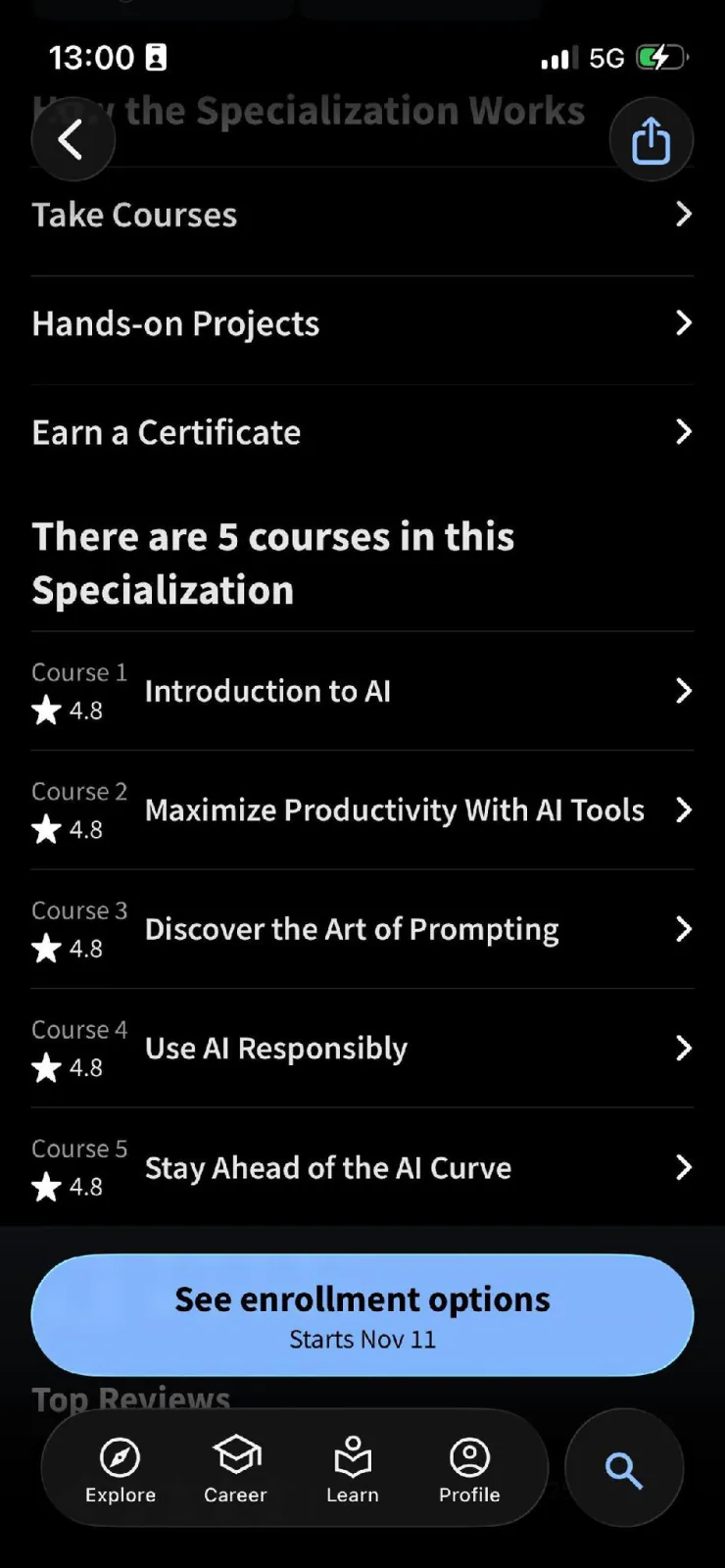
Screenshot: Coursera (Coursera, Inc.)
Best for
Readers who want a known provider’s name on the certificate and don’t mind video lessons.
What it teaches about AI
Coursera hosts full courses from companies and universities. Google AI Essentials, taught by Google, is a beginner course that takes under 10 hours. Its five parts cover what AI is, using AI tools for work tasks, writing prompts, using AI responsibly, and keeping up with new tools.
AI For Everyone, from DeepLearning.AI and taught by Andrew Ng, takes about 7 hours. It explains what AI can do and how companies build AI projects, without code.
Lesson length
Lessons are videos. In Google AI Essentials, each of the five parts takes 1 to 2 hours.
Price and free tier
Coursera Plus costs $59 a month or $399 a year, with a 14-day money-back guarantee on the annual plan and a 7-day free trial. Google AI Essentials costs $49 a month after a 7-day free trial.
Note that Coursera only lets you start the 7-day free trial in a web browser, and only once per subscription.
Certificate
Paid courses give a shareable certificate. Google AI Essentials gives a certificate from Google that you can add to LinkedIn.
iPhone, Android, and web
Coursera runs on iPhone, Android (version 8 or newer), and the web, and both apps let you download videos to watch offline. App Store rating: 4.8 (178,000 ratings). Google Play rating: 4.3 (309,000 reviews).
Limitations
Not every part of a course works in the app. Coursera’s help center says some assessment types aren’t available on mobile, and App Store reviewers mention parts that only open on a computer, plus glitches in how typed quiz answers are graded.
LinkedIn Learning: short video courses for professionals
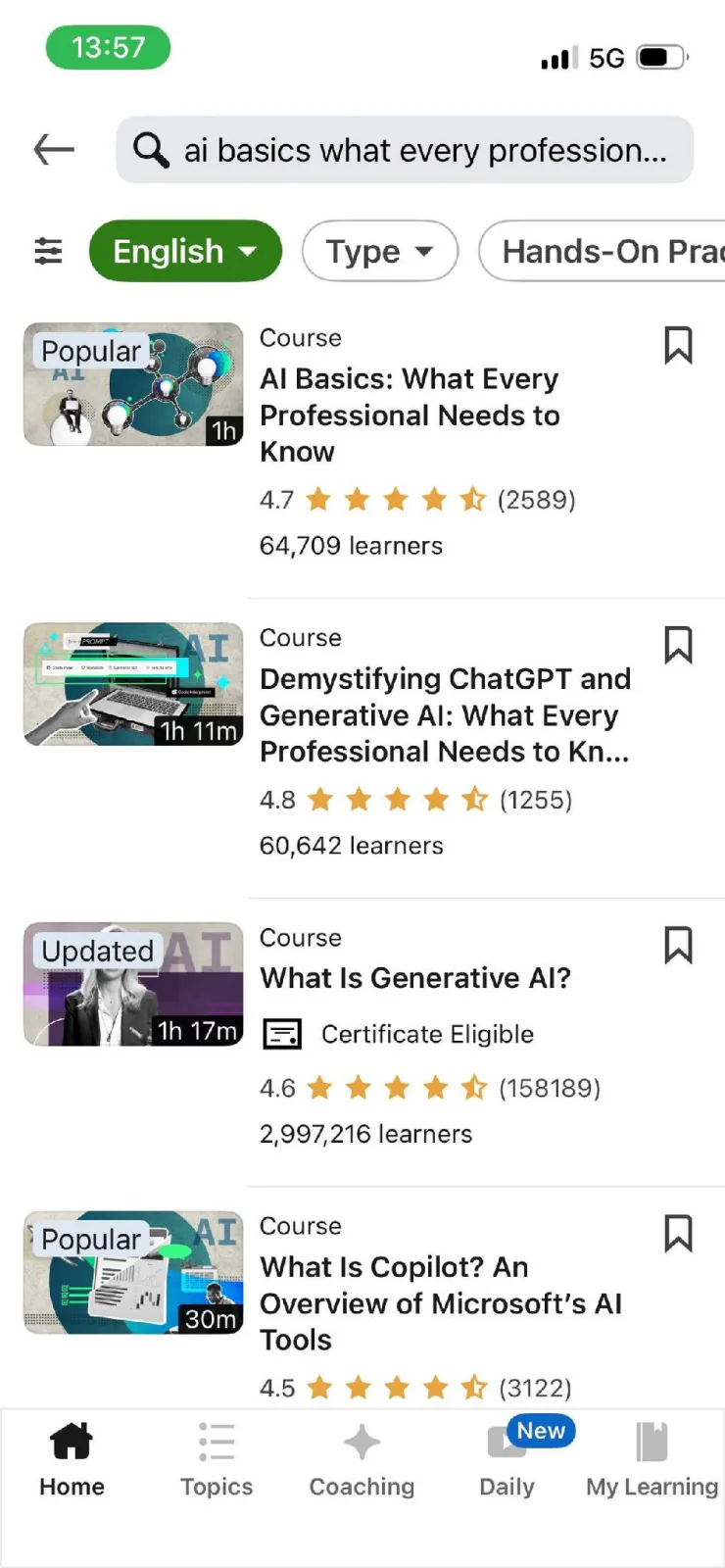
Screenshot: LinkedIn Learning (LinkedIn)
Used with permission from Microsoft.
Best for
Professionals who already pay for LinkedIn Premium, or are about to for a job search, since LinkedIn Learning comes with it and AI courses cost nothing extra.
What it teaches about AI
LinkedIn Learning lists artificial intelligence and generative AI among its topics.
The course I picked, AI Basics: What Every Professional Needs to Know, is a 1-hour beginner course by Laurence Moroney, released in May 2026. It needs no technical background and covers what AI is, how it works at a high level, and why it matters in everyday life and at work.
Lesson length
The course runs about 1 hour in total.
Price and free tier
LinkedIn Learning has no free tier. LinkedIn doesn’t sell single courses or a separate personal Learning plan: individuals get it through LinkedIn Premium. Premium Career costs $39.99 a month or $239.88 a year. Eligible users can try Premium free for a month, with a card on file, but not if they’ve used a Premium trial in the past 12 months.
Certificate
Finished courses give a certificate of completion that you can add to your LinkedIn profile.
iPhone, Android, and web
LinkedIn Learning runs on iPhone, Android, and the web. Both apps let you download courses to watch offline. App Store rating: 4.8 (78,000 ratings). Google Play rating: 4.8 (186,000 reviews).
Limitations
Reviewers on Capterra mention the cost, uneven or dated content in some courses, and little hands-on practice beyond the videos.
Udemy: the widest choice of instructors teaching AI
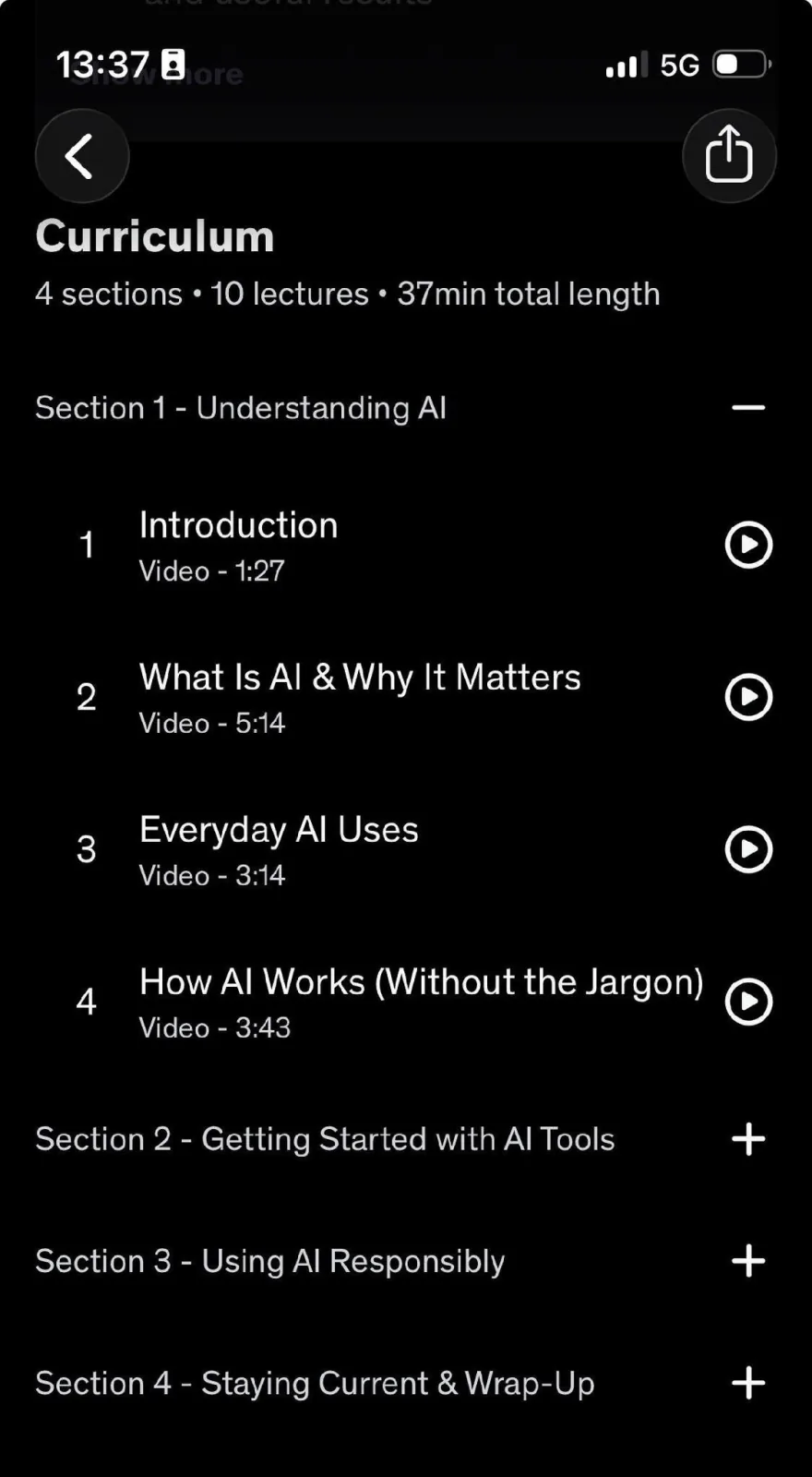
Screenshot: Udemy (Udemy, Inc.)
Best for
Readers who want one focused AI course and prefer to pay once for it.
What it teaches about AI
Udemy is a marketplace, so AI course quality depends on the instructor you pick.
The course I picked, AI Fundamentals for the Workplace: A Beginner’s Guide to AI by Diane Flynn, was last updated in March 2026. It explains what AI is and how it works without jargon, then covers everyday work uses such as summarizing, drafting, brainstorming, and organizing, along with prompting techniques and AI’s limits and risks.
Lesson length
The course runs 36 minutes across 10 lectures. The lectures listed on the course page run about 1.5 to 5 minutes each.
Price and free tier
Udemy sells single courses and a Personal Plan subscription. Free courses exist, but Udemy’s support pages say they don’t come with a certificate.
The AI course I picked costs $19.99 to buy on its own. The Personal Plan subscription starts at $12.99 a month, covers more than 28,000 courses, and can be cancelled anytime.
Udemy runs frequent sales, so the price you see can change from week to week.
Certificate
Paid courses give a certificate of completion. Free courses don’t.
To keep a certificate, buy the course on its own or keep the Personal Plan active. Udemy says canceling the plan removes your progress and certificate access for courses you took through it.
iPhone, Android, and web
Udemy runs on iPhone, Android, and the web, and the mobile apps let you download whole courses, sections, or single lectures for offline viewing. App Store rating: 4.7 (77,000 ratings). Google Play rating: 4.4 (514,000 reviews).
Limitations
Some Android users say the app shows ads between lessons even on a paid Personal Plan, signs them out, or doesn’t consistently save recently watched videos.
Coursiv: learn popular AI tools and keep up as they change
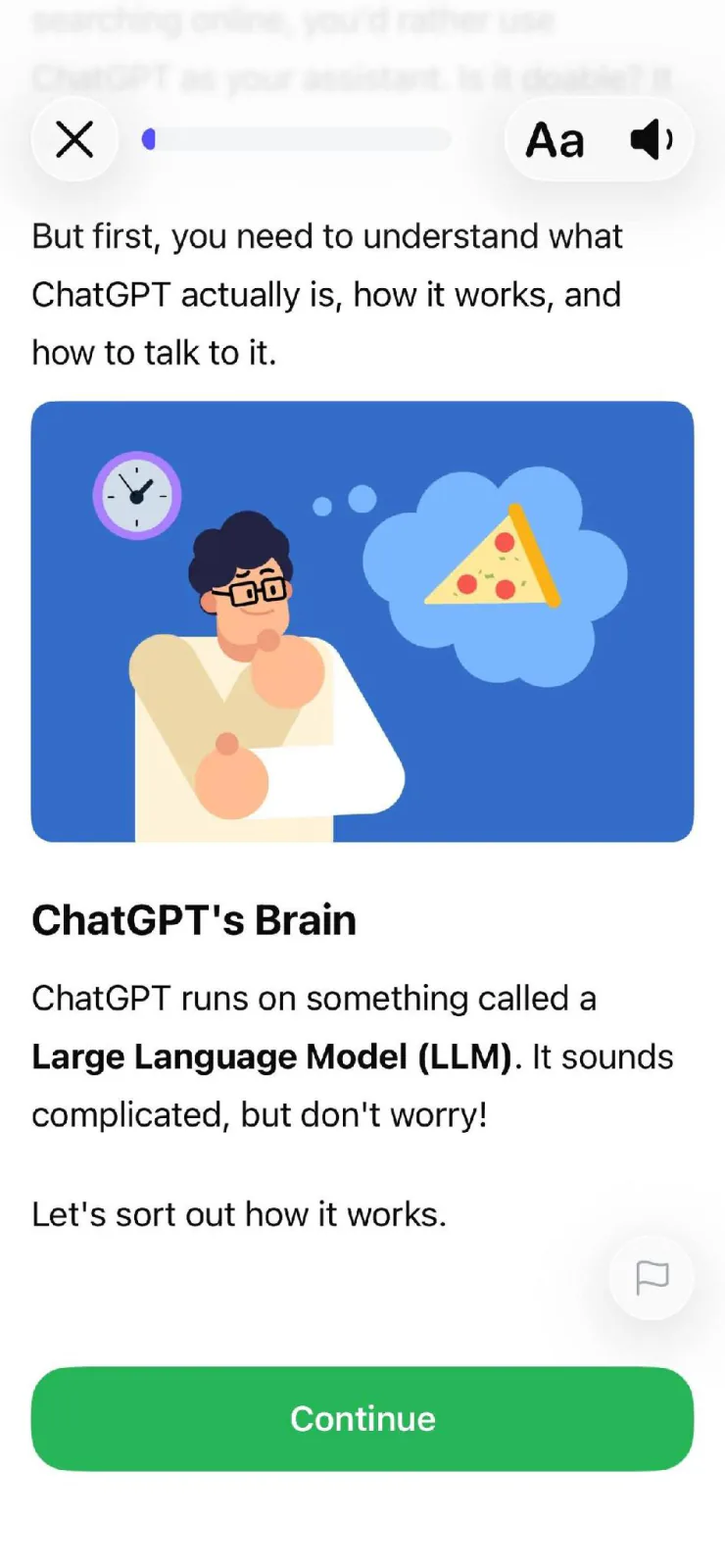
Screenshot: Coursiv (Coursiv Limited)
Best for
Professionals at any AI skill level who want to keep learning new tools as they come out, through single-tool courses or full certificate programs.
What it teaches about AI
Coursiv teaches practical use of AI tools such as ChatGPT, Claude, and Midjourney for writing, research, analysis, and content work. Its AI Certificate Program has five beginner courses: ChatGPT for Everyday Tasks, AI Art with Midjourney, DeepSeek: Practical AI Skills, Claude for Analysis & Thinking, and Creating Videos with Veo. The program ends with a final assessment.
Lessons are bite-sized, with streaks, challenges, and progress tracking.
If you’d like to try Coursiv, start with its 28-Day AI Certificate Program. To see the syllabus first, visit the AI Certificate Program page.
Lesson length
During setup, the app asks you to pick a daily learning time of 10, 15, or 20 minutes.
Certificate
Finishing a program gives a certificate of completion with a verification link that you can add to LinkedIn.
Coursiv says the program is CPD-accredited through CPDUK. Coursiv itself isn’t an accredited institution.
iPhone, Android, and web
Coursiv runs on the web and on mobile. On iPhone, the app is Coursiv - AI Certificates, which is iPhone only. On Android, the app is Coursiv: AI Tools Mastery. App Store rating (Coursiv - AI Certificates): 4.8 (3,200 ratings). Google Play rating (Coursiv: AI Tools Mastery): 4.6 (about 67,000 reviews).
Limitations
Some Trustpilot reviewers find the content too basic and want more advanced practice.
Learn AI by Sololearn: prompt practice inside the app
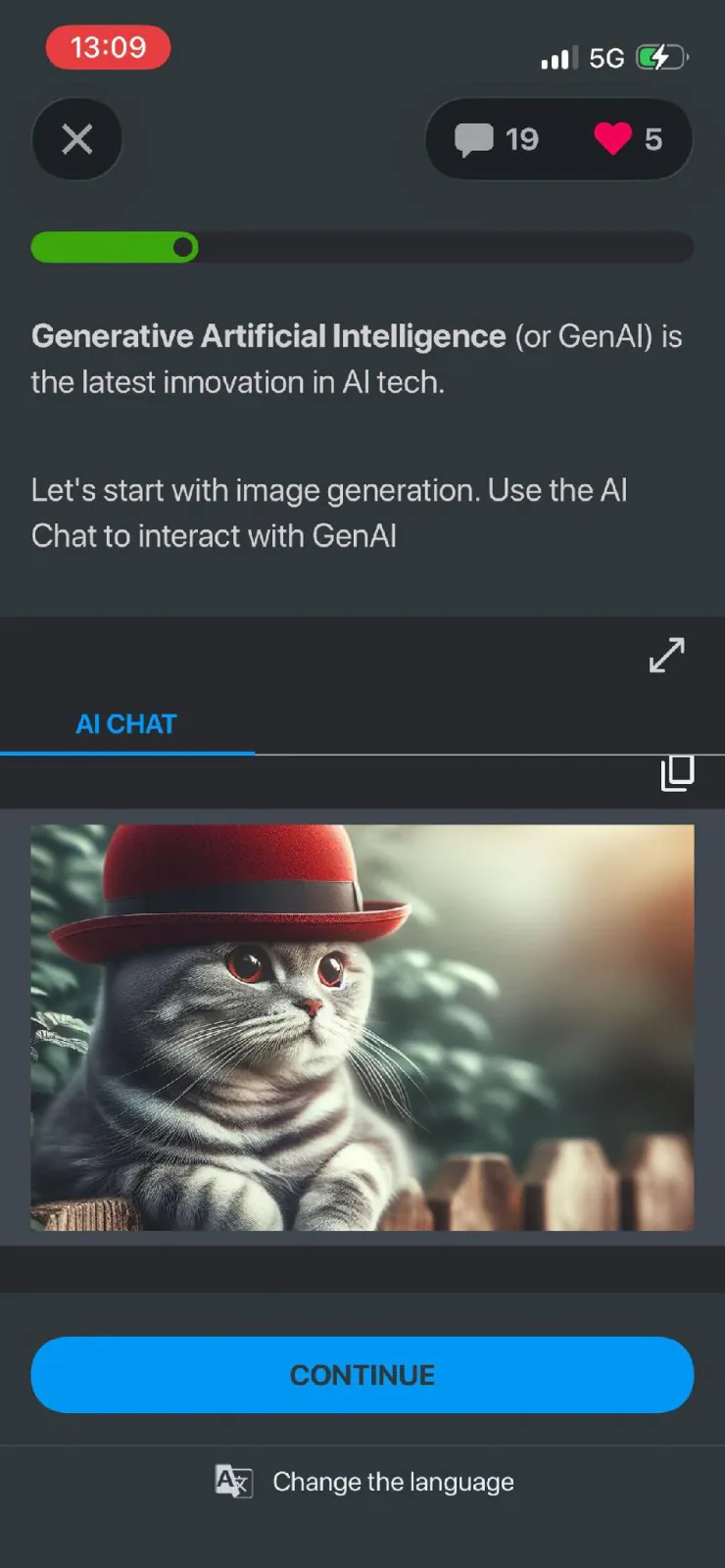
Screenshot: Learn AI (Sololearn Inc.)
Best for
Beginners who want to write prompts from the first lesson, without signing up for a separate AI tool.
What it teaches about AI
Sololearn’s Learn AI app is a standalone app for generative AI. It covers using AI for writing, design, data analysis, coding, and marketing, and has a playground where you write prompts and get feedback.
Lesson length
During setup, the app asks how much time you want to spend each day, with options from 5 to 20 minutes.
Price and free tier
On the App Store, the MAX plan costs $11.99 a week or $34.99 a month.
In my test, a paywall came right after setup with weekly and monthly MAX plans. The weekly plan comes with a 3-day free trial. Closing the paywall still opened the first course, but the paywall came back after three tasks.
Certificate
The App Store screenshots show a certificate of completion you can share on LinkedIn, but neither the listing nor Sololearn’s help pages say how you earn it.
iPhone, Android, and web
Learn AI runs on iPhone and Android. In the app stores, search for “Learn AI: Courses, Skills, Tools.” A search for “Sololearn” brings up the company’s coding app, Sololearn: Learn to Code, instead.
App Store rating: 4.4 (80 ratings). Google Play rating: 3.8 (about 250 reviews).
Limitations
Two Google Play reviewers say the AI features they wanted require a paid plan.
Learn AI for Beginners: Python and machine learning in short lessons
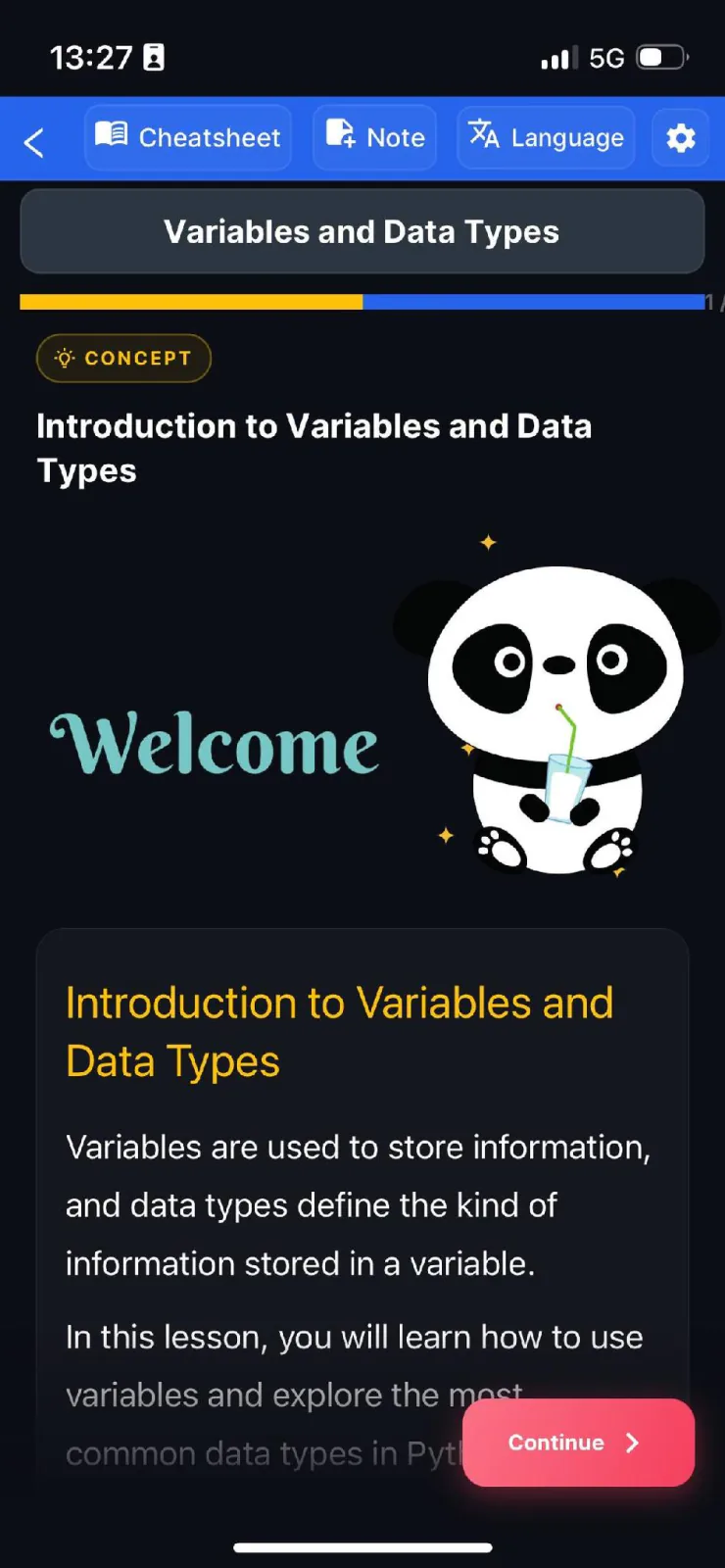
Screenshot: Learn AI for Beginners (CoddyKit)
Best for
Beginners with no coding background who want to explore the technical side of AI, such as machine learning, starting from Python basics.
What it teaches about AI
The app starts with Python and moves through machine learning, deep learning, and large language models. Each topic ends with a quiz or coding exercise, which you write and run in a code editor on your phone.
Lesson length
The App Store listing gives 5 to 10 minutes per lesson.
Price and free tier
The first course is free, with a daily limit on AI Mentor questions. In my test, the free version showed ads as soon as I started the first course; the Pro plan removes them. On the App Store, full access costs $5.99 a week, $7.99 a month, $24.99 a year, or $59.99 once for lifetime access.
Certificate
Pass the final exam to get a certificate of completion.
iPhone, Android, and web
The app runs on iPhone and Android. The developer says lessons keep working when your connection drops, but the AI Mentor needs a live connection. App Store rating: 3.4 (5 ratings). Google Play rating: 4.5 (46 reviews).
Limitations
There’s little user feedback to go on so far: five ratings on the App Store and 46 reviews on Google Play.
Brilliant: build a small language model to see how AI works
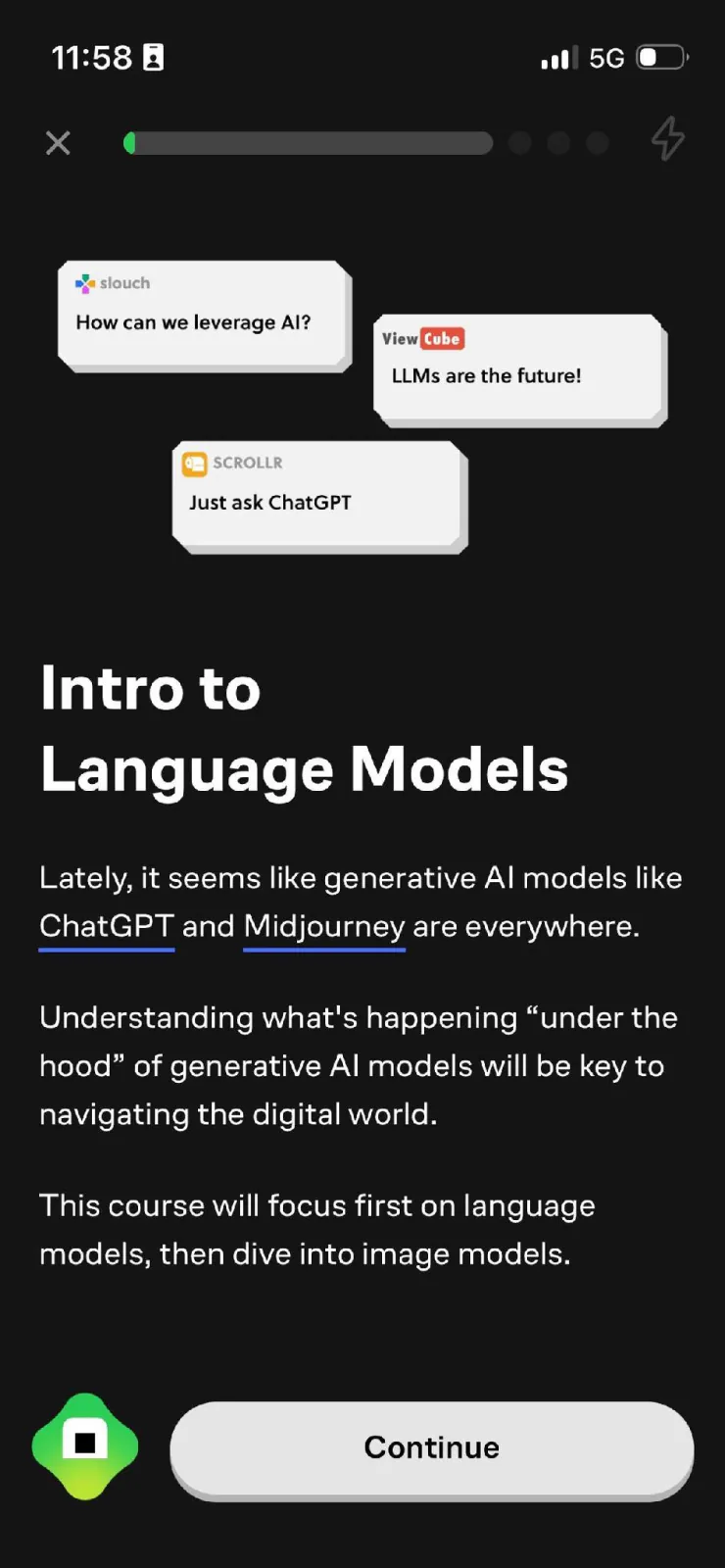
Screenshot: Brilliant (Brilliant Worldwide, Inc.)
Best for
Readers comfortable with a bit of math and code who want to understand how language models work under the hood, not just how to use them.
What it teaches about AI
Brilliant’s How AI Works course has 31 lessons and 94 exercises. It starts with next-word prediction and probability, then moves through tokenization, temperature, model training, neural networks, and image models. The last chapters have you build a simple language model in Python.
In the app, How AI Works is part of Brilliant’s computer science and coding path. After setup, the app started me on the path’s first module, Thinking in Code, but you can switch to How AI Works yourself.
Lessons mix short text explanations, quizzes, and interactive coding exercises you complete inside the lesson.
Lesson length
During setup, the app asks you to pick a daily learning goal of 10, 20, 30, or 60 minutes, then offers to turn on a daily reminder at a time you choose.
Price and free tier
In the app, Premium costs $45 a month or $360 a year for one person, and $60 a month or $480 a year for the family plan. Its help center says the monthly plan can be cancelled anytime. Premium adds unlimited lessons, the Koji tutor, and no ads.
Free accounts get a limited number of lessons a day.
Right after sign-up, the app asks you to choose between the free plan, which doesn’t expire, and Premium, which you can try free for a week.
Certificate
Brilliant doesn’t offer certificates. Its help center says it tracks progress, streaks, and XP instead.
iPhone, Android, and web
Brilliant runs on iPhone, Android, and the web. App Store rating: 4.7 (33,000 ratings). Google Play rating: 4.5 (115,000 reviews).
Limitations
After setup, the app starts you on coding, not AI, so you need to find and open How AI Works yourself.
DataCamp: AI concepts next to data skills
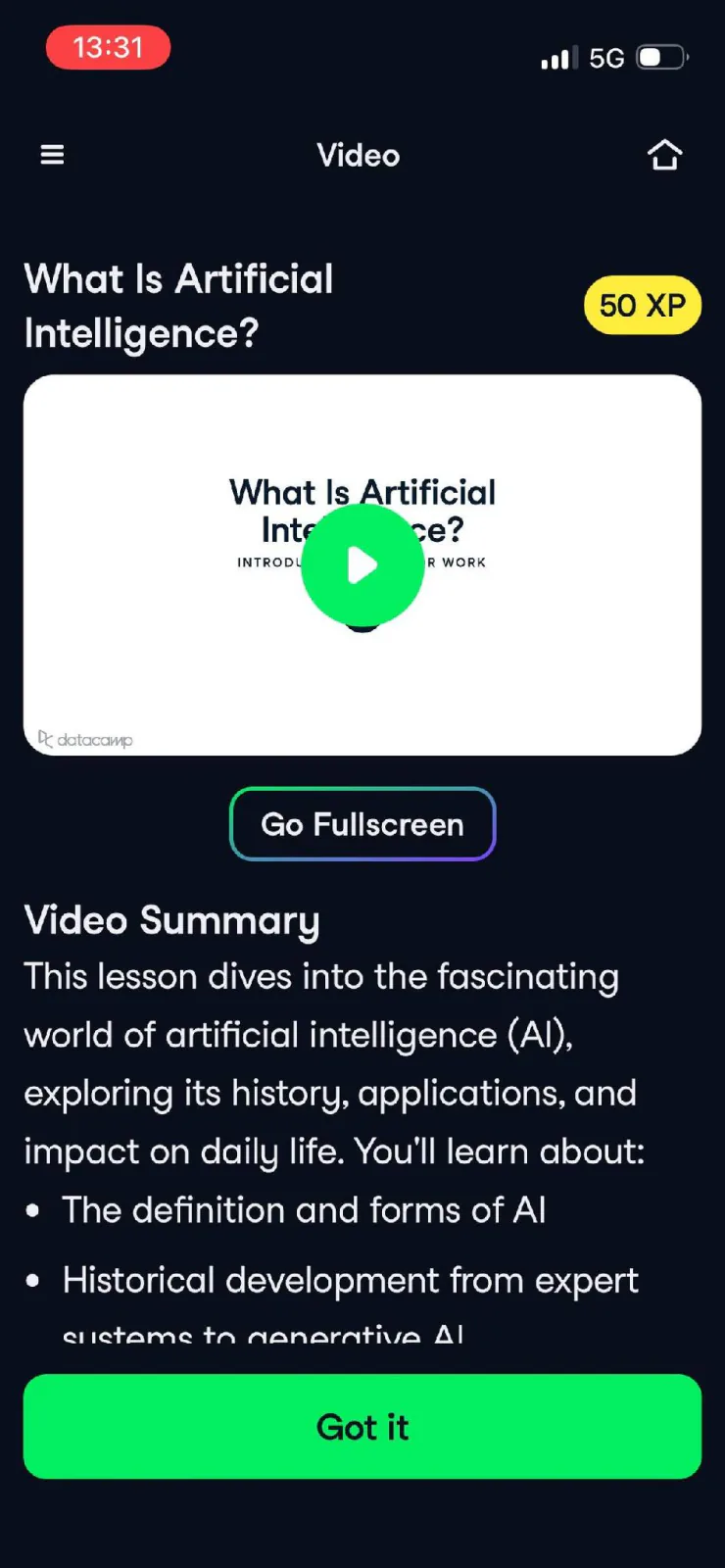
Screenshot: DataCamp (DataCamp Inc.)
Best for
Readers who want AI basics now and data or Python skills later, in the same app.
What it teaches about AI
DataCamp’s app starts new learners on Introduction to AI for Work, a 2- to 3-hour course with no coding that DataCamp last updated in October 2026. It covers what AI and generative AI are, how large language models work, how to use AI in everyday work, and how to use it responsibly, including its limits, privacy, and choosing the right tool.
Lesson length
DataCamp describes its lessons as bite-sized, with short videos.
Price and free tier
DataCamp’s free Basic plan includes the first chapter of every course. Premium lists at $28 a month billed annually, or $35 billed monthly, with lower promotional rates available. You can cancel anytime to stop renewal.
Certificate
Finishing the course gives a Statement of Accomplishment you can add to LinkedIn or a résumé. Certificates come with the paid plan; the free plan doesn’t include them.
iPhone, Android, and web
DataCamp runs on iPhone, Android, and the web. App Store rating: 4.8 (4,800 ratings). Google Play rating: 4.6 (39,100 reviews).
Limitations
Some Trustpilot reviewers report bugs in how exercises are checked, with correct answers marked wrong.
Want to see more AI learning apps for your phone? These guides cover the options for each platform:
AI course app for Android → Android options, certificates, and checks before you pay
AI course app for iPhone → iPhone options compared by format, length, credential, and price
What to check before you pay
Prices are easy to compare. The terms around them decide what you pay and what you keep, so check these six points before you start a trial.
Where you cancel. On iPhone, App Store subscriptions are canceled in Settings under your name, then Subscriptions. On Android, you cancel in Google Play, and Google notes that uninstalling the app doesn’t cancel the subscription. Plans bought on a provider’s website are canceled there.
What you keep after canceling. Udemy says canceling its Personal Plan removes your progress and certificate access for courses taken through the plan, so buy a course on its own if you want to keep its certificate. For more on refunds and access, see Can an online course subscription be canceled anytime?
Refund terms for your plan. Coursera offers a 14-day money-back guarantee on its annual Plus plan, so check which plan a refund covers before you pick one.
How current the content is. Look for a course “last updated” date. DataCamp, for example, last updated its Introduction to AI for Work course in October 2026.
What earns the certificate, and what it’s called. Udemy gives certificates only for paid courses, and DataCamp calls its version a Statement of Accomplishment. To learn what an app certificate proves, see Are app-based AI certificates credible?
Whether the AI course is in your plan. Coursera Plus covers most of Coursera’s catalog, so confirm that the AI course you want is included before you pay for the plan.
Can you really learn AI from an app?
Yes, for the basics: what AI is, how to write prompts, and how to use common AI tools. An app won’t make you an AI engineer, and it works best when you use what you learn on real tasks the same day.
Short lessons have research behind them, with limits. A 2024 systematic review in Heliyon found that microlearning tends to improve learning outcomes, while noting that results across studies are mixed. A 2025 meta-analysis of classroom studies found that spreading practice across sessions beat cramming by a moderate margin. Those studies weren’t about AI apps, but their findings are consistent with the daily, spaced format most of these apps use.
To make the app lessons stick, practice outside the app:
Use each lesson on a real work task within a day, such as drafting an email or summarizing a report.
Save prompts that worked in a note, with what you changed to get a better answer.
Turn your own notes into practice questions with an AI learning app with quizzes.
Look up one specific question per week on YouTube when the app’s lesson isn’t enough.
For a fuller answer:
Can you learn useful AI skills from an app? → Which AI skills apps teach well and which need a longer, project-based course
AI course app vs YouTube tutorials → When a structured app beats free videos, and when it doesn’t
Best way to learn AI → No-code and code paths, projects, and time commitment if you plan to go further
FAQ
What is the best app to learn AI?
Is there a free app to learn AI?
Is there a Duolingo for AI?
Can you learn AI from an app?
Which AI learning app gives a certificate?
How long should I study AI each day?
Do I need to know coding to use these apps?
No. Coursiv, Learn AI by Sololearn, LinkedIn Learning’s AI Basics, Google AI Essentials, and DataCamp’s Introduction to AI for Work need no coding. Learn AI for Beginners and Brilliant’s How AI Works include Python, and DataCamp has Python courses too, so pick those if you want to try code.
This article is independent and is not affiliated with or endorsed by Brilliant, Coursera, LinkedIn, Udemy, Sololearn, CoddyKit, or DataCamp.