Review and Comparison of 18 Best AI Tools for Product Managers in 2026: Pros & Cons, Key Features, and Pricing Review
The AI tool landscape for product managers keeps expanding, and figuring out which tools fit your specific workflows takes more time than you have
This guide reviews the 18 best AI tools for product managers in 2026, grouped by the job they solve, with pros/cons from real user reviews and verified pricing.
How Can a Product Manager Use AI?

A 2025 Productboard survey of 379 enterprise product professionals found that every single respondent uses AI tools, with 94% relying on them daily.
PMs report they can save an average of four hours on each task. This applies to essential functions like drafting PRDs, performing competitive analyses, and building roadmaps.
The most significant areas of impact, when you look at the workflows, are as follows:
- Discovery and research: AI can analyze vast amounts of data (think thousands of support tickets, NPS responses, and sales transcripts) to identify patterns. This process could take weeks if done manually.
- Documentation: Tools like ChatPRD and Notion AI turn rough bullets into structured specs in minutes.
- Analytics: Platforms like Amplitude and Mixpanel now include AI copilots for natural language querying.
- Collaboration: Meeting recorders, sprint summarizers, and workshop facilitators automate the busywork around team alignment.
TL;DR: Review and Comparison of the Best Paid and Free AI Tools for Product Managers in 2026
| Tool | Category | Best For | Starting Price |
|---|---|---|---|
| ChatGPT | General AI | Ideation, research, drafting | Free; Plus $20/mo |
| Google Gemini | General AI | Workspace-integrated AI | Free; $20/mo |
| Ideamap.ai | General AI | AI team brainstorming | Free; $7/user/mo |
| Chisel | Roadmapping | All-in-one PM (acquired by Pendo) | $9/user/mo |
| Productboard | Roadmapping | Customer-centric prioritization | Free; $25/maker/mo |
| Aha! Roadmaps | Roadmapping | Strategy-to-execution for large orgs | $74/user/mo |
| ChatPRD | Documentation | AI PRD drafting and coaching | Free; Pro $19/mo |
| Notion AI | Documentation | AI workspace for specs and wikis | $12/member/mo |
| Amplitude | Analytics | Behavioral analytics, experimentation | Free; Plus $61/mo |
| Mixpanel | Analytics | Real-time engagement tracking | Free (1M events) |
| Vizly | Analytics | No-code data visualization | $19.99/mo |
| Miro | Collaboration | Visual brainstorming, workshops | Free; $10/user/mo |
| ClickUp | Collaboration | All-in-one project management | Free; $7/user/mo |
| Jira AI | Collaboration | Agile development workflows | Free; $7.91/user/mo |
| tl;dv | Collaboration | AI meeting summaries | Free; $29/user/mo |
| Zeda.io | Discovery | Revenue-driven feedback analysis | $499/mo (annual) |
| UserTesting | Research | Video-based feature validation | Contact sales |
| User Interviews | Research | Recruiting targeted participants | $49/session |
General-Purpose AI Assistants for PM Work
ChatGPT: Best LLM for Ideation, PRDs, Research, and Product Strategy
For PMs, its value is breadth: PRDs, competitive research, brainstorming, data analysis, and presentations in one interface.
Best For
PMs who need a versatile assistant across writing, research, analysis, and ideation.
Pros
Intuitive interface. Deep Research and Agent modes produce cited competitive reports. Custom GPTs allow domain-specific workflows.
Cons
Hallucinations remain a core risk. Usage caps frustrate heavy users. Context loss in long conversations.
Pricing
Free (limited). Go: $8/month. Plus: $20/month. Business: $30/user/month. Pro: $200/month.
Tip: Follow a structured learning path to get the most out of ChatGPT in your use cases.
Coursiv’s ChatGPT 2.0 guide (6 hours, certification included) covers advanced prompting, Custom GPT creation, and workflow automation. Lessons average 10 minutes and fit into a busy schedule over a few weeks.
Google Gemini: Conversational AI for Strategy and Analysis
Google’s multimodal AI with native Gmail, Docs, Sheets, Drive, and Calendar integration. The 1M+ token context window handles entire books or codebases in one session.
Best For
PMs invested in Google Workspace who need AI-powered summarization, drafting, and data synthesis without switching tools.
Pros
Handles text, images, audio, video, and PDFs in a single session. Responses grounded in live Google Search for current data.
Cons
Hallucinations on complex queries. Weak outside Google’s ecosystem. Inconsistent instruction-following.
Pricing
Free (basic access). Google One AI Premium: $20/month. Enterprise: ~$30/user/month.
Tip: Take a structured approach to learn Gemini and get the most from it in your use cases.
Coursiv’s Gemini guide (3 hours, certification included) walks through Workspace integration, multimodal prompting, and building reusable AI workflows inside Google’s ecosystem. Lessons average 10 minutes each.
Ideamap.ai: AI-Powered Idea Generation and Concept Mapping
This AI-driven brainstorming tool is built for team ideation and is natively integrated with Microsoft Teams. It automatically generates ideas, flags duplicates, sorts suggestions into categories, and simplifies the voting process.
Best For
Frequent brainstorming workshops, especially in Microsoft Teams environments.
Pros
The AI copilot’s contextual suggestions are a real help in spotting and getting rid of redundant ideas. It’s great for real-time teamwork, offering voting capabilities and MS Teams integration. Plus, the interface is easy to use, thanks to its canvas-based design.
Cons
AI-generated suggestions can sometimes feel a bit too general, especially when the topic is specialized. Limited integrations beyond Microsoft Teams. Very small product with minimal review data.
Pricing
Free (5 rooms, 5 attendees/room). Basic: $7/user/month. Pro: $15/user/month.
Roadmapping and Strategy
Chisel: Best All-in-One AI Platform for Product Managers With Roadmapping and Collaboration
Chisel unified feedback collection, roadmapping, and team alignment into a single platform. Its Team Radar visualized priority alignment across stakeholders.
Best For
Solo PMs or small teams who want an affordable, all-in-one roadmapping with stakeholder alignment.
Pros
Capterra reviewers rated ease of use as the top strength. Feedback classification that previously took days finishes in seconds.
Cons
Performance lagged with large data sets.
Pricing
Starter $9/user/month. Now contact Pendo (acquired Chisel in 2026).
Productboard: A Platform for Customer-Focused Product Management and Prioritization
This platform gathers feedback from various sources (Slack, Zendesk, Intercom, email, and surveys) into a single location. It then facilitates data-informed prioritization using customizable scoring systems and visual roadmaps.
Best For
SaaS product teams that systematically collect and act on large volumes of customer feedback.
Pros
G2 reviewers praise the feedback-to-roadmap pipeline as the top strength. Good Jira, Slack, and Zapier integrations. Unlimited free seats for Contributors and Viewers keep cross-team visibility costs low.
Cons
Steep learning curve is the dominant complaint. Search requires exact keyword matches.
Pricing
Free Starter (limited). Essentials: $25/maker/month. Pro: $75/maker/month. AI product agent add-on: $19/maker/month.
Aha! Roadmaps: AI Roadmapping and Strategy Execution Platform
A strategy-first suite linking business goals to initiatives to features to releases. Has a suite of tools, each priced separately: idea portals, whiteboards, knowledge docs, develop, teamwork, and discovery.
Best For
Medium-to-large product organizations that need end-to-end strategic planning with traceability from strategy to delivery.
Pros
Visual roadmapping eliminates manual presentation decks. Excellent customer support.
Cons
Steep learning curve. UI is described as “stale” by multiple reviewers. Performance degrades with large portfolios.
Pricing
Premium: $74/user/month. Enterprise: $124/user/month. 30-day free trial. All read-only users are free.
Documentation and Specs
ChatPRD: On-Demand Chief Product Officer for PRD Creation
Drafts PRDs, one-pagers, and user stories from prompts, and offers CPO-style coaching on existing documents.
Built by Claire Vo (3x CPO), it offers PM-specific templates and a review mode that identifies strategic gaps.
Best For
Individual PMs who want rapid, structured document generation with AI coaching on product thinking.
Pros
Solves the blank-page problem fast. Writing quality exceeds generic ChatGPT output for PM documents. Coaching mode is uniquely valuable for self-review.
Cons
Output needs human verification and can miss company-specific context.
Pricing
Free (3 chats). Pro: $19/month. Teams: $39/user/month.
Notion AI: AI-Enhanced Workspace for Documentation and Organization
It’s an AI layer, effortlessly woven into Notion’s current workspace, encompassing documents, wikis, and databases.
Generates content, summarizes documents, autofills databases, and searches across connected apps on Business/Enterprise plans.
Best For
Teams already using Notion who want AI embedded into documentation and knowledge management.
Pros
No context-switching; AI works inline where you already write. Enterprise Search pulls answers from connected Slack channels, GitHub repos, and more. Database autofill and meeting transcription reduce manual entry.
Cons
Steep learning curve. Full AI is gated behind the $24/member/month Business plan. Performance degrades with large workspaces.
Pricing
Plus: $12/member/month. Business: $24/member/month (full AI). Enterprise: custom.
Analytics and Insights
Amplitude: AI-Powered Product Analytics for User Behavior Insights
Tracks user behavior via event-based analytics with funnels, retention, cohort segmentation, and A/B testing. Combines analytics with session replay, feature flags, and experimentation in one platform. AI-powered audience segmentation.
Best For
Mid-to-large teams that need deep behavioral analysis and integrated experimentation without stitching together multiple tools.
Pros
Self-serve analytics for non-technical users is the top G2 benefit. The all-in-one platform reduces tool sprawl.
Cons
A complex setup requires developer effort for event taxonomy. Pricing escalates unpredictably as event volumes grow.
Pricing
Free (10K MTUs). Plus: from $61/month. Growth/Enterprise: contact sales.
Mixpanel: Real-Time User Analytics and Engagement Tracking
Event-based analytics, designed to give you a clear picture of real-time engagement, funnels, and how well you’re keeping users around. The user interface is a lot cleaner, and data processing is almost instant, especially when you compare it to Amplitude. Plus, there’s the Spark AI copilot, which lets you ask questions in plain English.
Best For
Small-to-mid-size teams prioritizing fast, clean analytics with a lower entry cost.
Pros
User-friendly interface is the most frequently cited positive. Near-instant data availability. One of the best free tiers in product analytics: 1M monthly events with unlimited seats.
Cons
Event-based pricing adds up fast as tracking granularity increases.
Pricing
Free (1M events/month, unlimited seats). Growth: $0.28/1,000 events after you reach 1M events per month. Enterprise: contact sales.
Vizly: AI Research Data Analysis and Visualization Tool
Upload datasets (CSV, Excel, JSON) and analyze via natural language chat. Generates interactive charts, statistical tests, and predictive models without coding.
Best For
Individuals and small teams that need quick, no-code data analysis and visualization.
Pros
Eliminates the need for Python, R, or SPSS knowledge while producing professional-grade statistical outputs (t-tests, ANOVA, regressions). Good export options including PDF, Word, and shareable links.
Cons
Restrictive message limits on lower plans (free: ~10/month, Basic: 200/month). Requires iterative prompting on complex queries.
Pricing
Basic: $19.99/month. Premium: $29.99/month.
Collaboration and Communication
Miro: An AI-Enhanced Whiteboard for Teamwork and Workshops
Miro brings together whiteboarding, diagramming, and structured formats, all supercharged with AI capabilities for clustering and summarization.
Best For
Perfect for cross-functional teams that excel at visual brainstorming, collaborative workshops, and sprint ceremonies in a remote setup.
Pros
Exceptional real-time collaboration. 5,000+ templates for sprint planning, journey maps, and wireframes. Intuitive for non-technical users.
Cons
Performance degrades on large boards (the most frequently cited complaint). Pricing escalates for teams.
Pricing
Free (3 editable boards). Starter: $10/user/month. Business: $25/user/month.
ClickUp: AI to Plan, Coordinate, and Track Product Development Work
Consolidates tasks, docs, chat, goals, time tracking, and dashboards in one workspace. ClickUp Brain adds AI summaries, content generation, and enterprise search.
Best For
Small-to-mid-sized teams wanting one customizable platform for tasks, docs, goals, and communication.
Pros
Deep customization with tailored workflows, statuses, and automations. Strong value for price. Generous free plan (unlimited tasks and users).
Cons
Steep learning curve is the top complaint across all platforms. Slow loading in larger workspaces. The mobile app is consistently flagged as buggy.
Pricing
Free Forever (unlimited tasks and users). Paid: from $7/user/month. AI add-on (Brain): $14/user/month.
Jira AI: AI Insights for Agile Development Workflows
Atlassian’s agile project management platform with Scrum/Kanban boards, sprint planning, and AI features, including natural-language search, auto-generated user stories from epics, and Rovo cross-product search.
Best For
Engineering teams that need structured agile workflows with deep Atlassian ecosystem integration.
Pros
Highly customizable workflows match any team’s process. Excellent agile tooling. Seamless integration with Confluence, Bitbucket, and Slack.
Cons
Overwhelming for new users. Performance issues at scale. Full AI requires the Premium tier.
Pricing
Free (up to 10 users, no AI features). Standard: $7.91/user/month. Premium: $14.54/user/month.
tl;dv: AI Meeting Note Taker With Actionable Insights
Auto-joins Zoom, Meet, and Teams calls to record, transcribe (30+ languages), and generate AI summaries. Standout feature: multi-meeting intelligence that extracts recurring patterns across conversations.
Best For
PMs who need to pull patterns across dozens of customer calls without rewatching them.
Pros
Easy setup. Accurate multi-language transcription with speaker detection. Generous free plan with unlimited recordings and transcriptions.
Cons
Bot visibility can be intrusive in sensitive meetings.
Pricing
Free (unlimited recordings, 10 lifetime AI notes). Pro: $29/user/month. Business: $39/user/month.
Discovery and User Research
Zeda.io: AI-Powered Product Discovery and Strategy Platform
Zeda.io centralizes customer feedback from Slack, CRMs, support tickets, and call transcripts, then uses AI to surface insights linked to revenue impact. Where most feedback tools categorize issues, Zeda quantifies business value.
Best For
B2B SaaS product managers building revenue-driven roadmaps from scattered go-to-market feedback.
Pros
G2 reviewers highlight responsive customer support and rapid product iteration. AI feedback classification that previously took days finishes in seconds.
Cons
UI is still maturing visually. Initial data import requires manual effort, and some integrations feel early-stage.
Pricing
$499/month (annual only). 14-day free trial.
UserTesting: Feature Validation and Customer Behavior Analysis
An enterprise-grade, video-first insights platform for moderated and unmoderated studies with AI-powered summaries, sentiment analysis, and theme detection.
Best For
Mid-to-large enterprises that need rapid, video-based customer feedback at scale.
Pros
Real user video feedback within hours. Supports video, surveys, card sorting, and tree tests.
Cons
Pricing not public; annual contracts only. Vendr data suggests ~$25,700 to $49,700/year for five seats. Participant quality varies.
Pricing
Contact sales only.
User Interviews: User Research Recruiting and Screening Platform
A participant recruitment platform connecting researchers with 6M+ people across 34 countries. Handles targeting, screening, scheduling, and incentive distribution. Acquired by UserTesting in January 2026, but still operates independently.
Best For
Teams are recruiting precisely targeted participants, especially niche B2B audiences.
Pros
Large, high-quality panel is the top G2 strength. Intuitive interface. Responsive customer support.
Cons
Recruitment only; you need separate tools to conduct the research itself.
Pricing
From $49/session.
Getting Started With AI as a Product Manager
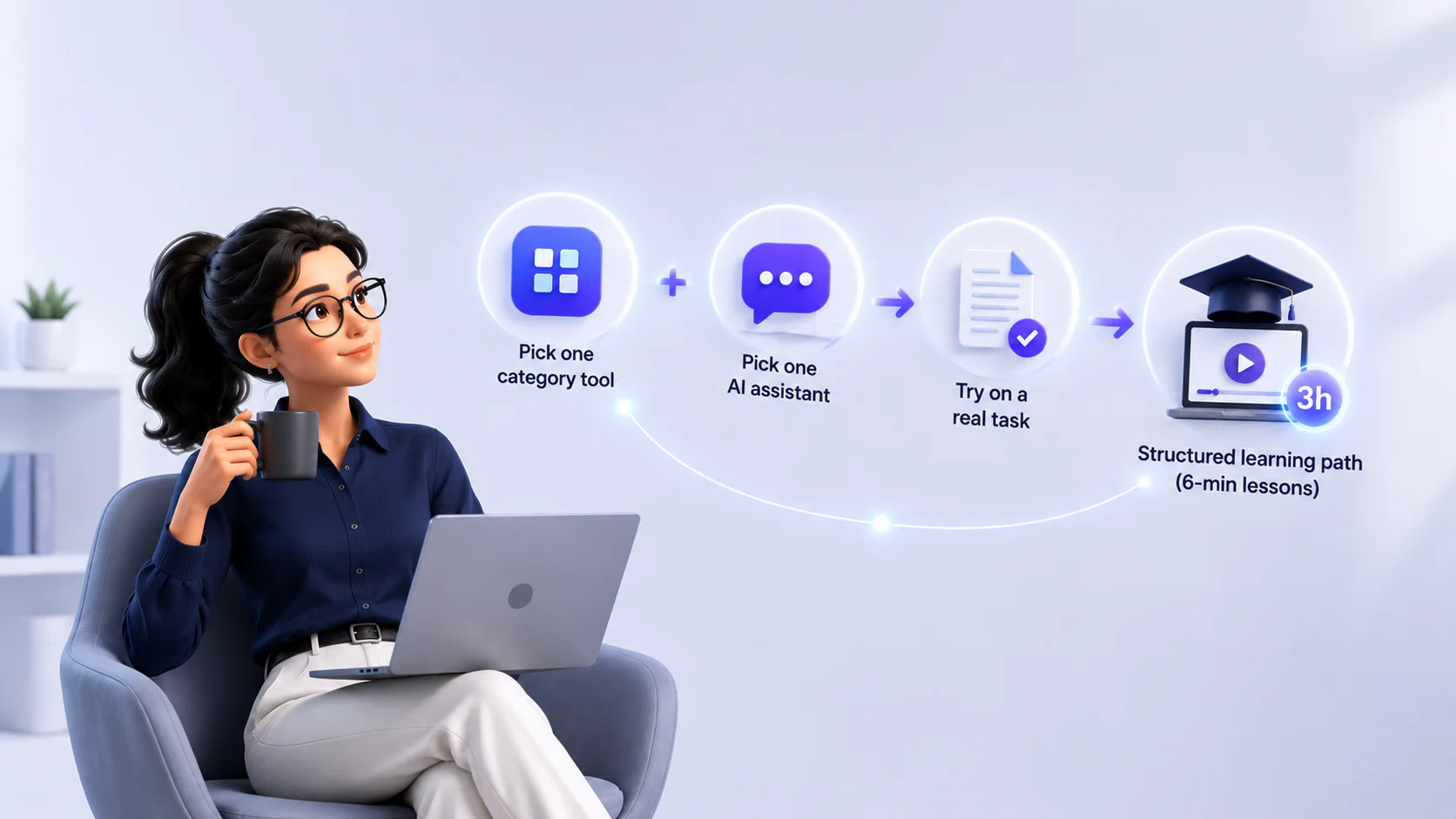
Pick one category-specific tool and one general-purpose AI assistant. Try them on a real task this week: draft a PRD with ChatPRD, synthesize feedback with Zeda.io, or summarize your last three stakeholder meetings with tl;dv.
For a structured path through the major AI tools, Coursiv’s Turbocharge Your Productivity with AI guide (3 hours, covering ChatGPT, Claude, Gemini, Notion AI, and Perplexity) teaches you to build a repeatable multi-tool workflow. Each lesson is a quick six minutes, perfect for professionals juggling a packed schedule who want to bring AI into their work.
FAQ