The best AI tools for education in 2026 depend on who is using them. Students need tutoring, studying, writing support, research help, and exam prep. Teachers need lesson planning, rubrics, differentiation, feedback, quizzes, and classroom-safe workflows.
Quick answer: use ChatGPT, Claude, Gemini, or NotebookLM-style tools for studying and explanations; Grammarly or writing tools for editing; Quizlet-style tools for memorization; Khanmigo/MagicSchool/SchoolAI-style tools for education-specific workflows; and Canva or Adobe Express for presentations and classroom visuals.
| Education workflow | Best AI tool type | What to verify |
|---|---|---|
| Studying hard concepts | AI tutor/chatbot | Does it explain, not just answer? |
| Research and PDFs | Source-grounded assistant | Are citations real? |
| Writing and editing | Writing assistant | Academic integrity policy |
| Flashcards and quizzes | Study tool | Correct answers and explanations |
| Lesson planning | Teacher AI platform | Standards alignment |
| Student-facing tutoring | Guardrailed education AI | Safety and teacher visibility |
| Classroom visuals | Design tool | Rights and school approval |
Source check — June 4, 2026: education AI requires live policy and privacy checks. This guide uses official sources such as ChatGPT for Teachers, OpenAI student resources, Claude for Education, and Khanmigo pricing to separate study tools from school-approved deployments.
For narrower comparisons, read best AI tools for students, best AI tools for teachers, ChatGPT for students, and Claude AI for students.
What Do Students Use AI Tools For?

The short answer: everything. The longer one is more interesting.
Over 70% of college students in the US reported using AI tools at least weekly for academic tasks, according to a 2025 Tyton Partners survey. But use cases vary wildly. Some students use AI purely for writing – fixing grammar, restructuring paragraphs, paraphrasing. Others lean on it for research: finding sources, summarizing papers, extracting key arguments from 80-page PDFs they realistically weren’t going to read in full.
Then there’s the exam prep crowd. Flashcard generation, practice quizzes, Socratic Q&A – AI has quietly become the most patient tutor on the planet. It doesn’t get frustrated when you ask the same question five times. It doesn’t charge $80 an hour.
Are You Allowed to Use ChatGPT to Study?
This is the question everyone’s asking but framing wrong.
By 2026, most universities will have largely replaced widespread bans on AI with more relaxed regulations. The difference lies in using AI as a teaching tool versus submitting AI-generated work as your own. Generally, using ChatGPT to introduce a concept, generate practice questions, or review a draft is acceptable and even encouraged. Submitting an essay written using ChatGPT as original work is considered plagiarism at most institutions.
Check your institution’s policies. If you haven’t already, this is also valuable information.
Is There a Free AI Learning Tool?
Yes – several, and some are genuinely excellent. NotebookLM has a solid free tier. ChatGPT’s free version handles most study tasks. Perplexity AI offers free searches with citations. Quizlet has been free-with-ads for years. The catch: free plans usually mean usage caps, slower models, or missing features. For casual studying, free is often enough. For dissertation-level heavy use, a paid plan usually pays for itself in saved time.
Are There AI Tutors That Explain Things Instead of Just Giving the Answer?
Yes, and this is one of the most underrated developments in EdTech right now.
Tutor AI is specifically designed to not just hand you the answer. It uses Socratic questioning – guiding you to the logic rather than delivering it pre-packaged. ChatGPT can do the same if you explicitly tell it: “Don’t give me the answer. Ask me questions to help me figure it out.” Most students don’t know this works. The difference between an AI that gives answers and one that teaches you to think is entirely in how you prompt it.
How Can You Use AI to Quiz Yourself for an Exam?

More effectively than most people realize. Here’s what actually works:
- Paste your lecture notes into ChatGPT and ask it to generate 20 multiple-choice questions at varying difficulty. Take the quiz, check your answers, ask it to explain every mistake.
- Use Quizlet’s AI to auto-generate flashcard sets from your own text, then let the spaced repetition system handle scheduling.
You can also ask any general-purpose AI to roleplay as a professor giving you an oral exam. Sounds strange, works surprisingly well – it forces you to articulate answers, which is cognitively very different from re-reading notes. For workplace learning, the same simulation pattern shows up in dedicated AI roleplay tools for corporate training.
Can AI Help You Find Credible Academic Sources?
Here’s where people get burned if they’re not careful.
General tools like ChatGPT can hallucinate citations – confidently producing a paper title, author, and journal that simply doesn’t exist. This is a known, documented problem. Tools built specifically for academic research – Perplexity AI, Consensus, Elicit, SciSpace – handle this much better. They pull from real databases, show actual links, and surface real papers. For serious academic work: always verify sources before citing them. Every time.
Review and Comparison of the Best Paid and Free AI Tools for Education in 2026

Let’s get into it. Twenty AI tools for higher education, honestly assessed.
NotebookLM – Smart Study Notebook for Summarizing Notes, PDFs, and Creating Audio Study Guides
One of the best AI tools for content creation in education. Upload your materials – PDFs, slides, notes, YouTube links – and NotebookLM becomes an expert on your specific content. Its standout feature: Audio Overview, a podcast-style conversation between two AI hosts discussing your notes. That feature alone has changed how a lot of people study.
Best For
Students who learn by listening, anyone dealing with heavy reading loads, researchers needing quick document synthesis.
Pros & Cons
| Pros | Cons |
|---|---|
| Stays grounded in uploaded sources only | Audio Overviews can oversimplify complex content |
| Audio Overview is genuinely novel | Limited to 50 sources per notebook |
| Generous free tier | No real-time web access |
Pricing
Free with Google account. Google One AI Premium: $19.99/month.
Google Gemini – AI Integrated with Google Tools for Research, Writing, and Study Planning
Gemini’s main advantage is integration – connected to Google Docs, Sheets, Gmail, and Search. Gemini 2.0 handles multimodal input: upload a photo of a handwritten equation and ask it to solve and explain it. That works well.
Best For
Students in the Google ecosystem, anyone needing real-time web access alongside AI assistance.
Pros & Cons
| Pros | Cons |
|---|---|
| Deep Google Workspace integration | Feels flatter personality-wise than ChatGPT |
| Real-time web search built in | Free tier has response limits |
| Strong multimodal capabilities | Less specialized for education than dedicated tools |
Pricing
Free tier. Google One AI Premium: $19.99/month.
Grammarly – Writing Assistant for Grammar, Clarity, Style, and Plagiarism Checks
Grammarly now rewrites entire paragraphs for clarity, adjusts tone for academic contexts, and flags potential plagiarism. The browser extension runs in the background without being intrusive – which, honestly, is harder to pull off than it sounds.
Best For
Non-native English speakers, anyone writing long-form academic work, students struggling with clarity.
Pros & Cons
| Pros | Cons |
|---|---|
| Works across almost every platform | Free version is quite limited |
| Tone and clarity suggestions are genuinely helpful | Can flatten your natural writing voice |
| Plagiarism checker in Premium | Expensive for students on tight budgets |
Pricing
Free (basic). Premium: ~$12/month.
QuillBot – Paraphrasing, Summarizing, and Grammar Checker for Essays
QuillBot built its reputation on paraphrasing and it’s still the best at that specific task. Seven paraphrase modes let you control how aggressively it rewrites – from minimal changes to full restructuring. Widely used, occasionally overused.
Best For
Students restructuring essays, second-language writers, researchers summarizing long papers.
Pros & Cons
| Pros | Cons |
|---|---|
| Best-in-class paraphrasing quality | Heavy use raises academic integrity questions |
| Multiple modes give real control | Free version limits word count per session |
| Good summarizer for long documents | Not useful for generating original ideas |
Pricing
Free tier. Premium: ~$8.33/month (annual).
ChatPDF – AI Chatbot for Asking Questions About Uploaded Textbooks and PDFs
Upload a PDF and have a conversation with it. “What’s the main argument of chapter 3?” “Summarize the methodology.” Simple concept, enormous time-saver for dense academic material.
Best For
Students with heavy reading loads, researchers extracting specific information from multiple papers.
Pros & Cons
| Pros | Cons |
|---|---|
| Extremely simple to use | Accuracy drops with very long or complex PDFs |
| Answers stay grounded in the document | Limited features beyond PDF Q&A |
| Works well on mobile | Struggles with scanned/image-based PDFs |
Pricing
Free (2 PDFs/day, up to 120 pages). Plus: $5/month.
ChatGPT – All-Purpose Study Buddy for Explanations, Quizzes, and Brainstorming
The one that started this wave. Running GPT-4o, it handles text, images, files, voice, and code. For studying, it’s most valuable as an on-demand explainer – describe a concept you don’t understand and it’ll explain it five different ways until one clicks.
Best For
Almost everyone. Explanations, essay brainstorming, coding help, exam prep, creative projects.
Pros & Cons
| Pros | Cons |
|---|---|
| Extremely versatile across all subjects | Can hallucinate facts and citations |
| Voice mode enables conversational study | Requires good prompting to get best results |
| Handles images, files, and code | No built-in citation verification |
Pricing
Free (GPT-4o with limits). Plus: $20/month.
Notion AI – Organization Tool for Smart Notes, Task Lists, and Study Databases
Notion AI is an extension of the existing workspace used by students. It summarizes existing notes, creates study schedules, and uses research project templates. This is much more natural, as the AI doesn’t need to change the context, but instead builds on what you already do every day.
Best For
Organized students managing complex projects, anyone already using Notion for planning.
Pros & Cons
| Pros | Cons |
|---|---|
| Integrates into existing workflows | Knowledge of Notion concepts is required for effective use |
| Great for project planning and research | AI features are an additional cost |
| Summarizes and transforms existing notes | Less effective than autonomous AI at solving complex problems |
Pricing
Notion free + AI add-on: $10/month. Plus with AI: $18/month.
AskCodi – Coding Assistant for Programming Homework and Debugging
AskCodi specializes in generating, explaining, and debugging code for over 50 programming languages. It’s particularly useful for understanding the reasons behind code behavior, although it doesn’t always provide a ready-made solution.
Best For
Computer science students, bootcamp participants, and anyone involved in debugging software tasks.
Pros & Cons
| Pros | Cons |
|---|---|
| Explains code logic clearly | Less effective than GitHub Copilot for complex tasks. |
| Supports 50+ languages | Poor non-coding capabilities. |
| Designed with learning needs in mind. | Can produce inefficient code on harder problems |
Pricing
Free tier. Paid plans from ~$9.99/month.
Tutor AI – Custom Lessons, Examples, and Practice Quizzes on Any Topic
Tutor AI teaches rather than answers. You specify what you want to learn, it creates a structured lesson, checks your understanding, and adapts based on responses. One of the few tools genuinely designed around pedagogy.
Best For
Self-learners, students needing conceptual grounding, standardized test prep.
Pros & Cons
| Pros | Cons |
|---|---|
| Teaches rather than just answers | Content depth varies by subject |
| Adaptive quizzing built in | Interface is basic compared to competitors |
| Works across a wide range of subjects | No file upload or document analysis |
Pricing
Free tier. Premium from ~$5/month.
Gamma AI – Presentation Slides Generator from Text Prompts
Gamma turns text into presentation slides in under a minute. Design output is consistently better than what most people produce manually in PowerPoint, and the time savings are significant.
Best For
Students building decks for seminars, thesis defenses, or class projects quickly.
Pros & Cons
| Pros | Cons |
|---|---|
| Very fast slide generation | Design customization is limited |
| Output quality is consistently decent | Not suitable for complex data visualization |
| Works from notes, outlines, or prompts | Content accuracy needs human review |
Pricing
Free (limited exports). Plus: $8/month. Pro: $15/month.
Quizlet – AI Flashcard Generator and Adaptive Study Sets
A student staple for over a decade, now significantly more useful with AI. Auto-generates flashcard sets from pasted text, adapts sessions based on your performance, and runs spaced repetition in the background automatically.
Best For
Anyone memorizing large volumes – vocabulary, dates, formulas, definitions.
Pros & Cons
| Pros | Cons |
|---|---|
| Spaced repetition algorithm is effective | Ads on free plan are intrusive |
| AI flashcard generation saves real time | Premium is expensive for students |
| Works well on mobile | Less useful for conceptual understanding |
Pricing
Free (with ads). Plus: ~$7.99/month.
Perplexity AI – Research Assistant With Cited Sources and Real-Time Info
Perplexity is what Google Search would look like if it gave synthesized answers with citations instead of a list of links. Pulls from real, current web sources and academic databases, shows exactly where information comes from, handles follow-up questions conversationally.
Best For
Research requiring current information, fact-checking, anyone needing cited sources quickly.
Pros & Cons
| Pros | Cons |
|---|---|
| Real-time web access with citations | Depth limited vs. dedicated academic tools |
| Much lower hallucination rate than ChatGPT | Pro needed for unlimited searches |
| Clean, readable output | Source quality varies |
Pricing
Free (limited). Pro: $20/month.
Otter.ai – AI Meeting Notes and Lecture Transcription
Otter.ai transcribes lectures in real time. Record a lecture and get a full transcript with the speaker’s name and timestamps. The AI-powered summary feature automatically highlights key points.
Best For
Students with disabilities, students with hearing impairments, and anyone studying in lecture-intensive programs.
Pros & Cons
| Pros | Cons |
|---|---|
| The transcription is correct in real-time | Difficulties in the heavy accent or rapid speech |
| Automatic summaries save time | Taking notes during classes is not always allowed |
| Works with Zoom and Google Meet | Free plan limits monthly minutes heavily |
Pricing
Free (300 min/month). Pro: $16.99/month.
Mindgrasp – AI Study Tool for Summarizing Videos, PDFs, and Lectures
Mindgrasp works with PDFs, videos, audio files, and web pages, creating notes, summaries, and questions and answers. It’s very effective, especially when students are studying different types of materials.
Best For
Students with mixed-media study materials, anyone processing large content volumes fast.
Pros & Cons
| Pros | Cons |
|---|---|
| Handles video, audio, PDF, and web content | AI notes sometimes miss nuance |
| Auto Q&A useful for exam prep | Interface is less polished than competitors |
| Works across multiple file types | Free tier is very limited |
Pricing
Free trial. Plans from $9.99/month.
Consensus – AI Academic Search Engine for Research Papers
Ask Consensus a research question and it searches peer-reviewed literature, extracts findings, and shows you what the evidence actually says – with a consensus meter indicating how strongly studies agree.
Best For
Students writing research papers, literature reviews, evidence-based writing.
Pros & Cons
| Pros | Cons |
|---|---|
| Searches actual peer-reviewed literature | Smaller database than Google Scholar |
| Consensus meter shows evidence strength | Limited free queries per month |
| Reduces time on literature review | Not useful for non-research tasks |
Pricing
Free (limited). Premium: $9.99/month.
Elicit – AI Research Assistant for Literature Reviews
Elicit automates the tedious parts of literature review: finding papers, extracting key data, comparing methodologies. Graduate students use it to cut hours of manual work to minutes.
Best For
Graduate students, researchers conducting systematic literature reviews.
Pros & Cons
| Pros | Cons |
|---|---|
| Excellent at extracting structured data from papers | Steep learning curve |
| Saves significant time on systematic reviews | Database coverage has gaps in some fields |
| Transparent about source quality | Interface feels academic, less consumer-friendly |
Pricing
Free tier. Plus: $12/month. Pro: $46/month.
Caktus AI – Multi-Subject Academic Help With Citation Generation
Caktus supports essay writing, mathematical calculations, code generation, foreign language learning, and link creation. It’s not the most powerful AI in this category, but as a versatile solution at a price affordable for high school and junior college students, it’s popular among students.
Best For
High school students, undergraduates needing multi-subject help in one place.
Pros & Cons
| Pros | Cons |
|---|---|
| Covers multiple subjects in one platform | Smaller quality of output than ChatGPT or Gemini |
| Citation generator is practical | Some features feel underdeveloped |
| Student-focused interface | Rudimentary sophisticated functionality |
Pricing
Plans from ~$9.99/month.
SciSpace – AI for Reading and Analyzing Research Papers
SciSpace’s standout feature: hover over any term or passage in a research paper and get an instant AI explanation. For students tackling papers outside their expertise, this is transformative. It also generates summaries, extracts data tables, enables Q&A on any paper.
Best For
Students studying natural sciences, technical schools, and engineering, researchers reading works outside their specialization, and anyone intimidated by long scientific papers.
Pros & Cons
| Pros | Cons |
|---|---|
| The inline explanation feature is exceptional | Primarily focused on scientific literature |
| Deals with complicated terms well | Free plan has significant limitations |
| Well-integrated academic database | Less useful for humanities research |
Pricing
Free tier. Premium: ~$12/month.
Paperpal – AI Writing Assistant for Academic Papers
Paperpal is designed as a tool for academic writing, not for blogging or emailing. It respects the generally accepted conventions of the discipline, filters out overly informal language unsuitable for journal publication, and is compatible with Microsoft Word. For researchers submitting articles to peer-reviewed journals, this is one of the most useful tools on this list.
Best For
Graduate students, researchers preparing journal submissions, academics writing in a second language.
Pros & Cons
| Pros | Cons |
|---|---|
| Understands academic writing conventions deeply | Overkill for undergraduate-level writing |
| Word integration is seamless | Primarily useful for final polish, not drafting |
| Language suggestions are field-aware | Pricing is on the higher end for students |
Pricing
Free tier. Prime: ~$19/month.
Conclusion

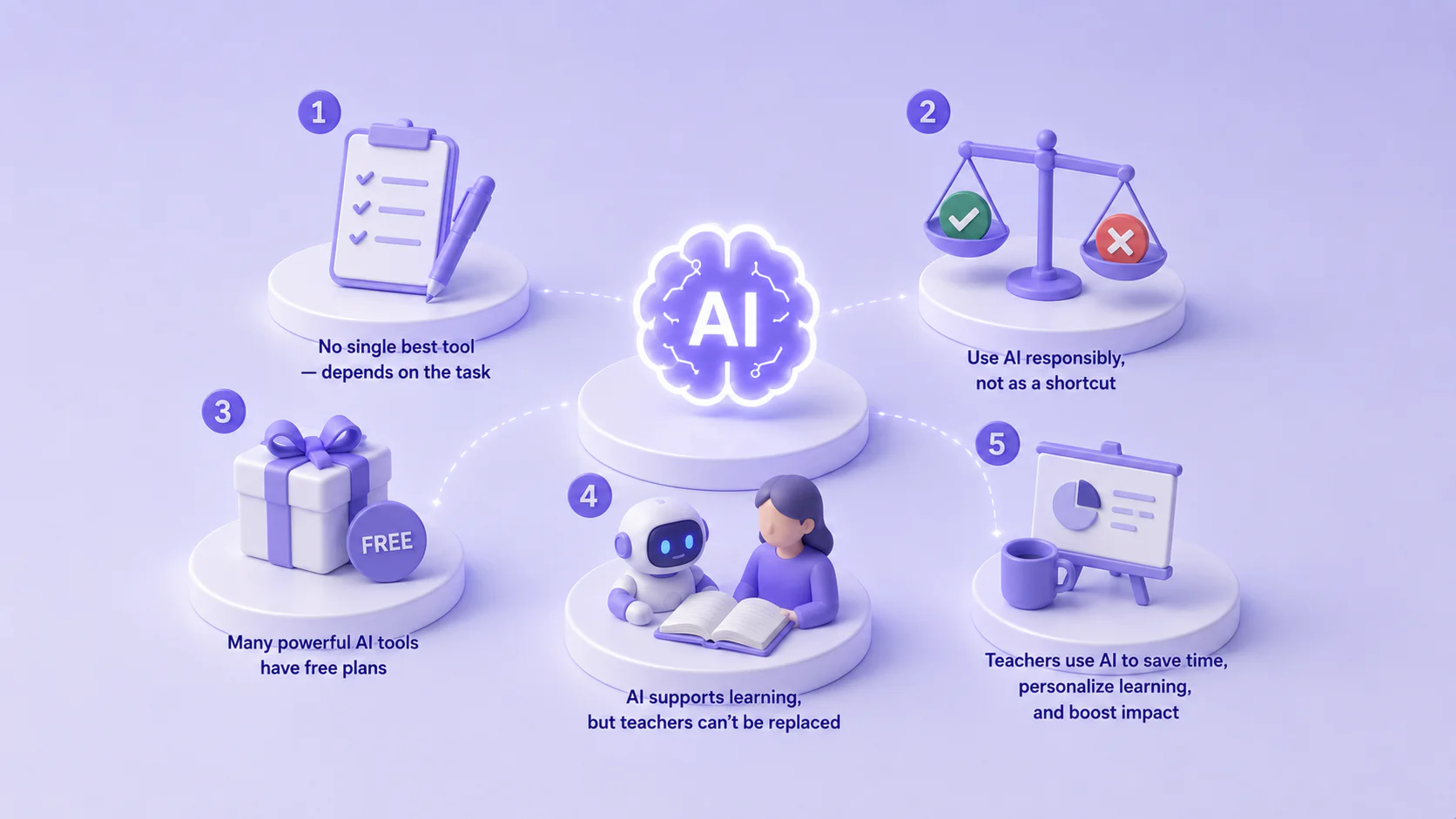
The honest takeaway after reviewing all twenty: there’s no single tool that does everything well. The students who get the most out of AI in 2026 are the ones who’ve built a small, intentional stack – maybe ChatGPT for working through problems, Perplexity for research, Grammarly for writing polish, Quizlet for memorization. That combination costs less than a single textbook and covers most academic needs. What is more, best AI tools for education professionals help both sides – students and teachers.
Frequently Asked Questions About AI Tools for Education