The best AI tools for content creation in 2026 do not replace a content strategy. They speed up the repeatable parts: research, briefs, outlines, first drafts, captions, image concepts, video repurposing, podcast clips, editing, SEO checks, and performance analysis.
Quick answer: use ChatGPT or Claude for ideation and drafts, Jasper or HubSpot-style tools for brand-controlled marketing workflows, Canva and Adobe-style tools for design, Runway/Synthesia-style tools for video, Descript or similar tools for audio, and Surfer/Semrush-style tools for SEO optimization.
| Content workflow | Best AI tool type | Human check needed |
|---|---|---|
| Blog outlines and drafts | Chatbot/writing assistant | Original angle, facts, and examples |
| Social captions | Social/content assistant | Brand voice and platform fit |
| Images and thumbnails | Design/image generator | Rights, consistency, and realism |
| Short-form video | Video repurposing/generation | Story, pacing, and disclosure |
| Podcast/audio edits | Audio AI editor | Accuracy and tone |
| SEO optimization | Content/SEO platform | Intent, internal links, and usefulness |
| Performance analysis | Analytics assistant | Business context and attribution |
Source check — June 4, 2026: HubSpot’s 2026 State of Marketing frames AI as mainstream for content and media production, while official pricing pages such as Canva pricing, Jasper pricing, and Surfer pricing show that useful AI features often sit behind plan-specific limits. This guide treats pricing as something to verify live.
For focused stacks, compare best AI tools for marketing, AI tools for images, best AI tools for social media, and ChatGPT for social media.
What Is Content Creation in 2026?
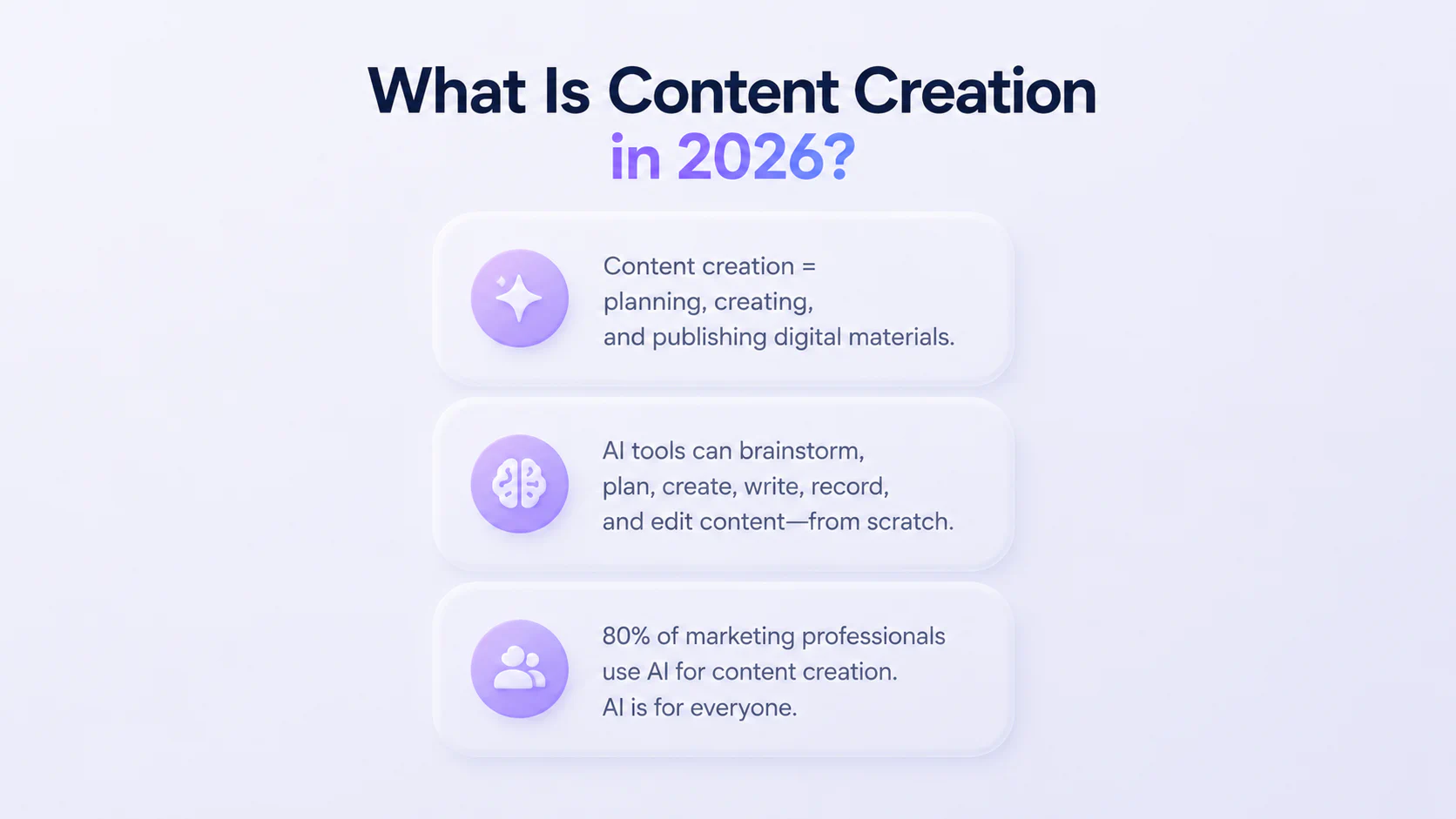
Content creation is the process of planning, creating, and publishing digital materials, such as social media posts, articles, videos, podcasts, and other media. In 2026, the main idea remains the same, but many steps can now be handled by AI.
AI tools for content creation can brainstorm ideas, generate content plans, create images or infographics, write captions and scripts for videos, and even record and edit podcasts—from scratch. This has made content creation accessible to anyone who wants to give it a try.
However, AI is not exclusive to beginners and enthusiasts. According to HubSpot, 80% of marketing professionals use AI for content creation. This shows that, in 2026, even experts resort to the use of AI.
Review and Comparison of Most Popular AI Image Generators, Video Creators, Text‑to‑Speech and Voice Generators, Audio Editing and Podcast Production Tools
How AI Speeds Content Production
AI significantly speeds up the content creation process. Hours spent waiting for new ideas can now be reduced to seconds with AI tools brainstorming ideas for you.
According to SurveyMonkey, 93% of marketing professionals in the U.S. who use AI apply it to create content faster. Tools such as Gemini and ChatGPT can generate an entire content plan in just a few seconds. They can also create captions, write scripts, and generate images for blog posts, marketing campaigns, and social media.
As one example, Synthesia offers libraries of avatars and even allows users to create their own. Instead of going through the entire production process yourself, you can use your avatar and generate videos in no time.
Crafting content has always been a challenge, though AI tools are streamlining the process. These tools take on the more repetitive aspects, freeing creators and marketing teams to concentrate on fresh concepts.
Intellectual Property and Ownership of AI‑Generated Content
Until recently, intellectual property, authorship, and copyright were thought to be exclusively human phenomena. Traditional law assumes that creative works are only produced by humans, but AI’s ability to autonomously generate images, text, and music calls this into question.
In their research on intellectual property of AI-generated content, A. Kirakosyan argues that the programmer of the AI system should be considered the right holder of AI-generated content. The main argument in this case is that the developer designed the system that produced the work.
However, there is no universal answer to this issue. Legal systems around the world have different views on it. For instance, the U.S. copyright system requires human originality for a work to receive copyright protection. Otherwise, it’s considered as a public domain.
In China, a court granted a copyright to an AI-generated picture after seeing that a human author used sufficient creativity in prompting the AI tool and then editing the output. Likewise, South Korea has also approved an AI-created film, based on the human creativity that poured into the selection and coordination of its AI-generated components.
Kirakosyan also found that AI tools are trained on large datasets, which might include copyrighted materials. This can result in unauthorized data use and copyright violation, which creates legal risks for companies and creators using AI.
Efficiency and Productivity Gains
Every technological advancement has aimed to help people do more in less time. The same applies to AI tools.
Freelancers, content creators, influencers, students, and all the other people across industries use AI daily to brainstorm, write, plan, create, edit, and analyze faster than ever before. Automating the mundane, AI tools free up individuals to concentrate on strategy, creative pursuits, and analytical thinking.
With the right training, AI tools do more than just accelerate content creation; they can actually boost productivity. These tools are capable of analyzing the entire content production process, identifying areas for improvement, and then optimizing the workflow. For example, tools like ClickUp or Motion prioritize tasks, optimize schedules, send notifications about deadlines, and so on.
Courses by Coursiv Useful for Content Creation
Coursiv is the world’s #1 way to learn AI skills. With fun, gamified lessons designed for busy people, Coursiv fits AI into your daily life—and helps you turn knowledge into results.
Here are some of our courses that are especially useful for content creation in 2026:
- ChatGPT & ChatGPT 2.0
These two courses build on each other and take learners from a beginner level to advanced AI usage. By the end, you’ll have a customized AI tool that generates images, text, and structured content plans tailored to your needs.
Level: Beginner
Time to Complete: 6+6 hours (both courses)
Best For: Users who want to master one AI tool and use it in content creation.
Where to Access: check out Coursiv on Google Play or App Store.
- Gemini
This course explores how this tool can be used for brainstorming, writing support, and research.
Level: Beginner
Time to Complete: 3 hours
Best For: Professionals who want to explore AI-assisted writing.
Where to Access: check out Coursiv on Google Play or App Store.
- Jasper
This course focuses on AI-powered marketing and content writing. Learners explore how the platform can assist with generating blog posts, social media content, and marketing copy.
Level: Beginner
Time to Complete: 6 hours
Best For: Content makers and marketers interested in AI-assisted production.
Where to Access: check out Coursiv on Google Play or App Store.
- Deepseek
The course introduces DeepSeek, an AI research, writing, and analysis tool.
Level: Beginner
Time to Complete: 5 hours
Best For: Users who want to explore alternative AI tools for research and content development.
Where to Access: check out Coursiv on Google Play or App Store.
Take part in Coursiv’s exciting 28-day challenge that gives you the chance to dive deep into various platforms and AI tools.
Recommendations for Better AI Content Creation Workflows
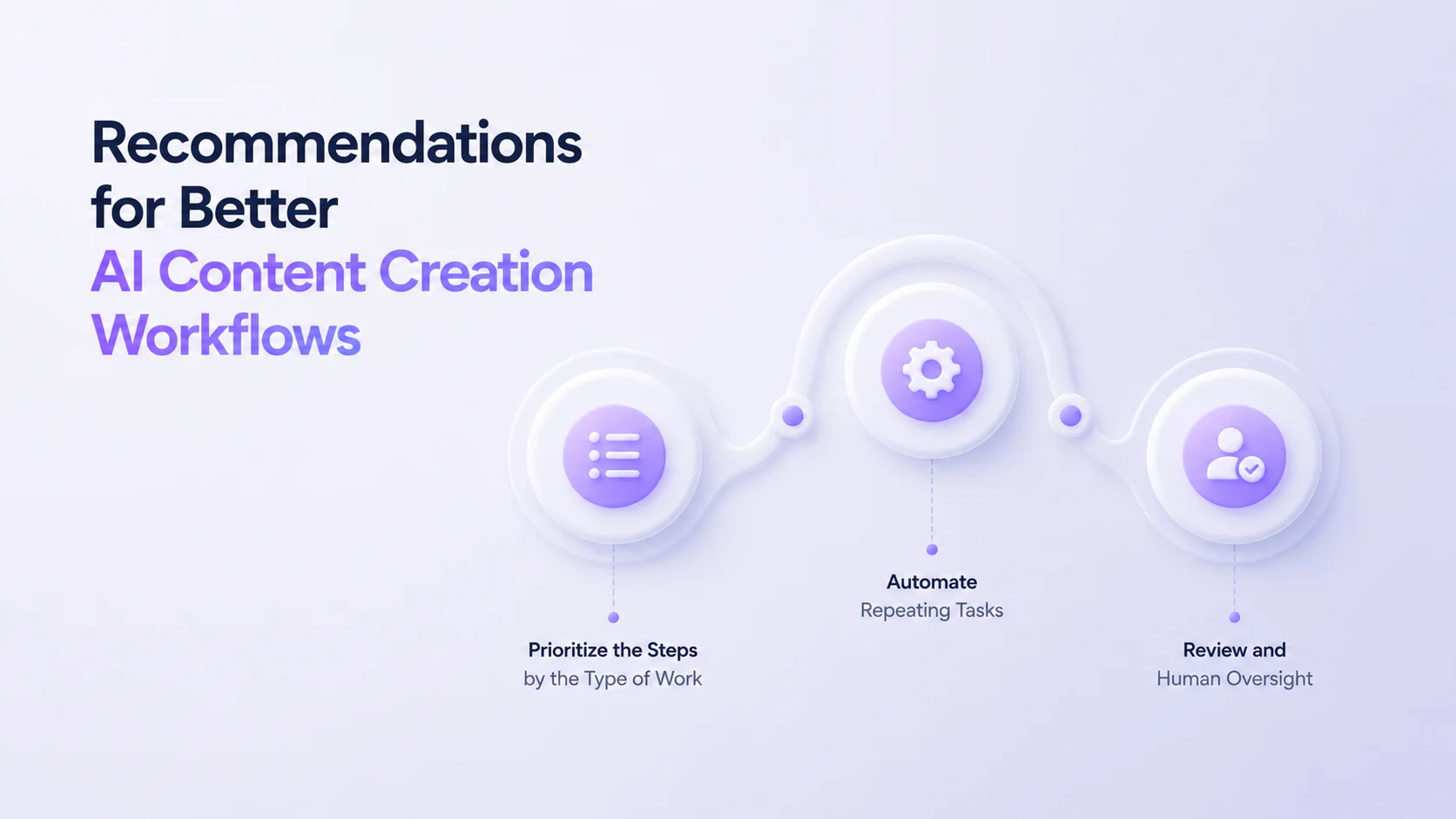
Prioritize the Steps by the Type of Work
Organize your workflow based on the type of content you create. For instance, planning, organizing, scriptwriting, audio production, publication, and visuals. Focus AI assistance on the steps that need it most.
Automate Repeating Tasks
Use AI tools to automate routine tasks. For example, basic editing, scheduling tasks, or idea generation. Let AI handle repetitive tasks and focus on new ideas.
Review and Human Oversight
No matter how great an AI tool is, it still needs a human perspective. Tools can glitch, hallucinate, or misinterpret prompts. Always check the final product. After all, even the greatest journalists and writers need an editor’s approval.
Best Free AI Tools for Content Creation in 2026
Below you’ll find the most popular free AI tools for content creation with pros, cons, and best application to tasks.
AI Image Generators
| Tool | Rating (G2) | Pros | Cons | Use cases | Premium starts at |
|---|---|---|---|---|---|
| DALL-E | 4/5 ⭐ | Creates impressive graphics and images in different styles User-friendly interface Good understanding of prompts | Not great for photorealistic images Prompt limits aren’t clear Editing only through text prompts | Generate images for blogs, marketing visuals, and social media content | $15/month |
| Adobe Firefly | 4.4/5 ⭐ | Excellent artistic styles Good refinement options Competitive generation speed | Struggles with photorealistic images Difficulty when elements interact Limited complex prompts | Create marketing visuals, product mockups, and design prototypes | $9.99/month |
| Leonardo AI | 4.5/5 ⭐ | Clear and detailed images Reference image gallery User-friendly interface | Poor prompt understanding Token-based pricing Limited editing tools in the free plan | Create concept art, characters, and game or design assets | $12/month |
| Canva | 4.7/5 ⭐ | Great for fun cartoon visuals Very easy to use Available on desktop and mobile | Limited refinement Struggles with realistic images Mostly square output format | Design social media graphics, presentations, and marketing materials | $15/month |
AI Video Creators
| Tool | Rating (G2) | Pros | Cons | Use cases | Premium starts at |
|---|---|---|---|---|---|
| InVideo AI | 4.5/5 ⭐ | AI tool extras such as text-to-clip and AI avatars Good editing with text prompts Template library | Watermarks on the free plan Struggles with storytelling Many features require paid plans | Create marketing videos, social media clips, and tutorials from text prompts | $35/month |
| Runway | 4.5/5 ⭐ | Multiple AI models for filmmaking tasks Camera movement control Background and object removal | Most features require paid plans Steep learning curve Credit-based pricing | Produce creative videos, experimental content, and short films | $15/month |
| HeyGen | 4.8/5 ⭐ | Realistic facial expressions and lip-sync Supports 175+ languages and accents 1,100+ AI avatars | Occasional glitches Slow rendering Some voices sound robotic | Create training videos, onboarding materials, and multilingual explainers | $29/month |
| Synthesia | 4.7/5 ⭐ | High-quality AI avatars Avatar template library Supports 140+ languages and accents | Limited avatar emotions Pricing depends on video length Limited cinematic effects | Produce presenter-style videos, training content, and structured explainers | $29/month |
AI Text‑to‑Speech and Voice Generators
| Tool | Rating (G2) | Pros | Cons | Use cases | Premium starts at |
|---|---|---|---|---|---|
| ElevenLabs | 4.5/5 ⭐ | Ultra-realistic voiceovers Supports 70+ languages Advanced editing tools (pitch, tone, pauses, voice cloning) | Struggles with proper nouns and technical jargon Occasional background noise or glitches No live customer support | Generate voiceovers for videos, audiobooks, podcasts, and voice cloning projects | $5/month |
| Murf | 4.7/5 ⭐ | 120+ voices in 20+ languages Advanced voice editing (tone, pitch, speed, mood) Built-in editor for adding media | Some voices sound robotic Most features are on paid plans Limited exports are on the free plan | Create narration for presentations, training materials, and corporate videos | $29/month |
| Speechify | 4.5/5 ⭐ | Adjustable reading speed User-friendly interface Works across iOS, Android, desktop, and Chrome | Many features are only available on paid plans Limited export and editing tools No voice cloning | Convert written text into audio for personal listening or accessibility | $29/month |
| PlayHT | 4.2/5 ⭐ | Ultra-realistic voiceovers Supports 140+ languages and accents Offers voice cloning | Limited emotional expression in voices Speed glitches Limited editing tools | Generate narration for audiobooks, podcasts, YouTube videos, and online courses | $39/month |
AI Audio Editing and Podcast Production Tools
| Tool | Rating (G2) | Pros | Cons | Use cases | Premium starts at |
|---|---|---|---|---|---|
| Adobe Podcast | 4.6/5 ⭐ | Cleans up background noise and echo Generates transcripts for SEO Intuitive audio editing tools | Limited export duration and size Voices may sound flat Occasional sync or freezing issues | Enhance audio quality Remove noise Record podcasts or voiceovers | $9.99/month |
| Descript | 4.6/5 ⭐ | Generates transcripts for SEO Removes filler words and pauses Dubbing, voice cloning, and AI speakers in 30+ languages | Limited export formats Fewer advanced editing features Works worse with longer or more complex videos | Edit podcasts and videos using transcripts Create short social media clips | $16/month |
| Riverside.fm | 4.8/5 ⭐ | High-quality recording regardless of internet connection Removes filler words and pauses Cloud storage for episode management | Limited editing features No pause button while recording Occasional sync issues | Record remote interviews, video podcasts, and high-quality audio content | $15/month |
| Podcastle (Async) | 4.7/5 ⭐ | High-quality audio and video recording 1000+ AI voices and accents Removes filler words and pauses | No pause button while recording Most features require paid plans Limited export formats | Record podcasts, streams, and voice content with AI voice tools | $11.99/month |
| Auphonic | 4.2/5 ⭐ | Removes filler words, pauses, and background noise Automatic audio leveling Batch processing | Issues with large projects Limited editing tools Many features behind paid plans | Process and optimize podcast audio, lectures, and audiobook recordings | $11/month |
Core Use Cases of AI Content Creation Tools: Plan, Draft, Repurpose, Edit, Publish
With the help of AI tools for content creation, you can:
Plan
Brainstorm ideas; create content calendars; outline promotion strategies for ads, campaigns, or social media
Draft
Write blog posts, captions, and articles; create scripts for videos or podcasts; generate multiple content variations
Repurpose
Turn articles into social media clips; convert text into videos or podcasts; transform transcripts into blog posts or newsletters
Edit
Check grammar and improve clarity; remove unwanted objects from images; clean up pauses and background noise in audio
Publish
Schedule posts across platforms; automate distribution; generate SEO keywords and metadata
How to Choose the Right Tools for Your Content Creation Tasks
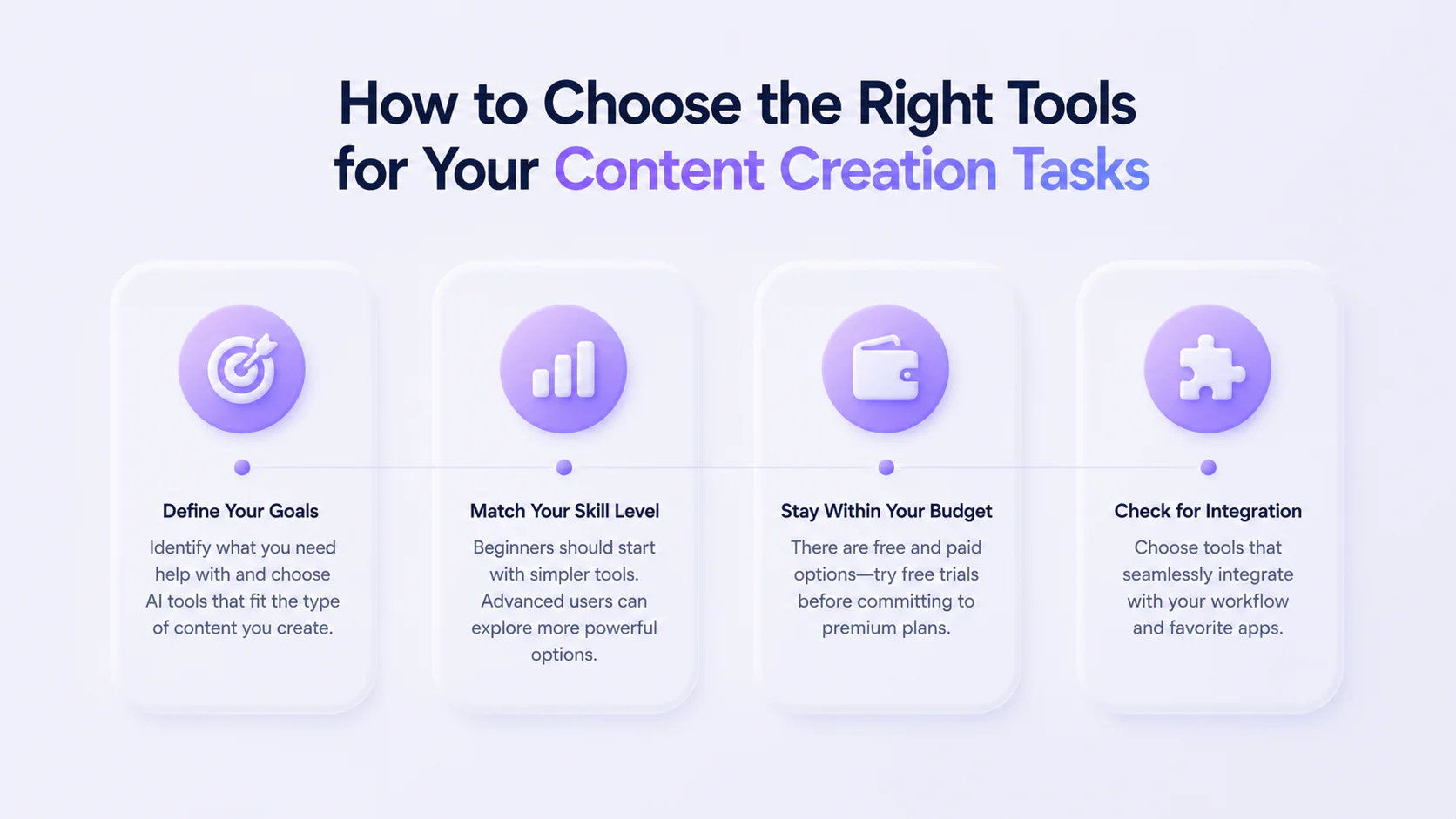
Choosing the best AI tools for content creation can seem complex, considering how many different options there are.
First, figure out what you’re trying to accomplish and where you need assistance. Are you looking for help with planning, writing, revising, or getting something out into the world? Then, pick AI tools that fit the type of content you make. It can be illustrations, podcasts, avatar videos, YouTube narration, songs, etc.
Consider your level of mastery of AI. If you are a beginner, try to choose the simpler options. If you already know what you’re doing, choose the advanced options, because the beginner-friendly ones may appear too simple to you.
Stay within your budget. There are plenty of options—paid and free. Choose wisely, and try out the free version before committing to a premium one. Almost all of them offer free trials, so be sure to take advantage of this step.
Bonus: check for integration. It’s best to find an AI tool that seamlessly integrates into your existing workflow and works with your favorite apps and platforms.
Jasper.ai—Tool for Blog Posts
Rating: 4.7/5 ⭐(1,268 reviews on G2)
Built by Marketers for Marketers, Jasper is an AI content marketing platform designed to help generate high-quality written content.
Use cases:
- Draft versions of blog posts, articles
- Create SEO-friendly headlines and subheadings
- Be consistent in brand voice throughout materials
- One long-form article can be split into newsletters, LinkedIn posts, and ads
Key Features
- High-quality brand voice customization
- Text-to-image generator
- Chrome and Edge extensions
- Supports 80+ languages
- Integrated with Surfer SEO, Grammarly, Copyscape, etc.
Pros
- Strong brand consistency
- 100+ templates from social media to long-form content
- Enterprise-level security
- User-friendly interface
Cons
- High cost
- Can appear complex for beginners
- Works for initial drafts, but the long-form materials can be generic
- No free plan
Pricing
Jasper doesn’t offer a free plan, but it has a 7-day free trial available for the Pro plan.
| Plan | Features | Best for | Price |
|---|---|---|---|
| Free | − | − | − |
| Pro | Canvas platform Essential apps 2 Brand Voices 5 Knowledge assets | Freelancers and individual creators | From $69/month per user |
| Business | Everything in Pro + Advanced apps AI agents Unlimited IQ customization API access | Marketing teams and large organizations | Custom pricing |
Copy.ai—Tool for Social Media Content Creation
Rating: 4.7/5 ⭐(183 reviews on G2)
Rebranded as the world’s first GTM AI platform, Copy.ai is not just a general writing assistant but rather a helpful tool for revenue-focused teams.
Use cases:
- Create engaging content for Instagram, Facebook, and LinkedIn that stay in line with your brand tone
- Full-length SEO blog posts, articles, and content briefs
- Convert webinars into social media clips
Key Features
- Customizable brand voice
- Time-saving AI workflows
- 90+ prebuilt tools and templates, 25+ languages
- 2,000 apps, including Google Docs, OneDrive, Slack, Salesforce, etc.
Pros
- High productivity and speed
- User-friendly interface
- Automated repetitive tasks
- Affordable unlimited plan
Cons
- Works for initial drafts, but the long-form materials can be generic
- Limited customization
- Occasional technical issues
- Can appear complex for beginners
Pricing
| Plan | Features | Best for | Price |
|---|---|---|---|
| Free | 1 user seat 2,000 AI-generated words per month Access to 90+ AI writing tools and templates Supports 25+ languages | Beginners, freelancers | free |
| Chat | 5 seats Unlimited words in chat Unlimited chat projects Access to OpenAI, Anthropic, and Gemini models | Freelancers and individual creators | From $29/month per user |
| Enterprise | Guided onboarding 20+ tech integrations & API access Unlimited customization Own account & support team Business-grade security | Marketing teams and large organizations | Custom pricing |
Surfer SEO—AI Tool for SEO Optimization
Rating: 4.8/5 ⭐(539 reviews on G2)
Surfer SEO is a data-driven on-page optimization tool designed to boost the search performance of content.
Use cases:
- While writing, adjust keyword density, headings, and structure
- To maintain ranking, automatically review and update previous posts
- Analyze top-ranked sites to enhance structure and ranking
Key Features
- SERP analysis
- Evaluation of existing content
- Content editor
- Assesses keywords
- Integrates with Google Docs, WordPress, Jasper, etc.
Pros
- Provides real & actionable data, not just generic advice
- Improves performance & rankings
- Google Docs integration
- User-friendly interface
Cons
- High cost
- Content can become artificial & require manual editing
- No free plan or trial
Pricing
Surfer SEO doesn’t have both a free plan and a free trial.
| Plan | Features | Best for | Price |
|---|---|---|---|
| Free | − | − | − |
| Essential | 2 seats 30 Content Editor articles 5 AI articles 10 content audits Unlimited keyword research (100+ a day) | Freelancers and individual creators | From $99/month per user |
| Scale | 5 seats 100 Content Editor articles 20 AI articles 30 content audits SERP analysis | Small companies and startups | From $219/month per user |
| Enterprise | Unlimited seats number API access SEO advisory | Marketing teams and large organizations | Custom pricing |
Canva—AI Tool for Image Generation
Rating: 4.7/5 ⭐(6,869 reviews on G2)
A built-in AI-powered tool within the Canva design platform that transforms written text prompts into unique images, graphics, and videos.
Use cases:
- Colors, typefaces, and styles are consistent across projects
- Create 30–50 social media posts in one session using templates
- Prepare pitches, reports, and presentations
Key Features
- Text-to-image generation
- Various output formats
- Aspect ratio control
- Editing tools: unwanted objects & background remover
Pros
- User-friendly interface
- Seamless integration into the Canva editor
- Excels at making fun, cartoon, artistic images
- Generates 3-4 options per prompt, allowing for editing
Cons
- Lacks advanced settings.
- Struggles with realistic, complex, or detailed generations
- Free plan has strict daily image limits
- Takes too long
Pricing
| Plan | Features | Best for | Price |
|---|---|---|---|
| Free | 50 total lifetime uses of Text-to-Image 5 text-to-video uses | Beginners | free |
| Pro | 500 AI image credits per month Brand kits and advanced design tools 100M+ premium photos, videos, and graphics 1TB of storage | Freelancers and individual creators | From $15/month per user |
| Business | Everything in Pro + 500 AI credits per user per month Collaboration tools, shared assets, and admin controls | Small companies and startups | From $20/month per user |
| Enterprise | Advanced security and admin features Higher or unlimited AI usage | Marketing teams and large organizations | Custom pricing |
InVideo—AI Tool for Video Creation
Rating: 4.5/5 ⭐(170 reviews on G2)
A browser-based AI video generator that creates entire videos from simple text prompts.
Use cases:
- Create ads and promotional videos
- Subtitle and voiceover videos in numerous languages
- Make short social media clips from one long video
Key Features
- Transforms simple text prompts or ideas into full-length videos
- 50+ languages, voice cloning
- 16 million stock assets, including premium footage, images, and music
- Allows you to create an avatar
- Automatically generates subtitles and translates voiceovers
Pros
- User-friendly interface
- Extensive library of stock media
- Affordable
- 24/7 support
Cons
- Slower rendering because it’s a browser tool
- Limited free plan
- Struggles with creating customized storytelling & requires manual editing
- Internet reliance, because it’s a browser tool
Pricing
| Plan | Features | Best for | Price |
|---|---|---|---|
| Free | Limited AI video generation 4 exports per week Watermarked videos Limited media library access | Beginners | free |
| Plus | 50 AI video minutes per month 10 AI credits 95 iStock assets monthly Unlimited exports without watermark 100GB storage | Freelancers and individual creators | From $28/month per user |
| Max | 200 AI video minutes per month 40 AI credits 320 iStock assets monthly Voice cloning features 400GB storage | Marketing teams and organizations | From $48/month per user |
Synthesia—AI Tool for Avatar Videos
Rating: 4.7/5 ⭐(2,543 reviews on G2)
An AI video creation platform that allows users to generate videos with realistic AI avatars that speak scripted text.
Use cases:
- Make consistent onboarding videos for new employees
- Translate one training course into several languages
- Create or use an AI avatar to make videos without filming
Key Features
- 140+ AI avatars & custom avatar
- 140+ languages and accents
- AI script generator
- Video templates for marketing and training
- Screen recording and slide integration
Pros
- High-quality AI avatars
- Supports many languages
- No filming or recording equipment required
- Ideal for training and business videos
- User-friendly interface
Cons
- Limited creative editing tools
- AI avatars may appear slightly robotic
- High cost
Pricing
| Plan | Features | Best for | Price |
|---|---|---|---|
| Free | 10 minutes of video per month | Beginners | free |
| Starter | 10 minutes of AI video per month 125+ AI avatars AI video assistant Downloadable videos | Freelancers and individual creators | From $29/month per user |
| Creator | 30 minutes of AI video per month 180+ avatars Personal avatars API access | Freelancers and individual creators | From $89/month per user |
| Enterprise | Unlimited video generation Custom avatars Advanced security (SSO) Team collaboration features | Marketing teams and large organizations | Custom pricing |
Murf—Tool for Text-to-Voice Conversion
Rating: 4.7/5 ⭐(1,414 reviews on G2)
An AI voice generator that converts written text into realistic voiceovers for videos, presentations, podcasts, and marketing content.
Use cases:
- Convert texts into podcasts
- Voice-over videos, podcasts, and presentations
- Translate content into different languages
Key Features
- 120+ AI voices
- 20+ supported languages
- Voice tone and pitch control
- Voice cloning
- Integration with presentations and videos
Pros
- Realistic voice quality
- Easy editing and customization
- Supports many languages
- Great for video narration
Cons
- Limited features in the free plan
- Voice cloning is only available in premium plans
- Some voices still sound slightly robotic
Pricing
| Plan | Features | Best for | Price |
|---|---|---|---|
| Free | 10 minutes of voice generation per month | Beginners | free |
| Creator | 24 hours of voice generation per year 200+ voices Voice editing tools | Freelancers and individual creators | From $29/month per user |
| Business | 96 hours of voice generation yearly Voice cloning Collaboration tools | Marketing teams and organizations | From $99/month per user |
Descript—AI Tool for Audio Editing
Rating: 4.6/5 ⭐(856 reviews on G2)
An AI-powered audio and video editing platform that allows users to edit recordings by editing the text transcript.
Use cases:
- Cut out filler words, long pauses
- Fix mistakes without re-recording via voice cloning
- Split long videos into social media clips
Key Features
- Edit audio and video using transcripts
- Automatic transcription
- AI voice cloning
- Filler word removal
Pros
- Very intuitive editing workflow
- Excellent for podcast editing
- Accurate transcription
- Strong AI audio tools
Cons
- Learning curve for advanced tools
- Voice cloning requires training
- Some features are available only on paid plans
Pricing
| Plan | Features | Best for | Price |
|---|---|---|---|
| Free | 1 hour of transcription per month | Beginners | free |
| Creator | 10 transcription hours per month Screen recording Watermark-free export | Freelancers and individual creators | From $12/month per user |
| Pro | 30 transcription hours monthly AI voice cloning Advanced editing tools | Marketing teams and organizations | From $24/month per user |
HubSpot—Set of Strategy AI Tools
Rating: 4.4/5 ⭐(14,539 reviews on G2)
AI tools integrated into a CRM platform that help marketers automate content creation, campaign planning, and performance analysis.
Use cases:
- Automate daily tasks like email marketing
- Create AI-powered campaign materials
- Track content and marketing ROI
Key Features
- AI blog and marketing content generation
- CRM integration
- AI chatbots
- Marketing analytics and reporting
Pros
- Powerful marketing automation
- Strong CRM integration
- Advanced analytics
- Great for marketing teams
Cons
- Expensive for small businesses
- Can appear complex for beginners
- Advanced features require higher plans
Pricing
| Plan | Features | Best for | Price |
|---|---|---|---|
| Free | Basic CRM with contact management Email marketing (up to 2,000 emails per month) Basic analytics and reporting Up to 2 users included | Freelancers and individual creators | free |
| Marketing Hub Starter | Email marketing and templates Ad management and retargeting Messaging insights and conversation tracking Email and in-app chat support | Startups and small businesses | From $20/month per user |
| Marketing Hub Professional | 3 seats Advanced marketing automation SEO and content strategy tools, SSM Custom reporting and analytics | Marketing teams and organizations | From $890/month per user |
| Marketing Hub Enterprise | 5 seats Advanced reporting and attribution Customer journey analytics Enterprise-level security | Marketing teams and large organizations | From $3,600/month per user |
ChatGPT—AI Tools for Ideation
Rating: 4.7/5 ⭐(1,891 reviews on G2)
A conversational AI assistant from OpenAI that helps users brainstorm, compose, research, and automate writing tasks.
Use cases:
- Generate ideas for articles, social media posts, and ads
- Draft scripts, articles
- Summarize reports and analyze difficult topics
Key Features
- AI brainstorming and idea generation
- Content drafting (articles, captions, scripts)
- Research assistance and summarization
- Image generation and file analysis
Pros
- Versatile for many content tasks
- Fast idea and outline generation
- Easy conversational interface
- Supports writing, research, coding, and editing
Cons
- Can generate inaccurate or “hallucinated” information
- Requires clear prompts for best results
- May misinterpret context in complex queries
Pricing
| Plan | Features | Best for | Price |
|---|---|---|---|
| Free | Access to basic AI models Idea generation and drafting assistance Image generation with limits File uploads and analysis (limited) | Freelancers and individual creators | free |
| Plus | Access to more advanced AI models Faster response times Expanded image generation tools File uploads and advanced analysis | Freelancers and individual creators | From $20/month per user |
| Team | Shared workspace for teams Higher usage limits Access to advanced models Admin tools and workspace management | Startups and small businesses | From $25/month per user |
| Enterprise | Enterprise-level security Advanced admin controls Custom integrations and API access Dedicated support | Marketing teams and large organizations | Custom pricing |
Grammarly—AI Tool for Grammar Checks
Rating: 4.7/5 ⭐(13,234 reviews on G2)
Grammarly provides AI-powered grammar correction, tone analysis, and writing suggestions to improve clarity and readability.
Use cases:
- Check grammar, spelling, and punctuation instantly
- Improve content tone and readability
- Consistent brand writing across teams
- Check content for plagiarism and consistency
Key Features
- Grammar and spelling correction
- Tone and clarity suggestions
- Plagiarism detection (premium)
- Browser, email, and document integrations
Pros
- Real-time editing suggestions
- Very user-friendly interface
- Works across many platforms and apps
- Helps improve writing skills over time
Cons
- Advanced features require a paid subscription
- Sometimes over-suggests corrections
- May misinterpret creative or complex sentences
- A plagiarism checker is weaker than specialized tools
Pricing
| Plan | Features | Best for | Price |
|---|---|---|---|
| Free | Basic grammar and spelling checks Tone detection Writing suggestions for clarity Browser and app integrations | Freelancers and individual creators | free |
| Premium | Advanced grammar and punctuation suggestions Tone and style improvements Full sentence rewrites Plagiarism detection | Freelancers and individual creators | From $12/month per user |
| Business | Everything in Premium Team style guides Brand tone customization Admin controls and analytics | Marketing teams and organizations | From $25/month per user |
Perplexity—AI Tool for Research
Rating: 4.5/5 ⭐(243 reviews on G2)
An AI-powered search engine that provides researched answers with cited sources, making it useful for fact-checking and research.
Use cases:
- Accurate and verified research answers
- Summarize long documents, reports, etc.
- Review AI-generated content for accuracy
- Discover market trends and tactical tips
Key Features
- AI-powered search engine with cited sources
- Summarizes articles and documents
- Follow-up questions for deeper analysis
- File upload and research assistance
Pros
- Provides sources for answers
- Excellent for research and fact-checking
- Fast summaries of complex topics
- Clean and simple interface
Cons
- Limited queries in the free plan
- Some advanced models require a paid plan
- May occasionally pull outdated or incomplete sources
- Less creative writing capability compared to chat assistants
Pricing
Perplexity offers a free plan, but it has limitations. If you want to upgrade, they have two paid plans:
| Plan | Features | Best for | Price |
|---|---|---|---|
| Free | Unlimited quick searches 5 pro searches/day 3 file uploads/day | Freelancers and individual creators | free |
| Pro | Unlimited quick searches Access to advanced AI models 300+ pro searches/day Unlimited file uploads Faster responses and deeper search capabilities | Startups and small businesses | From $20/month per user |
| Enterprise | Advanced security features Team collaboration tools Custom integrations Priority support | Marketing teams and large organizations | Custom pricing |
Frequently Asked Questions About AI Content Creation Tools