There’s a moment every business leader eventually faces: you’re staring at a spreadsheet at 11 PM, manually compiling a report that could have been done in seconds. That moment used to be uncomfortable. In 2026, it’s inexcusable.
According to McKinsey’s 2024 State of AI report, companies that actively deploy AI across business functions report 20-30% productivity gains in targeted workflows. That’s a competitive moat. But here’s what nobody tells you: having AI tools isn’t the same as using them well. The market is flooded with overlapping platforms, each promising transformation. Most businesses end up with a patchwork of subscriptions, poor integrations, and confused teams. This guide cuts through the best AI tools for business to avoid that.
How to Choose the Right AI Tools for Business Automation?
The businesses getting the most out of AI aren’t using the most advanced platforms. They’re using the right ones with clear intent.
Core Capabilities to Require (Automation, Generative AI, Analytics)
Every tool you consider should deliver value across at least one of three areas: workflow automation (reducing repetitive tasks), generative AI (producing content, code, or decisions), and analytics (turning raw data into intelligence).
The mistake most teams make is evaluating tools in isolation. A platform that automates your email outreach is great, but if it can’t share data with your CRM, you’ve just created a new silo. Ask vendors: does this tool automate triggers or just tasks? Can it integrate with your BI stack? And critically – is the AI actually reasoning, or just pattern-matching on templates? In 2026, that distinction matters for contract review, customer escalation, and financial forecasting.
Pricing, Free Tiers, and Total Cost of Ownership
The listed price is usually not the real price. A starter plan often becomes more expensive once you add seats or exceed API limits. Model the total cost of ownership (TCO) over 12 months – including onboarding, training hours, and integration work. Free tiers are useful for testing, but treat them as demos, not production environments. Also watch for undisclosed markups on API costs – some platforms charge above the underlying model rate without saying so.
Data Privacy, Compliance, and Vendor Risk
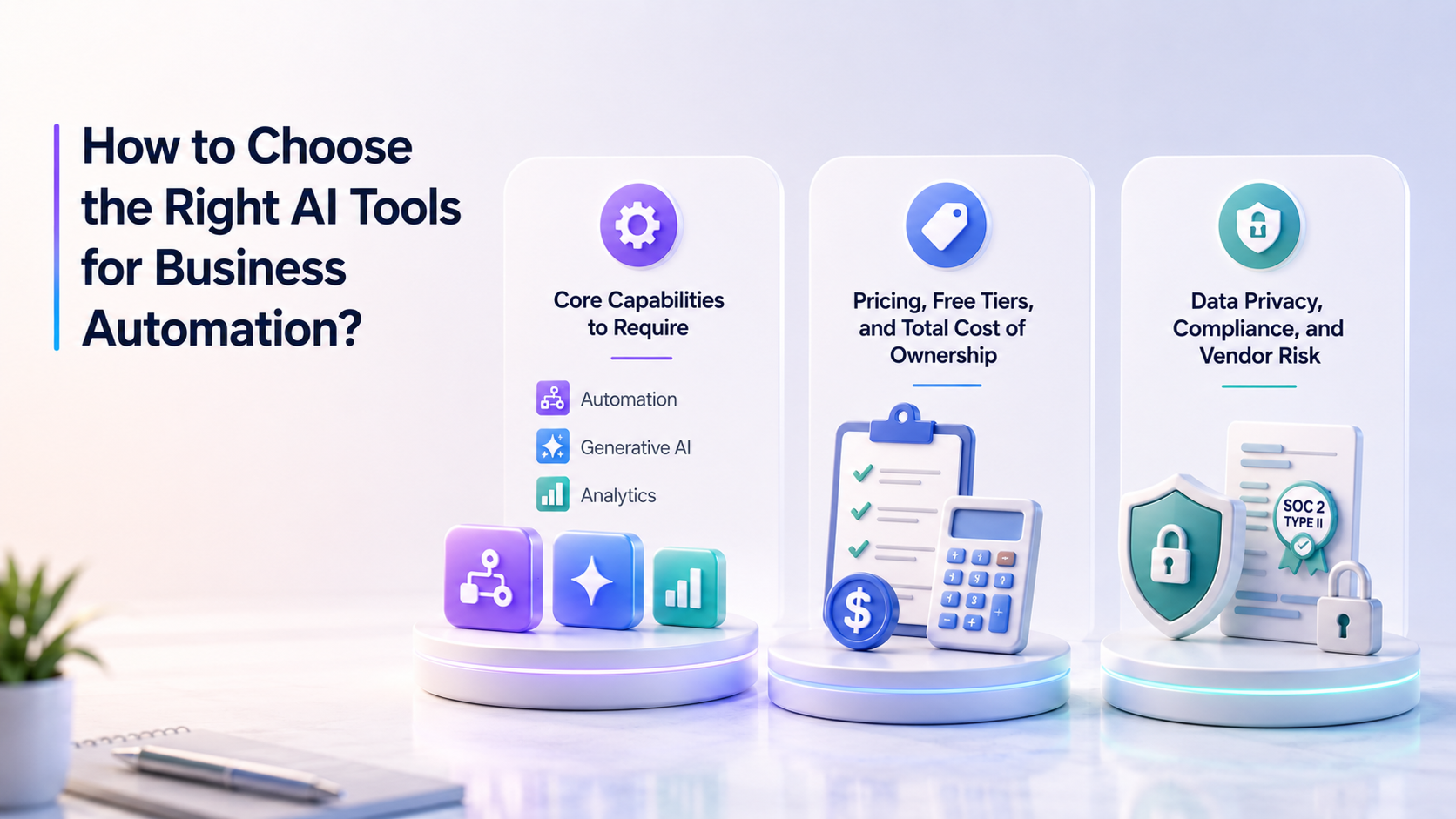
If you’re in healthcare, finance, or legal, your AI vendor’s data handling is a regulatory matter. Confirm whether your data trains their models (many default to yes unless you opt out). Ask for SOC 2 Type II and GDPR/CCPA documentation. For enterprise deals, evaluate financial stability – an AI startup with no clear revenue model is a real risk. If they pivot, your workflows evaporate.
AI Tool Types Every Business Needs
Generative AI for Content and Creativity
The leading general-purpose tools are Claude (Anthropic), ChatGPT (OpenAI), and Gemini (Google). Claude performs well on long-context tasks and complex reasoning – strong for legal analysis and research. ChatGPT has the broadest plugin ecosystem. Gemini integrates natively into Google Workspace, an advantage for teams already living in Docs and Sheets.
For image generation, Midjourney and DALL-E 3 are the top picks. Video tools like Runway and Sora are maturing fast, producing short promotional videos from a text prompt is a production-ready workflow for many brands in 2026. For development teams, exploring the best AI coding tools can streamline code generation and debugging. The honest limitation: generative AI still hallucinates. Any business-critical output needs human review. Build that into your workflow from day one.
Automation Tools to Streamline Workflows
This is the category that saves the most hours per employee when implemented well.
| Tool | Pros | Cons | Best For |
|---|---|---|---|
| Zapier | Largest app library (7,000+), no-code, AI-powered workflow suggestions | Gets expensive at high task volume; complex flows can become brittle | SMBs automating CRM updates, lead routing, and notifications |
| Make (formerly Integromat) | Visual builder, much cheaper than Zapier at scale, handles complex branching logic | Steeper learning curve | Operations teams and agencies with data-intensive automations |
| n8n | Open-source, self-hostable, highly flexible | Requires technical setup | Teams with strict data residency requirements |
| UiPath | Enterprise RPA, handles legacy desktop apps that APIs can’t reach, strong audit trail | Expensive, overkill for SMBs | Enterprises with high-volume repetitive processes in finance or HR |
AI for Marketing, SEO, and Customer Growth
Marketing was one of the first business functions to feel AI’s impact, and in 2026 the tools have matured well beyond “write my blog post”. The best platforms now handle everything from SEO scoring to paid social creative at scale.
| Tool | Pros | Cons | Best For |
|---|---|---|---|
| Jasper | Built for marketing teams, brand voice training, integrates with Surfer SEO | Pricey for solo users; outputs still need editing | Teams producing high volumes of on-brand content |
| Surfer SEO | Data-driven content optimization, real-time scoring | Can over-optimize toward keyword stuffing without a strategic eye | Content teams targeting faster rankings |
| Semrush | All-in-one SEO, PPC, and competitive intelligence with built-in AI writing | Overwhelming for beginners; full features require expensive plans | In-house SEO teams and digital agencies |
| Smartly.io | AI-powered ad creative automation across Meta, Google, TikTok; dynamic creative optimization | Minimum spend thresholds | Performance marketing teams running large-scale paid social |
AI for Analytics, BI, and Business Insights
Data is only as useful as your ability to act on it fast. These platforms close the gap between a business question and a visual answer, without needing a data analyst in the loop. As data visualization tools evolve, organizations are discovering new possibilities—learn more about how this field is transforming in will AI take over data visualization.
| Tool | Pros | Cons | Best For |
|---|---|---|---|
| Tableau with Tableau AI | Best-in-class visualization, natural language queries, deep Salesforce integration | Expensive licensing; steep learning curve | Revenue teams needing rich dashboards connected to CRM data |
| Power BI with Copilot | Native Microsoft ecosystem, generates reports from natural language prompts, strong security | Requires Microsoft 365 stack | Microsoft-centric enterprises wanting AI reporting without a new vendor |
| ThoughtSpot | Best “search your data” experience, AI-generated insights surface anomalies automatically | Expensive; requires clean, well-structured data | Organizations where non-technical users need self-serve analytics |
Productivity AI for Teams and Knowledge Work
The best productivity AI tools don’t add a new app to your workflow, they embed into the tools your team already lives in and make those tools meaningfully smarter.
| Tool | Pros | Cons | Best For |
|---|---|---|---|
| Microsoft 365 Copilot | AI across Word, Excel, Outlook, Teams, PowerPoint in one subscription; enterprise security | $30/user/month add-on on top of existing Microsoft 365 plan | Enterprises embedded in the Microsoft stack |
| Notion AI | Summarization and Q&A across your knowledge base, good writing assistance | Only valuable if you’re already on Notion | Teams using Notion as their central knowledge hub |
| Otter.ai | Real-time transcription, speaker ID, action item extraction, Zoom/Teams integration | Accuracy drops with accents or heavy crosstalk | Teams wanting automatic meeting records |
AI Solutions for Ecommerce and Retail
Ecommerce is where AI personalization pays off most visibly, in conversion rates, average order value, and support costs. These tools cover the three highest-leverage areas: recommendations, customer service, and inventory.
| Tool | Pros | Cons | Best For |
|---|---|---|---|
| Nosto | AI-powered product recommendations, proven AOV lift, Shopify-compatible | Better for mid-to-large catalogs | Ecommerce brands increasing revenue through personalized product discovery |
| Tidio | AI chatbot + live chat, abandoned cart recovery, Shopify-native | AI responses feel robotic for complex queries | DTC Shopify stores wanting 24/7 support without a full team |
| Inventory Planner | AI demand forecasting, reduces stockouts and overstock, multi-channel integration | Requires solid historical sales data | Product businesses managing inventory across Shopify, WooCommerce, or Amazon |
Enterprise Platforms and Cloud AI (Including Microsoft)
For large organizations, the question isn’t which AI model is best, it’s which cloud infrastructure gives you the governance, scalability, and model flexibility to build on safely.
| Tool | Pros | Cons | Best For |
|---|---|---|---|
| Microsoft Azure AI | Full suite (language, vision, speech, ML), enterprise SLAs, deep hybrid cloud support | Complexity requires dedicated engineers; costs can escalate | Large enterprises building custom AI pipelines on Microsoft infrastructure |
| AWS Bedrock | Multi-model access (Claude, Llama, Titan) through one API, strong governance | Requires AWS expertise | AWS-native enterprises wanting model flexibility without managing infrastructure |
| Salesforce Einstein | AI built into the world’s leading CRM – predictive lead scoring, email personalization, opportunity insights | Most powerful features require Enterprise tier or above | Sales-driven organizations living in Salesforce |
When to Buy vs. Build AI Capabilities?
Buy when your use case is a commodity function – email summarization, content generation, or support ticket routing. These are solved problems. Rebuilding them wastes engineering resources that should go toward things that actually differentiate your business.
Build when your use case is genuinely unique: proprietary data that gives you a real edge or model behavior requirements that off-the-shelf tools can’t accommodate. A fintech company building a proprietary risk model from its own transaction data – that’s a build decision. But “building in-house” routinely underestimates reality. A custom ML model in production is not a 6-week project. Factor in data prep, training, deployment, monitoring, and maintenance – realistically 6-18 months, plus a team to sustain it.
Key Benefits of AI Tools for Big and Small Businesses
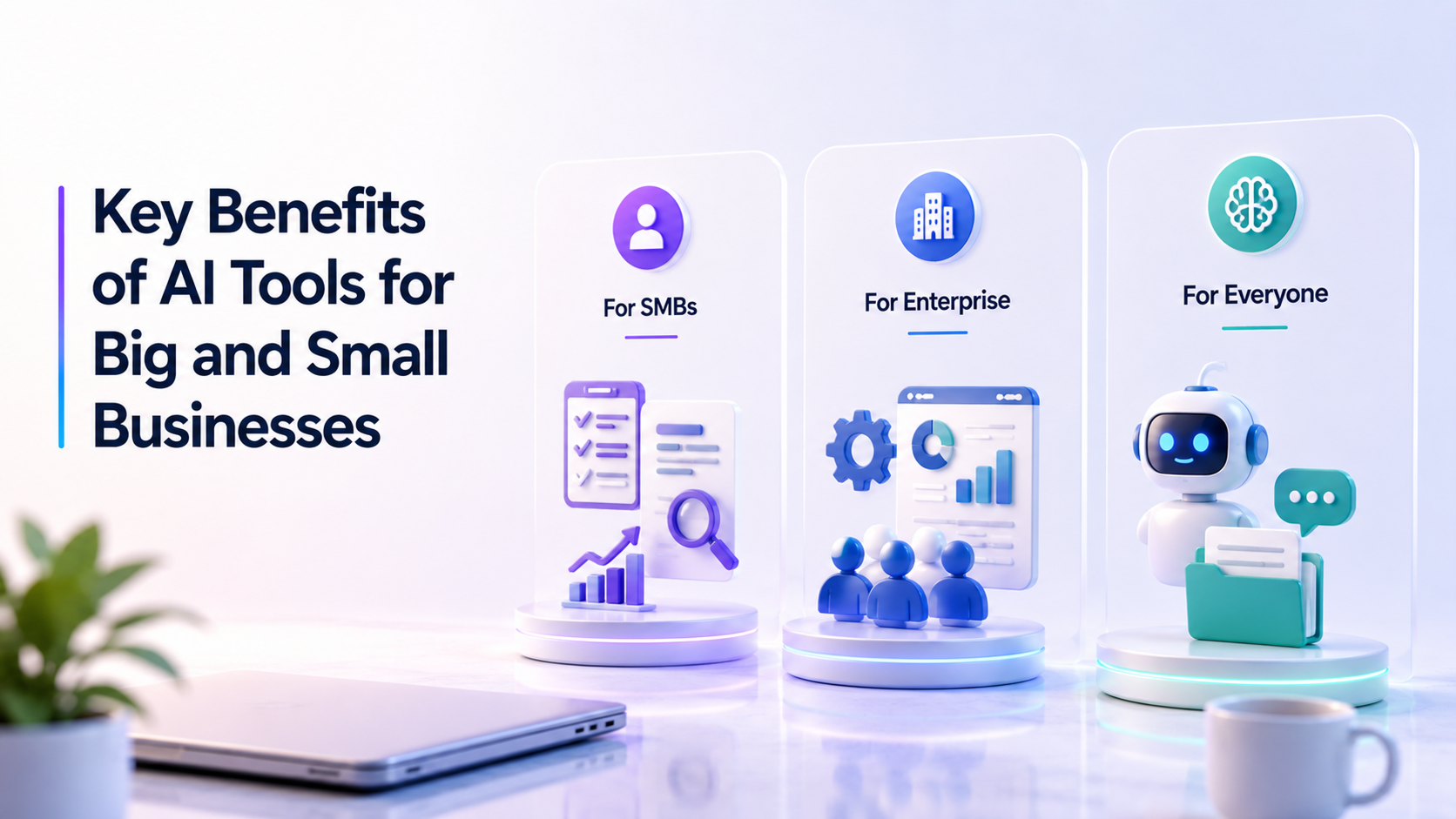
The benefits aren’t evenly distributed, and that’s good news for smaller businesses. A 20-person company can implement an AI tool this week and see results next week. Enterprise companies often can’t because of legacy systems and change management complexity.
- For SMBs: eliminating repetitive admin, compressing content timelines, getting faster answers from data without hiring a data analyst, and enabling small teams to punch above their weight.
- For enterprise: the economic leverage of automating processes that hundreds of employees repeat daily, plus better decision-making through real-time forecasting that human analysts can’t produce at speed and volume.
One underappreciated benefit that applies to everyone: AI as an always-available cognitive partner. With the AI tools for small businesses or for enterprises, you can query your documents, synthesize research, and stress-test a plan at 2 AM, all without waiting for a colleague. That changes how work actually gets done.
Top Use Cases for AI Tools for Business Growth
Meeting Automation Tools
AI meeting tools, like Fireflies.ai, Otter.ai, and Microsoft Teams Copilot, join calls automatically, transcribe in real time, and extract action items without human note-taking. More sophisticated platforms detect sentiment shifts, flag unresolved topics, and, for sales teams, log summaries directly to CRM. An entire layer of post-meeting admin, gone.
Meeting Summaries and Action-Item Trackers
A transcript by itself isn’t useful. What matters is who decided what to do and who owns what next. AI summary tools distill 60-minute meetings into structured 300-word summaries with categorized action items, and the best implementations route those items directly into Asana or Jira, so decisions don’t die in inboxes.
No-Code and Low-Code Automation Platforms for Non-Engineers
Non-technical team members can now build real automation workflows without writing code. Zapier’s AI builder lets you describe a workflow in plain English and generates the automation for you. Power Automate integrates directly with Office 365. When subject-matter experts can build their own automations without waiting in an engineering queue, iteration cycles compress from weeks to hours.
AI for Business Analytics
Tools like ThoughtSpot, Power BI with Copilot, and Tableau AI let non-technical users ask natural language questions and get instant visual answers. More importantly, proactive AI analytics now surface anomalies without you asking – an automated alert that a product category’s return rate spiked 40% in two weeks, with likely causes already identified. That’s a standard feature now, not a demo.
AI for Sales and Marketing
In sales, AI handles lead scoring, personalized outreach, conversation intelligence, and pipeline forecasting. Gong and Chorus analyze every sales call, identifying what top performers do differently and flagging at-risk deals. On the marketing side, AI enables dynamic creative testing across dozens of variations simultaneously and content personalization that adjusts based on who a visitor is and what they’ve done before.
AI Chatbots and Conversational Agents for Customer Engagement
The chatbot of 2019, a rigid decision tree routing everything to “please hold”, is a genuinely different creature from the conversational AI of 2026. Modern AI chatbots understand context, handle ambiguity, and resolve a meaningful share of inquiries without human involvement.
Intercom’s Fin, trained on your help documentation, answers complex queries with accuracy that rivals human agents. Drift and HubSpot’s tools qualify visitors and book meetings before a sales rep gets involved. For ecommerce, Gorgias handles order tracking and returns with AI, escalating complex cases to humans with full context pre-populated. The question of whether AI will replace customer service has shifted from “if” to “how.” The binding constraint: AI chatbots are only as good as the knowledge base behind them. A poorly documented business gets a poorly performing chatbot.
Multimodal AI Agents: Handling Calls, Email, Docs, and Meetings
Multimodal AI agents process and respond across voice calls, emails, documents, and meetings simultaneously. This matters for workflows spanning channels – a customer emails a question, follows up by phone, and references a document from last week. Text-only AI can’t connect those dots.
Bland.ai handles outbound and inbound voice calls with AI agents that sound natural and update your CRM automatically. Reducto and LlamaIndex extract and act on information from PDFs, contracts, and invoices – understanding structure, not just text. Orchestrating these capabilities together is what AI-powered operations actually means in 2026.
Integration Quality: Native Integrations, APIs, and Webhooks
A tool’s capability means nothing if it can’t talk to the rest of your stack. The gold standard is native integration – a direct, maintained connection requiring no middleware. When your AI tool connects natively to your CRM, insights appear where your team works, not in a separate dashboard nobody opens.
APIs and webhooks are the next tier. A well-documented REST API enables custom integrations; webhooks enable real-time event-driven workflows that respond within seconds. When evaluating any tool, ask: what native integrations exist today, what’s the API rate limit, and, critically, who maintains these integrations when the connected platform updates? That last question is where many tools fail silently.
Making Diverse AI Tools Work Together
Most businesses end up with 5-15 AI tools across functions. The challenge is making them work as a system rather than isolated point solutions.
Designate a central data layer, a CRM or data warehouse like Snowflake or BigQuery, as the source of truth all AI tools read from and write to. Every AI output should flow back to that layer: insights generate actions, and actions generate better data. Orchestration tools like n8n, Make, or Zapier serve as connective tissue. The teams that do this best treat their AI stack like a system architecture – with intentional design and regular audits of what’s actually working.
Common Pitfalls When Implementing AI for Operations
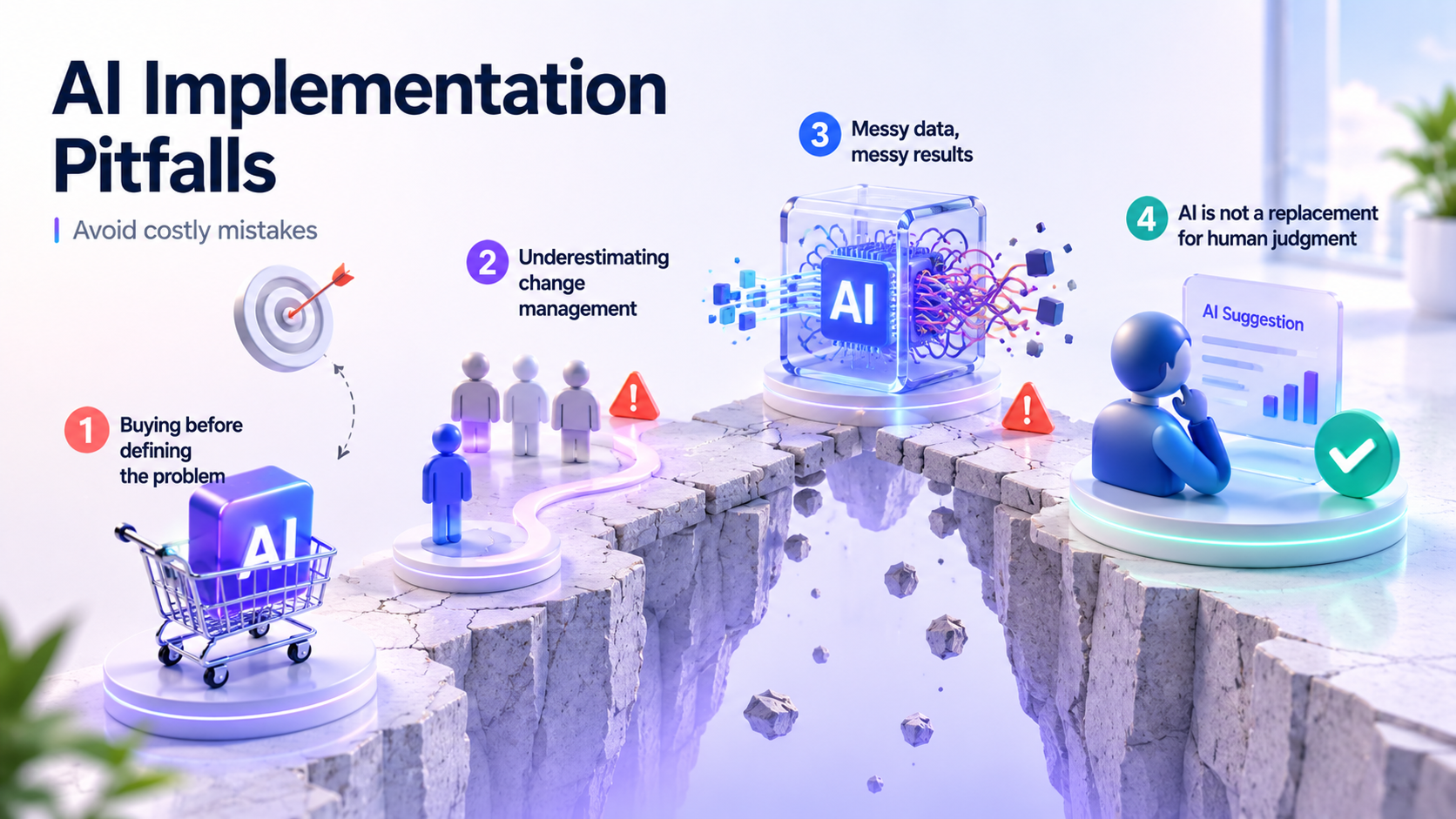
Buying before defining the problem is the most common failure. A tool is purchased because it seems impressive, without clarity on what workflow it solves or what success looks like. Six months later, usage has drifted to zero.
Underestimating change management is second. Rollouts without team involvement or a clear “why” consistently fail. Technical debt is a silent killer – complex automations built on messy data produce messy outputs. Garbage in, garbage out isn’t a cliché; it’s a law. And finally: AI is not a replacement for human judgment in high-stakes situations. Teams that treat AI outputs as authoritative make worse decisions, not better ones.
How to Pick the Best AI Tools for Your Business in 2026
Four questions. Answer them before you open a pricing page.
- What specific workflow are you improving, and how do you measure success today?
- Where does this tool fit in your existing stack – will it integrate or create another data island?
- What does total cost of ownership look like over 12 months?
- Does the vendor have the stability to be a real partner 18 months from now?
The best AI tool for your business is rarely the most sophisticated one. It’s the one that solves a real problem, integrates cleanly, delivers measurable value within 90 days, and comes from a vendor you can trust. Start with one use case, measure it honestly, and scale from there. Unglamorous, but the strategy that actually works.